
1. Introduction
This user manual provides essential information for the safe and efficient operation of your Metrica 33806 Digital Level with Inclinometer. Please read this manual thoroughly before using the device and keep it for future reference. The Metrica 33806 is a precision instrument designed for accurate measurement of angles and levels in various professional and DIY applications.
2. Safety Instructions
- Always wear appropriate personal protective equipment (PPE) when working with tools.
- Keep the device clean and dry. Do not expose it to extreme temperatures or humidity.
- Do not attempt to disassemble or modify the device. Repairs should only be performed by qualified personnel.
- Ensure the work area is well-lit and free from obstructions.
- Keep children and unauthorized persons away from the work area.
- Handle the device with care to avoid damage to the sensitive electronic components.
- If the device uses batteries, ensure they are inserted correctly and dispose of old batteries responsibly.
3. Product Overview
The Metrica 33806 Digital Level with Inclinometer combines the functionality of a traditional spirit level with advanced digital measurement capabilities. It features a robust profile and a clear digital display.
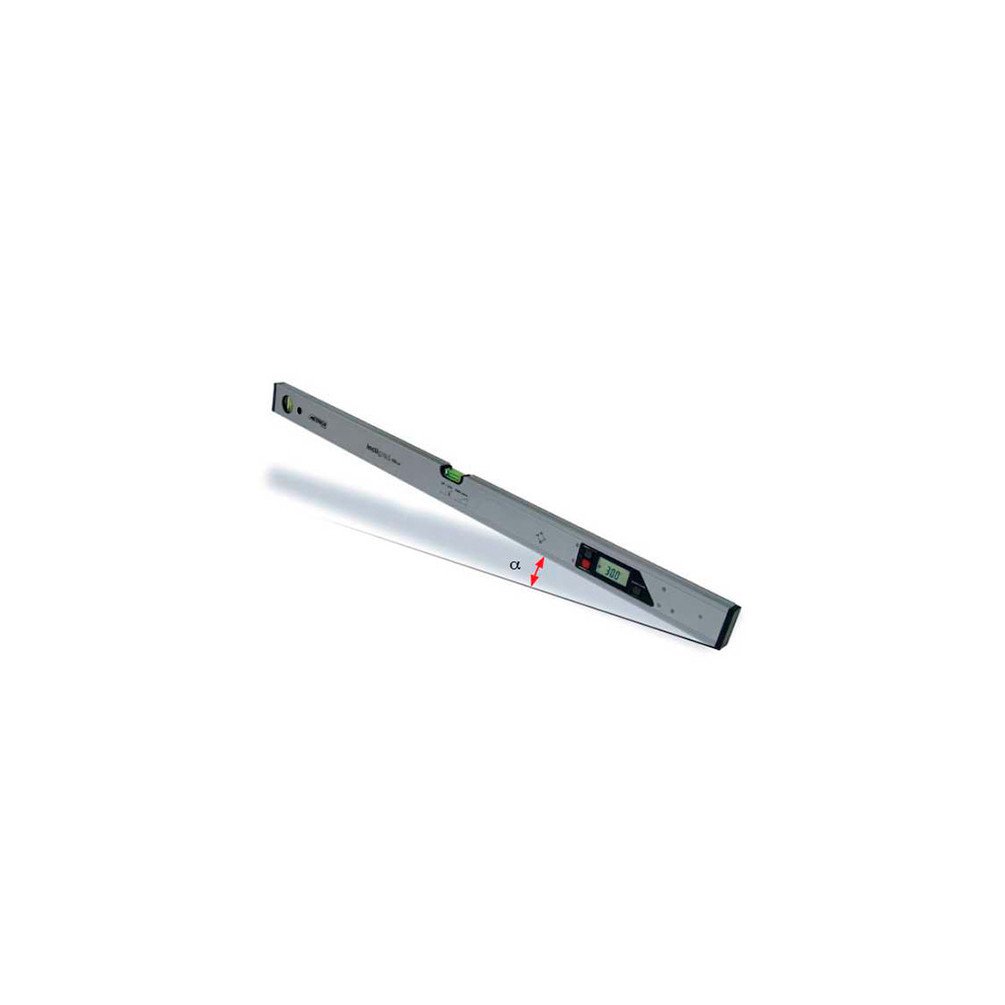
Figure 1: Metrica 33806 Digital Level with Inclinometer. This image shows the overall design of the digital level, highlighting its robust construction and integrated digital display.
Key Components:
- Digital Display: Shows angle measurements.
- Control Buttons: For power, unit selection, hold function, and calibration.
- Spirit Vials: Traditional bubble vials for quick visual leveling.
- Measuring Surface: Flat base for accurate placement on surfaces.
- Battery Compartment: For power source.
4. Setup
- Unpacking: Carefully remove the digital level from its packaging. Inspect for any signs of damage.
- Battery Installation: Open the battery compartment and insert the required batteries (refer to the device markings) ensuring correct polarity. Close the compartment securely.
- Power On: Press the power button to turn on the device. The display should illuminate and show a reading.
- Initial Calibration: For first-time use or after a long period of storage, it is recommended to perform a basic calibration. Place the level on a perfectly flat, horizontal surface. Consult your device's specific instructions for the calibration procedure, which typically involves pressing a calibration button, rotating the device, and confirming.
5. Operating Instructions
5.1 Basic Leveling
Place the digital level on the surface you wish to measure. The digital display will show the angle of inclination. For quick checks, observe the traditional spirit vials.
5.2 Changing Measurement Units
Press the "UNIT" or "MODE" button to cycle through different measurement units, such as degrees (°) or percentage (%). Select the unit appropriate for your task.
5.3 Hold Function
To freeze the current measurement on the display, press the "HOLD" button. This is useful when measuring in difficult-to-view locations. Press "HOLD" again to release the measurement.
5.4 Using the Inclinometer
The inclinometer function allows precise measurement of slopes and angles. Simply place the level on the inclined surface, and the digital display will show the exact angle. For relative measurements, you can often set a reference angle (zero out the current position) and measure subsequent angles relative to that reference.
6. Maintenance
- Cleaning: Wipe the device with a soft, damp cloth. Do not use abrasive cleaners or solvents. Ensure the display and measuring surfaces are free from dust and debris.
- Storage: Store the digital level in its protective case (if provided) in a dry, cool place away from direct sunlight and extreme temperatures.
- Battery Replacement: Replace batteries when the low battery indicator appears on the display. Remove batteries if the device will not be used for an extended period to prevent leakage.
- Calibration Check: Periodically check the calibration of the device, especially if precise measurements are critical or if the device has been subjected to impact.
7. Troubleshooting
| Problem | Possible Cause | Solution |
|---|---|---|
| Device does not turn on. | Dead or incorrectly inserted batteries. | Check battery polarity and replace batteries if necessary. |
| Inaccurate readings. | Device out of calibration; dirty measuring surface. | Perform calibration as per device instructions; clean measuring surface. |
| Display is dim or flickering. | Low battery power. | Replace batteries. |
8. Specifications
- Manufacturer: Metrica
- Model Number: MC-33806
- Item Weight: 599 grams
- ASIN: B07BQ3XP2V
- First Available Date: March 26, 2018
- Product Type: Digital Level with Inclinometer
- Length: 60 cm
- Measurement Units: Degrees (°), Percentage (%)
- Power Source: Batteries (type not specified)
9. Warranty and Support
For warranty information, technical support, or service inquiries, please refer to the documentation included with your purchase or visit the official Metrica website. Keep your proof of purchase for warranty claims.
