
1. Introduction
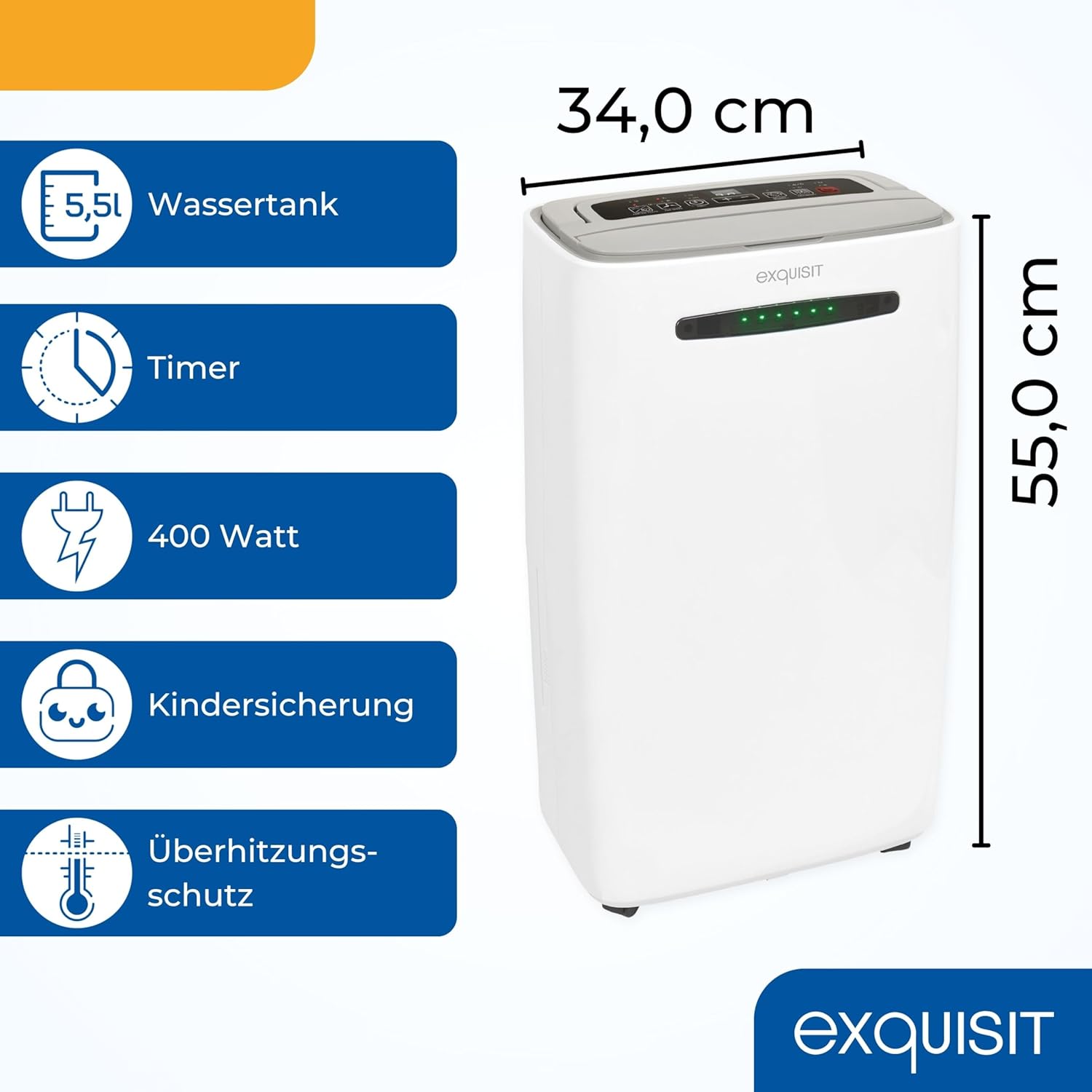
The Exquisit LE 2055 we mobile dehumidifier is designed to effectively reduce air humidity and improve indoor air quality in various environments. This appliance features a 5.5-liter water tank, a 24-hour timer, automatic restart functionality, and an adjustable fan flap. It is suitable for rooms up to 30-35 m² and can remove up to 20 liters of moisture per day, contributing to a healthier and more comfortable living space.
This manual provides essential information for the safe and efficient operation, setup, and maintenance of your dehumidifier. Please read it thoroughly before first use and retain it for future reference.
2. Safety Instructions
To prevent injury to the user or others and property damage, the following instructions must be followed. Incorrect operation due to ignoring instructions may cause harm or damage.
- Read all instructions carefully before operating the appliance.
- This appliance is for indoor use only.
- Ensure the power supply matches the voltage specified on the rating label (240 Volts).
- Do not operate the unit with a damaged power cord or plug. If the supply cord is damaged, it must be replaced by the manufacturer, its service agent, or similarly qualified persons to avoid a hazard.
- Always unplug the dehumidifier before cleaning, maintenance, or moving the unit.
- Keep the appliance out of reach of children and pets.
- Do not block the air inlet or outlet vents. Ensure at least 20 cm of clearance around the unit for proper airflow.
- Do not insert fingers or foreign objects into the air inlets or outlets.
- Place the unit on a stable, level surface to prevent water spillage.
- Do not use the appliance in wet rooms such as bathrooms or laundry rooms where it may come into contact with water.
- The appliance contains a refrigerant. Servicing should only be performed by qualified personnel.
3. Product Components and Overview
Familiarize yourself with the main parts of your Exquisit LE 2055 we dehumidifier.



4. Setup
- Unpacking: Carefully remove the dehumidifier from its packaging. Retain the packaging for future storage or transport.
- Placement: Place the dehumidifier on a firm, level surface in the desired room. Ensure there is at least 20 cm of free space around the unit to allow for proper air circulation. Avoid placing it near heat sources or in direct sunlight.
- Power Connection: Plug the power cord into a grounded 240 Volt electrical outlet. Ensure the outlet is suitable for the appliance's power requirements (400 Watts).
- Water Tank: Ensure the 5.5-liter water tank is correctly inserted into the unit. The dehumidifier will not operate if the tank is full or improperly placed.
- Continuous Drainage (Optional): For continuous operation without emptying the water tank, attach a suitable drainage hose (not included, but a cannula is mentioned in reviews) to the continuous drainage outlet. Route the hose to a floor drain or a larger container, ensuring a downward slope for gravity drainage.
5. Operating Instructions
The control panel (Figure 3) allows you to manage the dehumidifier's functions.
- Power On/Off: Press the STAND-BY button to turn the unit on or off.
- Setting Humidity: Press the SETTING HUMIDITY button, then use the + or - buttons to set your desired humidity level (e.g., 40%, 50%, 60%). The unit will operate until this level is reached.
- Dehumidify Mode: Press the DEHUMIDIFY button to cycle through different dehumidification modes, if available.
- Fan Speed: Press the FAN SPEED button to adjust the fan speed (e.g., low, high).
- Timer: Press the TIMER button to set the 24-hour timer for automatic shut-off or delayed start. Use the + or - buttons to adjust the time.
- Fan/Air Clean: This button may activate a fan-only mode or an air purification function, if equipped with an integrated air filter.
- Child Lock: To activate or deactivate the child lock, press and hold the designated button (often indicated by a lock icon) for a few seconds.
- LED Display: The LED display on the front of the unit changes color to indicate the current humidity level, providing a quick visual reference of your indoor climate.
- Automatic Restart: In case of a power outage, the unit will automatically restart with the previous settings once power is restored.
- Laundry Drying Function: For faster drying of laundry, select the maximum power dehumidification mode. This mode typically operates the unit at its highest fan speed and continuous dehumidification.
6. Maintenance
Regular maintenance ensures the efficient operation and extends the lifespan of your dehumidifier.
- Emptying the Water Tank: When the water tank is full, the unit will automatically stop operating and an indicator light will illuminate. Carefully remove the 5.5-liter water tank (Figure 4) and empty the collected water. Reinsert the tank securely to resume operation.
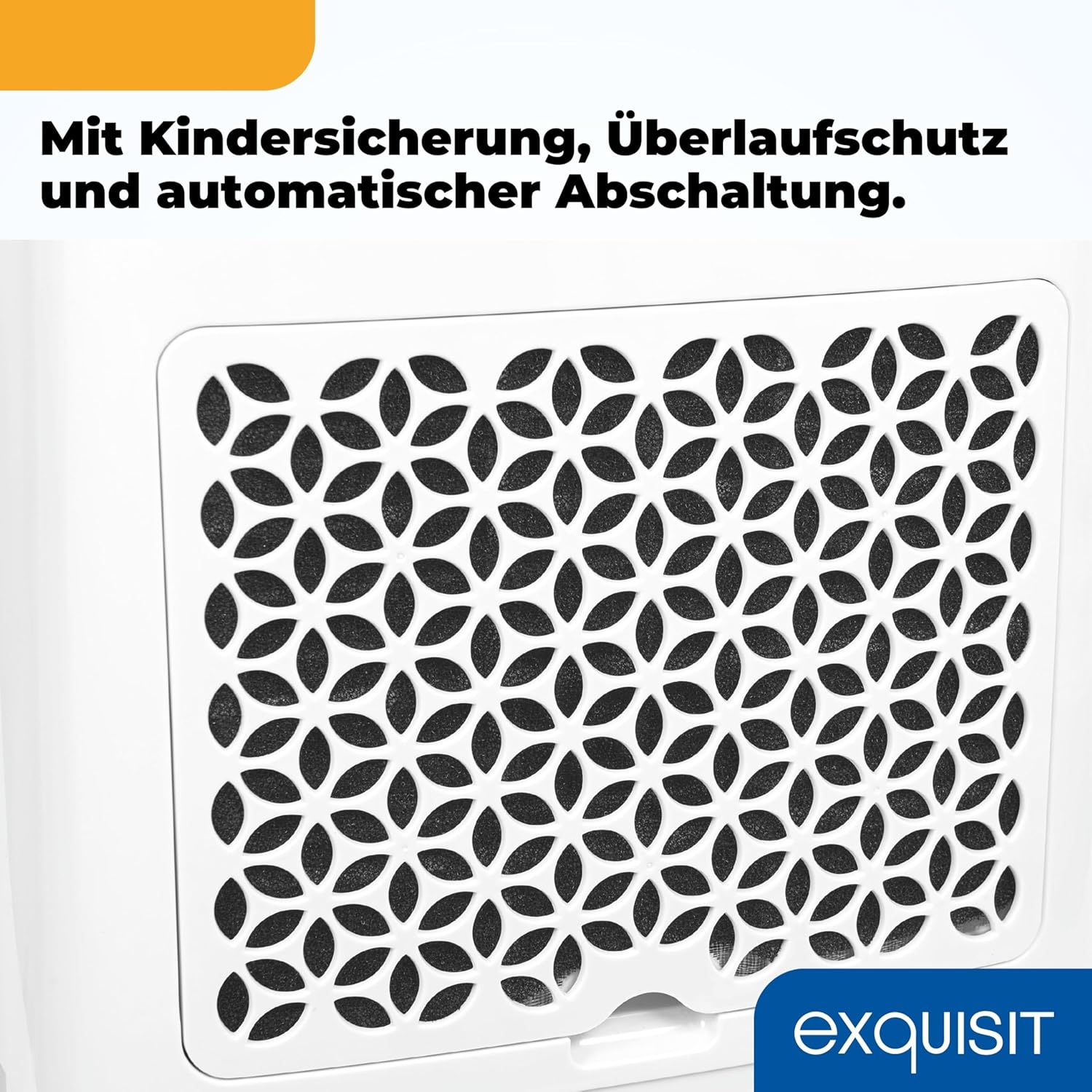
- Cleaning the Air Filter: The air filter (Figure 5) should be cleaned every two weeks or more frequently depending on usage and air quality.
- Turn off the dehumidifier and unplug it from the power outlet.
- Remove the air filter from the back or side of the unit.
- Use a vacuum cleaner to remove dust and debris from the filter. For heavy dirt, wash the filter gently with lukewarm water and a mild detergent.
- Rinse the filter thoroughly and allow it to air dry completely before reinserting it into the unit. Do not expose to direct sunlight or high heat.
- Cleaning the Exterior: Wipe the exterior of the dehumidifier with a soft, damp cloth. Do not use harsh chemicals, abrasive cleaners, or solvents, as these can damage the surface.
- Storage: If storing the unit for an extended period, ensure the water tank is empty and clean, and the air filter is clean and dry. Unplug the unit, coil the power cord, and store the dehumidifier in a dry, upright position, preferably in its original packaging.
7. Troubleshooting
Before contacting customer support, please refer to the following common issues and solutions:
| Problem | Possible Cause | Solution |
|---|---|---|
| Dehumidifier does not turn on. | No power supply. Water tank full or incorrectly inserted. | Check if the power cord is securely plugged into a working outlet. Empty the water tank and ensure it is correctly reinserted. |
| No water collected or low dehumidification. | Air filter is dirty. Room temperature is too low. Humidity level is already low. Air inlet/outlet blocked. | Clean the air filter. Dehumidifiers are less effective in very cold conditions (below 5°C). The unit will stop if the set humidity level is reached. Ensure proper clearance around the unit. |
| Unit is noisy. | Unit not on a level surface. Air filter dirty. | Place the unit on a flat, stable surface. Clean the air filter. |
| LED display shows an error code. | Internal malfunction or sensor issue. | Unplug the unit for 10 minutes, then plug it back in. If the error persists, contact customer support. |
| Unit shuts off unexpectedly. | Water tank full. Overheating protection activated. | Empty the water tank. Ensure proper ventilation and clean the air filter. Allow the unit to cool down before restarting. |
8. Specifications
| Model Number | LE 2055 we |
| Brand | Exquisit |
| Dimensions (L x W x H) | 21 x 34 x 55 cm |
| Weight | 14.7 kg |
| Power | 400 Watts |
| Voltage | 240 Volts |
| Water Tank Capacity | 5.5 Liters |
| Dehumidification Capacity | Up to 20 Liters/day |
| Air Volume | 180 m³/h |
| Recommended Room Size | 30-35 m² |
| Cord Length | 1.9 Meters |
| Material | Acrylonitrile Butadiene Styrene (ABS) |
| Special Features | Digital display, Child lock, Automatic restart, Overheating protection |
9. Warranty and Support
For warranty information, technical support, or to inquire about replacement parts, please refer to the official Exquisit website or contact their customer service department. Keep your purchase receipt as proof of purchase for any warranty claims.