1. Introduction
Thank you for choosing the Yoobao Portable USB Handheld Fan F02-BE. This compact and versatile fan is designed to provide personal cooling in various settings, whether at home, in the office, or during travel. Please read this manual carefully before use to ensure proper operation and maintenance.
2. Product Overview
2.1 Components
The Yoobao Portable USB Handheld Fan F02-BE includes the following components:
- Yoobao Handheld Fan
- Charging Dock (for wireless charging)
- Micro USB Charging Cable
- User Manual

Figure 1: Product packaging and included components.
2.2 Key Features
- Portable Design: Lightweight and compact for easy carrying.
- Adjustable Wind Speed: Three distinct speed settings (Low, Medium, High).
- Rechargeable Battery: Integrated 3000mAh battery for extended use.
- Versatile Charging: Supports both Micro USB cable charging and wireless charging via the included dock.
- Quiet Operation: Designed for minimal noise output.

Figure 2: Fan dimensions (9.3 inches height, 4.1 inches width) and weight (174g / 6.14oz).
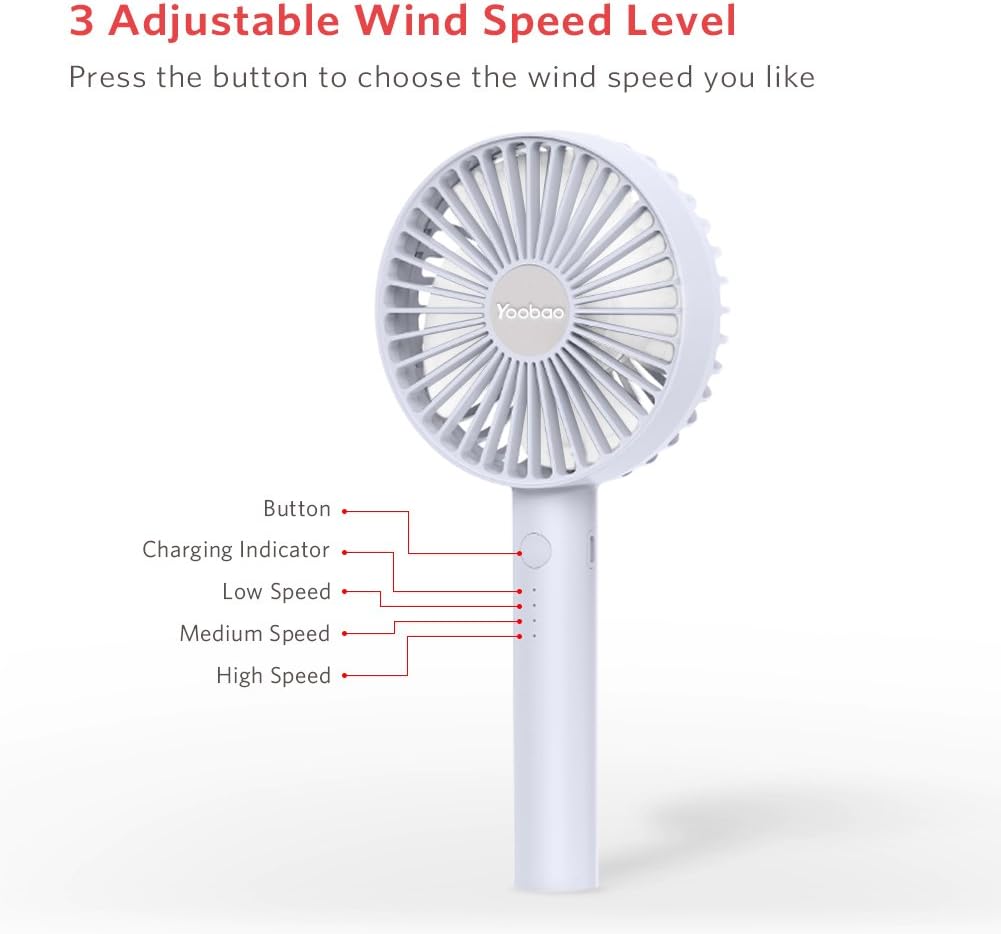
Figure 3: Fan controls and indicators, showing the power button, charging indicator, and three speed indicators (Low, Medium, High).
3. Setup
Before first use, ensure the fan is fully charged. Refer to the 'Charging Instructions' section for details.
- Unpack all components from the box.
- Place the fan on a stable surface or hold it comfortably in your hand.
- If using the charging dock, connect the Micro USB cable to the dock and a power source.
4. Operating Instructions
The fan features a single button for power and speed control.
- To Turn On: Press the power button once. The fan will start at Low speed.
- To Adjust Speed: Press the power button repeatedly to cycle through speeds:
- 1st Press: Low Speed
- 2nd Press: Medium Speed
- 3rd Press: High Speed
- To Turn Off: Press the power button a fourth time after High speed, or press and hold the button for 2 seconds at any speed.

Figure 4: The fan can be used handheld for personal cooling.
5. Charging Instructions
The Yoobao F02-BE fan offers two charging methods: direct USB cable charging and wireless charging via the dock.
5.1 Direct USB Charging
- Locate the Micro USB charging port on the side of the fan handle.
- Connect the provided Micro USB cable to the fan's charging port.
- Connect the other end of the USB cable to a suitable USB power source (e.g., power adapter, computer USB port, power bank).
- The charging indicator lights will illuminate to show charging status.
5.2 Wireless Charging with Dock
- Connect the Micro USB cable to the charging dock and a suitable USB power source.
- Gently place the fan into the charging dock, ensuring it is seated correctly.
- The charging indicator lights on the fan will illuminate to show charging status.
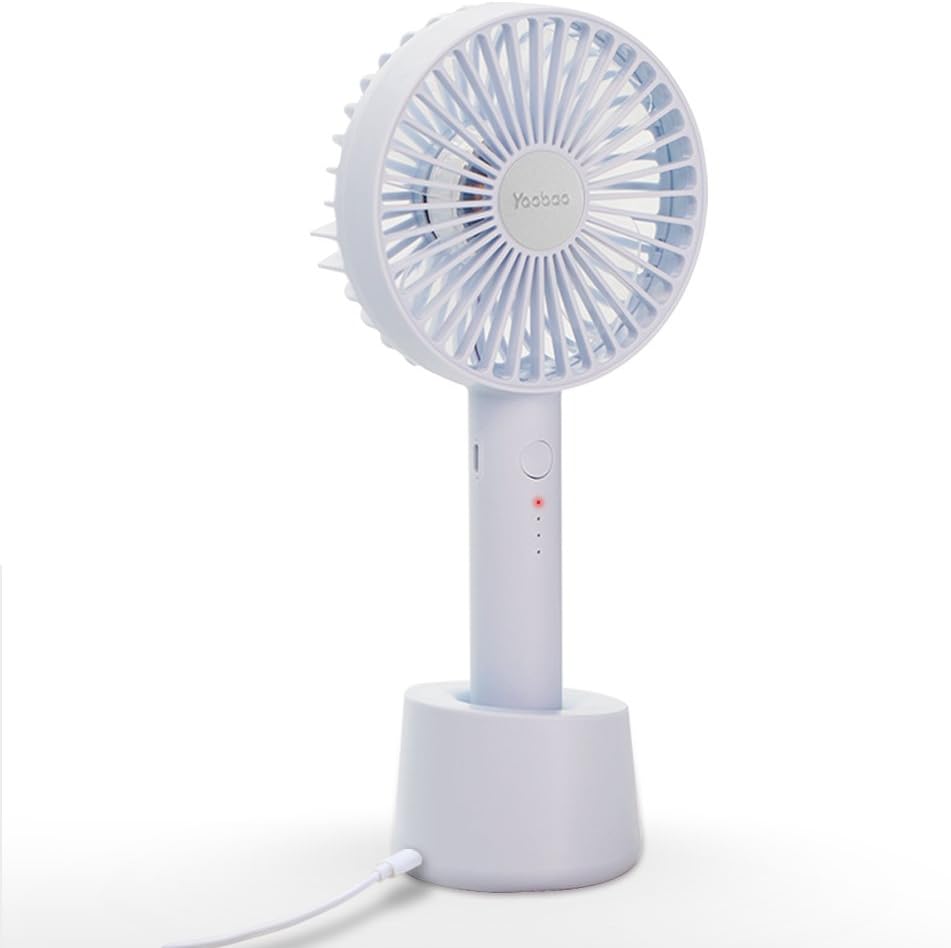
Figure 5: The fan securely placed in its charging dock, connected via USB cable.
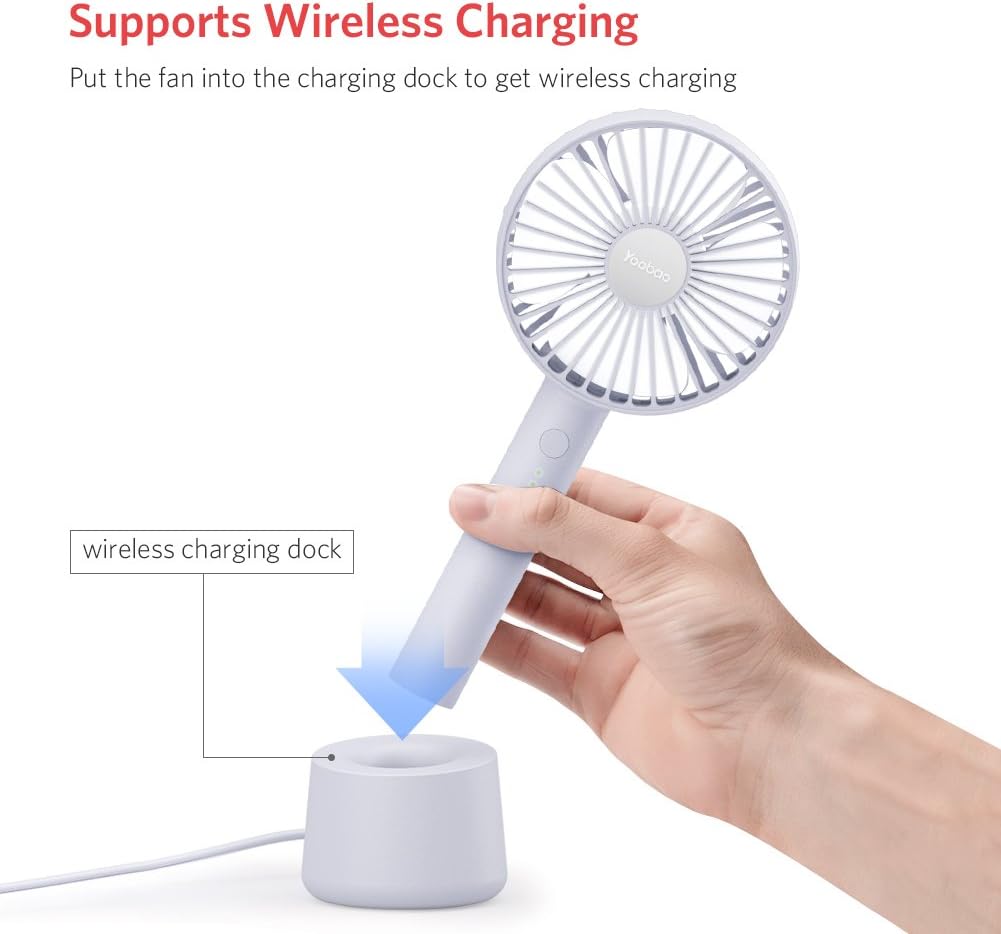
Figure 6: Illustrates placing the fan into the wireless charging dock for convenient charging.

Figure 7: Demonstrates charging via power adapter, computer/laptop, and power bank.
5.3 Battery Life
A full charge provides approximately:
- Low Speed: Up to 11.7 hours
- Medium Speed: Up to 6 hours
- High Speed: Up to 3.5 hours
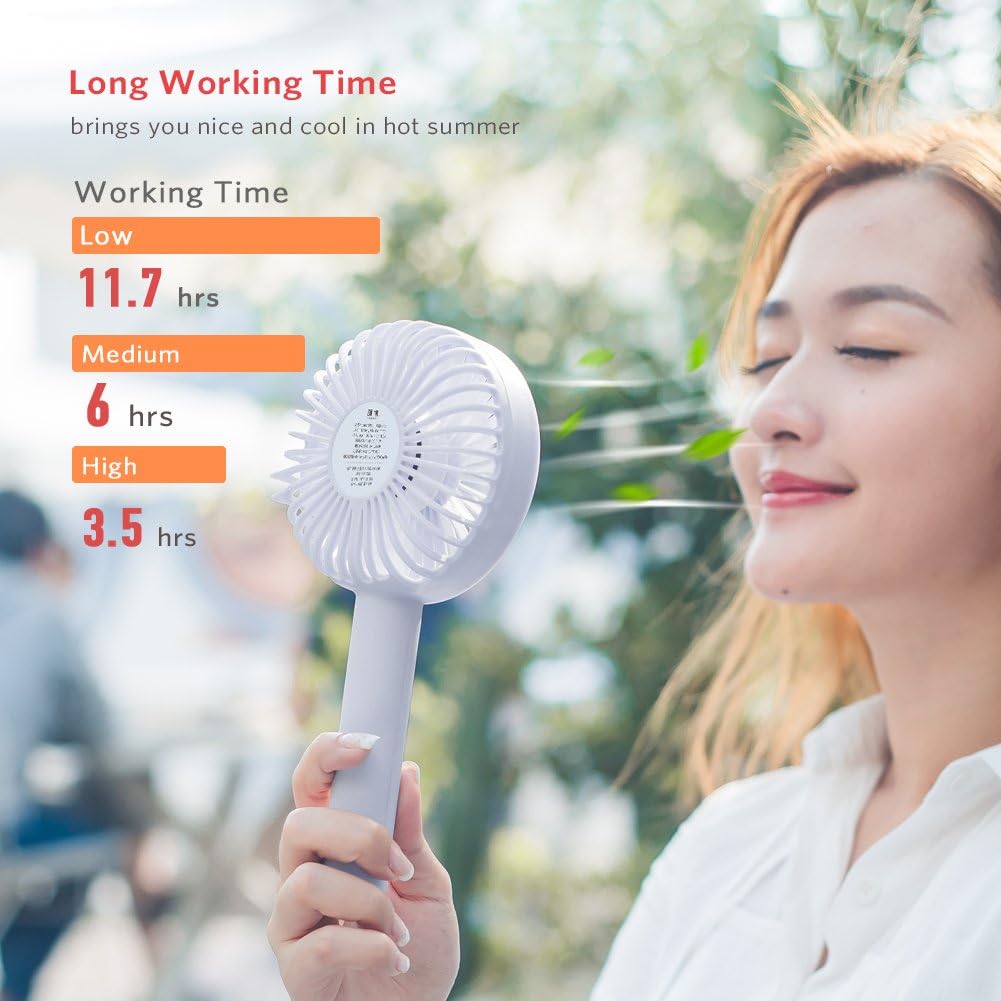
Figure 8: Visual representation of battery life at different fan speeds.
6. Maintenance
6.1 Cleaning
- Ensure the fan is turned off and unplugged from any power source before cleaning.
- Wipe the exterior of the fan with a soft, dry cloth.
- Do not use abrasive cleaners, solvents, or immerse the fan in water.
- For dust accumulation on the fan blades, use a soft brush or compressed air to gently clean the grille and blades.
6.2 Storage
- Store the fan in a cool, dry place away from direct sunlight and extreme temperatures.
- If storing for an extended period, charge the battery to approximately 50% to prolong its lifespan.
7. Troubleshooting
If you encounter issues with your Yoobao Portable USB Handheld Fan F02-BE, please refer to the following common problems and solutions:
| Problem | Possible Cause | Solution |
|---|---|---|
| Fan does not turn on. | Battery is depleted. | Charge the fan using the provided USB cable or charging dock. |
| Weak airflow. | Fan is on a low speed setting. | Press the power button to increase the fan speed. |
| Fan makes unusual noise. | Obstruction in fan blades or internal issue. | Turn off the fan and check for any obstructions. If the noise persists, contact customer support. |
| Fan tips over easily in dock. | Unstable surface or improper placement. | Ensure the dock is placed on a flat, stable surface. Verify the fan is correctly seated in the dock. |
| Charging indicator lights not working. | Charging cable or power source issue. | Check the USB cable connection and try a different power source. Ensure the fan is properly seated in the charging dock if using wireless charging. |
8. Specifications
| Feature | Detail |
|---|---|
| Brand | Yoobao |
| Model Number | F02-BE |
| Electric Fan Design | Wearable Fan / Handheld Fan |
| Power Source | Battery Powered |
| Battery Capacity | 3000mAh (approximate, inferred from product title) |
| Product Dimensions (LxWxH) | 4.13 x 2.67 x 9.25 inches (1.2"D x 3.5"W x 7.3"H) |
| Item Weight | 7.5 ounces (214 Grams) |
| Wattage | 3 watts |
| Voltage | 5 Volts |
| Special Feature | Lightweight, Portable |
| Included Components | Cord (Micro USB Charging Cable) |
9. Warranty and Support
Yoobao products are designed for quality and reliability. For specific warranty details, please refer to the warranty card included with your product or visit the official Yoobao website. If you experience any issues or have questions regarding your Yoobao Portable USB Handheld Fan F02-BE, please contact Yoobao customer support through their official channels.
Please retain your purchase receipt as proof of purchase for warranty claims.


