
1. Introduction
This manual provides essential information for the safe and effective use of your RYOBI P181 18-Volt ONE+ Compact Lithium-Ion Battery Pack. Please read these instructions carefully before using the battery pack and retain them for future reference. This battery pack is designed for use with RYOBI ONE+ 18V tools and chargers.
2. Safety Information
WARNING: Read all safety warnings and instructions before using this battery pack. Failure to follow the warnings and instructions may result in electric shock, fire, and/or serious injury.
- Do not disassemble, open, or shred battery packs.
- Do not short-circuit a battery pack. Do not store battery packs haphazardly in a box or drawer where they may short-circuit each other or be short-circuited by conductive materials.
- Do not expose battery packs to heat or fire. Avoid storage in direct sunlight.
- Do not subject battery packs to mechanical shock.
- In the event of battery leakage, do not allow the liquid to come into contact with the skin or eyes. If contact has been made, wash the affected area with copious amounts of water and seek medical advice.
- Keep battery packs clean and dry.
- Recharge only with the charger specified by the manufacturer.
- Do not use any charger other than that specifically provided for use with the equipment.
- Observe the plus (+) and minus (-) marks on the battery and equipment and ensure correct use.
- Keep battery packs out of the reach of children.
- Seek medical advice immediately if a battery pack has been swallowed.
- Do not use a battery pack that is not designed for use with the equipment.
- Do not mix battery packs of different manufacture, capacity, size, or type within the same device.
- Remove the battery pack from the tool when not in use.
- Dispose of properly according to local regulations.
3. Product Overview
The RYOBI P181 18-Volt ONE+ Compact Lithium-Ion Battery Pack provides reliable power for your RYOBI ONE+ tools. Its compact design ensures lighter weight and reduced fatigue during extended use.
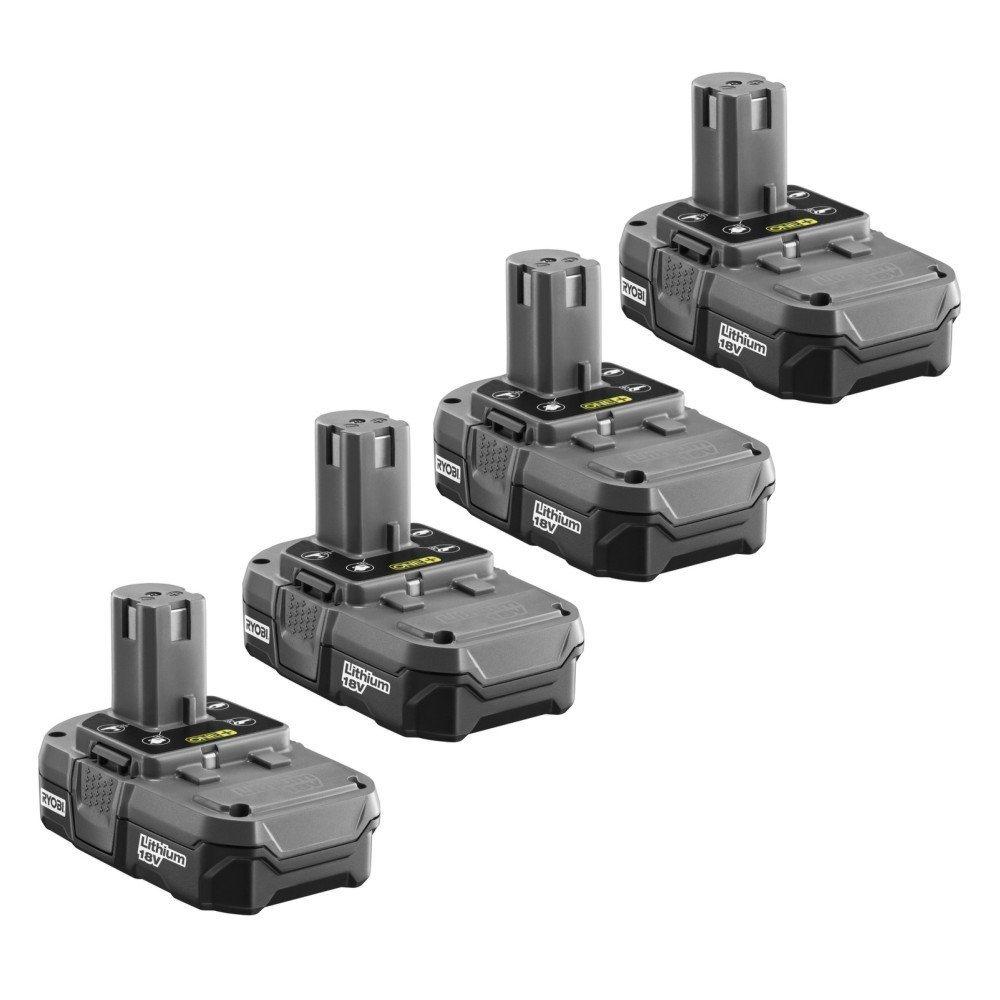
Figure 1: Front view of the RYOBI P181 18-Volt ONE+ Compact Lithium-Ion Battery Pack. This image shows the top and front of the battery, highlighting the RYOBI branding and 'Lithium 18V' label.
Key features include:
- 18-Volt Power: Delivers consistent power for various applications.
- Lithium-Ion Technology: Provides fade-free power and longer runtimes.
- Compact Design: Reduces overall tool weight for improved ergonomics.
- ONE+ Compatibility: Works with all RYOBI ONE+ 18V tools and chargers.

Figure 2: Side view of the RYOBI P181 battery pack. This image illustrates the side profile, including the battery release latches and connection interface.
4. Setup
4.1 Initial Charging
Your RYOBI P181 battery pack may not be fully charged upon purchase. It is recommended to fully charge the battery before its first use to ensure optimal performance and lifespan.
- Ensure you have a compatible RYOBI ONE+ 18V battery charger.
- Plug the charger into a standard electrical outlet.
- Slide the battery pack onto the charger, aligning the grooves and ensuring it clicks into place.
- Observe the charger's indicator lights for charging status. Refer to your charger's manual for specific light patterns.
- Once fully charged, remove the battery pack from the charger.
Note: Do not leave the battery pack on the charger for extended periods after it is fully charged, as this can reduce battery life.
5. Operating Instructions
5.1 Installing the Battery Pack
- Ensure the power tool is turned off and disconnected from any power source if applicable.
- Align the battery pack with the battery port on your RYOBI ONE+ 18V tool.
- Slide the battery pack firmly into the tool until you hear a click, indicating it is securely latched.
- Verify the battery is fully seated before operating the tool.
5.2 Removing the Battery Pack
- Ensure the power tool is turned off.
- Locate the battery release latches on the sides of the battery pack or tool.
- Press and hold the release latches.
- Slide the battery pack out of the tool.
5.3 Charging the Battery Pack
Refer to section 4.1 for detailed charging instructions. Always use a compatible RYOBI ONE+ 18V charger.
6. Maintenance
6.1 Cleaning
- Keep the battery pack and its terminals clean and free of debris.
- Use a clean, dry cloth to wipe down the battery pack. Do not use water or chemical cleaners.
6.2 Storage
- Store the battery pack in a cool, dry place, away from direct sunlight and extreme temperatures.
- Avoid storing battery packs in temperatures below 32°F (0°C) or above 104°F (40°C).
- For long-term storage, it is recommended to store the battery pack with a partial charge (around 50%).
- Do not store the battery pack with metal objects that could short-circuit the terminals.
6.3 Disposal
Lithium-Ion batteries must be recycled or disposed of properly. Do not dispose of battery packs in household waste or by incineration. Contact your local waste management authority for information on recycling options.
7. Troubleshooting
| Problem | Possible Cause | Solution |
|---|---|---|
| Battery not charging |
|
|
| Tool not operating with battery |
|
|
| Reduced run time |
|
|
8. Specifications
| Feature | Specification |
|---|---|
| Model Number | P181 (often includes P102 in pack) |
| Battery Type | Lithium-Ion |
| Voltage | 18 Volts |
| Compatibility | RYOBI ONE+ 18V Tools and Chargers |
| Reusability | Rechargeable |
| Item Weight | Approximately 4.15 pounds (for a 4-pack) |
| Package Dimensions | 15.4 x 6 x 4.9 inches (for a 4-pack) |
9. Warranty and Support
As this product is listed as 'Amazon Renewed', the original manufacturer's warranty may not apply. Please refer to the specific warranty information provided by the seller (Embie Industries) or Amazon Renewed at the time of purchase. For support, contact the seller directly through your Amazon order history or refer to the Amazon Renewed program details for assistance.
For general information regarding RYOBI ONE+ products, you may visit the official RYOBI website or contact their customer service. However, for issues specific to this renewed product, the seller is your primary point of contact.


