
1. Introduction
This manual provides detailed instructions for the proper use and maintenance of your Svbony SV28 20-60x80 Spotting Scope. Designed for various outdoor activities such as bird watching, target shooting, hiking, and general observation, this high-performance spotting scope offers a powerful magnification range and clear optics. Please read this manual thoroughly before using the product to ensure optimal performance and longevity.
2. Product Overview and Components
The Svbony SV28 spotting scope comes with essential accessories to enhance your viewing experience. Familiarize yourself with the main components and included items.
2.1 What's Included in the Box:
- 1x Svbony 20-60x80 Spotting Scope
- 1x Universal Smartphone Adapter
- 1x Desktop Tripod
- 1x Carrying Bag
- 1x Objective Lens Cap
- 1x Eyepiece Cap
- 1x Lens Cleaning Cloth
- 1x User Manual (this document)
2.2 Key Components:
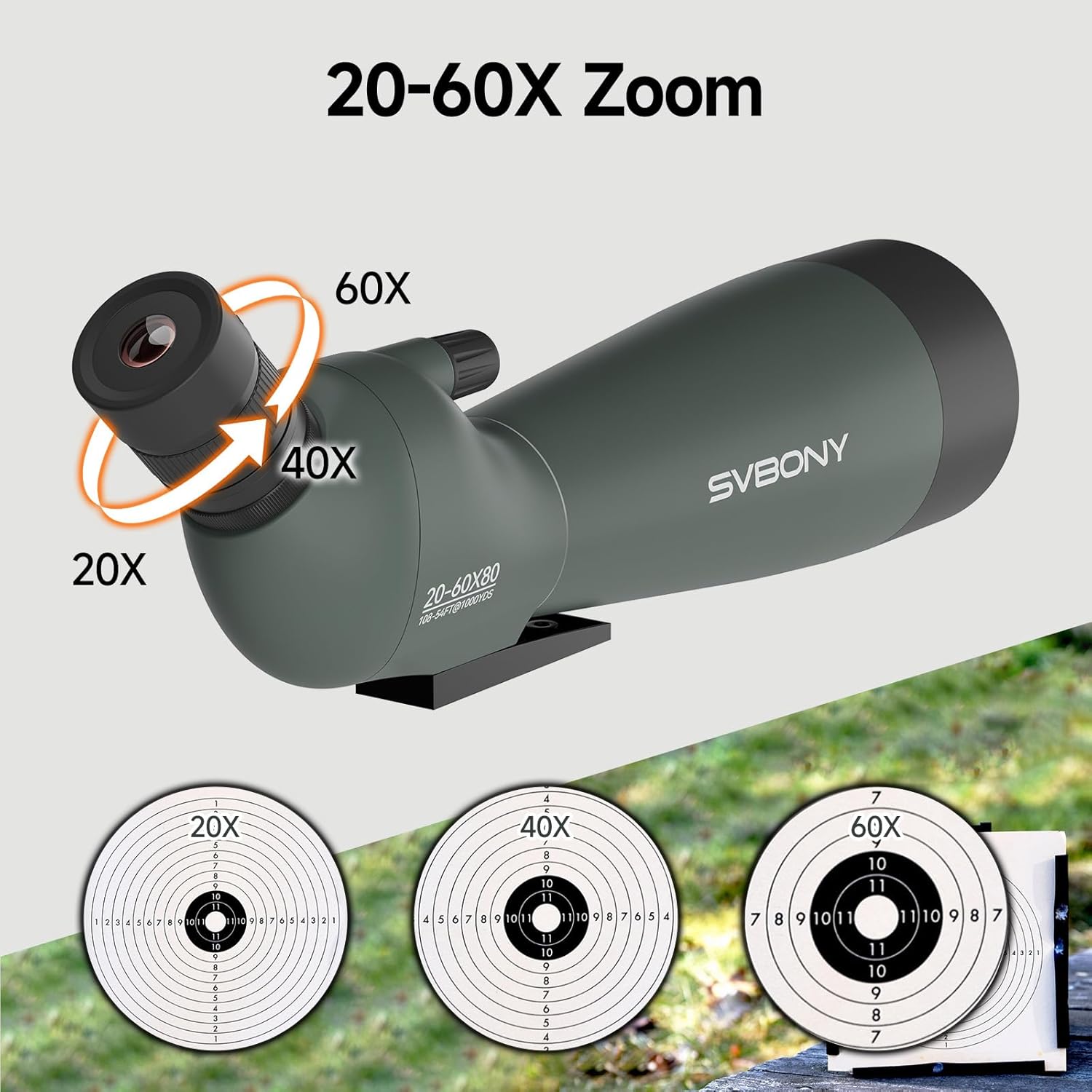
Figure 1: Svbony SV28 Spotting Scope with 20-60x zoom eyepiece. This image shows the main body of the spotting scope, highlighting the adjustable eyepiece for magnification changes.

Figure 2: 80mm Objective Lens of Svbony SV28 Spotting Scope. The large objective lens gathers ample light for bright and clear images.

Figure 3: Adjustable rotating eyecup. This feature allows for comfortable viewing with or without eyeglasses.

Figure 4: Focus adjustment knob. Used for precise manual focusing to achieve sharp images.
3. Setup
3.1 Attaching the Tripod:
- Unfold the legs of the desktop tripod.
- Locate the 1/4'' threaded mounting hole on the bottom of the spotting scope.
- Align the tripod's mounting screw with the hole and rotate the scope clockwise until securely fastened. Ensure it is tight but do not overtighten.

Figure 5: Spotting scope mounted on the included desktop tripod. The tripod provides stability for clear viewing.
3.2 Attaching the Smartphone Adapter:
- Secure your smartphone into the adapter's clamp.
- Carefully attach the adapter to the eyepiece of the spotting scope. Ensure the phone's camera lens is aligned with the scope's eyepiece.
- Adjust the adapter to achieve a stable and clear view through your phone's screen.
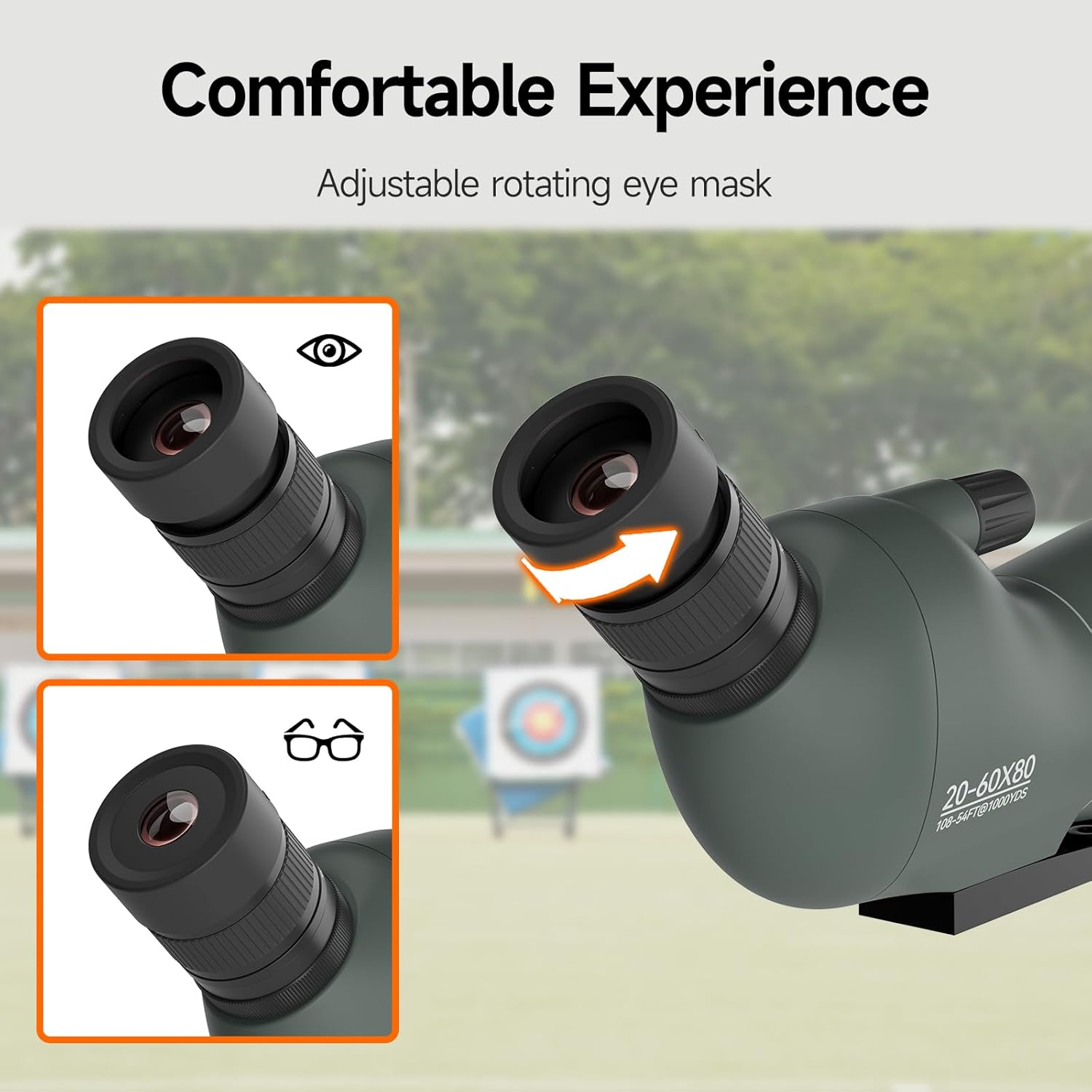
Figure 6: Spotting scope with a smartphone attached via the universal adapter. This setup allows for digiscoping (capturing images or videos through the scope).
4. Operating Instructions
4.1 Adjusting Magnification (Zoom):
The SV28 features a variable magnification from 20x to 60x. To adjust the zoom, rotate the zoom ring located on the eyepiece. Turn it clockwise for higher magnification and counter-clockwise for lower magnification. Start with the lowest magnification (20x) to easily locate your target, then zoom in as needed.
Figure 7: Illustration of the 20-60x zoom range. The eyepiece can be rotated to change magnification.
4.2 Focusing:
After selecting your desired magnification, use the focus adjustment knob (Figure 4) to bring the image into sharp focus. Turn the knob slowly until the image appears clear and crisp. For best results, make small, precise adjustments.
Figure 8: The focus knob allows for fine-tuning the image clarity.
4.3 Adjusting Eyecups:
The rotating eyecup (Figure 3) provides comfort for all users. If you wear eyeglasses, rotate the eyecup down to its lowest position. If you do not wear eyeglasses, rotate the eyecup up to a comfortable position to block out stray light and achieve a full field of view.
Figure 9: Eyecup adjustment for comfortable viewing, with or without eyeglasses.
4.4 Using the Rotatable Sunshade:
The objective lens features a retractable sunshade. Extend the sunshade by pulling it forward to reduce glare and reflections, especially when viewing in bright conditions or against the sun. This helps to improve image contrast and clarity.

Figure 10: The rotatable sunshade helps to minimize glare and enhance image quality.
5. Maintenance
5.1 Cleaning the Lenses:
Use the provided lens cleaning cloth to gently wipe the objective lens and eyepiece. For stubborn smudges or dirt, use a specialized optical lens cleaning solution and a clean microfiber cloth. Avoid using abrasive materials or harsh chemicals, as these can damage the lens coatings.
5.2 Storage:
When not in use, always place the objective lens cap and eyepiece cap on the scope to protect the lenses from dust and scratches. Store the spotting scope in its carrying bag in a cool, dry place, away from direct sunlight and extreme temperatures.
5.3 Anti-fog Feature:
The SV28 is designed with anti-fog properties. However, to maintain this feature, avoid exposing the scope to rapid and extreme temperature changes, which can still cause internal fogging. If fogging occurs, allow the scope to acclimate to the ambient temperature gradually.
6. Troubleshooting
6.1 Blurry Image:
- Ensure the focus adjustment knob is properly rotated to achieve a sharp image.
- Check if the eyecup is correctly adjusted for your viewing preference (with or without glasses).
- Verify that the lenses are clean and free from smudges or dust.
- In very high magnification (e.g., 60x), image clarity can be affected by atmospheric conditions (heat haze, air currents). Try reducing magnification.
6.2 Dark Image:
- Ensure the objective lens cap is removed.
- Lower magnification settings generally provide brighter images.
- Check ambient light conditions. Spotting scopes perform best in adequate lighting.
6.3 Difficulty with Smartphone Adapter:
- Ensure the phone's camera lens is perfectly centered over the scope's eyepiece.
- Adjust the phone's position and the adapter's clamps until the circular image fills the screen without vignetting.
- Use the scope's focus knob to achieve clarity on the phone screen.
7. Specifications
| Feature | Detail |
|---|---|
| Brand | SVBONY |
| Model Name | SV28 |
| Magnification Range | 20x - 60x |
| Objective Lens Diameter | 80 mm |
| Eyepiece Lens Description | BaK4 Prism |
| Lens Coating | Multi-coated (FMC) |
| Field of View (at 1000 yards) | 108-54 ft |
| Exit Pupil Diameter | 2.67 mm |
| Focus Type | Manual Focus |
| Product Dimensions (D x W x H) | 10.2 x 14.5 x 40.8 cm |
| Item Weight | 1012 Grams |
| Compatible Devices | Smartphones (52mm-100mm adjustable width) |
| Features | Smartphone Adapter, Anti-fog, BaK-4 Prism Eyepiece, Tripod |
8. Warranty and Support
Svbony offers a lifetime warranty for spotting scopes, monoculars, binoculars, and microscopes. Additionally, a 30-day no-reason return policy is provided. Beyond the warranty period, maintenance services are available, with buyers responsible for associated costs. For any inquiries or support, please contact Svbony customer service on Amazon, and they will respond within 12 hours.
For further assistance, please visit the official Svbony store on Amazon: Svbony Store
9. Important Notes
No official product videos from the seller were found in the provided data. Therefore, no videos are embedded in this manual.


