
Wancle SVC001
Wancle Thermal Immersion Circulator User Manual
Model: SVC001
Product Overview
The Wancle Thermal Immersion Circulator is designed to bring professional sous vide cooking technology into your home kitchen. It ensures precise temperature control for perfectly cooked meals, retaining nutrients and moisture. Its ultra-quiet operation and user-friendly design make it an ideal tool for various culinary applications.
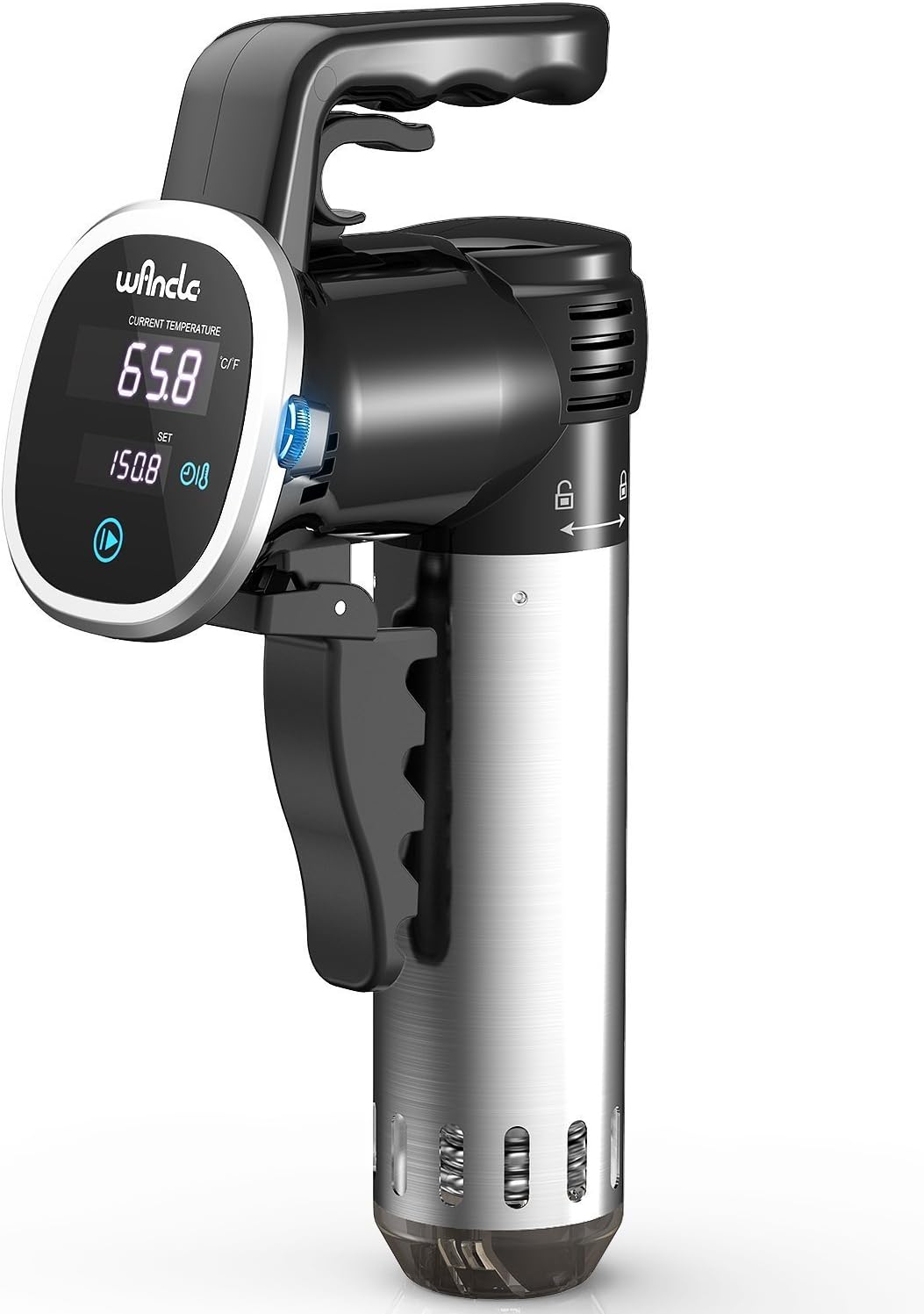
Front view of the Wancle Thermal Immersion Circulator, showcasing its digital display and ergonomic handle.

Illustration highlighting the quiet operation of the Wancle circulator, featuring its twisting water pump outlet design.
Setup
Prepare Your Container:
Select a heat-safe container, such as a large pot or a dedicated sous vide container. Ensure it is deep enough to accommodate the immersion circulator and the food bags, allowing for proper water circulation.

The Wancle circulator securely attached to the side of a cooking pot, demonstrating its portable, one-hand operation design.
Attach the Circulator:
Securely attach the Wancle Thermal Immersion Circulator to the side of your container using its adjustable clamp. Ensure the heating element is fully submerged in water, but the control panel remains above the water line.
Fill with Water:
Fill the container with water, ensuring the water level is between the minimum and maximum fill lines indicated on the circulator. Cold or room temperature water is acceptable, as the device will heat it to the desired temperature.
Prepare Food:
Place your food items (e.g., meat, vegetables) in a vacuum-sealed bag or a high-quality, heat-safe zip-top bag. Ensure as much air as possible is removed from the bag to allow for even cooking.
Operating Instructions
Power On:
Plug the circulator into a standard 120V electrical outlet. The digital display will illuminate.
Set Temperature and Time:
Use the digital control panel to set your desired cooking temperature (25-99.9°C / 77-211.8°F) and time (Max 99h 59mins). Important: Set the time first, then the temperature. Attempting to set temperature first may cause unexpected behavior.

Close-up of the Wancle circulator's control panel, highlighting the rotating wheel for temperature adjustment and the start/stop key.
Start Cooking:
Press the Start/Stop key to begin the heating process. The circulator will begin to heat the water to your set temperature. The timer will only start counting down once the target temperature is reached.
Precise Temperature Control:
The Wancle circulator maintains a constant and accurate temperature throughout the cooking process, ensuring consistent results. The digital control panel allows for precise adjustments to 0.1°C.

Diagram illustrating the accurate temperature control and constant temperature heating provided by the Wancle circulator, along with examples of doneness for different temperatures.
Add Food:
Once the water reaches the set temperature, carefully submerge your sealed food bags into the water bath. Ensure the bags are fully immersed. You may use a wire rack or clips to keep bags submerged and separated for optimal circulation.
Completion:
When the set time expires, the circulator will alert you. Carefully remove the food bags from the water bath. Your food is now perfectly cooked and ready for finishing (e.g., searing, grilling) if desired.
Maintenance
Regular cleaning ensures the longevity and optimal performance of your Wancle Thermal Immersion Circulator.
Cleaning the Circulator:
- Always unplug the device and allow it to cool completely before cleaning.
- The stainless steel sleeve makes it extremely easy to clean and dry out. Wipe the exterior with a damp cloth.
- For internal cleaning or mineral buildup, refer to the detailed instructions in the full user guide.
Storage:
- Store the circulator in a dry place when not in use.
- Ensure the device is completely dry before storing to prevent corrosion.
Troubleshooting
If you encounter issues with your Wancle Thermal Immersion Circulator, try the following solutions:
| Problem | Possible Cause | Solution |
|---|---|---|
| Device not turning on or unresponsive controls. | Power issue, loose connection, or temporary electronic glitch. | Ensure the device is properly plugged into a working outlet. Unplug the circulator, remove it from the water bath, allow any water to drain, and then plug it back in. |
| Lights flashing red and blue with a loud beeping sound. | Indicates an error or malfunction, possibly related to water level or internal components. | Unplug the circulator, remove it from the water bath, allow any water to drain, and then plug it back in. Check water level to ensure it's within the specified range. |
| Motor turning off and on intermittently. | Possible internal issue or water circulation problem. | Ensure the water level is adequate and there are no obstructions to the circulator's intake or output. Try unplugging and replugging the device. |
| Temperature setting issues (e.g., "machine goes nuts"). | Incorrect sequence of setting time and temperature. | Always set the cooking time first, then set the desired temperature. This is crucial for proper operation. |
For more detailed troubleshooting or persistent issues, please refer to the full user guide or contact Wancle customer support.
Specifications
- Brand: Wancle
- Model Number: SVC001
- Wattage: 850 watts
- Voltage: 120 Volts
- Capacity: Up to 20 Liters (recommended 15-19L)
- Temperature Range: 25-99.9°C (77-211.8°F)
- Time Control: Max 99 hours 59 minutes
- Item Weight: 3.54 pounds
- Product Dimensions: 14.2 x 8.5 x 4.7 inches
- Material: Stainless Steel
- Color: Black
- Control Method: Touch
- Pumping Speed: 7-8 L/min

Visual representation of the Wancle Sous Vide's key specifications and portable design.
Warranty and Support
Wancle stands behind the quality of its products. Your Wancle Thermal Immersion Circulator comes with a 24-month warranty from the date of purchase.
For warranty claims, technical assistance, or any questions regarding your product, please contact Wancle customer support through the retailer's platform or the official Wancle website.
Additional resources, including a detailed user guide, are available for download:
Related documentsSVC001


Ask a question about this manual
Ask about setup, troubleshooting, compatibility, parts, safety, or missing instructions. Manuals+ will review the question and use this page’s manual context to help answer it.