
1. Introduction
This manual provides essential instructions for the safe and effective installation, operation, and maintenance of your KERTME 5050-RGB-30M AC 110-120V RGB LED Strip Lights. Please read this manual thoroughly before use and retain it for future reference.
2. Safety Instructions
- Ensure the input voltage matches the product specification (AC 110-120V).
- The LED strip is IP67 waterproof, but the power adapter and IR receptor are not waterproof. Keep them in a dry place or a waterproof box.
- Always disconnect power before installation, cutting, or maintenance.
- Do not connect the LED strip directly to a power source without the included power adapter.
- Avoid bending the strip sharply or applying excessive force, which can damage the internal circuitry.
- Do not cover the LED strip with flammable materials when in operation.
- Keep out of reach of children.
3. Package Contents
Verify that all items are present in your package:
- 1x 30M (98.4ft) 5050 RGB LED Light Strip
- 1x 24-key IR Remote Control (requires 2x AAA batteries, not included)
- 1x Power Adapter with IR Receptor
- 40x LED Light Holders
- 1x End Cap
- 1x User Manual (this document)

Image: KERTME 5050-60 Type AC 110-120V LED Strip Lights on a spool, showing the coiled strip and the attached power plug.
4. Setup and Installation
4.1 Connecting the LED Strip
- Ensure the power adapter is unplugged from the wall outlet.
- Align the pins of the power adapter's connector with the corresponding holes on the LED strip's connector. Ensure correct orientation to avoid damage.
- Gently push the connectors together until they are firmly seated.
- For outdoor or damp environments, use waterproof tape to seal the connection between the LED strip and the power adapter, and also secure the end cap.

Image: A sequence of images demonstrating how to correctly align and connect the pins from the power adapter to the LED strip, ensuring a secure connection.
4.2 Mounting the LED Strip
The LED strip is flexible and can be shaped or bent. Use the provided LED light holders to secure the strip to your desired surface. For permanent installations, additional mounting solutions like 3M double-sided tape (not included) may be used.
4.3 Cutting the LED Strip
The LED strip can be cut to your desired length. Look for the designated cutting marks along the strip, typically every 1.64ft (0.5m). Cut only at these marks to avoid damaging the rest of the strip. After cutting, ensure the exposed end is sealed with the provided end cap to maintain waterproofing.

Image: The LED strip demonstrating its flexibility and highlighting the specific points where it can be safely cut.
5. Operating Instructions
The LED strip is controlled by the included 24-key IR remote control. Ensure AAA batteries are installed in the remote and point the remote directly at the IR receptor on the power adapter for optimal response.
5.1 Remote Control Functions

Image: The 24-key IR remote control, showing buttons for power, color selection, brightness adjustment, and mode changes.
- Power On/Off: Press the ON or OFF button.
- Color Selection: Press any of the 12 color buttons to change the LED strip to the desired color (Red, Green, Blue, White, and various mixed colors).
- Brightness Control: Use the Light brightness control Keys (up/down arrows) to adjust the intensity of the light.
- Mode Selection:
- Flash: Rapidly cycles through colors.
- Strobe: Flashes a single color.
- Fade: Smoothly transitions between colors.
- Smooth: Gradual change between colors.
Note: Pressing a mode button quickly two times may produce a different effect.
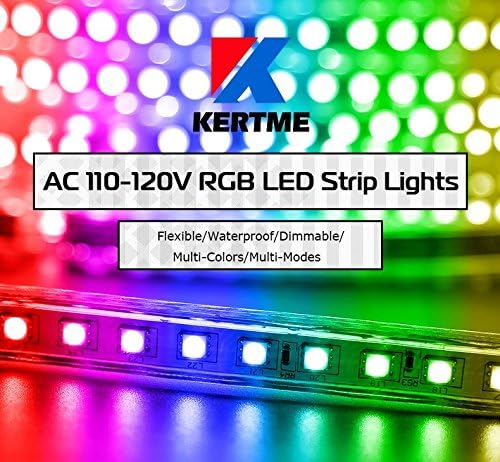
Image: The KERTME LED strip lights illuminated in different colors, showcasing the RGB capabilities.
6. Maintenance
To ensure the longevity and optimal performance of your LED strip lights, follow these maintenance guidelines:
- Cleaning: Gently wipe the LED strip with a soft, dry cloth. For stubborn dirt, a slightly damp cloth can be used, ensuring no moisture enters the power adapter or IR receptor.
- Waterproofing: Regularly inspect the connections between the LED strip and the power adapter, as well as the end cap, especially if used outdoors. Reapply waterproof tape if signs of wear or exposure are present.
- Power Adapter Protection: Always ensure the power adapter and IR receptor are protected from water and moisture.
- Storage: If storing the lights for an extended period, coil them loosely and store in a cool, dry place away from direct sunlight.
7. Troubleshooting
If you encounter issues with your KERTME LED Strip Lights, refer to the following common problems and solutions:
| Problem | Possible Cause | Solution |
|---|---|---|
| Lights do not turn on. | No power, loose connection, faulty power adapter. | Check power outlet. Ensure all connections are secure. Verify power adapter is functioning. |
| Remote control not responding. | Dead batteries, remote not pointed at IR receptor, obstruction, faulty remote/receptor. | Replace AAA batteries in remote. Point remote directly at the IR receptor. Remove any obstructions. If issue persists, a quick power cycle (unplug/replug) may help. |
| Incorrect colors or only one color displays. | Loose connection, damaged pins, internal strip damage. | Check the connection between the strip and power adapter for bent or detached pins. Ensure the connection is firm. If a section is damaged, it may require cutting and resealing. |
| Lights flicker or dim unexpectedly. | Unstable power supply, loose connection, overheating. | Ensure a stable power source. Check connections. Ensure adequate ventilation around the power adapter and strip. |
8. Specifications
| Feature | Specification |
|---|---|
| Model Number | 5050-RGB-30M |
| LED Type | 5050 SMD LED, 60 LEDs/Meter |
| Color | RGB (Red, Green, Blue, Multi-Colors) |
| Length | 30 meters (98.4 feet) |
| Waterproof Grade | IP67 (LED Strip only) |
| Input Voltage | AC 110-120V |
| Working Temperature | -20°C to 50°C |
| Beam Angle | 120° |
| Cuttable Interval | Every 0.5 meters (1.64 feet) |
| Material | Polyvinyl Chloride (PVC) |
| Controller Type | 24-key IR Remote Control |
| Item Weight | 5.69 pounds (2579 Grams) |
| Product Dimensions | 1181.1 x 0.63 x 0.31 inches (L x W x H) |
9. Warranty and Support
For warranty information or technical support, please contact KERTME customer service through the retailer where the product was purchased. Keep your purchase receipt as proof of purchase.