
Introduction
The Disney Junior Minnie Bow-Tique Why Hello Pretend Play Cell Phone is an interactive toy designed for imaginative play. This phone features Minnie Mouse phrases, realistic phone sounds, and lights, making it suitable for young children. Its design is optimized for small hands, allowing for easy handling and portability.

Image: A child engaging in pretend play with the Minnie Mouse cell phone.
What's in the Box
- One (1) Minnie Bow-Tique Why Hello! Cell Phone
Setup
Battery Installation and Activation
The Minnie Bow-Tique Why Hello Pretend Play Cell Phone requires 3 x AG13 button-cell batteries, which are included with the product. The toy may come with a 'Try Me' tab. To activate full functionality:
- Locate the battery compartment on the back of the phone.
- If a 'Try Me' tab is present, gently pull and remove it.
- If the batteries need replacement, use a small Phillips head screwdriver to open the battery compartment. Insert 3 new AG13 button-cell batteries, ensuring correct polarity (+/-).
- Securely close the battery compartment.

Image: The product packaging, indicating the 'Try Me' feature for initial sound activation.
Operating Instructions
The Minnie Bow-Tique Why Hello Pretend Play Cell Phone is designed for simple, intuitive use by children aged 3 and up.
Basic Operation
- Press any of the 9 interactive buttons on the screen to activate Minnie Mouse phrases, realistic phone sounds, and lights.
- The phone features a large keypad, making it easy for little hands to press and explore.
- Engage in imaginative play by pretending to call Minnie Mouse or other characters.
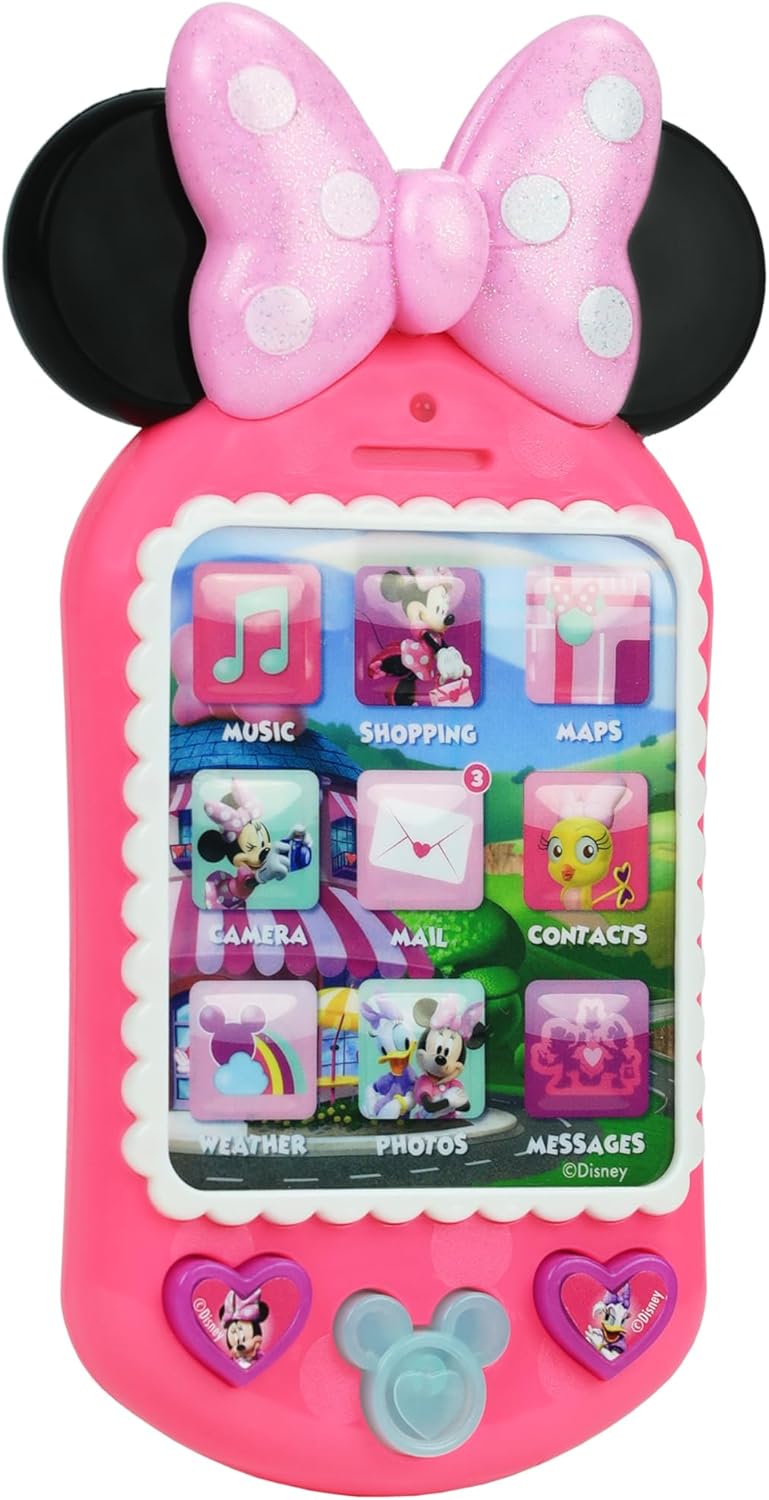
Image: Detailed view of the phone's screen with interactive buttons.
Product Features
- Interactive Sounds and Lights: Features fun Minnie phrases, realistic phone sounds, and engaging lights.
- 9 Buttons to Explore: A colorful interface with various icons for interactive play.
- Child-Friendly Design: Chunky and 6 inches tall, perfect for little hands to hold and operate.
- Minnie Mouse Theme: Adorned in Minnie Mouse's signature pink with a polka-dot bow and ears.

Image: The phone's size, highlighting its suitability for small hands.
Maintenance
Cleaning
To clean the Minnie Bow-Tique Why Hello Pretend Play Cell Phone:
- Wipe the surface with a soft, damp cloth.
- Do not immerse the toy in water or use harsh cleaning agents.
- Ensure the toy is completely dry before storing or allowing further play.
Battery Replacement
When sounds or lights become faint or stop working, it is time to replace the batteries:
- Using a small Phillips head screwdriver, open the battery compartment on the back of the phone.
- Remove the old AG13 button-cell batteries.
- Insert 3 new AG13 button-cell batteries, ensuring they are placed with the correct polarity (+/-).
- Securely close the battery compartment.
- Dispose of old batteries responsibly according to local regulations.
Troubleshooting
| Problem | Possible Cause | Solution |
|---|---|---|
| No sound or lights | Batteries are dead or incorrectly installed. | Replace batteries with new AG13 button-cell batteries, ensuring correct polarity. |
| Sound is very quiet | Low battery power or inherent design. | Replace batteries. Note that some users report the toy's volume is generally low by design. |
| Some buttons do not work or make incorrect sounds | Internal malfunction or design characteristic. | Ensure batteries are fresh. If the issue persists, contact customer support. Note that some button sounds may not directly correspond to their icons by design. |
Specifications
- Model Number: 88063
- UPC: 886144880636
- Dimensions: 5.5 x 1.4 x 8.25 inches (L x W x H)
- Weight: 3.84 ounces
- Material: Plastic
- Color: Multicolor (primarily pink)
- Recommended Age: 36 months - 8 years
- Batteries: 3 x AG13 button-cell batteries (included)

Image: The phone's dimensions relative to a hand.
Safety Information
WARNING: May contain small pieces. Not suitable for children under 3 years due to potential choking hazards.
- Always supervise children during play.
- Keep batteries out of reach of small children. If swallowed, seek immediate medical attention.
- Do not mix old and new batteries. Do not mix alkaline, standard (carbon-zinc), or rechargeable (nickel-cadmium) batteries.
Official Product Video
Video: An official product overview of the Minnie Bow-Tique Why Hello Cell Phone by Just Play, showcasing its features and interactive elements.
Warranty and Support
This product comes with a manufacturer's warranty. For detailed warranty information, product support, or to inquire about replacement parts, please contact Just Play customer service directly. Refer to the product packaging for specific contact details or visit the official Just Play website.
Just Play Official Store: Visit the Just Play Store on Amazon