
1. Introduction
The FreedConn T-MAX Motorcycle Helmet Bluetooth Intercom System is designed to provide seamless communication and entertainment for motorcyclists. This system allows for full-duplex intercom communication among multiple riders, hands-free calling, music streaming, and GPS navigation audio, enhancing safety and enjoyment during rides. It features robust construction and advanced audio processing for clear sound even at high speeds.
2. Product Features
- Group Intercom: Supports up to 6 riders for simultaneous intercom communication with a maximum range of 1000 meters. The communication distance between two riders is approximately 500 meters.
- Multi-Device Connectivity: Connects to two Bluetooth devices simultaneously, such as mobile phones, GPS units, or L2 adapters for walkie-talkie integration.
- Advanced Audio Technology: Features DSP Echo Cancellation and Wind Noise Suppression technology for crystal clear voice quality at speeds up to 120 km/h.
- Long Battery Life: Equipped with a 570mAh battery, providing up to 15-17 hours of music or intercom calls and over a week of standby time.
- Waterproof Design: IP65 waterproof rating ensures reliable performance in various weather conditions, including rain and snow.
- User-Friendly Controls: Large spin knob design allows for easy operation, including automatic call answering and manual switching, even with gloves.
- Software Upgradable: Supports user self-upgrade programs via USB, allowing for future software enhancements without returning to the factory.
- Music Sharing: Share music with another paired rider.
- FM Radio: Built-in FM radio function for listening to broadcasts.
- Voice Prompt & Voice Assistant: Provides voice prompts for operations and supports voice assistant functions on connected mobile phones.
Product Overview Video
This video provides an introduction to the FreedConn T-MAX Pro, highlighting its key features such as Bluetooth 5.0 connectivity, noise reduction, long battery life, and waterproof design. Please note that while the video refers to 'T-MAX Pro' and 'Bluetooth 5.0', the product specifications for this model indicate 'T-MAX' and 'Bluetooth 4.1'.
3. Package Contents
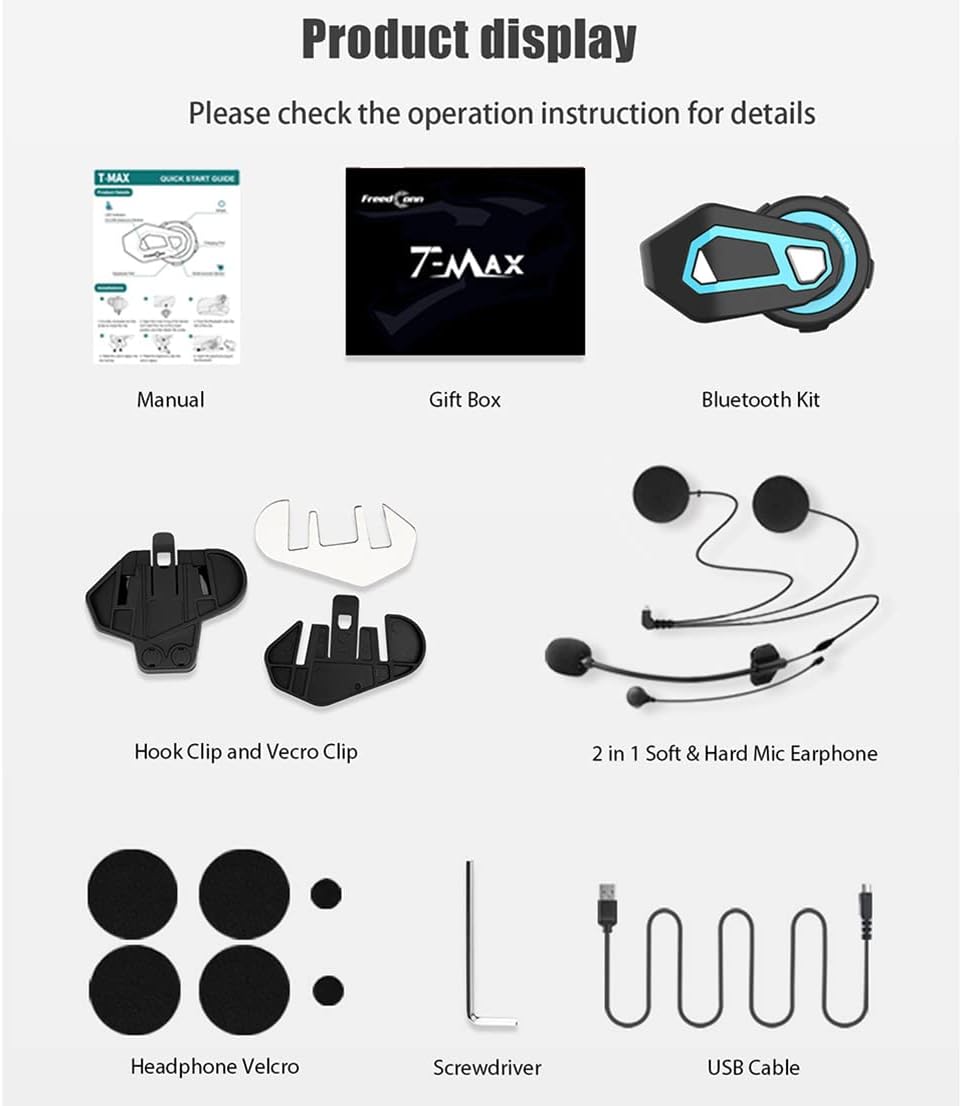
Image: Detailed view of all items included in the FreedConn T-MAX package.
- FreedConn T-MAX Intercom Unit
- Stereo Ear Speakers
- Noise Cancelling Microphone (Boom and Soft Microphone options)
- USB Charging Cable
- Hook Clip and Velcro Clip (for helmet mounting)
- Screwdriver
- Headphone Velcro Pads
- Speaker Sticker
- Microphone Sticker
- User Manual
- Gift Box
4. Installation
The FreedConn T-MAX offers two primary installation methods to suit various helmet types:
4.1. Clip-on Installation
This method is suitable for helmets with a suitable edge to attach the clip. Securely fasten the clip to the helmet's lower edge, ensuring it is firm and stable. Then, slide the intercom unit onto the clip until it locks into place.
4.2. Velcro Installation
For helmets without a suitable edge or for a more permanent attachment, use the adhesive velcro pad. Clean the desired mounting area on the helmet, peel off the protective backing from the velcro pad, and firmly press it onto the helmet. Attach the corresponding velcro on the intercom unit to the helmet's velcro.
4.3. Speaker and Microphone Placement

Image: Component diagram of the FreedConn T-MAX unit.
- Speakers: Place the stereo ear speakers inside the helmet's ear pockets, ensuring they are as close to your ears as possible for optimal volume and clarity. Use the provided headphone velcro pads to secure them.
- Microphone: Choose between the boom microphone (for open-face, modular, or flip-up helmets) or the soft wire microphone (for full-face helmets). Attach the microphone to the inside of the helmet near your mouth, ensuring it is not obstructed.

Image: Example of the intercom unit mounted on a helmet.
5. Basic Operations
5.1. Power On/Off
- Power On: Press and hold the Multi-function Button (MFB) for approximately 3 seconds until the LED indicator flashes blue and you hear a voice prompt.
- Power Off: Press and hold the Multi-function Button (MFB) for approximately 5 seconds until the LED indicator flashes red and you hear a voice prompt.
5.2. Bluetooth Pairing (Mobile Phone/GPS)
- With the unit off, press and hold the MFB for about 7 seconds until the LED indicator flashes red and blue alternately, indicating pairing mode.
- On your mobile phone or GPS device, enable Bluetooth and search for 'FreedConn T-MAX'.
- Select the device to pair. Once connected, the LED will flash blue slowly.
5.3. Call Management
- Answer Call: Shortly press the Multi-function Button (MFB). The unit supports automatic answering of calls.
- End Call: Shortly press the Multi-function Button (MFB).
- Reject Call: Long press the Multi-function Button (MFB).
- Last Number Redial: Double press the Multi-function Button (MFB).
5.4. Volume Control
- Increase Volume: Turn the Jog Wheel clockwise.
- Decrease Volume: Turn the Jog Wheel counter-clockwise.
6. Advanced Functions
6.1. Intercom Communication

Image: Visual representation of 6-rider group intercom communication.
The T-MAX supports full-duplex intercom for up to 6 riders. For detailed pairing instructions for multiple units, please refer to the specific intercom pairing section in the full user manual.
6.2. Music Playback & Sharing
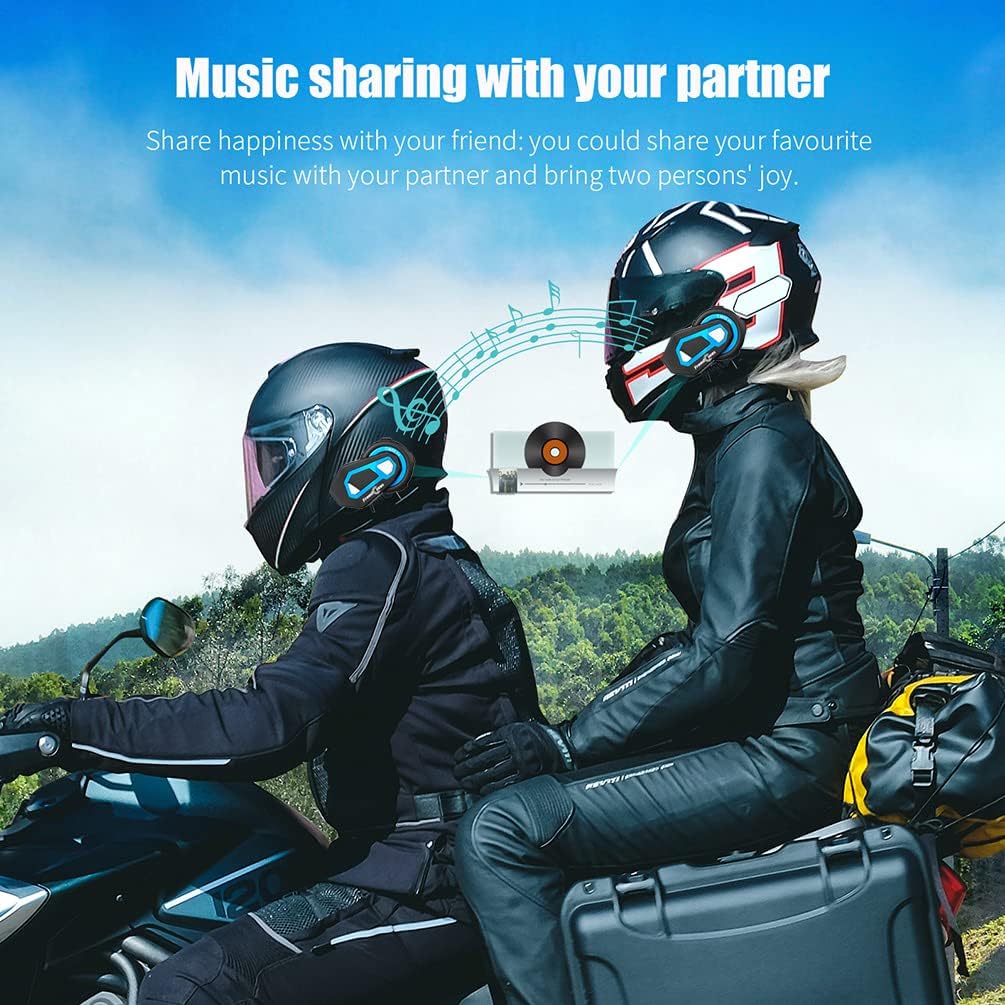
Image: Two riders sharing music wirelessly.
- Play/Pause: Double press the Multi-function Button (MFB).
- Next Track: Turn the Jog Wheel clockwise (short turn).
- Previous Track: Turn the Jog Wheel counter-clockwise (short turn).
- Music Sharing: The T-MAX allows you to share your music with another paired T-MAX unit. Refer to the full manual for specific steps to initiate music sharing.
6.3. FM Radio
- Turn On/Off FM Radio: Press the FM button (if available, or a specific button combination as per full manual).
- Scan Channels: Turn the Jog Wheel to scan for available FM stations.
6.4. Voice Control
If your connected mobile phone has a voice assistant (e.g., Siri, Google Assistant), you can activate it by long pressing the Multi-function Button (MFB). This allows for hands-free control of your phone's functions.
7. Charging and Battery

Image: Battery performance overview of the T-MAX unit.
- Charging: Connect the unit to a USB power source using the provided USB cable. The LED indicator will show charging status (e.g., red while charging, blue when fully charged).
- Charging Time: Approximately 2.5 hours for a full charge.
- Use While Charging: The T-MAX can be used while it is being charged, allowing for extended operation with a power bank.
8. Maintenance and Care

Image: The T-MAX unit demonstrating its water resistance.
- Cleaning: Wipe the unit with a soft, damp cloth. Do not use harsh chemicals or abrasive cleaners.
- Water Resistance: The unit is IP65 waterproof. While it can withstand rain and splashes, avoid submerging it in water.
- Storage: Store the unit in a cool, dry place when not in use. If storing for extended periods, ensure the battery is partially charged (around 50%) to prolong its lifespan.
- Software Updates: Periodically check the FreedConn official website for software updates to ensure optimal performance and access to new features. Updates can typically be performed via a USB connection to a computer.
9. Troubleshooting
- No Sound from Speakers / Low Volume:
- Ensure the headphone cable is fully inserted into the headset port.
- Verify that the speakers are connected to the correct port, not the charging port.
- Adjust speaker placement inside the helmet to be as close to your ears as possible.
- Check the volume level on both the intercom unit and the connected device.
- Bluetooth Disconnection Issues:
- Ensure the unit is within the effective Bluetooth range of the connected device.
- Restart both the intercom unit and the connected device.
- Clear previous pairing records on both devices and attempt to re-pair.
- Cannot Pair with Other Brands:
- The T-MAX is designed to be compatible with most Bluetooth-enabled devices and some other intercom brands. Ensure the other device is in pairing mode and follow its specific pairing instructions. Compatibility may vary.
- Unit Not Responding:
- Perform a hard reset by pressing and holding the MFB for an extended period (e.g., 10-15 seconds) or by connecting it to a charger.
10. Specifications
| Feature | Specification |
|---|---|
| Model Name | T-MAX |
| Bluetooth Version | 4.1 |
| Frequency Response | 2.4 GHz |
| Connectivity Technology | Wireless (Bluetooth, FM, Wi-Fi) |
| Battery Life (Music) | Up to 15 hours |
| Battery Life (Intercom) | Up to 17 hours |
| Standby Time | Up to 300 hours |
| Charging Time | 2.5 Hours |
| Water Resistance Level | IP65 Waterproof |
| Item Weight | 1.23 pounds |
| Product Dimensions | 3.46 x 2.09 x 1.22 inches |
| Material | Plastic |
| Special Features | Built-In Voice Assistant, Microphone Included, Multipoint Pairing, Noise Cancellation, Volume Control |
11. Warranty and Support
FreedConn is committed to providing high-quality products. For specific warranty information, please refer to the warranty card included in your product packaging or visit the official FreedConn website. If you encounter any issues or require technical assistance, please contact FreedConn customer support through their official channels. Supporting small businesses like FreedConn helps foster innovation and dedicated customer service.