
1. Introduction
Thank you for choosing the Simfer M4502 Mini Oven. This manual provides essential information for the safe and efficient operation, maintenance, and troubleshooting of your new appliance. Please read these instructions carefully before using the oven and keep them for future reference.
2. Safety Instructions
To prevent personal injury or damage to the appliance, always observe the following safety precautions:
- Ensure the oven is placed on a stable, heat-resistant surface, away from flammable materials.
- Do not touch hot surfaces. Always use oven mitts or gloves when handling hot items or parts.
- Do not immerse the appliance, cord, or plug in water or other liquids.
- Close supervision is necessary when the oven is used by or near children.
- Unplug the oven from the outlet when not in use and before cleaning. Allow it to cool completely before adding or removing parts.
- Do not operate any appliance with a damaged cord or plug, or after the appliance malfunctions or has been damaged in any manner.
- Do not use accessories not recommended by the manufacturer, as this may cause hazards or injury.
- Ensure adequate ventilation around the oven during operation. Do not block any ventilation openings.
- Never leave the oven unattended while in operation.
3. Product Overview
The Simfer M4502 is a versatile 45-liter mini oven designed for various cooking needs. It features a powerful 1400W heating system and multiple functions to enhance your cooking experience.
Key Features:
- 6-Function Turbo: Provides even heat distribution for consistent cooking.
- Yogurt Making Function: Dedicated setting for preparing homemade yogurt.
- Frozen Food Defrosting: Conveniently thaws frozen items.
- Steam Cleaning Feature: Simplifies interior cleaning.
- 90-Minute Programmable Mechanical Timer: Allows precise cooking duration settings with automatic shut-off.
- Thermostatic Heat Control System: Maintains desired temperature accurately.
- Interior Lighting: For easy monitoring of cooking progress.
- Included Accessories: 1 round tray, 1 standard square tray, and 1 special design wire rack.
Components:
Familiarize yourself with the main parts of your Simfer M4502 Mini Oven:

This image displays the front of the Simfer M4502 Mini Oven, showcasing its white exterior, glass door, and control panel with three rotary knobs.

An angled perspective of the Simfer M4502 Mini Oven, highlighting its compact design and side ventilation grilles.

The oven door is open, revealing the interior cavity with a wire rack and a round baking tray placed inside. This illustrates the oven's capacity and included accessories.
4. Setup
Unpacking:
- Carefully remove the oven and all accessories from the packaging.
- Remove any protective films, stickers, or packaging materials from the oven's exterior and interior.
- Inspect the oven for any signs of damage. If damaged, do not operate and contact customer support.
Placement:
- Place the oven on a flat, stable, and heat-resistant surface.
- Ensure there is at least 10-15 cm of clear space around all sides of the oven for proper ventilation.
- Do not place the oven near water sources, heat sources, or flammable materials.
- The oven features a double-layer thermal base to protect countertops.
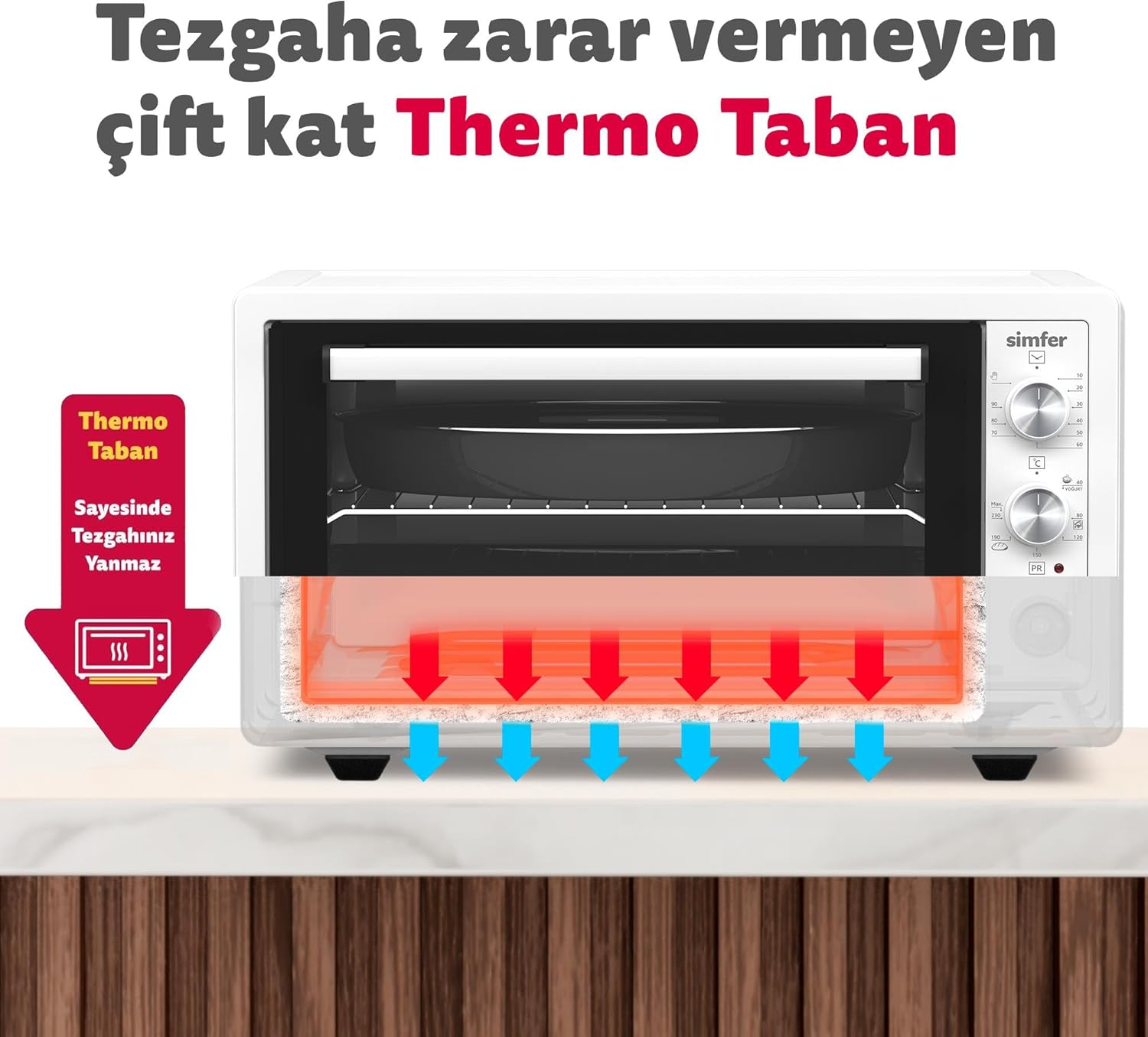
A cutaway diagram illustrating the oven's double-layer thermal base, which protects countertops from heat damage during operation.
Initial Cleaning and First Use:
- Before first use, wipe the interior and exterior of the oven with a damp cloth. Wash the trays and wire rack with warm, soapy water, then rinse and dry thoroughly.
- Plug the oven into a grounded electrical outlet.
- To eliminate any manufacturing odors, operate the empty oven at its maximum temperature (250°C) for approximately 15-20 minutes. Ensure the room is well-ventilated during this process. A slight odor or smoke is normal during this initial burn-off.
5. Operating Instructions
Control Panel:
The oven features three rotary knobs for controlling its functions:
- Top Knob: Mechanical Timer (0-90 minutes)
- Middle Knob: Temperature Control (40°C - 250°C) and Function Selector (including Yogurt)
- Bottom Knob: Heating Element Selector (Top, Bottom, Both, Turbo)

A detailed view of the top rotary knob, which functions as the mechanical timer, allowing users to set cooking durations up to 90 minutes.

This image focuses on the middle rotary knob, which controls the oven's temperature and includes a specific setting for yogurt making, indicated by 'YOGURT'.
General Operation:
- Place food on the appropriate tray or rack and insert it into the desired shelf position.
- Turn the Bottom Knob to select the desired heating element(s) (e.g., top, bottom, or both).
- Turn the Middle Knob to set the desired cooking temperature.
- Turn the Top Knob (timer) to set the cooking duration. The oven will begin heating. The timer will tick down and automatically turn off the oven when the set time expires.
- To stop cooking before the timer expires, turn the timer knob to the 'OFF' position or unplug the oven.
Specific Functions:
- Turbo Function: Select the Turbo setting with the bottom knob. This activates a fan that circulates hot air, ensuring more even and faster cooking, ideal for baking and roasting.

An internal view of the oven showing the heating elements and an illustration of the Turbo Fan, which ensures even heat distribution for consistent cooking results.
- Yogurt Making: Place your yogurt mixture in suitable containers inside the oven. Select the 'YOGURT' setting on the middle temperature knob. Set the timer as required for yogurt fermentation.
- Frozen Food Defrosting: Place frozen food in a suitable oven-safe dish. Select a low temperature setting (e.g., 40-60°C) and set the timer. Monitor the food to prevent cooking.

This image emphasizes the high-performance seal around three sides of the oven door, designed to maintain optimal heat retention and cooking efficiency.
6. Maintenance and Cleaning
Regular cleaning and maintenance will ensure the longevity and optimal performance of your oven.
General Cleaning:
- Always unplug the oven and allow it to cool completely before cleaning.
- Wipe the exterior with a soft, damp cloth. Do not use abrasive cleaners or harsh chemicals.
- Clean the interior with a damp cloth and mild detergent. For stubborn stains, use a non-abrasive oven cleaner suitable for mini ovens.
- Wash trays and racks with warm, soapy water. Rinse thoroughly and dry before storing or reinserting.
Steam Cleaning:
The steam cleaning function helps loosen baked-on food residues for easier manual cleaning.
- Ensure the oven is cool.
- Pour approximately 100-150 ml of water into the bottom of the oven cavity.

A hand is shown pouring water onto the bottom of the oven cavity, demonstrating the initial step for activating the steam cleaning function.
- Close the oven door.
- Set the temperature to a low setting (e.g., 100-120°C) and the timer for 15-20 minutes.
- Once the cycle is complete and the oven has cooled, wipe the interior with a damp cloth to remove softened residues.
7. Troubleshooting
If you encounter issues with your oven, refer to the following common problems and solutions:
| Problem | Possible Cause | Solution |
|---|---|---|
| Oven does not turn on. | Not plugged in; power outage; timer not set. | Ensure the oven is securely plugged in. Check household circuit breaker. Set the timer knob to a desired cooking duration. |
| Oven not heating properly. | Incorrect temperature setting; heating element selector incorrect. | Verify temperature and heating element settings. Allow sufficient preheating time. |
| Food cooking unevenly. | Improper rack position; no Turbo function selected. | Adjust food position or use the Turbo function for better heat distribution. |
| Excessive smoke during first use. | Initial burn-off of manufacturing oils. | This is normal. Ensure good ventilation. It should subside after the first use. |
If the problem persists after attempting these solutions, please contact Simfer customer support.
8. Specifications
| Feature | Specification |
|---|---|
| Brand | Simfer |
| Model Number | M4502 |
| Color | White |
| Capacity | 45 Liters |
| Power/Wattage | 1400 Watts |
| Material | Metal |
| Product Dimensions (D x W x H) | 47 cm x 59 cm x 33 cm |
| Automatic Shut-off | No (Timer provides automatic shut-off) |
| Special Features | Turbo, Yogurt Making, Frozen Food Defrosting, Steam Cleaning |
| First Available Date | March 13, 2018 |
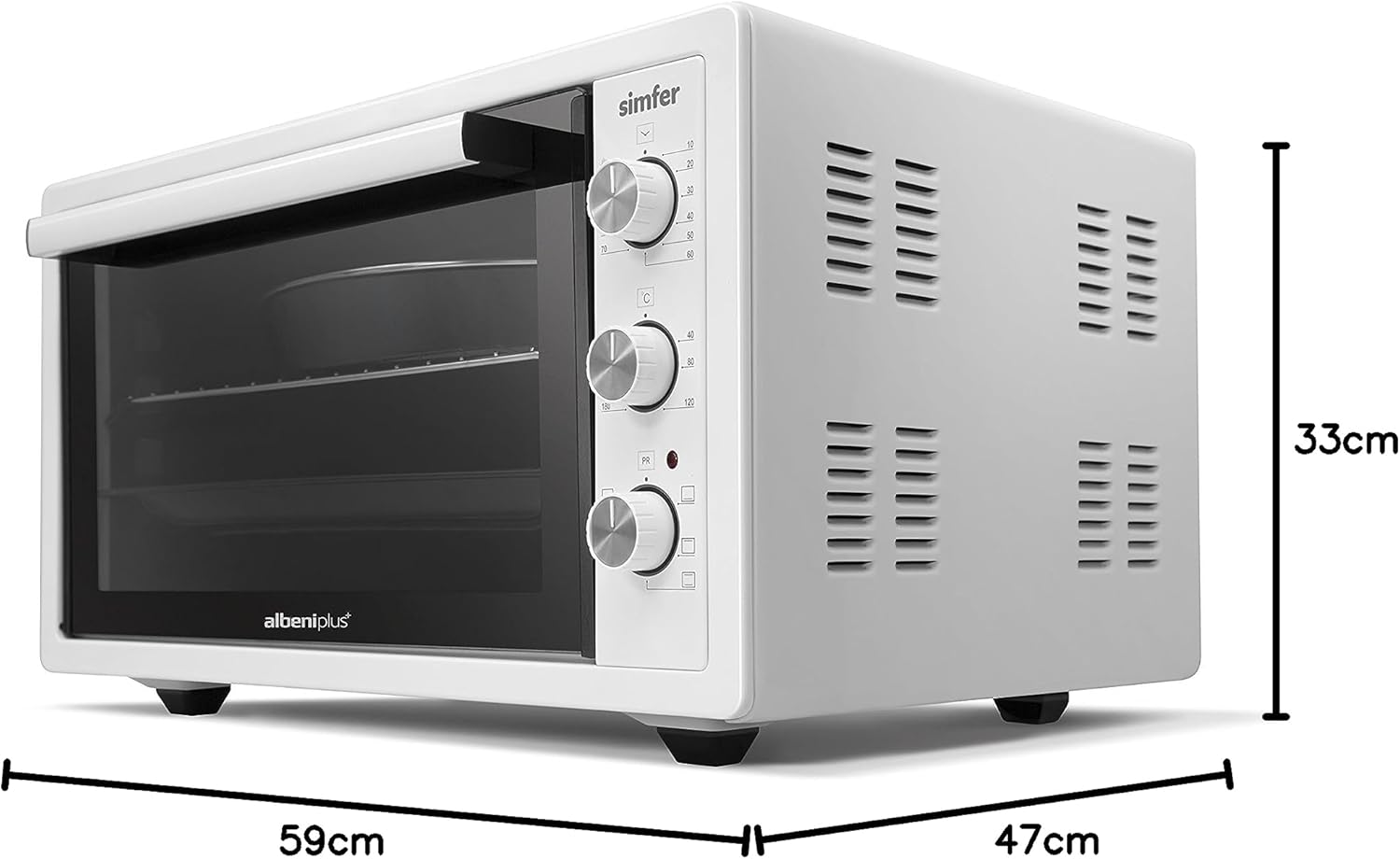
This image provides the external dimensions of the Simfer M4502 Mini Oven: 59 cm width, 47 cm depth, and 33 cm height.
9. Warranty and Support
Your Simfer M4502 Mini Oven comes with a manufacturer's warranty. Please refer to the warranty card included with your product for specific terms and conditions, including the warranty period and coverage details.
For technical assistance, spare parts, or warranty claims, please contact Simfer customer support. Contact information can typically be found on the manufacturer's official website or on the product packaging.
Please have your model number (M4502) and purchase date ready when contacting support.


