
VDIAGTOOL VT300
Contents
VDIAGTOOL VT300 OBD2 Scanner Diagnostic Tool User Manual
Brand: VDIAGTOOL | Model: VT300
1. Introduction
The VDIAGTOOL VT300 is a comprehensive OBD2 scanner and diagnostic tool designed for automotive professionals and DIY enthusiasts. It provides extensive diagnostic capabilities across various vehicle systems, including engine, ABS, and SRS, and offers essential maintenance services such as Oil Reset, EPB, and BMS. This manual will guide you through the setup, operation, maintenance, and troubleshooting of your VT300 device.

Figure 1: VDIAGTOOL VT300 OBD2 Scanner Diagnostic Tool with its carrying case.
2. Setup
2.1 Unboxing and Components
Upon opening the package, ensure all components are present:
- VDIAGTOOL VT300 Diagnostic Tool
- Diagnostic Cable (OBD2 connector)
- 16 Pin OBDII Connector
- Card Reader
- User Manual
- Password Paper (for software registration/updates)
- Tool Case
Video 1: Unboxing and overview of the VT300 accessories, including the diagnostic cable, OBDII connector, card reader, user manual, and tool case.
2.2 Initial Connection
To begin using the VT300, connect it to your vehicle's OBD2 port, typically located under the dashboard on the driver's side. The device will power on automatically once connected.
3. Operating the VT300
3.1 Device Navigation
The VT300 features a user-friendly interface with physical buttons for navigation:
- Selection Keys: Use the directional pad (up, down, left, right) to navigate through menus and options.
- OK Key: Confirms selections.
- ESC Key: Returns to the previous screen or cancels an operation.
- Help Key (?): Provides context-sensitive help.
- Function Keys (F1, F2, F3): Perform specific actions as indicated on the screen.
3.2 Full OBD2 Functions
The VT300 supports all 10 OBDII test modes, allowing for comprehensive engine diagnostics:
- Read Codes: Retrieves Diagnostic Trouble Codes (DTCs) from the vehicle's Engine Control Unit (ECU).
- Erase Codes: Clears DTCs and turns off the Check Engine Light (CEL).
- Live Data Stream: Displays real-time data parameters from the vehicle's sensors in text or graph format. This allows for monitoring vehicle performance and identifying potential issues as they occur.
- I/M Readiness Status: Checks the readiness of the emission-related monitors.
- Freeze Frame: Captures a snapshot of vehicle conditions at the time a fault code was set.
- On-board Monitor Test: Accesses results of on-board diagnostic monitoring tests for specific components/systems.
- Component Test: Allows for testing specific components of the vehicle.
- O2 Sensor Test: Retrieves O2 sensor monitor test results.
- Retrieve Vehicle Information: Displays vehicle information such as VIN, Calibration ID, and Calibration Verification Number.

Figure 2: Screen displaying the full range of OBD2 functions available on the VT300.

Figure 3: Example of live data stream displayed in graph format on the VT300.
3.3 All Systems Diagnostics
The VT300 can diagnose various electronic control modules across different vehicle systems, including:
- Engine System
- Anti-Lock Brake System (ABS)
- Supplemental Restraint System (SRS)
- Transmission System
- Battery Management System (BMS)
- All-Wheel Drive (AWD)
- Wiper System
- Body System
- Tire Pressure Monitoring System (TPMS)
- Keyless Start Module
- Automatic Gearbox
- Alarm System
- Parking Sensor System
- Door Lock System
- Air Conditioning System
- Cruise Control System
- Multimedia System
For each system, the tool can read and clear fault codes, view freeze frame data, and display live data streams to help identify and resolve issues.

Figure 4: Diagram illustrating the various vehicle systems supported by the VT300 for comprehensive diagnostics.
3.4 Service Functions
The VT300 offers several commonly used maintenance service functions:
- Oil Reset: Resets the oil life monitoring system after an oil change.
- EPB (Electronic Parking Brake) Reset: Deactivates and reactivates the electronic parking brake system for brake pad replacement.
- BMS (Battery Management System) Match: Registers a new battery with the vehicle's ECU after replacement.
- DPF (Diesel Particulate Filter) Regeneration: Initiates the regeneration process for the diesel particulate filter to clear accumulated soot.
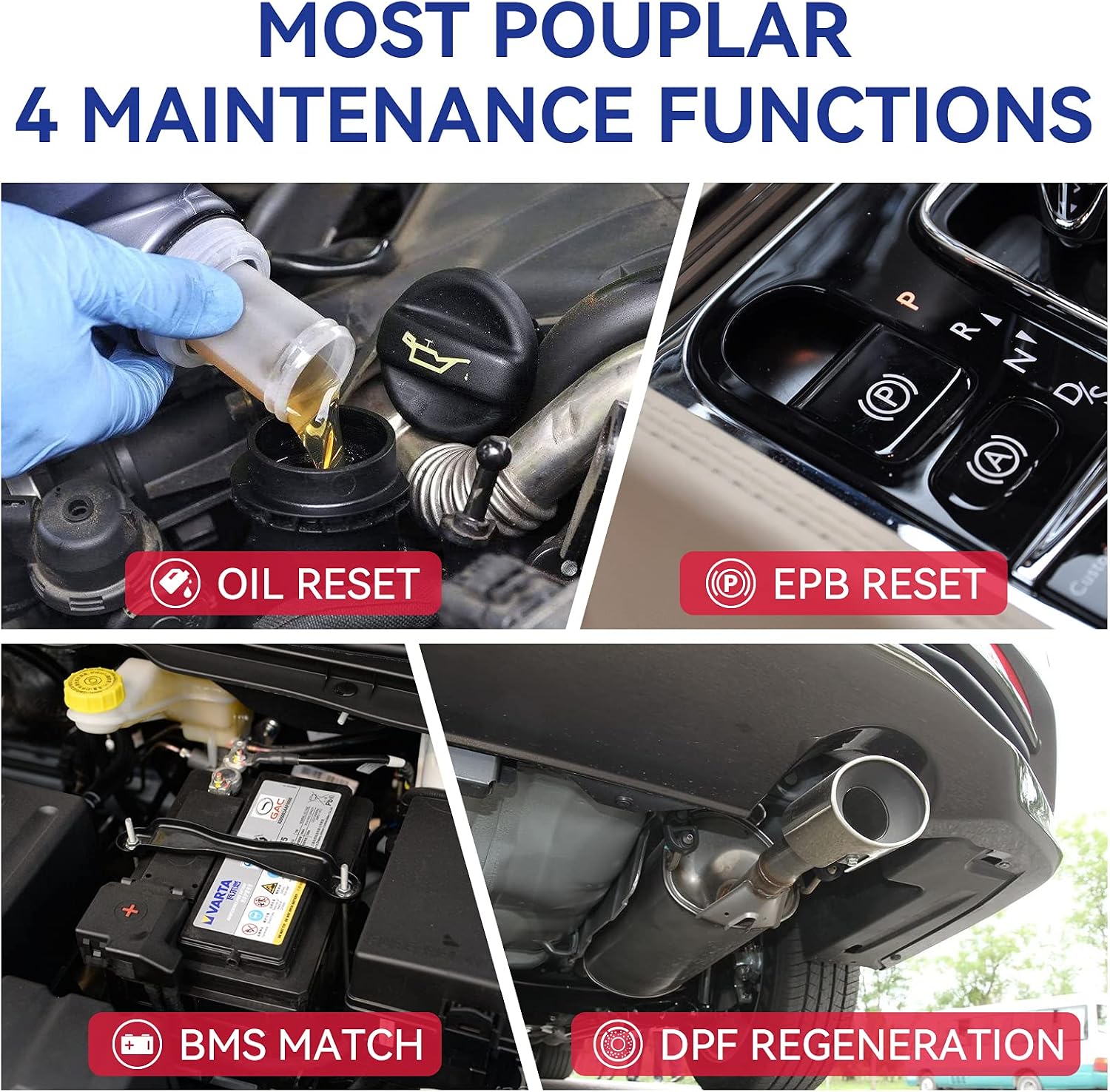
Figure 5: Visual representation of the four main maintenance functions: Oil Reset, EPB Reset, BMS Match, and DPF Regeneration.
Video 2: Demonstration of the VT300's all-system diagnostic capabilities, including OBDII engine scan, and various service functions like Oil Reset, Battery Reset, and DPF Reset.
3.5 AutoVIN Technology
The VT300 features Smart AutoVIN technology, which automatically identifies vehicle information, simplifying the diagnostic process.

Figure 6: Illustration of the AutoVIN feature on the VT300, showing automatic vehicle identification.
4. Maintenance
4.1 Software Updates
To ensure optimal performance and access to the latest vehicle models and functions, it is recommended to regularly update the VT300 software. Updates are free for 3 years and can be performed via a PC.
- Log in to the official VDIAGTOOL website to download the updated software.
- Insert the SD card (from the VT300) into the card reader, then connect the card reader to your computer/laptop.
- Log in to the installed upgrade software on your computer.
- Install the necessary software updates to your device.

Figure 7: Steps for updating the VT300 software via a PC connection.
5. Troubleshooting
This section addresses common issues you might encounter with your VDIAGTOOL VT300.
5.1 Device Not Powering On
- Check OBD2 Connection: Ensure the diagnostic cable is securely connected to both the VT300 and the vehicle's OBD2 port. The device draws power directly from the vehicle.
- Vehicle Ignition: Make sure the vehicle's ignition is in the 'ON' position (engine off or running, depending on the test).
- Vehicle Battery: Verify that the vehicle's battery has sufficient charge.
5.2 Communication Error with Vehicle
- Verify Vehicle Compatibility: Ensure your vehicle is OBD2 compliant (generally 1996 and newer for US vehicles).
- Check Cable Integrity: Inspect the diagnostic cable for any damage or bent pins.
- Ignition Status: Confirm the vehicle's ignition is on.
- Try Another Vehicle: If possible, test the VT300 on another compatible vehicle to rule out an issue with the tool itself.
5.3 Codes Not Clearing
- Underlying Issue: Diagnostic Trouble Codes (DTCs) will not clear if the underlying fault is still present. Address the vehicle's issue first.
- Ignition Cycle: Some vehicles require an ignition cycle (turning the ignition off and then on) after clearing codes for them to fully reset.
5.4 Software Update Issues
- Internet Connection: Ensure a stable internet connection during the download and update process.
- Antivirus/Firewall: Temporarily disable antivirus software or firewalls that might interfere with the update process.
- Correct Software: Verify that you have downloaded the correct update software for your VT300 model from the official VDIAGTOOL website.
6. Specifications
| Feature | Detail |
|---|---|
| Manufacturer | VDIAGTOOL |
| Brand | VDIAGTOOL |
| Model | VT300/600P |
| Item Weight | 1.1 pounds |
| Product Dimensions | 12.99 x 9.06 x 3.15 inches |
| Country of Origin | China |
| Item Model Number | vt300 |
| Manufacturer Part Number | vt300 |
| UPC | 716294324349 |
| Date First Available | March 11, 2018 |
7. Warranty and Support
7.1 Warranty Information
The VDIAGTOOL VT300 comes with a 1-Year Warranty from the date of purchase. This warranty covers manufacturing defects and malfunctions under normal use. Please retain your proof of purchase for warranty claims.
7.2 Technical Support
VDIAGTOOL offers Lifetime Technical Help for the VT300. For any technical assistance, operational questions, or troubleshooting beyond this manual, please contact VDIAGTOOL customer support.
Additionally, the device includes 3 Years Free Updates to ensure continued compatibility and functionality with new vehicle models and diagnostic features.
7.3 User Manual (PDF)
A detailed User Manual in PDF format is available for download:
Ask a question about this manual
Ask about setup, troubleshooting, compatibility, parts, safety, or missing instructions. Manuals+ will review the question and use this page’s manual context to help answer it.