
1. Introduction
The VOLTCRAFT MS-500 is a non-contact voltage detector designed for safe and efficient detection of AC voltage in electrical installations. This device provides both optical and acoustic signals to indicate the presence of voltage, enhancing user safety during electrical work. It is rated for CAT IV 1000 V, making it suitable for measurements at the source of low-voltage installations, such as utility service connections and primary overcurrent protection devices.
2. Safety Information
Please read and understand all safety instructions before using the VOLTCRAFT MS-500. Failure to follow these instructions may result in electric shock, fire, or serious injury.
- Always assume that live circuits are present until verified otherwise.
- Do not use the device if it appears damaged or is not operating correctly.
- Ensure the battery compartment is securely closed before use.
- The device is rated CAT IV 1000 V. Do not exceed this voltage rating.
- This device complies with IEC 61010 safety standards.
- Do not attempt to open or modify the device. Refer servicing to qualified personnel.
- Keep hands and fingers away from the tip of the detector during operation.
3. Product Features
- Non-contact AC voltage detection.
- Optical (LED) and acoustic signal indicators.
- Wide sensitivity range: 90-1000 V AC.
- Safety rating: CAT IV 1000 V.
- Integrated flashlight for working in dimly lit areas.
- Phase detection capability.
- Compact and pen-style design for easy portability.
This image shows the VOLTCRAFT MS-500 Non-Contact Voltage Detector from an angled perspective, with its tip illuminated, indicating its built-in flashlight function.
4. Setup
4.1 Battery Installation
The VOLTCRAFT MS-500 is powered by batteries. To install or replace batteries:
- Twist the cap at the rear end of the detector counter-clockwise to open the battery compartment.
- Insert the required batteries (typically AAA, refer to specifications) according to the polarity markings inside the compartment.
- Replace the cap by twisting it clockwise until it is securely fastened.
4.2 Initial Check
Before each use, it is recommended to test the detector on a known live circuit to ensure it is functioning correctly. This confirms the batteries are charged and the device is operational.

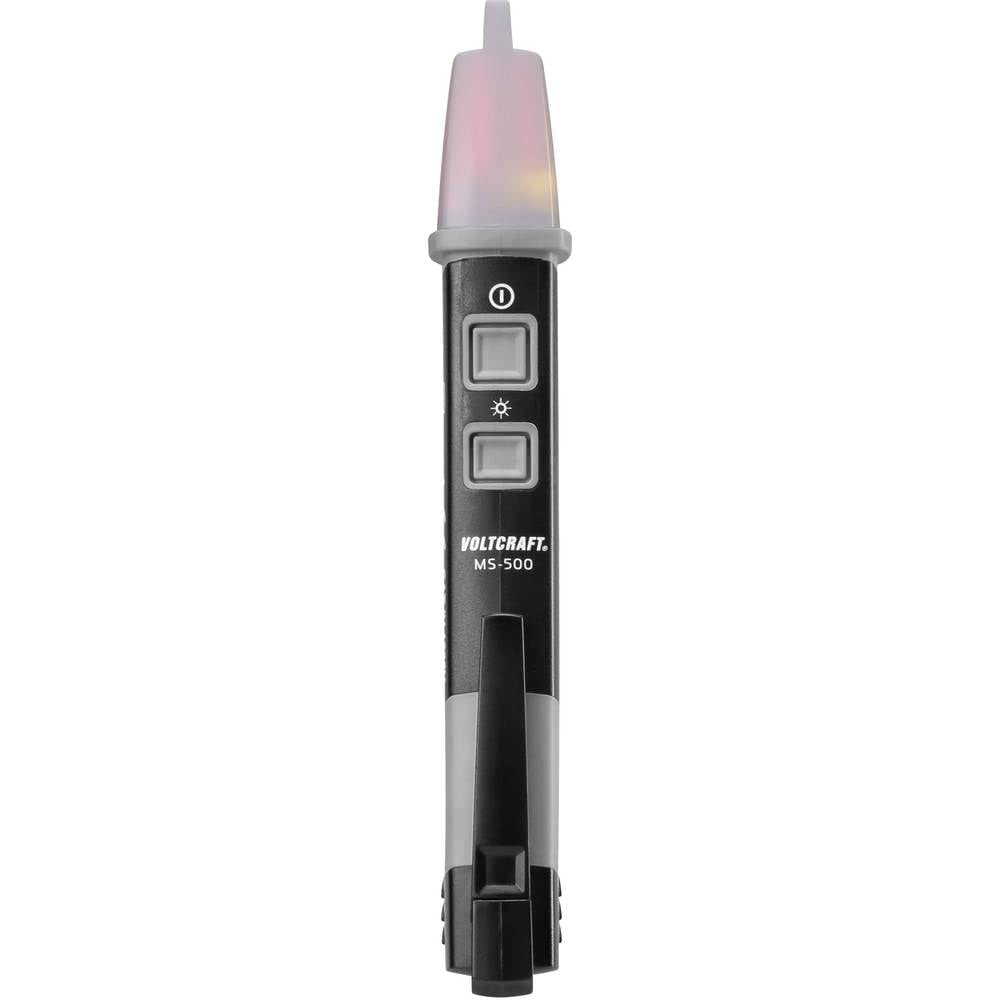
A direct front view of the VOLTCRAFT MS-500, highlighting its main body, control buttons, and the VOLTCRAFT MS-500 branding.
5. Operating Instructions
5.1 Power On/Off
Press the power button (usually marked with an '①') to turn the device on. The LED indicator will light up briefly. Press the button again to turn it off. The device may also have an auto-off feature to conserve battery life.
5.2 Non-Contact Voltage Detection
To detect AC voltage:
- Turn on the detector.
- Place the tip of the detector near the conductor, outlet, or circuit you wish to test.
- If AC voltage is detected within the specified range (90-1000 V), the tip of the detector will flash red rapidly, and an audible beep will sound. The frequency of the beeps and flashes may increase with stronger voltage fields.
- No light or sound indicates the absence of voltage, but always verify with a secondary method if possible.
5.3 Phase Detection
The MS-500 can also assist in phase detection. When the detector's tip is brought near a live phase conductor, it will trigger the optical and acoustic signals. This allows for identification of live wires without direct contact.
5.4 Using the Flashlight
The MS-500 includes an integrated LED flashlight. Press the flashlight button (often marked with a sun or lightbulb icon) to turn it on or off. This feature is useful for illuminating work areas in low-light conditions.

This image displays the VOLTCRAFT MS-500 from a side angle, clearly showing the CAT IV 1000V safety rating and other regulatory markings on its casing.
6. Maintenance
6.1 Cleaning
Wipe the device with a dry, clean cloth. Do not use abrasive cleaners or solvents. Ensure no moisture enters the device.
6.2 Battery Replacement
When the battery is low, the device's performance may degrade, or it may fail to power on. Replace batteries as described in the 'Setup' section. Always dispose of old batteries responsibly.
6.3 Storage
Store the device in a cool, dry place, away from direct sunlight and extreme temperatures. If storing for extended periods, remove the batteries to prevent leakage.
7. Troubleshooting
- Device does not turn on: Check if batteries are correctly installed and have sufficient charge. Replace batteries if necessary.
- No detection on a known live circuit: Ensure the device is turned on. Check battery level. The sensitivity might be affected by external factors or the thickness of insulation. Test on a different known live circuit.
- False positives/constant detection: This can occur due to strong electromagnetic fields or static electricity. Try testing in a different location or on a different circuit.
- Weak or inconsistent signal: Low battery power can cause this. Replace batteries.
If the issue persists after troubleshooting, contact customer support.

A close-up view of the VOLTCRAFT MS-500, focusing on the power button and the tip, ready for use.
8. Specifications
| Brand | VOLTCRAFT |
| Item Model Number | 1601757 |
| Product Dimensions (L x W x H) | 2.5 x 2.3 x 15.5 cm (0.98 x 0.91 x 6.1 inches) |
| Item Weight | 55 Grams (1.94 ounces) |
| Power Source | Battery Powered |
| Min. Operating Voltage | 90 Volts AC |
| Max. Operating Voltage | 1000 Volts AC |
| Measurement Type | Voltmeter (Non-Contact) |
| Standards Complied | IEC 61010 |
| Safety Category | CAT IV 1000 V |
| Color | Black |
| Spare Parts Availability | 1 Year |
9. Warranty and Support
9.1 Warranty Information
VOLTCRAFT products are designed for reliability and performance. For specific warranty terms and conditions, please refer to the documentation provided with your purchase or visit the official VOLTCRAFT website. The availability of spare parts is typically 1 year from the date of purchase.
9.2 Customer Support
For technical assistance, troubleshooting beyond this manual, or warranty claims, please contact VOLTCRAFT customer support. Contact details can usually be found on the product packaging or the official VOLTCRAFT website.


