
1. Introduction
The Samsung PRO Endurance 128GB MicroSDXC Memory Card with Adapter is engineered for demanding, continuous recording environments. This manual provides essential information for the proper installation, operation, and maintenance of your memory card, ensuring reliable performance for critical applications such as dash cams, surveillance cameras, and body cameras.
Designed to withstand rigorous workloads, the PRO Endurance card offers extended longevity and robust protection against various environmental factors, safeguarding your valuable data.
2. Key Features
- High Endurance: Specifically designed for video monitoring cameras (dash cams, surveillance & security cams, CCTV, body cams, etc.) requiring continuous recording.
- Extended Recording Time: Capable of up to 43,800 hours of 4K and Full HD (1080p) recording and playback.
- Robust Reliability: Built to last with 5-proof protection: Water-proof, Shock-proof, Temperature-proof, X-ray-proof, and Magnetic-proof.
- Fast Transfer Speeds: Achieves transfer speeds up to 100MB/s for efficient data handling.
- Included Adapter: Comes with a full-size SD adapter for versatile compatibility with various devices.
3. What's in the Box
- Samsung PRO Endurance 128GB MicroSDXC Memory Card
- Full-Size SD Adapter
4. Setup & Installation
To begin using your Samsung PRO Endurance MicroSDXC card, follow these steps:
- Insert MicroSD Card: Carefully insert the Samsung PRO Endurance MicroSDXC card into the designated slot on your compatible device (e.g., dash cam, surveillance camera, body cam). Ensure the card is oriented correctly to avoid damage.
- Using the SD Adapter: If your device requires a full-size SD card, insert the MicroSDXC card into the provided SD adapter. Then, insert the adapter into your device's SD card slot.

The MicroSD card fits securely into the larger SD adapter, allowing it to be used in devices that only accept standard SD cards.

Once inserted, your device should recognize the memory card. You may need to format the card through your device's settings before initial use. Refer to your device's user manual for specific formatting instructions.
5. Operating Instructions
The Samsung PRO Endurance MicroSDXC card is optimized for continuous recording in various monitoring devices:
- Dash Cams: Insert the card into your dash cam to enable continuous loop recording of your journeys. The high endurance ensures reliable capture of critical road events.
- Surveillance & Security Cams: Use the card in your home or business security cameras for uninterrupted recording, providing a constant watch over your property.
- Body Cams: For professionals requiring reliable evidence capture, the PRO Endurance card ensures that important moments are recorded without interruption.
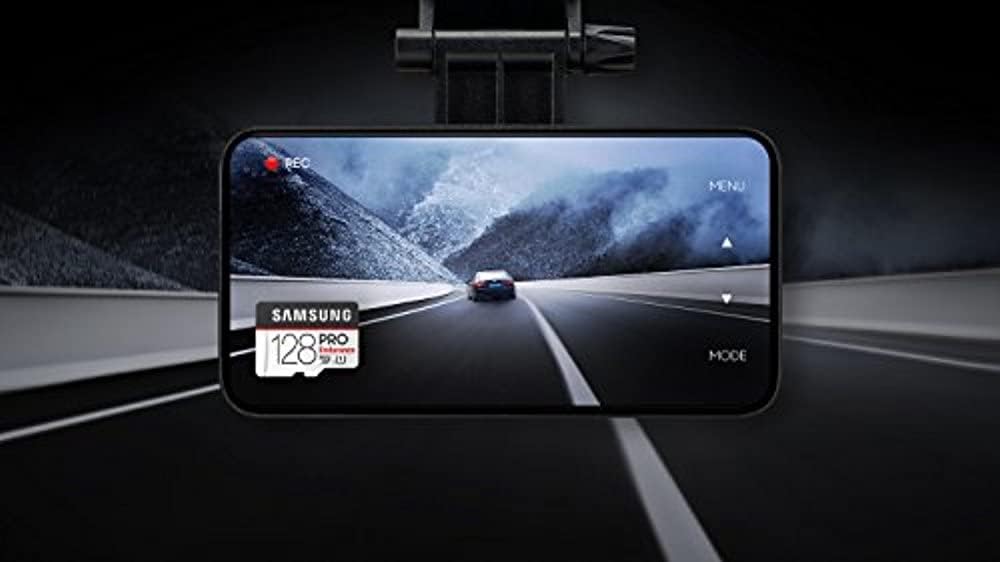
The card's design supports extensive read/write cycles, making it suitable for applications where data is constantly being overwritten.

For a visual overview of the Samsung PRO Endurance MicroSD card's features and applications, please watch the video below:
6. Maintenance & Care
The Samsung PRO Endurance card is built for durability. To ensure its longevity and optimal performance, consider the following:
- Environmental Protection: The card is waterproof, shockproof, temperature-proof, X-ray-proof, and magnet-proof. This means it can withstand harsh conditions, but extreme exposure should still be avoided when possible.
- Cleaning: If necessary, gently clean the metal contacts of the card with a soft, dry, lint-free cloth. Avoid using liquids or abrasive materials.
- Storage: When not in use, store the card in its protective case or a safe environment to prevent physical damage or loss.

7. Troubleshooting
If you encounter issues with your Samsung PRO Endurance MicroSDXC card, try the following common solutions:
- Card Not Recognized:
- Ensure the card is fully and correctly inserted into the device or adapter.
- Try the card in another compatible device to determine if the issue is with the card or the original device.
- Check your device's settings to ensure it supports MicroSDXC cards of this capacity.
- Recording Errors/Slow Performance:
- Ensure the card is clean and free of debris.
- Format the card using your device's internal formatting function. Warning: Formatting will erase all data on the card. Back up important files before proceeding.
- Verify that your device's firmware is up to date.
- Data Loss:
- Immediately stop using the card to prevent further data corruption.
- Consult a professional data recovery service if the data is critical.
8. Specifications
| Feature | Detail |
|---|---|
| Brand | Samsung |
| Model Name | PRO Endurance |
| Flash Memory Type | Micro SDXC |
| Memory Storage Capacity | 128 GB |
| Compatible Devices | Camera (Dash Cams, Surveillance & Security Cams, Body Cams) |
| Additional Features | Drop Proof, Magnetic Proof, Temperature Proof, Water Proof, X Ray Proof |
| Read Speed | Up to 100 Megabytes Per Second |
| Media Speed | 30 |
| Hardware Connectivity | microSDXC |
| Item Weight | 0.03 Pounds |
| Item Dimensions L x W | 5.43"L x 3.5"W |
| Color | White |
| Model Number | MB-MJ128GA/AM |
| Manufacturer | Samsung Electronics DAV |
| UPC | 887276260129 |
9. Warranty & Support
The Samsung PRO Endurance 128GB MicroSDXC Memory Card comes with a 5-year limited warranty. For detailed warranty terms and conditions, please refer to the official Samsung website or the warranty information included with your product packaging.
For technical support, product registration, or further assistance, please visit the official Samsung support website or contact their customer service. Keep your proof of purchase for warranty claims.


