
Introduction
This manual provides essential information for the safe and effective installation, operation, and maintenance of your Balboa Water Group Suction Cover, model 30240U-LG. Please read these instructions thoroughly before proceeding with installation or use. Retain this manual for future reference.
Safety Information
WARNING: Failure to follow these instructions can result in serious injury or death.
- Always ensure the spa or hot tub power is disconnected before attempting any installation or maintenance.
- This suction cover is designed for specific flow rates (179/256 GPM). Ensure it is compatible with your spa or hot tub's system requirements.
- Regularly inspect the suction cover for cracks, damage, or wear. Replace immediately if any damage is observed.
- Never operate the spa or hot tub if the suction cover is missing, broken, or improperly installed.
- Keep hair, loose clothing, and body parts away from the suction cover to prevent entrapment.
- Installation should be performed by a qualified professional if you are unsure about any steps.
Package Contents
Verify that all items listed below are present in your package. If any parts are missing or damaged, contact your supplier immediately.
- 1 x Balboa Water Group Suction Cover (Light Gray, 4-7/8" diameter)
- 4 x Mounting Screws
- 1 x Instruction Sheet (WG1048E Warning)
Video: Unboxing the Balboa Water Group Suction Cover. This video demonstrates the contents of the package, including the suction cover, mounting screws, and warning sheet.
Specifications
| Feature | Specification |
|---|---|
| Model Number | 30240U-LG |
| Diameter | 4-7/8 inches |
| Flow Rate | 179/256 GPM |
| Color | Light Gray |
| Material | Durable Plastic |
| Product Dimensions | 4.95 x 4.9 x 1.8 inches |
| Item Weight | 1.44 ounces |
Setup and Installation
Follow these steps to install or replace your suction cover. Ensure the spa or hot tub is drained and power is disconnected before beginning.
- Prepare the Area: Ensure the spa or hot tub is completely drained and the power supply is turned off at the circuit breaker. This prevents accidental startup and electrical hazards.
- Remove Old Cover (if applicable): If replacing an existing cover, carefully unscrew and remove the old suction cover. Dispose of the old cover responsibly.
- Inspect the Suction Fitting: Clean any debris from the suction fitting opening. Inspect the fitting for any damage or cracks. Ensure the surface is smooth and ready for the new cover.
- Position the New Cover: Place the new Balboa Water Group Suction Cover over the suction opening, aligning the screw holes on the cover with the corresponding holes on the spa fitting.
- Secure the Cover: Insert the provided mounting screws into the aligned holes. Hand-tighten the screws initially, then use a screwdriver to secure them firmly. Do not overtighten, as this can crack the plastic. Ensure the cover is snug and does not wobble.
- Final Check: Once installed, visually inspect the cover to ensure it is flush with the spa surface and securely fastened.
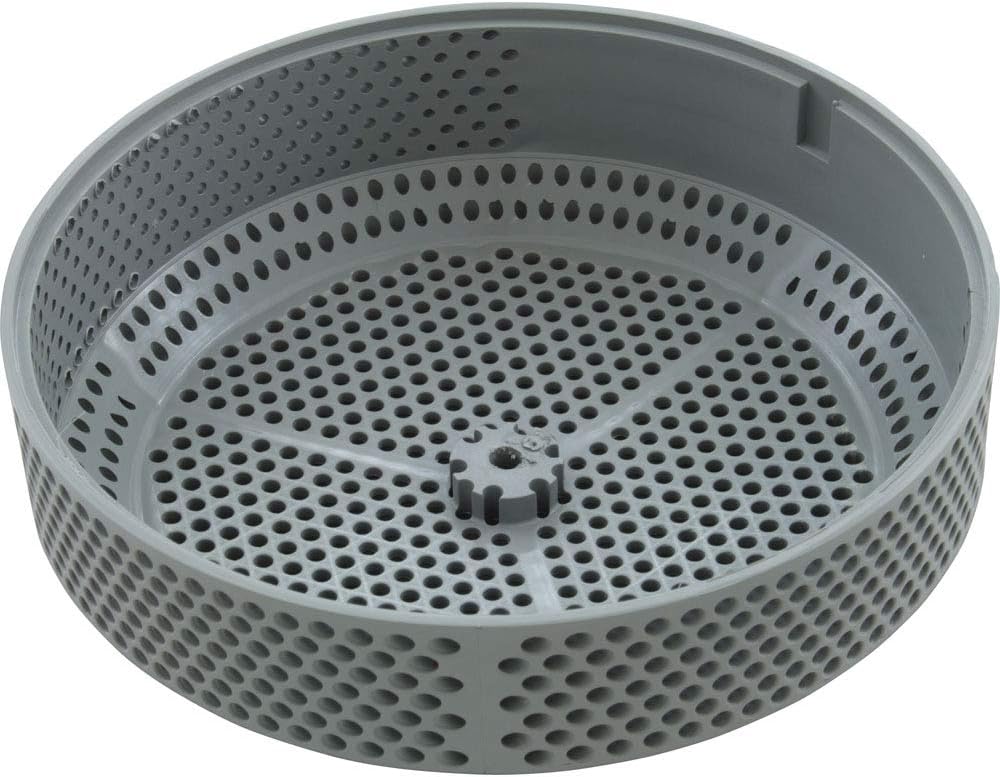
Image: Top-down view of the Balboa Water Group Suction Cover, showing the perforated surface and screw holes.
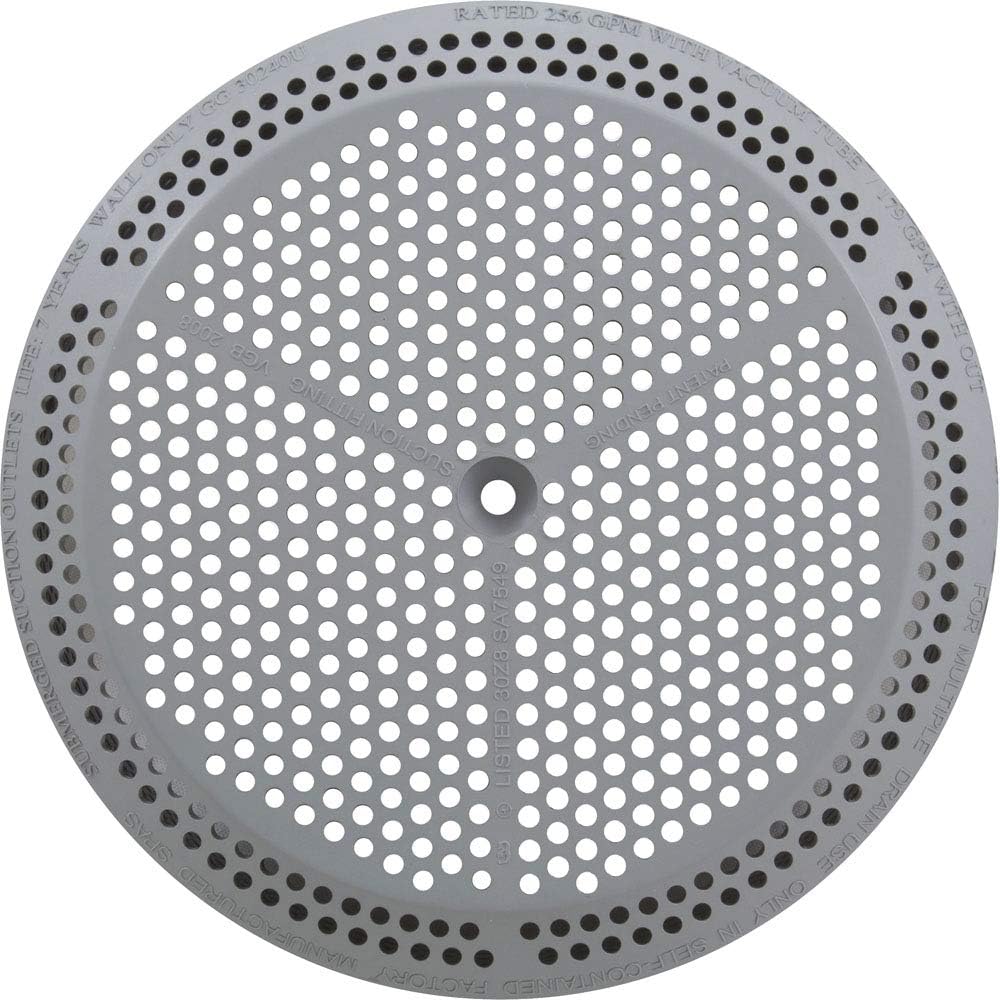
Image: Angled view of the Balboa Water Group Suction Cover, highlighting its light gray color and design.
Video: General overview of a suction cover replacement for a jetted tub. This video provides a brief visual reference for the replacement process.
Operation
The Balboa Water Group Suction Cover is a passive component designed to prevent entrapment and ensure proper water flow into the spa's filtration system. Once correctly installed, no further operational steps are required for the cover itself. Its function is integral to the safe and efficient operation of your spa or hot tub's circulation system.
Maintenance
Regular maintenance of your suction cover is crucial for safety and longevity.
- Weekly Inspection: Visually inspect the cover weekly for any signs of damage, cracks, discoloration, or loose screws.
- Cleaning: Periodically clean the cover to remove any debris, hair, or mineral buildup that may obstruct water flow. Use a soft brush and mild spa-safe cleaner.
- Screw Tightness: Check the tightness of the mounting screws every few months. Tighten if necessary, but do not overtighten.
- Replacement: Suction covers have a limited lifespan due to exposure to chemicals and UV light. Replace the cover according to manufacturer recommendations or if any damage is detected, typically every 3-5 years.
Troubleshooting
If you encounter issues related to your suction cover, consider the following:
- Reduced Water Flow: Check if the cover is obstructed by debris. Clean the cover and the area around it. Ensure the cover is securely installed and not partially blocked.
- Loose Cover: If the cover feels loose, gently tighten the mounting screws. If the screw holes are stripped, professional repair or replacement of the fitting may be necessary.
- Cracked or Damaged Cover: A cracked or damaged cover must be replaced immediately to prevent entrapment hazards. Do not attempt to repair it.
- Unusual Noises from Suction: This could indicate an air leak or obstruction. Ensure the cover is properly sealed and free of debris. If the issue persists, consult a spa technician.
Warranty and Support
For specific warranty information, please refer to the documentation provided at the time of purchase or contact Balboa Water Group directly. If you require technical assistance or have questions not covered in this manual, please reach out to your product retailer or a qualified spa service professional.