
Introduction
This manual provides detailed instructions for the safe and effective use, setup, operation, and maintenance of your Streamlight ProTac HPL USB Flashlight, Model 88076. Please read this manual thoroughly before operating the device and retain it for future reference.
Safety Information
WARNING:
- Do not look directly into the LED light. The intense beam can cause temporary vision impairment or eye damage.
- Use only approved batteries. Incorrect battery types or improper installation can lead to fire, explosion, or personal injury.
- Keep batteries out of reach of children.
- This product contains chemicals known to the State of California to cause cancer and birth defects or other reproductive harm.
- The flashlight may become hot during prolonged use, especially on high settings. Handle with care.
Package Contents
Verify that all items are present in your package:
- Streamlight ProTac HPL USB Flashlight (Model 88076)
- USB Charging Cord
- Holster
- Two CR123A Lithium Batteries (included)
- Removable Pocket Clip
Setup
1. Battery Installation
The ProTac HPL USB can operate with either two CR123A lithium batteries or one Streamlight 18650 USB rechargeable battery (P/N 74175).
- Unscrew the tail cap of the flashlight by turning it counter-clockwise.
- Insert the batteries with the positive (+) end facing towards the head of the flashlight. Ensure correct polarity.
- Screw the tail cap back on clockwise until secure.

Image: Exploded view showing battery compartment and other components.
2. Charging the 18650 USB Battery (if applicable)
If using the Streamlight 18650 USB rechargeable battery, it can be charged directly via a USB port.
- Slide the collar of the flashlight head back to expose the micro-USB charging port.
- Connect the supplied USB charging cord to the flashlight's micro-USB port and to a powered USB source (e.g., computer, wall adapter).
- The charging indicator light on the battery will show charging status (typically red for charging, green for charged).
- Once charging is complete, disconnect the USB cord and slide the collar forward to protect the port.
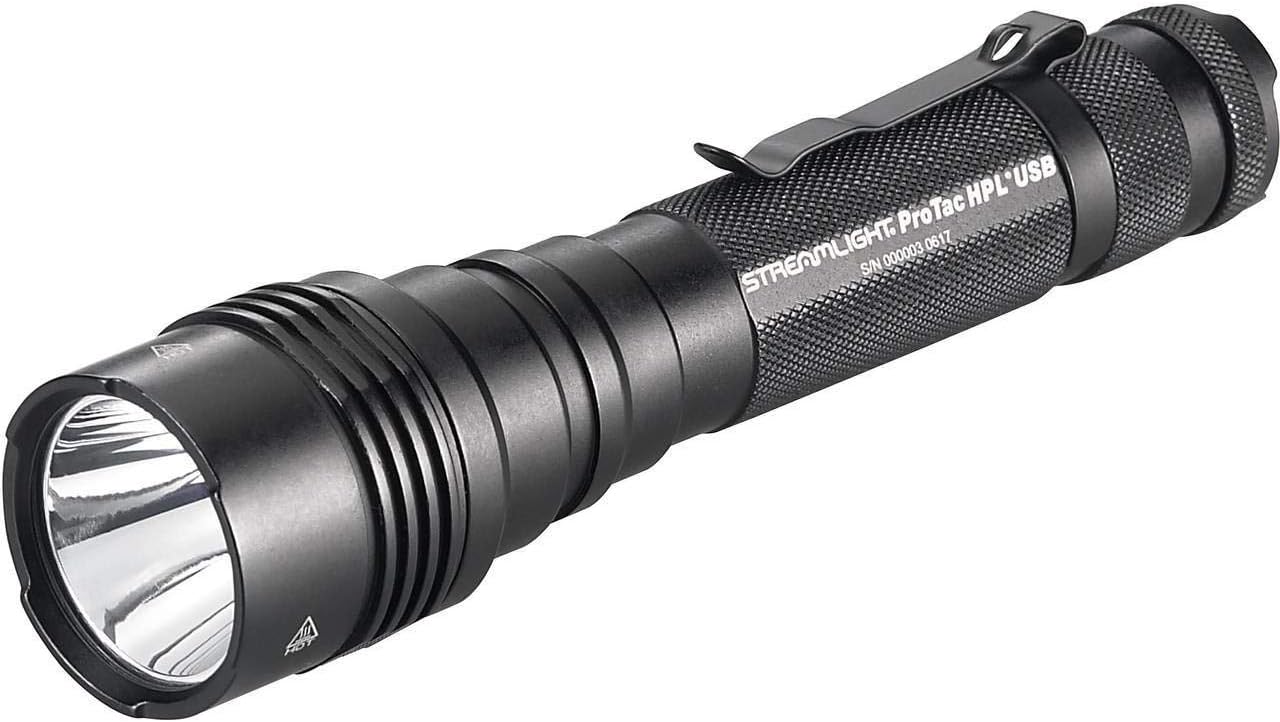
Image: Flashlight head with the collar slid back, revealing the USB charging port.
3. Attaching the Pocket Clip
The flashlight comes with a removable pocket clip for secure carrying. Slide the clip onto the body of the flashlight in the desired orientation.
Operating Instructions
The ProTac HPL USB features a multi-function, push-button tail switch for one-handed operation and TEN-TAP programming to select different operating modes.
1. Basic Operation (Factory Default: High/Strobe/Low)
- Momentary On: Lightly press the tail switch. Release to turn off.
- Constant On: Press the tail switch until it clicks. Press again to turn off.
- Accessing Modes: From momentary or constant on, quickly tap the switch to cycle through modes (High → Strobe → Low). Pause for more than 0.2 seconds to select the current mode.

Image: Full view of the Streamlight ProTac HPL USB Flashlight.
2. TEN-TAP Programming
The TEN-TAP programming allows users to select one of three different operating programs:
- Program 1 (Factory Default): High / Strobe / Low
- Program 2: High Only
- Program 3: Low / Medium / High
To change the program:
- Ensure the flashlight is OFF.
- Tap the tail switch rapidly 9 times (within 0.4 seconds per tap).
- On the 10th tap, hold the switch down. The light will cycle through the available programs.
- Release the switch when the desired program is indicated by the number of flashes (1 flash for Program 1, 2 flashes for Program 2, 3 flashes for Program 3).
Maintenance
- Cleaning: Clean the lens with a soft, clean cloth. For the body, use a damp cloth and mild soap if necessary. Avoid abrasive cleaners.
- O-Rings: Periodically inspect the O-rings for wear and tear. Apply a thin coat of silicone grease to maintain water resistance. Replace damaged O-rings promptly.
- Battery Care: Remove batteries from the flashlight if it will not be used for an extended period to prevent leakage. Store batteries in a cool, dry place.
Troubleshooting
| Problem | Possible Cause | Solution |
|---|---|---|
| Light does not turn on. | Dead or improperly installed batteries. | Replace batteries or ensure correct polarity. Charge 18650 battery if applicable. |
| Light is dim or flickers. | Low battery charge or loose connections. | Replace or recharge batteries. Ensure tail cap and head are fully tightened. |
| USB charging not working. | USB port not fully exposed, faulty cable, or power source issue. | Ensure collar is fully slid back. Try a different USB cable or power source. |
Specifications
- Model: 88076
- Light Source: LED
- Brightness: Up to 1000 Lumens (High)
- Power Source: 2 x CR123A Lithium Batteries or 1 x Streamlight 18650 USB Rechargeable Battery
- Material: Durable, anodized machined aircraft aluminum construction
- Water Resistance: Water Resistant
- Item Dimensions (LxWxH): 1 x 1 x 1 inches
- Item Weight: 0.27 Pounds
- Special Features: Multi-function push-button tail switch, TEN-TAP programming, USB rechargeable (with 18650 battery), Removable pocket clip, Anti-roll head, O-ring sealed glass lens.
Warranty Information
Streamlight warrants its products to be free of defects for a lifetime of use, with the exception of batteries and bulbs, abuse and normal wear. For full warranty details and service, please visit the official Streamlight website or contact their customer support.
Note: This is a general statement. Always refer to the manufacturer's official warranty policy for specific terms and conditions.
Customer Support
For technical assistance, parts, or service, please contact Streamlight customer support directly. You can typically find contact information on the official Streamlight website:
When contacting support, please have your product model number (88076) and purchase date available.


