
Introduction
This manual provides essential instructions for the proper use and care of your Fastrack Quartz Analog Digital Watch, model NP38035SL02. This timepiece features a high-precision analog-digital movement, a grey dial, and a durable blue leather strap. It is designed with 5 ATM (50 meters) water resistance, making it suitable for everyday use and light water exposure.
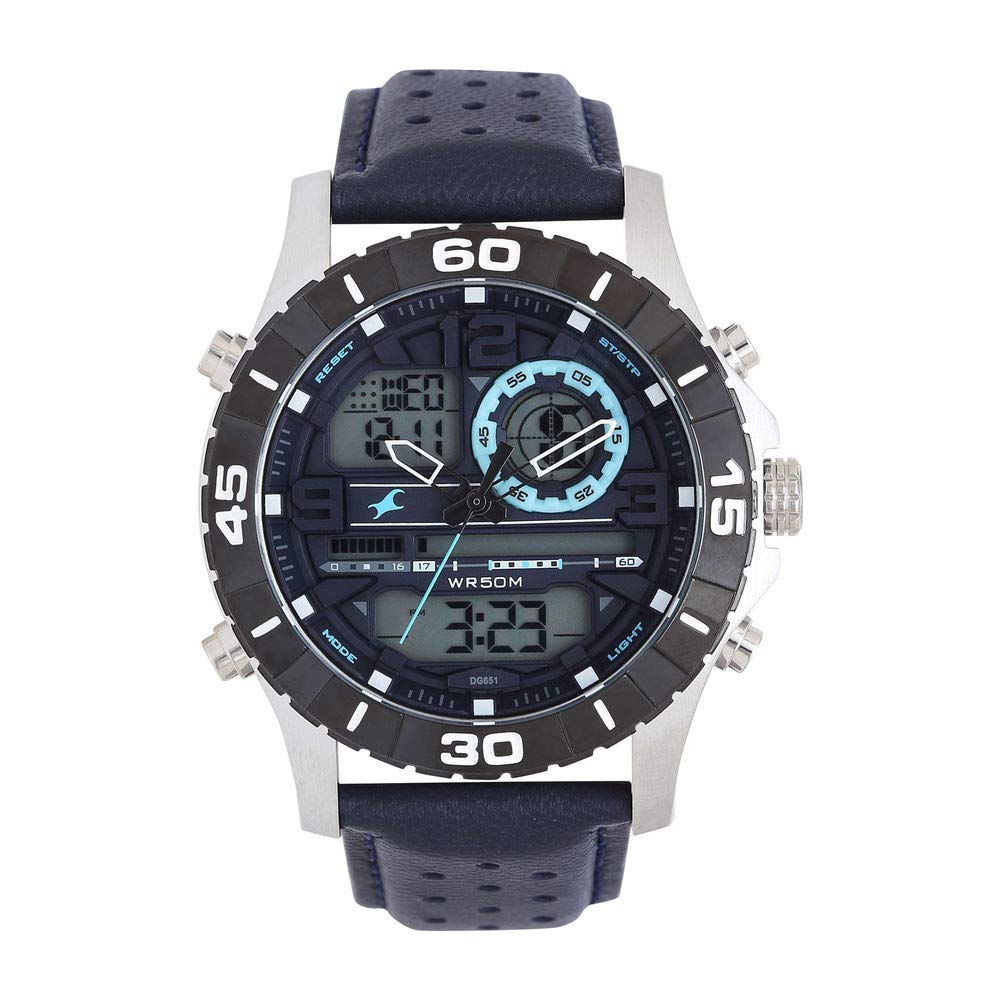
Figure 1: Front view of the Fastrack Quartz Analog Digital Watch NP38035SL02.
Setup
1. Setting Analog Time
- Pull the crown (the knob on the side of the watch) out to the first position.
- Rotate the crown to move the hour and minute hands to the desired time.
- Push the crown back into its normal position to start the analog movement.
2. Setting Digital Time and Date
The digital display typically has multiple modes (Time, Date, Alarm, Stopwatch). Refer to the specific button functions:
- Mode Button: Cycles through different digital modes (e.g., Time, Alarm, Stopwatch).
- Adjust Button: Used to enter and exit setting modes.
- Set/Start Button: Used to change values or start/stop functions within a setting mode.
To set the digital time:
- Press the Mode button until the digital time display is shown.
- Press and hold the Adjust button until the seconds begin to flash.
- Use the Set/Start button to adjust the flashing value (seconds, hours, minutes, year, month, day). Press the Mode button to move to the next setting.
- Once all settings are correct, press the Adjust button again to exit the setting mode.

Figure 2: Side view of the watch, illustrating the crown and function buttons for setting time and modes.
3. Adjusting the Leather Strap
The genuine leather strap can be adjusted to fit your wrist comfortably using the buckle. Ensure the watch is snug but not too tight to allow for proper circulation.
Operating Instructions
1. Time Display
- The watch displays time both with traditional analog hands and a digital readout.
- Ensure both analog and digital times are synchronized after setting.
2. Digital Modes
Press the Mode button to cycle through the available digital functions:
- Time Mode: Displays current digital time (hours, minutes, seconds) and often the day of the week.
- Date Mode: Displays the current date (month, day, year).
- Alarm Mode: Allows setting and activating an alarm. Use the Set/Start button to adjust alarm time and the Adjust button to toggle the alarm on/off.
- Stopwatch Mode: Functions as a timer. Press Set/Start to begin/pause, and Adjust to reset.
3. Water Resistance (5 ATM / 50 Meters)
Your watch is water resistant up to 50 meters. This means it is suitable for:
- Daily use, such as hand washing or rain.
- Showering (avoid hot water and steam).
- Swimming in shallow water.
Important: Do not operate the crown or buttons while the watch is wet or submerged, as this can compromise the water resistance seals.
Maintenance
1. Cleaning
- Wipe the watch case and crystal with a soft, dry cloth.
- For the leather strap, wipe with a slightly damp cloth and allow it to air dry completely. Avoid harsh chemicals or excessive moisture.
2. Water Resistance Care
- Always ensure the crown is fully pushed in before any contact with water.
- Avoid exposing the watch to extreme temperature changes, which can affect the water resistance seals.
- Have the water resistance seals checked periodically by an authorized service center, especially after prolonged water exposure.
3. Battery Replacement
The watch uses a Lithium Metal battery. When the watch stops or the digital display fades, it indicates a low battery. Battery replacement should be performed by a qualified watch technician to ensure proper sealing and function.
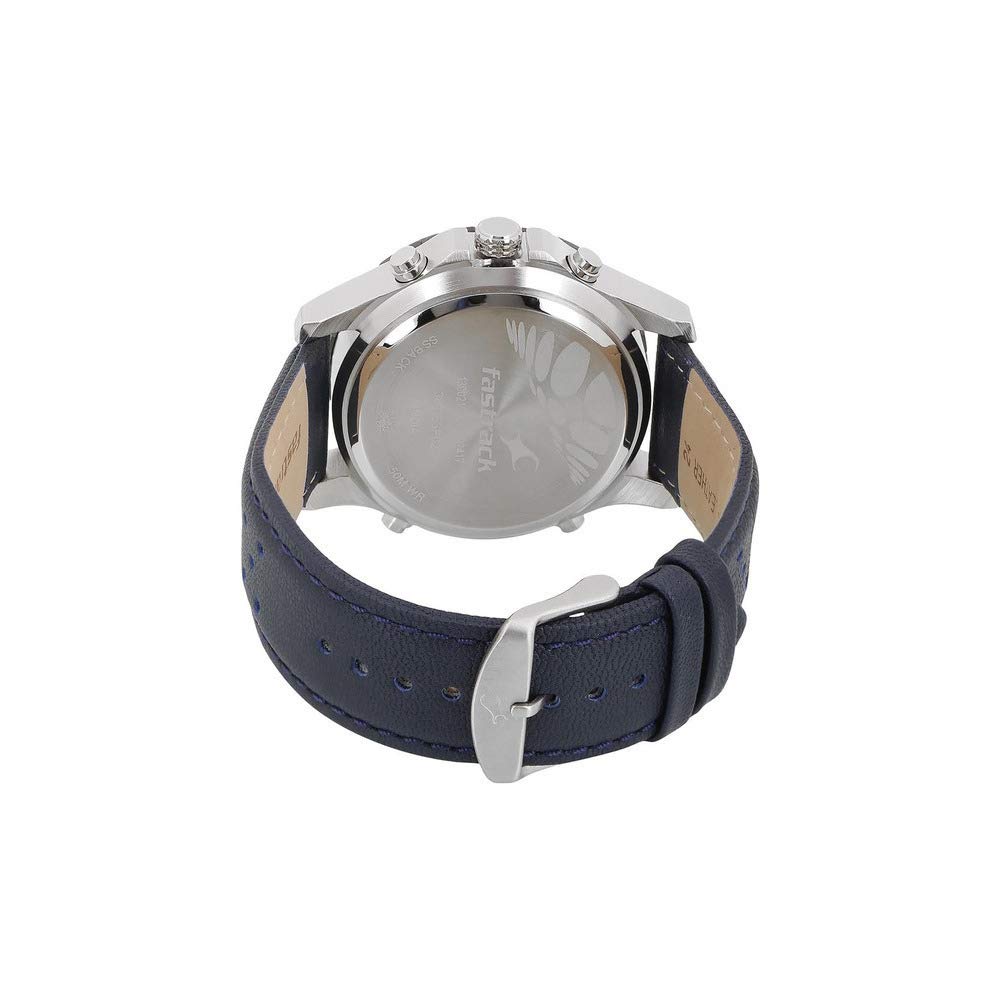
Figure 3: Back view of the watch, showing the stainless steel back cover and leather strap.
Troubleshooting
- Analog hands not moving: Check if the crown is fully pushed in. If it is, the battery may be depleted.
- Digital display blank or dim: This indicates a low battery. Replace the battery.
- Incorrect time/date: Refer to the "Setup" section to reset the analog and digital time/date.
- Moisture inside the watch: Immediately take the watch to an authorized service center. Do not attempt to open it yourself.
- Buttons not responding: Ensure the watch is not in a locked mode (if applicable) or that it is not wet. If the issue persists, the internal mechanism may require inspection.
For issues not listed here, or if troubleshooting steps do not resolve the problem, please contact Fastrack customer support.
Specifications
| Feature | Detail |
|---|---|
| Model Number | NP38035SL02 |
| Movement Type | Quartz (Analog-Digital) |
| Display Type | Analog-Digital |
| Dial Color | Grey |
| Case Material | Brass |
| Case Diameter | 47.3 Millimeters |
| Case Thickness | 17.80 mm |
| Dial Glass Material | Mineral |
| Band Material | Leather |
| Band Color | Blue |
| Lug Width | 24 mm |
| Water Resistance Depth | 50 Meters (5 ATM) |
| Item Weight | 180 Grams |
| Battery Type | 1 Lithium Metal battery (included) |
| Product Dimensions (LxWxH) | 14 x 7 x 10 Centimeters |
Warranty
Your Fastrack Quartz Analog Digital Watch NP38035SL02 comes with a 24 months manufacturer warranty covering manufacturing defects from the date of purchase. This warranty does not cover damage resulting from improper use, accidents, unauthorized repairs, or normal wear and tear.
Please retain your purchase receipt as proof of purchase for warranty claims.
Support
For technical assistance, warranty claims, or service inquiries, please contact Fastrack customer support.
Manufacturer: Fastrack, Titan Company Ltd
Address: 3 Sipcot Industrial Complex, Hosur - 635126, India
Telephone: +91-(0)4344-664199
You can also visit the official Fastrack website for more information and support resources.