
Introduction
This manual provides essential information for the proper installation, operation, and maintenance of your AMD Ryzen 7 2700X Processor with Wraith Prism LED Cooler. Adhering to these guidelines will help ensure optimal performance and longevity of your product.
Package Contents
Verify that all items are present in your product packaging:
- AMD Ryzen 7 2700X Processor
- AMD Wraith Prism LED Cooler
- Installation Instructions and Warranty Information
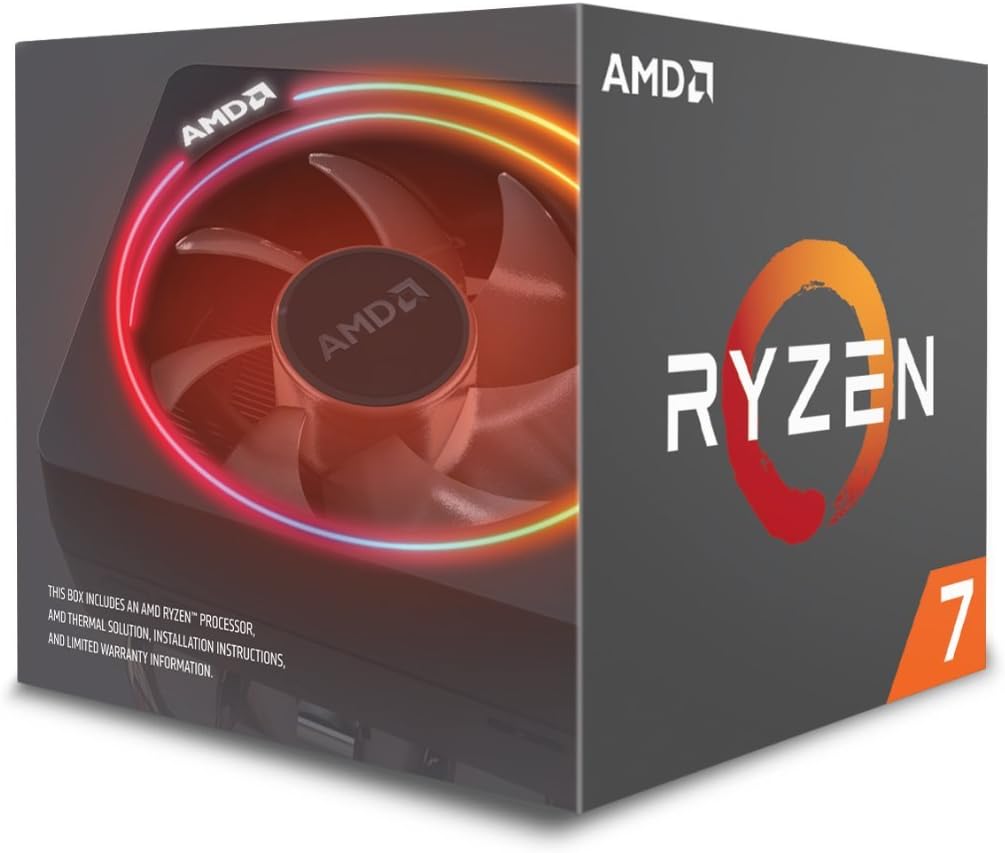
Figure 1: AMD Ryzen 7 2700X Processor retail box, showing the processor and included Wraith Prism LED Cooler.
Setup and Installation
Proper installation is crucial for the functionality and stability of your system. Please follow these steps carefully.
1. Prepare Your Motherboard
- Ensure your motherboard is compatible with AM4 socket processors.
- For 300 series motherboards, a BIOS update may be required for compatibility with Ryzen Desktop 2000 series processors. Consult your motherboard manufacturer's website for the latest BIOS version and update instructions.
- Remove any existing CPU cooler mounting brackets from the motherboard.
2. Install the AMD Ryzen 7 2700X Processor
- Gently lift the retention arm on the AM4 socket.
- Align the gold triangle on the processor with the corresponding triangle on the motherboard socket.
- Carefully place the processor into the socket without applying force. It should sit flush.
- Lower the retention arm to secure the processor.

Figure 2: Top view of the AMD Ryzen 7 2700X Processor chip.

Figure 3: Bottom view of the AMD Ryzen 7 2700X Processor chip, illustrating the pin grid array (PGA) design.
3. Install the AMD Wraith Prism LED Cooler
- The Wraith Prism LED Cooler comes with pre-applied thermal paste. If it has been removed or is insufficient, apply a thin, even layer of new thermal paste to the center of the CPU's integrated heat spreader (IHS).
- Align the cooler's mounting clips with the motherboard's retention brackets.
- Attach one side of the cooler's clips to the motherboard bracket.
- Press down firmly on the opposite side of the cooler and attach the second clip to the bracket. Ensure both clips are securely latched.
- Connect the 4-pin fan cable from the cooler to the CPU_FAN header on your motherboard.
- For LED control, connect the RGB cable from the cooler to a compatible RGB header on your motherboard (if available).

Figure 4: The AMD Wraith Prism LED Cooler, featuring integrated RGB lighting.
Operating Guidelines
The AMD Ryzen 7 2700X processor is designed for high performance. Observe the following for optimal operation:
- Maximum Temperature: The maximum operating temperature for this processor is 85 degrees Celsius. Exceeding this temperature can lead to instability or damage.
- Overclocking: While the processor is unlocked for overclocking, proceed with caution. Overclocking can increase heat output and may require advanced cooling solutions beyond the stock Wraith Prism LED Cooler.
- Power Supply: Ensure your system's power supply unit (PSU) meets the power requirements for all components, including the CPU and any discrete graphics cards.
Maintenance
Regular maintenance helps preserve performance and extend the lifespan of your processor and cooler.
- Dust Removal: Periodically clean the Wraith Prism LED Cooler's fan and heatsink fins to prevent dust buildup, which can impede airflow and cooling efficiency. Use compressed air for best results.
- Thermal Paste: If you remove the cooler for any reason, it is recommended to clean off the old thermal paste from both the CPU and the cooler's base and apply fresh thermal paste before reinstallation.
- Cable Management: Ensure internal cables are neatly managed to allow for unobstructed airflow within your PC case.
Troubleshooting
If you encounter issues, consider the following common solutions:
- System Instability/Crashes: Check CPU temperatures using monitoring software. Ensure the cooler is properly seated and fan is spinning. Verify RAM compatibility and seating.
- No Display: Confirm all power cables are connected, including the 8-pin CPU power connector. If using a discrete graphics card, ensure it is properly seated and powered. This processor does not have integrated graphics, so a discrete graphics card is required for display output.
- Overheating: Clean the cooler, ensure proper airflow in the case, and verify thermal paste application. Consider upgrading to a more powerful cooling solution if consistently experiencing high temperatures, especially with overclocking.
Specifications
| Processor Model | AMD Ryzen 7 2700X |
| Cores/Threads | 8 Cores / 16 Threads |
| Base Clock Speed | 3.7 GHz |
| Max Boost Clock | 4.3 GHz |
| Socket | AM4 |
| Included Cooler | Wraith Prism LED Cooler |
| System RAM Type | DDR4 SDRAM |
| Maximum Operating Temperature | 85°C |
Warranty and Support
For warranty information and technical support, please refer to the documentation included in your product packaging or visit the official AMD support website. Keep your proof of purchase for warranty claims.
AMD Support Website: www.amd.com/support