
SLLEA MKA-41160250
SLLEA 16V AC to AC Adapter User Manual
Model: MKA-41160250
1. Product Overview
This manual provides essential information for the safe and effective use of your SLLEA 16V AC to AC Adapter, Model MKA-41160250. This power supply unit is designed to convert standard AC wall voltage to a stable 16V AC output, suitable for compatible electronic devices.
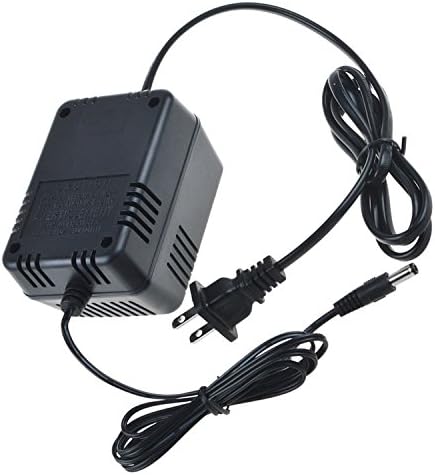
Figure 1: SLLEA 16V AC to AC Adapter (Model MKA-41160250)
Key features include:
- Input: 100 - 240 VAC 50/60Hz Worldwide Voltage Use.
- Output: 16V AC.
- Cable Length: Approximately 4 feet (1.2 meters) total.
- Safety: CE certified with Over Voltage Protection and Over Heat Protection.
- Portability: Lightweight and easy to carry.
2. Safety Information
WARNING: To reduce the risk of fire or electric shock, do not expose this apparatus to rain or moisture. Do not open the casing. Refer servicing to qualified personnel only.
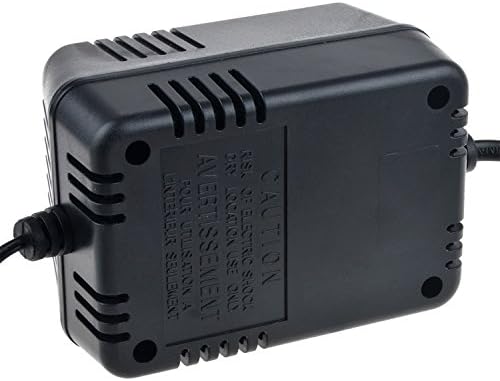
Figure 2: Caution Label on Adapter Casing
- Ensure the adapter's voltage and current ratings match your device's requirements before connecting.
- Do not use the adapter if the cord or plug is damaged.
- Keep the adapter away from water, excessive heat, and direct sunlight.
- Always unplug the adapter from the power outlet before cleaning or if it will be unused for an extended period.
- This adapter is designed for indoor use only.
3. Setup
Follow these steps to set up your SLLEA AC to AC Adapter:
- Verify Compatibility: Before connecting, ensure your device requires a 16V AC input and that the adapter's output connector (jack size) matches your device's input port. The adapter features a 5.5mm Outer Diameter (OD) / 2.5mm Inner Diameter (ID) jack.
- Connect to Device: Carefully insert the adapter's output plug into the corresponding power input port on your electronic device.
- Connect to Power Outlet: Plug the adapter's input plug into a standard 100-240V AC wall outlet.
- Power On Device: Once connected, you can power on your device.

Figure 3: Output Jack Size Detail
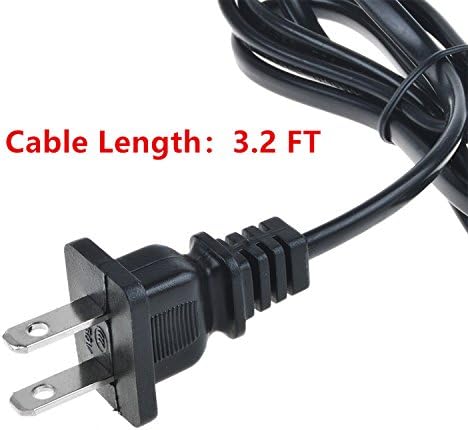
Figure 4: Input Plug and Cable Length
4. Operating Instructions
The SLLEA 16V AC to AC Adapter operates automatically once connected to a power source and a compatible device. It provides a continuous 16V AC output. No user intervention is required during operation.
- Ensure the adapter is placed in a well-ventilated area to prevent overheating.
- Do not cover the adapter during use.
- If the adapter feels excessively hot to the touch, disconnect it immediately and allow it to cool before further use.
5. Maintenance
Proper care and maintenance will extend the life of your adapter:
- Cleaning: Disconnect the adapter from the power outlet and your device before cleaning. Use a soft, dry cloth to wipe the surface. Do not use liquid cleaners or aerosols.
- Storage: When not in use, store the adapter in a cool, dry place, away from direct sunlight and moisture. Avoid tightly coiling the cable to prevent damage.
- Inspection: Periodically inspect the adapter, cable, and plugs for any signs of damage, such as cuts, fraying, or bent pins. If damage is found, discontinue use and replace the adapter.
6. Troubleshooting
If you encounter issues with your adapter, try the following:
- No Power to Device:
- Ensure the adapter is securely plugged into both the wall outlet and your device.
- Check if the wall outlet is functioning by plugging in another device.
- Verify that your device is turned on and its power input requirements match the adapter's specifications.
- Adapter Overheating:
- Ensure the adapter is not covered and has adequate ventilation.
- Confirm that the connected device is not drawing more power than the adapter is rated for.
- If overheating persists, discontinue use.
- Unusual Noises or Smells:
- Immediately unplug the adapter from the wall outlet and discontinue use. Contact customer support.
7. Specifications
| Attribute | Value |
|---|---|
| Brand | SLLEA |
| Model Number | MKA-41160250 |
| Input Voltage | 100 - 240 VAC (50/60Hz) |
| Output Voltage | 16 Volts (AC) |
| Color | Black |
| Item Weight | 1.19 pounds (approx. 19 ounces) |
| Package Dimensions | 3.94 x 2.36 x 1.57 inches |
| Manufacturer | SLLEA |
| Date First Available | February 22, 2018 |
8. Warranty and Support
For warranty information or technical support regarding your SLLEA 16V AC to AC Adapter, please contact the manufacturer, SLLEA, directly. Refer to the product packaging or the retailer's website for specific contact details and warranty terms.
It is recommended to retain your purchase receipt as proof of purchase for any warranty claims.
Ask a question about this manual
Ask about setup, troubleshooting, compatibility, parts, safety, or missing instructions. Manuals+ will review the question and use this page’s manual context to help answer it.