
Introduction
This manual provides detailed instructions for the proper setup, operation, and maintenance of your ZZIPP TXZZ642 Wireless Microphone System. Please read this manual thoroughly before using the product to ensure optimal performance and longevity. Keep this manual for future reference.
Setup
Follow these steps to set up your ZZIPP TXZZ642 Wireless Microphone System.
1. Unpacking and Component Check
Carefully unpack all components from the box. Verify that all items are present:
- Wireless Receiver Unit
- Bodypack Transmitter
- Microphone (Lollipop form factor, omnidirectional)
- Power Adapter for Receiver
- Audio Output Cable
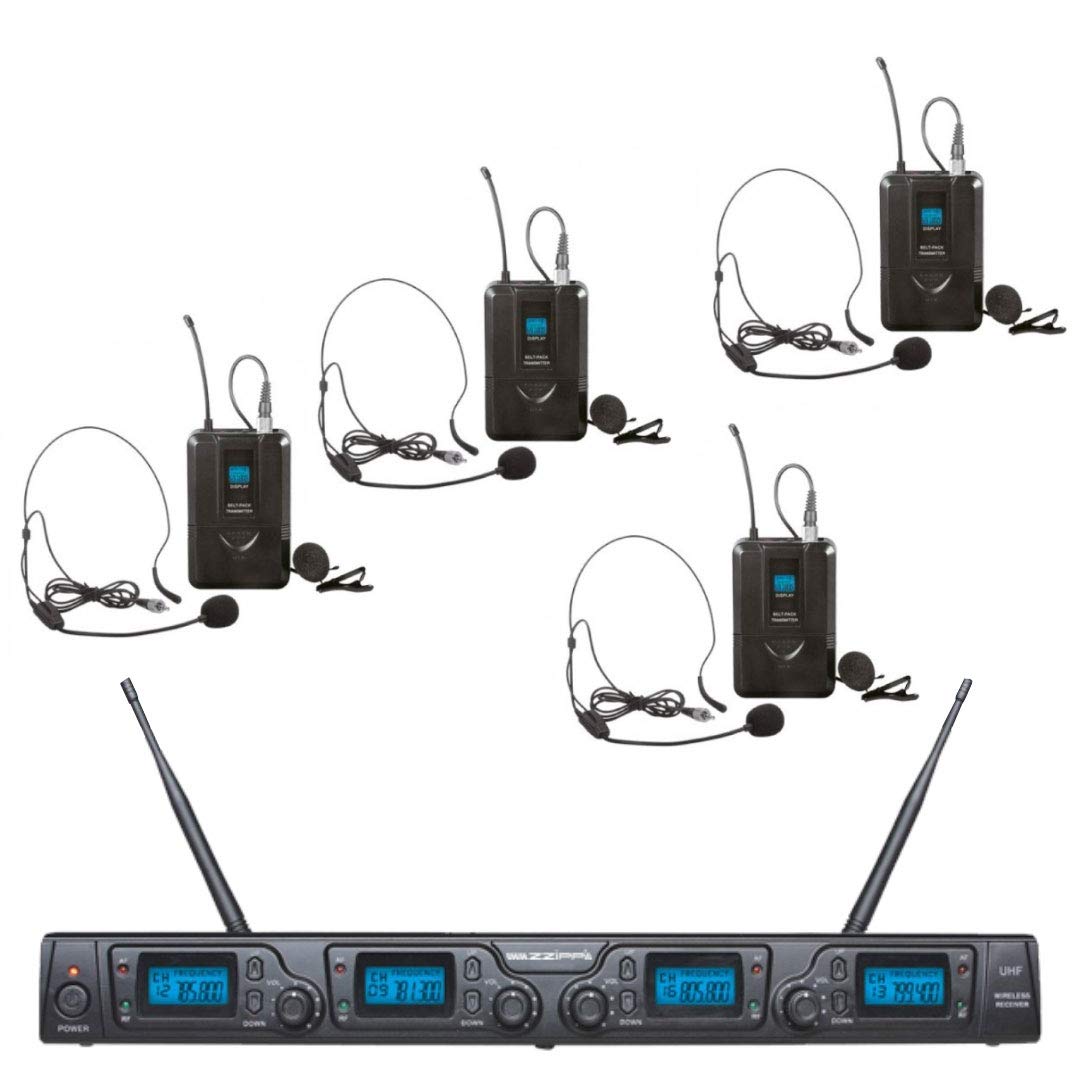
An image showing the main components of the ZZIPP TXZZ642 wireless microphone system, including the receiver, bodypack transmitter, and microphone.
2. Connecting the Receiver
- Connect the provided power adapter to the receiver's DC input and then to a power outlet.
- Connect the audio output cable from the receiver's output jack to the input of your mixer, amplifier, or recording device.
3. Preparing the Bodypack Transmitter and Microphone
- Open the battery compartment of the bodypack transmitter and insert fresh batteries (type specified in the transmitter's battery compartment, typically AA or AAA). Ensure correct polarity.
- Connect the microphone cable to the input jack on the bodypack transmitter. Secure the connection.
4. Powering On and Pairing
- Turn on the receiver unit using its power button.
- Turn on the bodypack transmitter using its power button.
- The system should automatically pair. Refer to the receiver's display or indicator lights to confirm a successful connection. If pairing fails, consult the troubleshooting section.
Operating Instructions
This section details the basic operation of your wireless microphone system.
1. Adjusting Volume
- Adjust the output volume on the receiver unit to an appropriate level.
- Fine-tune the overall volume using your mixer or amplifier.
2. Microphone Usage
- Position the lollipop microphone appropriately for your application (e.g., near the sound source for studio recording).
- The omnidirectional polar pattern captures sound equally from all directions.
3. Powering Off
To conserve battery life and prevent unexpected noise, always power off the bodypack transmitter first, then the receiver unit, when you are finished using the system.
Maintenance
Proper maintenance ensures the longevity and reliable performance of your system.
1. Cleaning
- Wipe the receiver and transmitter units with a soft, dry cloth.
- Do not use liquid cleaners or solvents, as they may damage the finish or internal components.
- For the microphone, gently clean the grille with a soft brush if necessary.
2. Storage
When not in use, store the system in a cool, dry place, away from direct sunlight and extreme temperatures. Remove batteries from the bodypack transmitter if storing for extended periods to prevent leakage.
3. Battery Replacement
Replace batteries in the bodypack transmitter when the low battery indicator appears or when performance degrades. Always use fresh batteries of the specified type.
Troubleshooting
If you encounter issues with your ZZIPP TXZZ642 system, refer to the following common problems and solutions:
| Problem | Possible Cause | Solution |
|---|---|---|
| No sound output |
|
|
| Interference or static |
|
|
| Low microphone sensitivity |
|
|
Specifications
Key technical specifications for the ZZIPP TXZZ642 Wireless Microphone System:
- Brand: ZZIPP
- Model: TXZZ642
- Recommended Use: Studio Recording
- Microphone Form Factor: Lollipop
- Polar Pattern: Omnidirectional
- Number of Channels: 1
- Power Source (Receiver): Wired (via power adapter)
- Power Source (Bodypack Transmitter): Battery (type not specified, typically AA/AAA)
- ASIN: B079VV4T3Y
Warranty and Support
For warranty information and technical support, please refer to the documentation provided with your purchase or visit the official ZZIPP website. Do not attempt to service this product yourself, as it may void your warranty.