Introduction
The House of Marley No Bounds EM-JA015-RD is a rugged, portable Bluetooth speaker designed for outdoor use. It features a durable, water- and dust-proof construction, a long-lasting battery, and sustainable materials. This manual provides essential information for setting up, operating, maintaining, and troubleshooting your No Bounds speaker.

Image: The House of Marley No Bounds speaker, showcasing its compact design and red finish.
What's in the Box
Upon unboxing your House of Marley No Bounds speaker, verify that all components are present:
- House of Marley No Bounds Portable Bluetooth Speaker
- USB Charging Cable
- Carabiner Clip
- Quick Start Guide (not included in this manual)
Product Features
The No Bounds speaker offers a range of features for an enhanced audio experience:
- Superior Sound: Delivers balanced, crisp audio.
- 10-Hour Battery Life: Provides extended playtime with quick-charge technology.
- Waterproof and Dust-proof (IP67): Designed to withstand immersion in water up to 1 meter for 30 minutes and is fully protected against dust.
- Buoyant Design: Floats on water, making it ideal for poolside or beach use.
- Integrated Carabiner: Allows for easy attachment to bags or belts for portability.
- Speakerphone Functionality: Built-in microphone for hands-free calls.
- Auxiliary Input: For wired connection to compatible devices.
- Sustainable Materials: Crafted from REWIND™ fabric, REGRIND™ cork, REGRIND™ silicone, and recyclable aluminum.

Image: Side view illustrating key features like battery life, carabiner, and sustainable materials.

Image: Front view showing the AUX input, speakerphone capability, and buoyant feature.
Setup
1. Charging the Speaker
- Connect the provided USB charging cable to the charging port on the speaker.
- Plug the other end of the USB cable into a USB power adapter (not included) or a computer's USB port.
- The LED indicator will show charging status. A full charge provides approximately 10 hours of playtime.
2. Bluetooth Pairing
- Ensure the speaker is fully charged.
- Press and hold the Power button (O) on the speaker until you hear an audible cue and the LED indicator begins to flash, indicating it is in pairing mode.
- On your smartphone or tablet, navigate to the Bluetooth settings.
- Select "No Bounds" from the list of available devices.
- Once paired, the speaker will emit an audible confirmation, and the LED indicator will glow solid.

Image: Speaker connected wirelessly via Bluetooth to a mobile device.
Operating Instructions
Power On/Off
- To power on, press and hold the Power button (O) until the LED indicator lights up.
- To power off, press and hold the Power button (O) until the LED indicator turns off.
Volume Control
- Press the Volume Up button (+) to increase volume.
- Press the Volume Down button (-) to decrease volume.
Music Playback
- Press the Play/Pause button (||) to play or pause music.
- Double-press the Play/Pause button (||) to skip to the next track.
- Triple-press the Play/Pause button (||) to go to the previous track.
Speakerphone Functionality
- When a call comes in, press the Play/Pause button (||) to answer.
- Press the Play/Pause button (||) again to end the call.
- Press and hold the Play/Pause button (||) to reject an incoming call.
Auxiliary Input
- Connect a 3.5mm audio cable (not included) from your audio source to the AUX input port on the speaker.
- The speaker will automatically switch to AUX mode.
Maintenance
Cleaning
- Wipe the speaker with a soft, damp cloth. Do not use harsh chemicals or abrasive cleaners.
- For cork surfaces, gently wipe with a damp cloth and allow to air dry.
Water and Dust Resistance (IP67)
- The speaker is rated IP67, meaning it is protected from dust ingress and can withstand immersion in water up to 1 meter for 30 minutes.
- Ensure the charging port cover is securely closed before exposing the speaker to water or dust.
- After exposure to water, dry the speaker thoroughly before charging.

Image: The speaker demonstrating its durability and resistance to outdoor elements.
Storage
- Store the speaker in a cool, dry place away from direct sunlight and extreme temperatures.
- If storing for an extended period, charge the battery periodically to maintain its health.
Troubleshooting
If you encounter issues with your No Bounds speaker, refer to the following common solutions:
| Problem | Possible Solution |
|---|---|
| Speaker does not power on | Ensure the battery is charged. Connect the speaker to a power source using the USB cable. |
| Cannot pair via Bluetooth | Make sure the speaker is in pairing mode (flashing LED). Turn off and on Bluetooth on your device. Move the speaker closer to your device. Forget the device in your Bluetooth settings and try pairing again. |
| No sound or low volume | Check the volume levels on both the speaker and your connected device. Ensure the speaker is not muted. If using AUX, ensure the cable is fully inserted and functional. |
| Sound distortion | Reduce the volume on both the speaker and your connected device. Ensure there are no obstructions between the speaker and your Bluetooth device. |
Specifications
| Feature | Detail |
|---|---|
| Model Name | EM-JA015-RD |
| Brand | Marley |
| Connectivity Technology | Bluetooth, Auxiliary |
| Wireless Communication | Bluetooth |
| Speaker Type | Outdoor |
| Special Feature | Built-in Microphone (Speakerphone) |
| Waterproof Rating | IP67 |
| Battery Life | Up to 10 hours |
| Power Source | Battery Powered (1 Lithium Ion battery required) |
| Material | Aluminum, Metal, REWIND™ Fabric, REGRIND™ Cork, REGRIND™ Silicone |
| Item Weight | 227 g |
| Product Dimensions (LxWxH) | 1.27 x 1.27 x 1.27 cm (approx. 13 x 13 x 13 mm) |
| Speaker Maximum Output Power | 15 Watts |
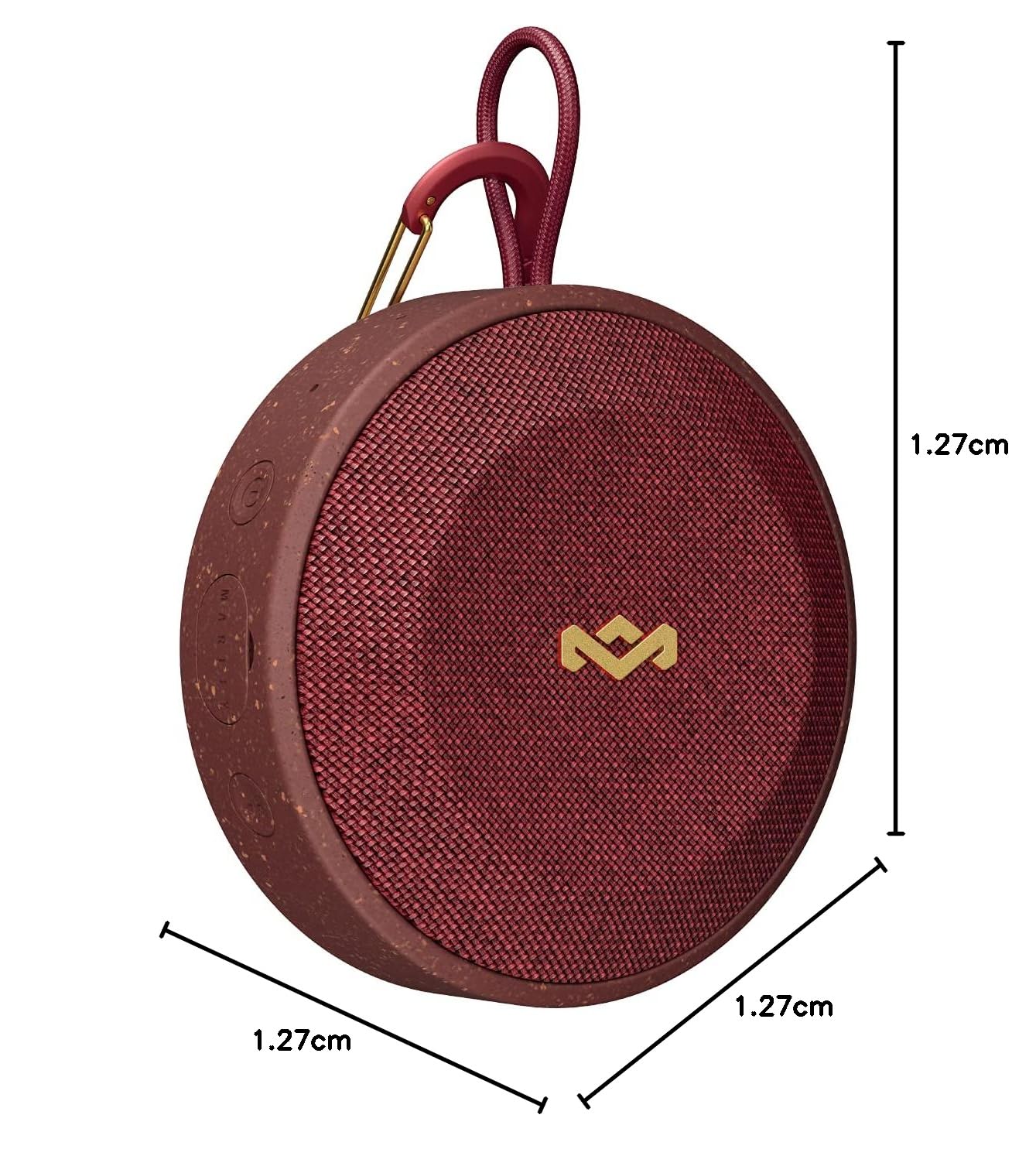
Image: Speaker with indicated dimensions.
Warranty and Support
For warranty information and customer support, please refer to the official House of Marley website or contact their customer service directly. Keep your proof of purchase for warranty claims.


