Product Overview
The Geyer Instructional Products Xy Axis Dry Erase Magnet (Model 173005) is a versatile magnetic graph designed for educational and demonstration purposes. It features 1-inch squares and an Xy axis, making it suitable for various mathematical and scientific applications. This magnet adheres to any metal or magnetic receptive surface, such as whiteboards or chalkboards, and is easy to store when not in use.

Image: A Geyer Instructional Products Xy Axis Dry Erase Magnet, featuring a grid with 1-inch squares and a curled corner showing the magnetic backing.
Package Contents
- 1 x Geyer Instructional Products Xy Axis Dry Erase Magnet (Model 173005)
- 1 x Microfiber Cleaning Cloth (may be included)

Image: The Geyer Instructional Products Xy Axis Dry Erase Magnet shown with a blue microfiber cloth, indicating its inclusion for cleaning.
Setup and Installation
Follow these steps to properly set up your Xy Axis Dry Erase Magnet:
- Prepare the Surface: Ensure the target surface (e.g., whiteboard, metal cabinet) is clean, dry, and free of dust or debris.
- Unroll the Magnet: Carefully unroll the magnet. If it has been stored rolled, allow it to flatten for a short period before application.
- Position and Apply: Place the magnet onto the desired metal or magnetic receptive surface. The magnetic backing will adhere securely.
- Smooth Out: Gently smooth out any air bubbles or wrinkles by pressing from the center outwards to ensure full contact with the surface.

Image: A woman carefully positioning and adhering the Geyer Instructional Products Xy Axis Dry Erase Magnet onto a whiteboard.
Operating Instructions
The Xy Axis Dry Erase Magnet is designed for straightforward use with standard dry erase markers.
- Writing: Use only dry erase markers to write or draw on the grid surface. The 1-inch squares provide a clear guide for graphing and demonstrations.
- Erasing: For optimal performance and to prevent ghosting, erase markings promptly after use with a dry erase eraser or a soft cloth.

Image: A person demonstrating writing on the Geyer Instructional Products Xy Axis Dry Erase Magnet, which is adhered to a whiteboard.
Maintenance and Care
Proper maintenance ensures the longevity and performance of your dry erase magnet.
- Cleaning: Regularly clean the surface with a dry erase eraser or a soft, dry cloth. For more stubborn marks or residue, use a damp cloth with water or a specialized dry erase board cleaner. Avoid abrasive cleaners or solvents.
- Storage: When not in use, the magnet can be rolled up for compact storage. To prevent creasing, roll it with the dry erase surface facing outwards. Store in a dry, cool place away from direct sunlight.
- Material Integrity: The magnetic adhesion is designed to be durable and does not wear out over time with proper handling.

Image: An infographic illustrating key features: accepts dry erase markers, clings to magnetic surfaces, and is reusable and storable.
Troubleshooting
If you encounter any issues with your Xy Axis Dry Erase Magnet, refer to the following common problems and solutions:
Problem: Magnet does not adhere properly.
Solution: Ensure the surface you are applying the magnet to is made of metal or is magnetically receptive. Clean both the surface and the back of the magnet to remove any dust or debris that might hinder adhesion.
Problem: Marks are difficult to erase or leave ghosting.
Solution: Confirm that only dry erase markers are being used. Erase marks as soon as possible after writing. For persistent ghosting, use a specialized dry erase board cleaner. Avoid using permanent markers, as they will stain the surface.
Problem: Magnet has wrinkles or creases.
Solution: Gently unroll the magnet and lay it flat on a clean, smooth surface. You may place heavy, flat objects evenly across the magnet for several hours to help flatten it. Ensure proper storage by rolling it with the dry erase surface facing outwards to prevent future creasing.
Specifications
| Model Number | 173005 |
| Dimensions | 23 inches (width) x 24 inches (height) x 0.13 inches (thickness) |
| Weight | Approximately 1 Pound (product weight) |
| Material | Magnetic material with dry erase surface |
| Grid Size | 1-inch squares |
| Mounting Type | Magnetic adhesion (Wall Mount) |
| Recommended Use | School, Demonstrations, At-the-board work |
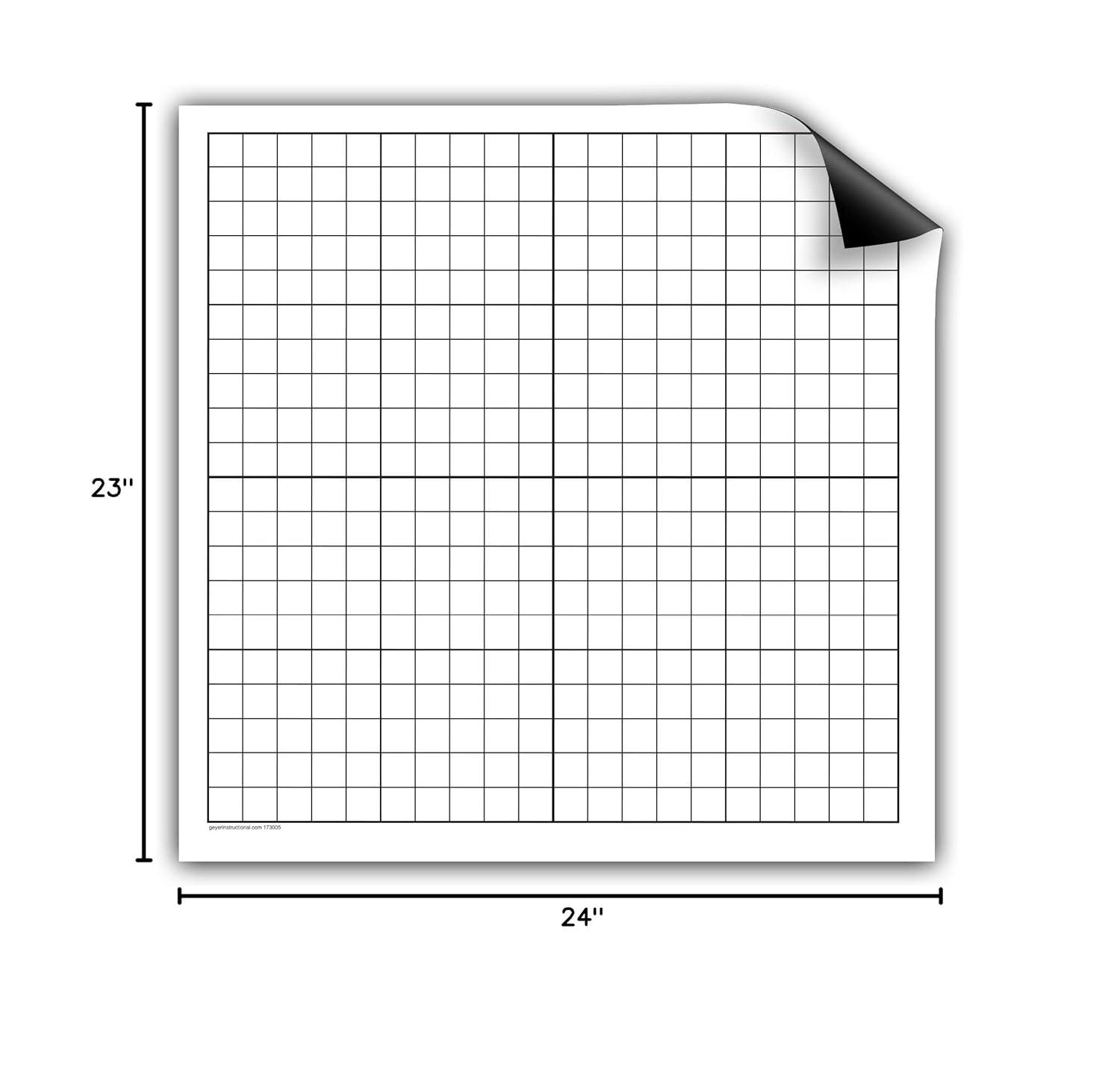
Image: A visual representation of the Geyer Instructional Products Xy Axis Dry Erase Magnet with its dimensions clearly marked as 23 inches by 24 inches.
Warranty and Support
For information regarding product warranty, technical support, or to inquire about replacement parts, please contact Geyer Instructional Products directly. Refer to the original product packaging or visit the official Geyer Instructional Products website for the most current contact details and support resources.


