Introduction
This manual provides comprehensive instructions for the safe and efficient use of your PLATINET PDLU1 Wireless Charging LED Lamp. This multifunctional device combines an LED desk lamp with an integrated Qi wireless charger for compatible smartphones. Please read this manual thoroughly before operation and retain it for future reference.
Package Contents
- PLATINET PDLU1 Wireless Charging LED Lamp
- Power Cable
- User Manual (this document)

Image: The retail packaging for the PLATINET PDLU1 lamp, displaying product features and branding.
Setup
- Unpack the Device: Carefully remove the lamp and all accessories from the packaging.
- Connect Power: Insert the power cable into the DC 12V input port on the lamp base. Plug the other end of the power cable into a standard electrical outlet (100-240V, 50/60Hz).
- Placement: Place the lamp on a stable, flat surface, ensuring adequate ventilation around the device. Avoid placing it near heat sources or in direct sunlight.

Image: The PLATINET PDLU1 lamp positioned on a bedside table, demonstrating typical placement in a bedroom setting.
Operating Instructions
1. LED Lamp Operation
- Power On/Off: Press the power button (usually marked with a circle and vertical line) located on the lamp's control panel to turn the LED light on or off.
- Adjust Light Color/Effect: The lamp features multiple light color options. Use the dedicated control (often a touch-sensitive strip or button) to cycle through available colors or lighting effects.

Image: A close-up of the PLATINET PDLU1 lamp, highlighting its control panel and the central wireless charging area.

Image: The lamp displaying a blue light, illustrating one of its color options.

Image: The lamp displaying a warm yellow light, with a smartphone actively charging on its surface.
2. Wireless Charging (Qi)
- Compatibility: Ensure your smartphone supports Qi wireless charging.
- Placement: Place your Qi-compatible smartphone directly onto the designated wireless charging pad located on the top surface of the lamp. The charging pad is typically marked with a cross or a charging symbol.
- Charging Indicator: The lamp may feature an indicator light (e.g., a small LED) that illuminates or changes color to confirm that charging has begun. Your phone's screen will also typically show a charging icon.
- Optimal Charging: For best results, ensure the phone is centered on the charging pad and remove any thick cases that might interfere with charging.
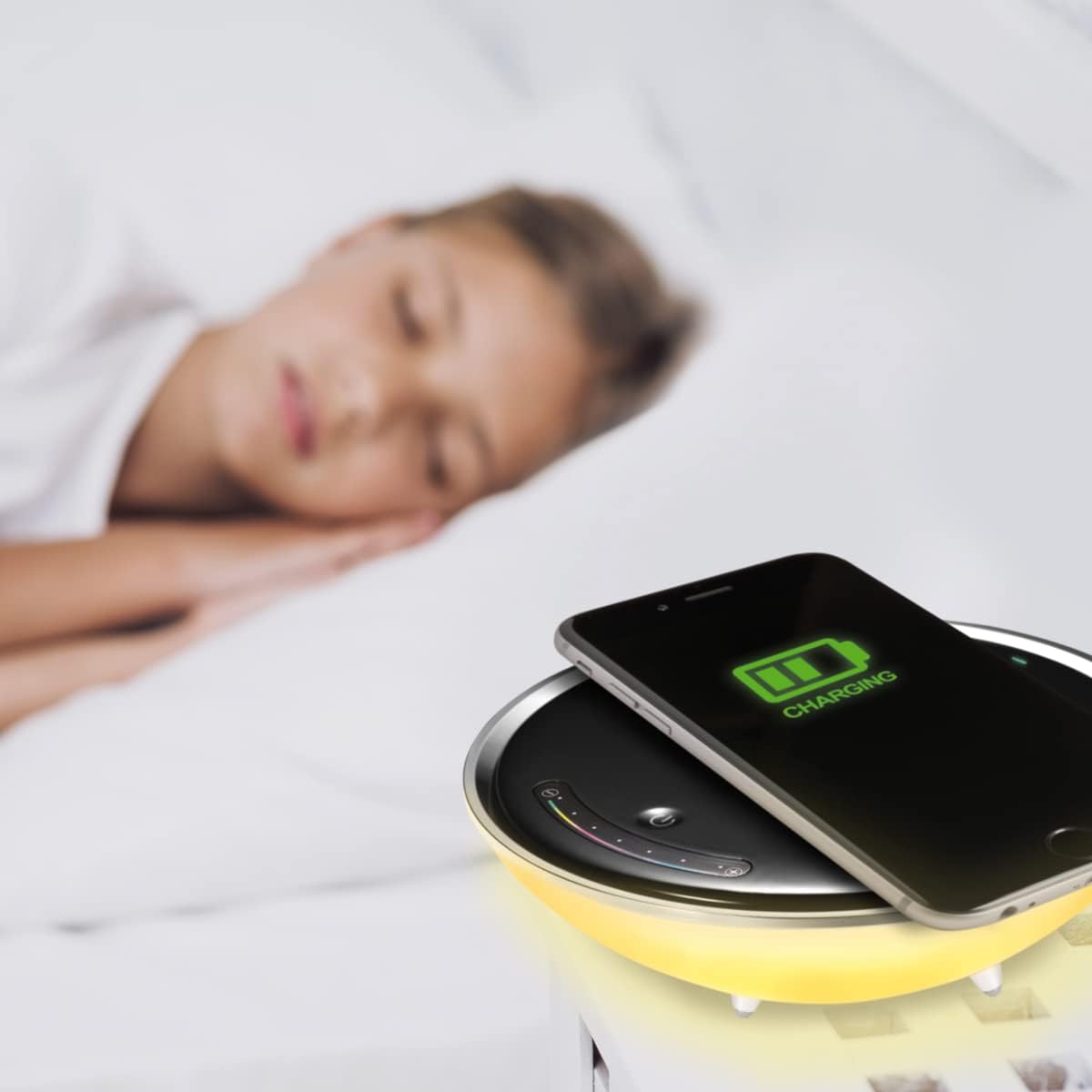
Image: A smartphone wirelessly charging on the lamp, demonstrating the charging function in a bedroom setting.
Maintenance
- Cleaning: Disconnect the lamp from the power source before cleaning. Use a soft, dry cloth to wipe the surface of the lamp. Do not use abrasive cleaners, solvents, or harsh chemicals.
- Storage: If storing the lamp for an extended period, ensure it is clean and dry. Store it in a cool, dry place away from direct sunlight.
- Avoid Liquids: Do not expose the lamp to water or other liquids.
Troubleshooting
| Problem | Possible Cause | Solution |
|---|---|---|
| Lamp does not turn on. | No power connection. | Ensure the power cable is securely connected to both the lamp and the power outlet. Check if the outlet is functional. |
| Wireless charging is not working. | Phone not Qi-compatible; incorrect placement; phone case too thick. | Verify phone supports Qi charging. Reposition phone centrally on the charging pad. Remove thick phone cases. |
| Light flickers or is dim. | Unstable power supply; internal fault. | Try plugging into a different power outlet. If the problem persists, contact customer support. |
Specifications
- Brand: Platinet
- Model: PDLU1
- Power: 10 W
- Input Voltage: 100-240 V
- Frequency: 50/60 Hz
- Current: 12 V / 1 A
- Power Supply: DC 12 V
- Protection Rating: IP20
- CRI (Color Rendering Index): >80 Ra
- Power Factor: >0.5
- Dimensions (L x W x H): 5.2 x 20.7 x 8.6 cm
- Weight: 490 g
- Material: Metal, Plastic
- Light Source Type: LED
- Included Components: Wireless Qi Charger Lamp, Power Cable
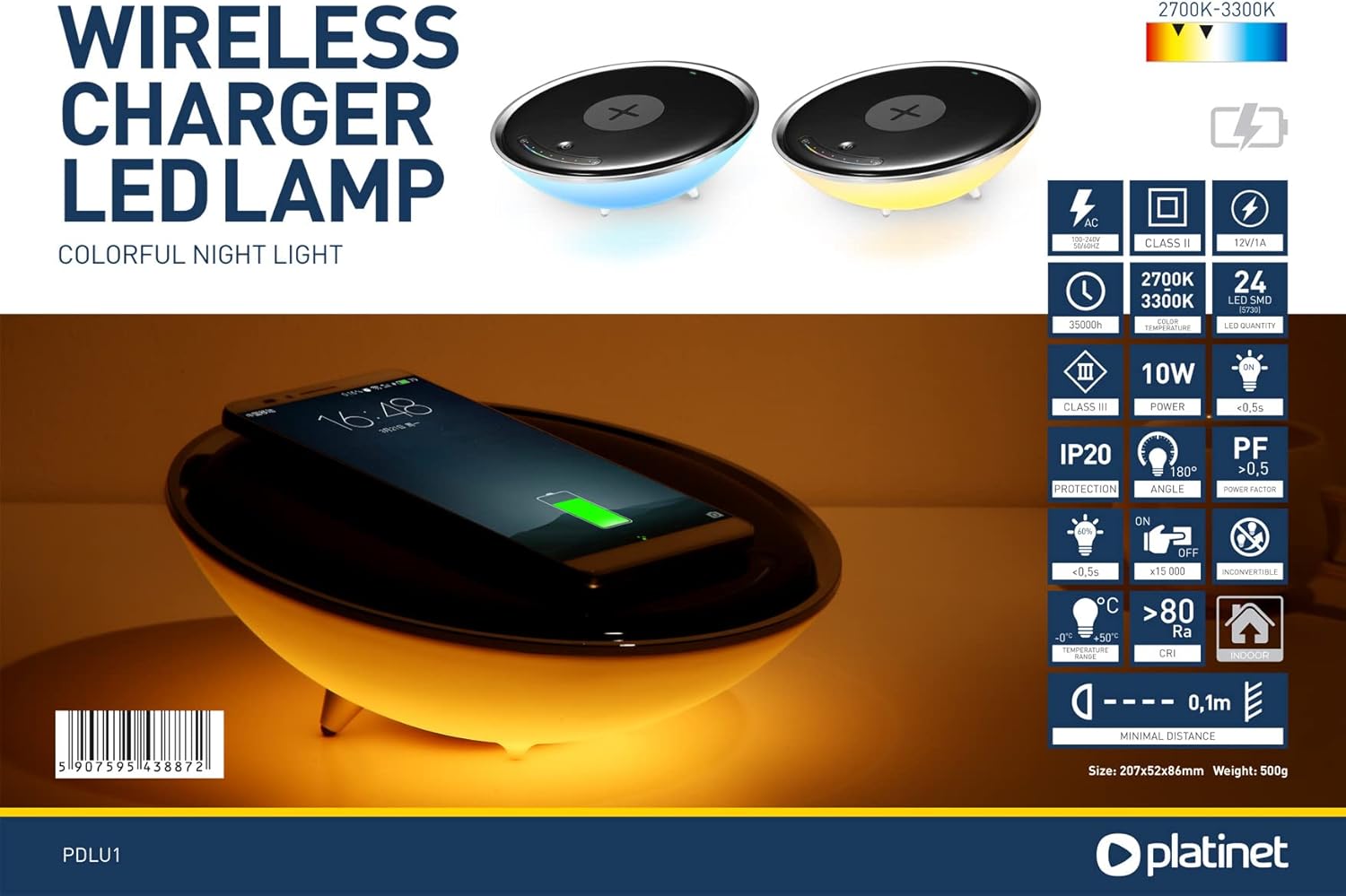
Image: A detailed infographic summarizing the technical specifications of the PLATINET PDLU1 lamp.
Safety Information
- Do not disassemble or modify the device.
- Keep out of reach of children.
- Use only the provided power adapter.
- Avoid extreme temperatures and humidity.
- If the device is damaged, discontinue use immediately and contact support.


