
1. Introduction
This manual provides essential information for the setup, operation, and maintenance of your Paladone Nintendo Gameboy Digital Watch. This officially licensed digital watch features the iconic Gameboy design, a digital time display, an alarm with the Super Mario Land theme tune, and a built-in LED backlight.
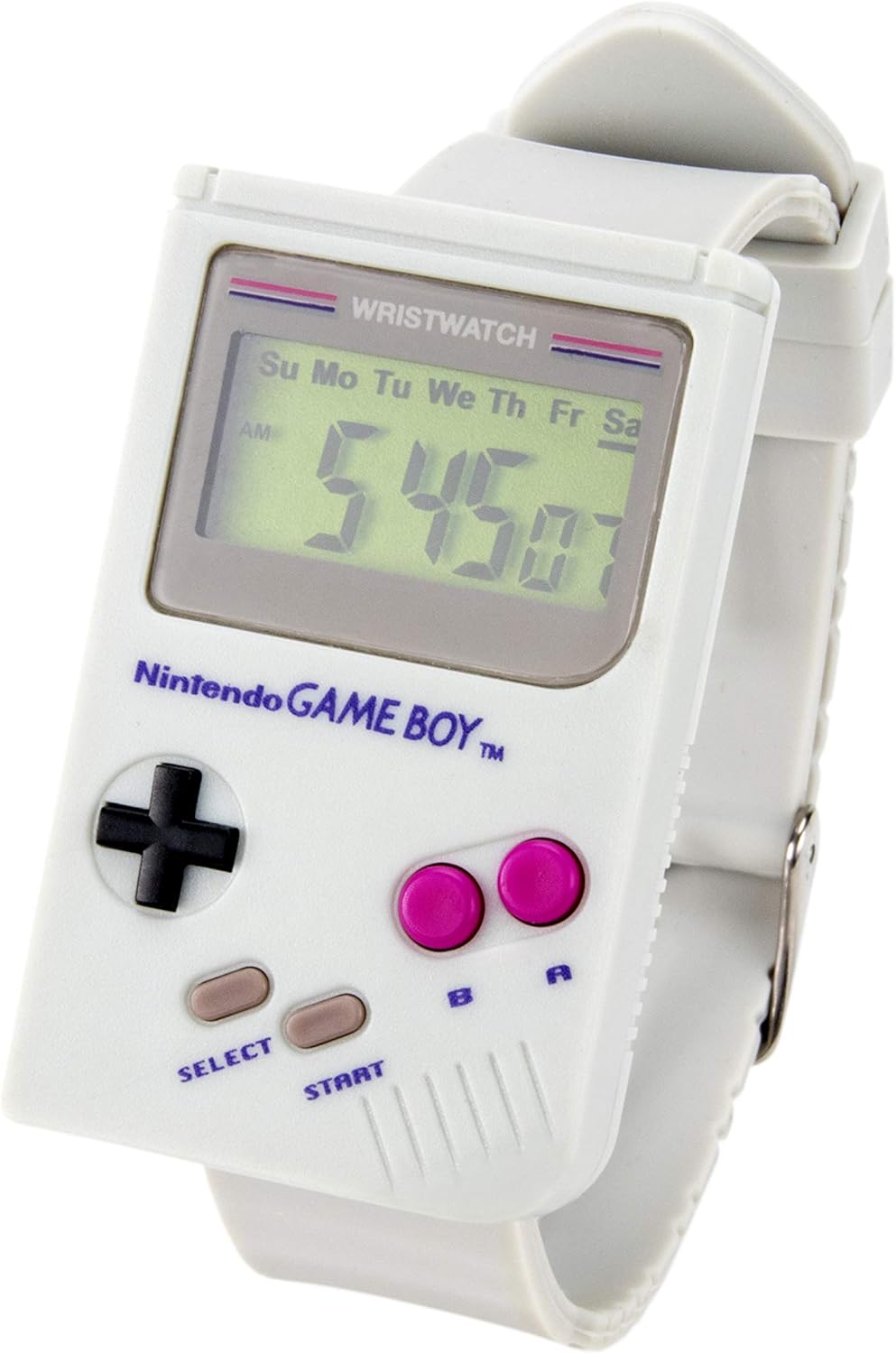
Image: The Paladone Nintendo Gameboy Digital Watch, showcasing its classic design with a digital display showing "5:45:07" and days of the week.
2. Key Features
- Retro Gaming Digital Watch Design
- Digital Time Display
- Alarm with Official Super Mario Land Theme Tune
- Built-in LED Backlight
- Comfortable Silicone Strap
3. Setup Instructions
3.1. Setting Time and Date
The watch features buttons for 'SELECT' and 'START' on the front, and additional buttons on the side for adjustments. Refer to the watch's physical buttons for specific setting procedures. Typically, a combination of pressing and holding buttons allows for setting the time, date, and alarm.

Image: Close-up of the watch face, highlighting the 'SELECT' and 'START' buttons and the digital display.
3.2. Activating the Alarm
The alarm function is activated and set using the watch's control buttons. When triggered, the alarm plays the Super Mario Land theme tune.
4. Operating the Watch
4.1. Using the LED Backlight
To illuminate the display in low-light conditions, press the designated button (often the 'SELECT' button or a side button). The screen will light up with a green backlight.
5. Maintenance
5.1. Battery Replacement
The watch requires 1 CR123A battery. To replace the battery, carefully remove the watch strap and the screws on the back to access the battery compartment. Ensure proper polarity when inserting the new battery.
5.2. General Care
- Avoid exposing the watch to extreme temperatures.
- Clean the watch with a soft, dry cloth.
- While the watch has a water resistance depth of 100 meters, it is recommended to avoid prolonged submersion or exposure to high-pressure water to prevent damage.
6. Troubleshooting
6.1. Alarm Not Sounding
If the alarm is set but does not sound, check the alarm settings to ensure it is properly activated. If the issue persists, a battery replacement may be necessary.
6.2. Display Issues
If the digital display is dim or incomplete, the battery may be low and require replacement. Ensure the watch face is clean and free from obstructions.
7. Product Specifications
| Feature | Detail |
|---|---|
| Product Dimensions | 0.39 x 1.18 x 6.69 inches |
| Item Weight | 1.06 ounces |
| Item Model Number | PP3934NN |
| Manufacturer Recommended Age | 3 years and up |
| Batteries | 1 CR123A batteries required. (included) |
| Water Resistance Depth | 100 Meters |
8. What's in the Box
- Gameboy Digital Watch
9. Safety Information
Not appropriate for children under the age of 3.
10. Warranty and Support
For warranty information and customer support, please refer to the product packaging or visit the official Paladone website.