
Introduction
Thank you for choosing the Candy POP EVO FCP605XL/E built-in oven. This manual provides essential information for the safe and efficient use of your appliance. Please read these instructions carefully before installation, operation, or maintenance, and keep them for future reference.
This multifunction oven features a 65-liter capacity, A+ energy efficiency, and a sleek stainless steel design. Key functions include Variofan for optimized air circulation, Cook Light, and a dedicated Pizza function.
Safety Information
Important: Read all safety warnings and instructions before using the appliance.
- Electrical Safety: Ensure the oven is correctly installed by a qualified technician and connected to a properly grounded electrical supply. Do not use adapters or extension cords.
- Hot Surfaces: The oven and its accessories become very hot during operation. Always use oven mitts when handling hot items. Keep children and pets away from the appliance.
- Cleaning: Always disconnect the oven from the power supply before cleaning. Use only recommended cleaning agents and methods.
- Ventilation: Ensure adequate ventilation around the appliance as specified in the installation instructions.
- Children: This appliance is not intended for use by persons (including children) with reduced physical, sensory or mental capabilities, or lack of experience and knowledge, unless they have been given supervision or instruction concerning use of the appliance by a person responsible for their safety.
Setup and Installation
The Candy POP EVO FCP605XL/E oven is designed for built-in installation. Proper installation is crucial for safety and optimal performance. It is highly recommended that installation be carried out by a qualified professional.
Installation Dimensions
Ensure the cabinet niche meets the following dimensions:
- Height: 58 cm
- Width: 56 cm
- Depth: 53 cm
Electrical Connection
Before connecting the oven to the power supply, ensure the voltage and frequency match the specifications on the rating plate. The appliance must be earthed. For detailed electrical connection instructions, consult a qualified electrician.
First Use
Before using the oven for the first time, remove all packaging materials and accessories. Clean the interior with a damp cloth and mild detergent. Heat the empty oven at maximum temperature for approximately 30 minutes to burn off any manufacturing residues. Ensure good ventilation during this process.
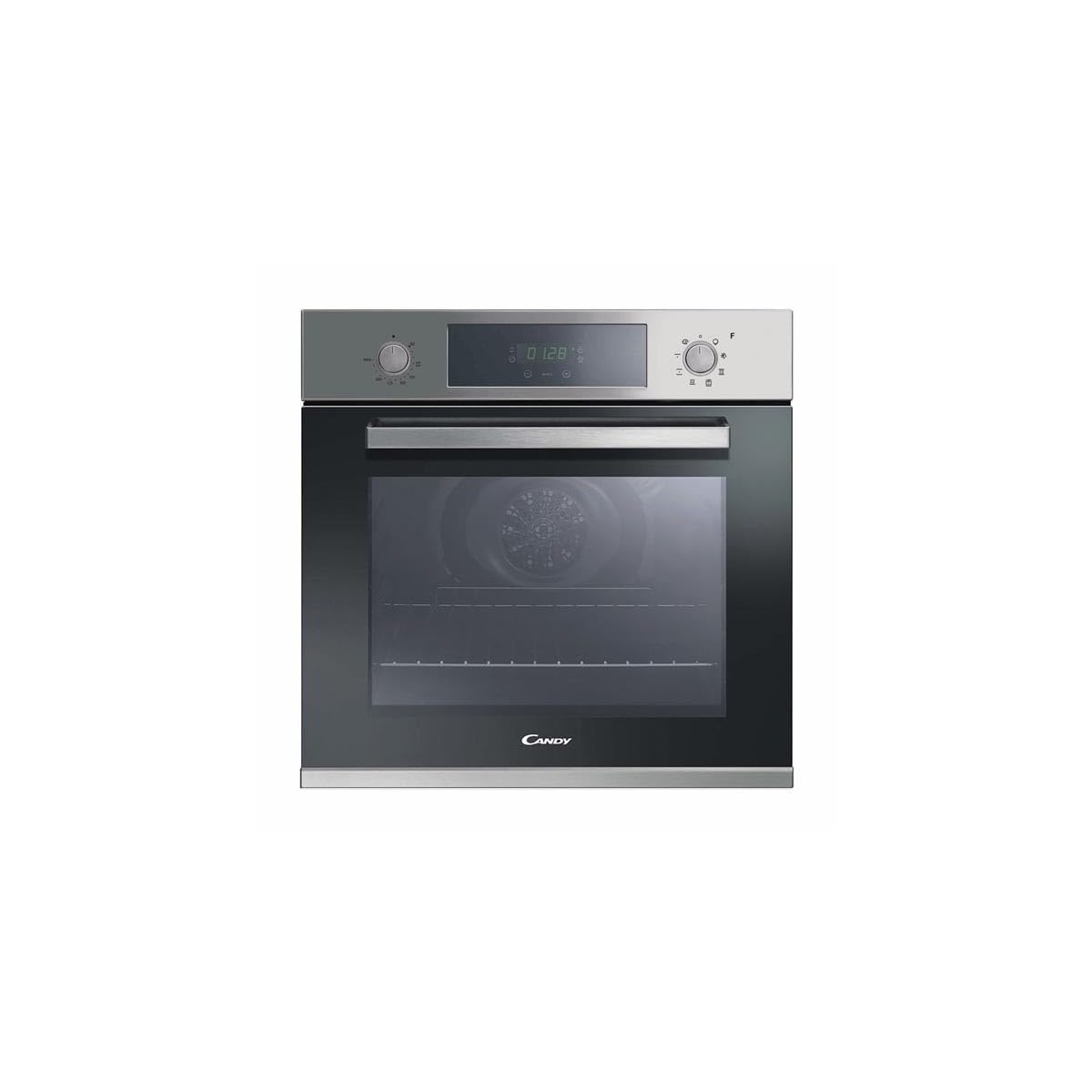
Image: The Candy POP EVO FCP605XL/E built-in oven, showcasing its stainless steel finish and control panel.
Operating Instructions
Your Candy POP EVO FCP605XL/E oven features intuitive controls for various cooking functions.
Control Panel Overview
The oven is equipped with retractable knobs for function and temperature selection, and a digital clock with a touch screen for setting the timer and cooking duration.
- Function Knob: Selects the desired cooking mode.
- Temperature Knob: Sets the cooking temperature.
- Digital Clock/Timer: Displays time, allows setting cooking duration, and a minute minder.
Cooking Functions
Turn the function knob to select one of the following cooking modes:
- Oven Light: Illuminates the oven interior for visibility.
- Defrost: Uses the fan to circulate air at room temperature, gently defrosting food.
- Conventional (Top and Bottom Heat): Ideal for traditional baking and roasting. Heat comes from both the top and bottom elements.
- Fan Heat (Convection / Variofan): Circulates hot air evenly throughout the oven, reducing cooking time by up to 12%. Suitable for cooking multiple dishes simultaneously.
- Grill: Uses the top heating element for grilling, toasting, and browning.
- Cook Light: A specialized function for healthier cooking, often used for meats like pork chops, ensuring they are well-cooked, tender, and juicy.
- Pizza Function: Optimized for baking pizzas, ensuring a crispy crust and perfectly cooked toppings.
Setting the Timer and Cooking Duration
Use the digital clock's touch screen to set the desired cooking duration or a simple minute minder. The oven will automatically switch off once the set time has elapsed.

Image: The Candy oven with a dish baking inside, demonstrating its cooking capabilities.
Maintenance and Cleaning
Regular cleaning and maintenance will ensure the longevity and optimal performance of your oven.
Cleaning the Oven Interior
The oven interior features an 'Easy Clean Enamel' surface, making cleaning easier. After each use, allow the oven to cool down, then wipe the interior with a damp cloth and a mild, non-abrasive detergent. For stubborn stains, use specialized oven cleaners, following the product instructions carefully.
Cleaning the Oven Exterior
The stainless steel exterior has an anti-fingerprint coating. Clean with a soft cloth and a mild cleaning solution. Avoid abrasive cleaners or scouring pads, which can damage the finish.
Removing the Oven Door
The oven door can be quickly and easily removed for thorough cleaning. Refer to the detailed instructions in the full product manual for the specific steps to detach and reattach the door safely.
Replacing the Oven Light
Ensure the oven is disconnected from the power supply before attempting to replace the oven light bulb. Unscrew the protective glass cover, replace the bulb with a new one of the same type and wattage, then reattach the cover.
Troubleshooting
If you encounter any issues with your oven, refer to the following common problems and solutions:
| Problem | Possible Cause | Solution |
|---|---|---|
| Oven does not heat up. | No power supply; incorrect settings. | Check power connection and circuit breaker. Ensure function and temperature knobs are correctly set. |
| Oven light not working. | Bulb is faulty. | Replace the oven light bulb (see Maintenance section). |
| Food not cooking evenly. | Incorrect rack position; overloaded oven. | Adjust rack position. Avoid overcrowding the oven. Use Fan Heat function for better heat distribution. |
| Excessive smoke during cooking. | Food residue; excessive fat. | Clean the oven interior thoroughly. Use a drip tray when cooking fatty foods. |
If the problem persists after attempting these solutions, please contact customer support.
Specifications
Detailed technical specifications for the Candy POP EVO FCP605XL/E oven:
| Feature | Specification |
|---|---|
| Brand | Candy |
| Model Number | FCP605XL/E (33702084) |
| Product Dimensions (H x W x D) | 59.5 x 59.5 x 56.8 cm |
| Niche Dimensions (H x W x D) | 58 x 56 x 53 cm |
| Weight | 26.6 Kilograms |
| Energy Efficiency Class | A+ |
| Capacity | 65 Liters |
| Installation Type | Built-in |
| Oven Type | Single Oven |
| Special Features | Interior lighting, Retractable knobs, Digital clock/timer, Double glazed door, Easy Clean Enamel, Anti-fingerprint stainless steel |
| Cooking Mode | Convection (Fan Heat), Conventional (Top/Bottom Heat), Grill, Defrost, Cook Light, Pizza |
| Color | Stainless Steel |
| Power Source | Electric |
| Material | Stainless Steel |
| Included Components | 2 Grids, 1 Baking Tray |
| Energy Consumption (Conventional) | 0.87 kWh |
| Energy Consumption (Fan/Hot Air) | 0.67 kWh |
Warranty and Support
Your Candy POP EVO FCP605XL/E oven comes with a manufacturer's warranty. Please refer to the warranty card included with your purchase for specific terms and conditions, including the duration and coverage.
For technical assistance, spare parts, or to schedule a service appointment, please contact Candy customer support. You can usually find contact details on the manufacturer's website or in the documentation provided with your appliance.
When contacting support, please have your oven's model number (FCP605XL/E) and serial number ready. The serial number is typically located on a label inside the oven door frame or on the back of the appliance.


