
Product Overview
The Bose SoundTouch 20 Series III Wireless Speaker offers instant, easy access to millions of songs, thousands of radio stations, and your stored music library. Designed for bedrooms, kitchens, and most other rooms, this compact speaker delivers clear, robust sound. It is part of a multi-room wireless speaker family, allowing you to play the same music in every room or different music in different rooms. The speaker works with your home Wi-Fi network and Bluetooth devices, and features six presets for quick access to your favorite content. It also supports voice control via Alexa-enabled devices.

Image: Front view of the Bose SoundTouch 20 Series III Wireless Speaker in black, accompanied by its remote control.
Key Features
- Proprietary acoustic design delivers powerful performance from a compact speaker, ideal for various room sizes.
- Seamlessly connects with Wi-Fi and Bluetooth devices to stream music services such as Amazon Music, Spotify, Internet radio stations, and your personal music library.
- Equipped with six customizable presets for quick access to your preferred podcasts, stations, and playlists.
- Features an OLED display that shows time, song title, station information, and more.
- Designed as part of a multi-room wireless speaker system, allowing for expansion and synchronized audio throughout your home.
- Compatible with Alexa-enabled devices for hands-free voice control.
What's in the Box
Upon unboxing your Bose SoundTouch 20 Series III Wireless Speaker, you should find the following components:
- Bose SoundTouch 20 Series III Wireless Speaker
- Remote Control
- Power Cable
- Possibly an Echo Dot (depending on specific package)
Setup Guide
Initial Setup
- Power Connection: Connect the power cable to the speaker and plug it into a wall outlet.
- Download SoundTouch App: Install the free Bose SoundTouch app on your mobile device (smartphone or tablet).
- Connect to Wi-Fi: Follow the in-app instructions to connect your speaker to your home Wi-Fi network. This is crucial for accessing streaming services and multi-room functionality.
- Bluetooth Pairing: To pair a Bluetooth device, press the Bluetooth button on the speaker or remote. Your speaker will enter pairing mode, indicated by a blinking blue light. Select "Bose SoundTouch 20" from your device's Bluetooth settings.
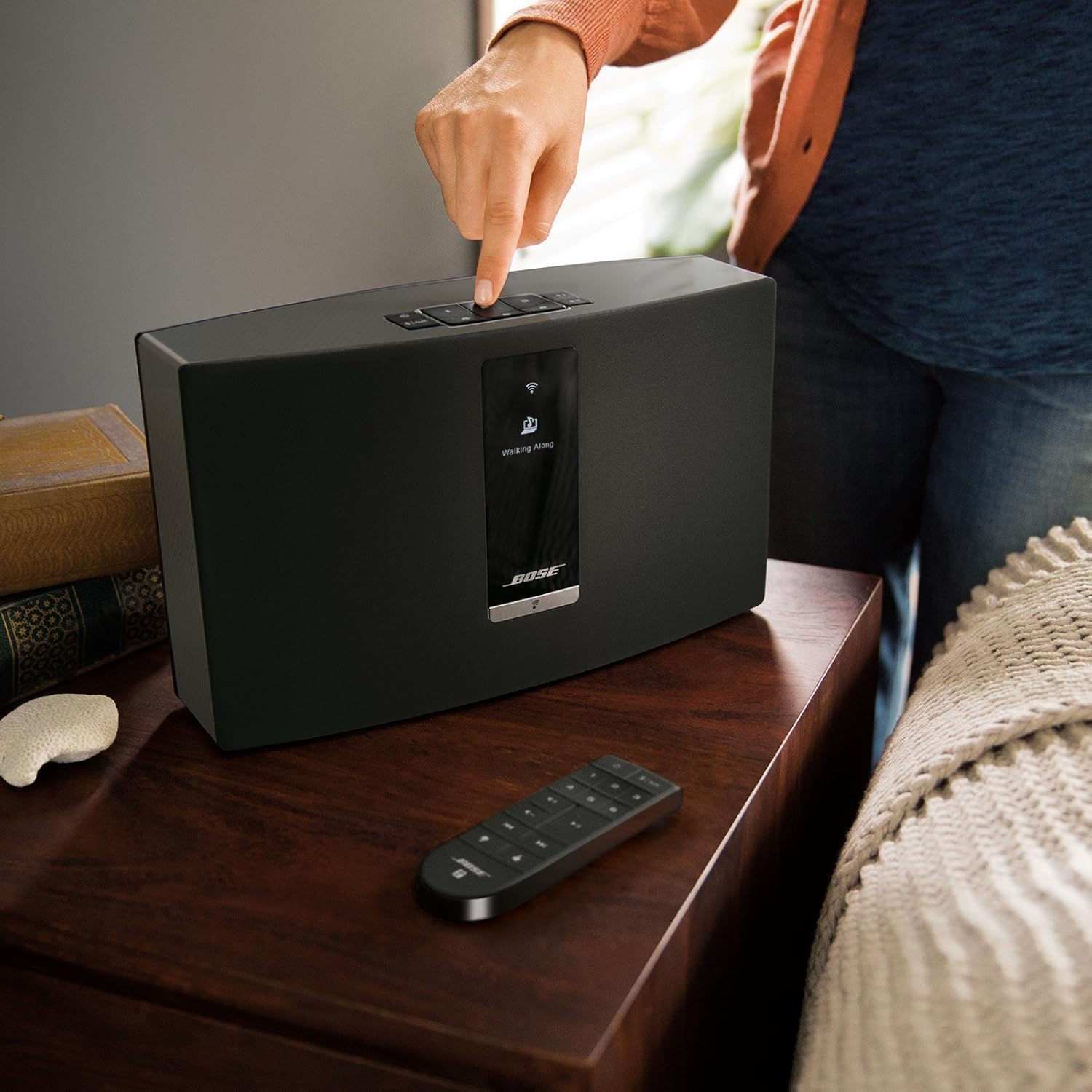
Image: A user interacting with the top control panel of the speaker, demonstrating ease of access.
Operating Instructions
Using Presets
The SoundTouch 20 Series III features six programmable presets on both the speaker and the remote control. These allow for instant playback of your favorite music, radio stations, or playlists.
- To Save a Preset: While playing content you wish to save, press and hold one of the preset buttons (1-6) until you hear a tone. The content is now saved to that preset.
- To Play a Preset: Simply press the desired preset button (1-6) on the speaker or remote.
Voice Control with Alexa
Integrate your SoundTouch speaker with Alexa for hands-free control. Ensure your speaker is connected to your Wi-Fi network and you have an Alexa-enabled device (e.g., Echo Dot).
- Enable Bose Skill: Open the Alexa app on your mobile device. Navigate to the "Skills" menu and search for "Bose". Enable the Bose SoundTouch skill.
- Link Accounts: Follow the prompts in the Alexa app to link your Bose SoundTouch account.
- Voice Commands: Once linked, you can use commands such as:
- "Alexa, ask Bose to play."
- "Alexa, ask Bose to play in the kitchen."
- "Alexa, ask Bose to play Preset 1."
- "Alexa, ask Bose what's playing."
- "Alexa, ask Bose to turn up the volume."
- "Alexa, ask Bose to pause."

Image: The remote control provides convenient access to all speaker functions, including presets and input selection.
Maintenance
To ensure the longevity and optimal performance of your Bose SoundTouch 20 Series III speaker, follow these maintenance guidelines:
- Cleaning: Use a soft, dry cloth to clean the exterior surfaces of the speaker. Avoid using liquid cleaners or sprays directly on the speaker.
- Placement: Place the speaker on a stable, flat surface away from direct sunlight, heat sources, and excessive moisture. Ensure adequate ventilation around the speaker.
- Dust Accumulation: Regularly dust the speaker grille and control panel to prevent dust buildup, which can affect sound quality and button responsiveness.
- Software Updates: Keep the SoundTouch app and speaker firmware updated to ensure compatibility and access to the latest features and improvements. Updates are typically managed through the SoundTouch app.
Troubleshooting
If you encounter issues with your SoundTouch 20 Series III speaker, refer to the following common troubleshooting steps:
| Problem | Solution |
|---|---|
| No Power / Speaker Not Turning On | Ensure the power cable is securely connected to both the speaker and a working electrical outlet. Try a different outlet. |
| Cannot Connect to Wi-Fi | Verify your Wi-Fi network is active and the password is correct. Move the speaker closer to your Wi-Fi router. Restart both the speaker and your router. Use the SoundTouch app for guided setup. |
| Bluetooth Pairing Issues | Ensure the speaker is in Bluetooth pairing mode (blinking blue light). Delete the speaker from your device's Bluetooth list and try pairing again. Ensure your device is within 10 meters of the speaker. |
| No Sound / Low Volume | Check the volume levels on both the speaker and your connected device. Ensure the correct input source (Wi-Fi, Bluetooth, AUX) is selected. |
| Sound Distortion | Reduce the volume. Check for interference from other electronic devices. Ensure the audio source is of good quality. |
Specifications
| Feature | Detail |
|---|---|
| Speaker Type | Multi Room |
| Connectivity Technology | Wi-Fi, Bluetooth |
| Wireless Communication Technology | Bluetooth, Wi-Fi |
| Control Method | App, Voice Control |
| Compatible Devices | Laptop, Desktop, Tablet, Smartphone |
| Audio Output Mode | Stereo |
| Product Dimensions | 4.1 x 12.4 x 7.4 inches |
| Item Weight | 9.45 pounds |
| Color | Black |
| Power Source | AC |
| Bluetooth Range | 10 Meters |
Warranty & Support
Warranty Information
This Certified Refurbished product comes with a minimum 90-day warranty. The refurbishing process includes functionality testing, basic cleaning, inspection, and repackaging. Only select sellers who maintain a high performance bar may offer Certified Refurbished products on Amazon.com.
Customer Support
For further assistance, technical support, or warranty claims, please refer to the official Bose support channels or contact the seller from whom the product was purchased. You can typically find support information on the Bose official website or through the SoundTouch application.


