
Introduction
Welcome to your Vivitar Bluetooth Audio Solutions Kit. This manual provides detailed instructions for setting up, operating, maintaining, and troubleshooting your new Bluetooth earbuds. Please read this manual thoroughly before using the product to ensure proper function and longevity.
Package Contents
Carefully unpack your Vivitar Bluetooth Audio Solutions Kit and ensure all items are present:
- Vivitar Bluetooth Earbuds
- Charging Case
- USB Charging Cable
- User Manual
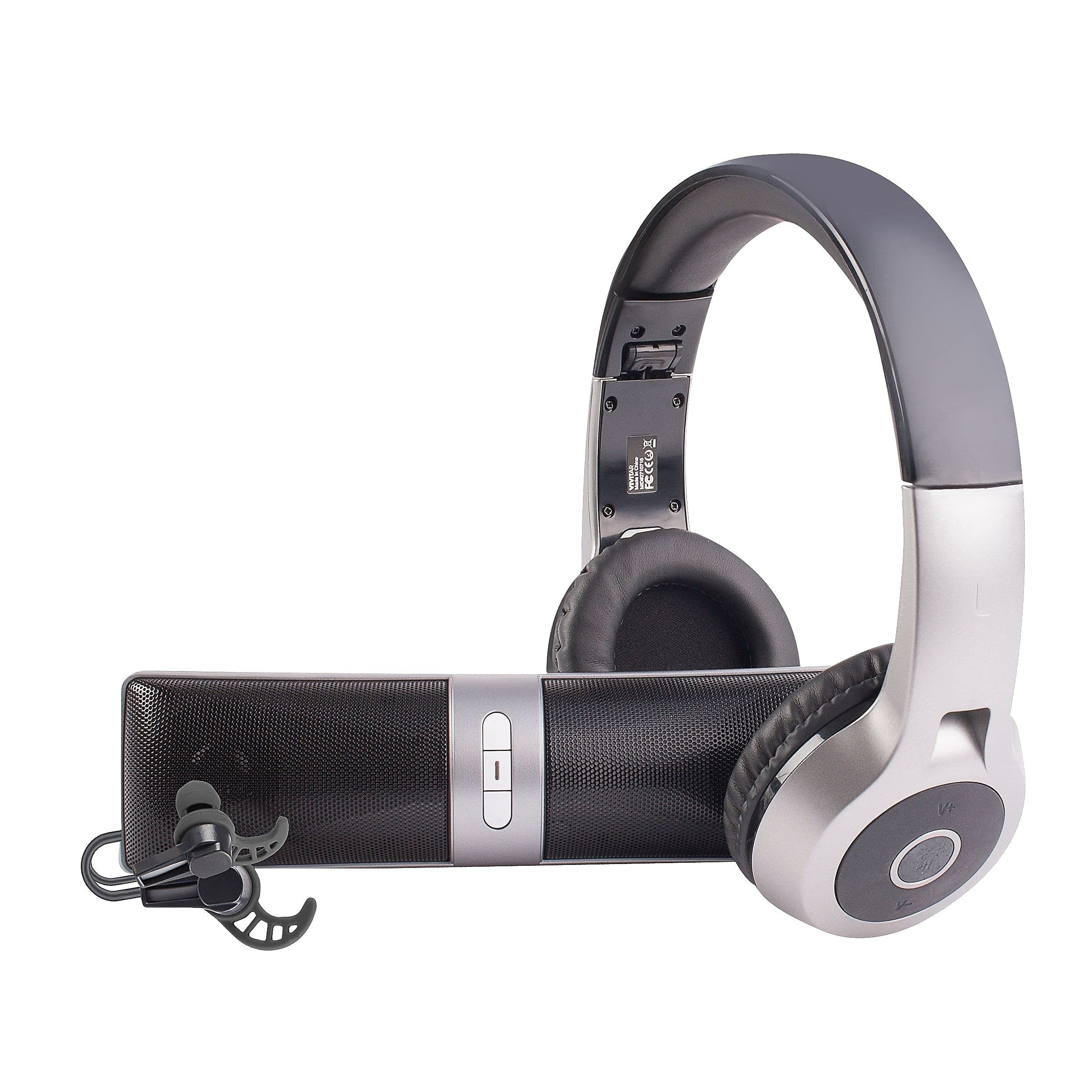
Image of the Vivitar Bluetooth Audio Solutions Kit, including the wireless earbuds and their compact charging case.
Setup
Charging the Earbuds and Case
Before first use, fully charge the charging case and earbuds to ensure optimal performance.
- Connect the provided USB charging cable to the charging case's port and a standard USB power source (e.g., wall adapter, computer USB port).
- Place the earbuds into the charging case. Ensure they are correctly seated in their respective slots.
- Charging indicators (LEDs) on the case and/or earbuds will illuminate to show the charging status. Once fully charged, the indicators may change color or turn off.
Note: The product specifications mention "2 AA batteries required." This is likely an error in the source data for this type of product. The Vivitar Bluetooth Audio Solutions Kit uses internal rechargeable batteries for the earbuds and charging case.
Bluetooth Pairing
Follow these steps to pair your earbuds with a Bluetooth-enabled device:
- Ensure the earbuds are charged and placed in the charging case.
- Open the charging case or remove the earbuds from the case. The earbuds will automatically enter pairing mode, indicated by a flashing LED light.
- On your device (smartphone, tablet, computer), navigate to the Bluetooth settings.
- Enable Bluetooth and search for new devices.
- Select "Vivitar Audio Kit" (or a similar name) from the list of available devices.
- Once connected, a confirmation sound or indicator will be heard/seen, and the LED on the earbuds may stop flashing.
Operating Instructions
Power On/Off
- Power On: Remove the earbuds from the charging case. They will automatically power on and attempt to connect to the last paired device.
- Power Off: Place the earbuds back into the charging case. They will automatically power off and begin charging.
Audio Playback
Once paired, you can control audio playback directly from your connected device. The earbuds also feature touch controls for basic functions:
- Play/Pause: Tap the touch sensor on either earbud once.
- Next Track: Double-tap the touch sensor on the right earbud.
- Previous Track: Double-tap the touch sensor on the left earbud.
Call Management
When a call comes in, use the touch controls on the earbuds:
- Answer Call: Tap the touch sensor on either earbud once.
- End Call: Tap the touch sensor on either earbud once during a call.
- Reject Call: Press and hold the touch sensor on either earbud for 2 seconds.
Maintenance
Proper care will extend the life of your Vivitar Bluetooth Audio Solutions Kit:
- Cleaning: Regularly clean the earbuds and charging case with a soft, dry, lint-free cloth. Do not use abrasive cleaners, alcohol, or chemical solvents.
- Storage: Store the earbuds in their charging case when not in use to protect them from dust and damage, and to keep them charged.
- Environment: Avoid exposing the device to extreme temperatures, direct sunlight, moisture, or corrosive substances.
Troubleshooting
If you encounter issues with your Vivitar Bluetooth Audio Solutions Kit, refer to the following common solutions:
- Earbuds not pairing?
- Ensure both earbuds are charged. Turn off and on your device's Bluetooth. Try placing the earbuds back in the case, closing it, and then reopening to re-enter pairing mode. If issues persist, try forgetting the device in your phone's Bluetooth settings and re-pairing.
- No sound from one or both earbuds?
- Check the volume level on your connected device. Ensure the earbuds are properly paired and connected. Try re-pairing the earbuds. Ensure there is no debris blocking the earbud speakers.
- Charging issues?
- Verify that the USB charging cable and power source are working correctly. Ensure the earbuds are correctly seated in the charging case and that the charging contacts are clean and free of obstruction.
Specifications
| Feature | Detail |
|---|---|
| Brand | Vivitar |
| Model | B079RJY1NC |
| Wireless Technology | Bluetooth |
| Control Method | Touch |
| Form Factor | In Ear |
| Noise Control | Sound Isolation |
| Item Weight | 1.41 pounds |
| Package Dimensions | 11.93 x 10.98 x 3.31 inches |
| UPC | 681066997086 |
| Manufacturer | SAKAR INTERNATIONAL INC. |
| Date First Available | February 12, 2018 |
Warranty and Support
For detailed warranty information, product registration, or customer support, please refer to the documentation included in your product packaging or visit the official Vivitar website. Please have your model number (B079RJY1NC) and proof of purchase ready when contacting support.
Note: Specific warranty details are not provided within this manual.