
Introduction
This manual provides comprehensive instructions for the New Bright 61548U-B RC Vaughn Gittin Jr. Ford Bronco Rock Crawler. This 1:15 scale remote-controlled vehicle is designed for navigating various terrains.
Please note: This product has been tested and certified to function as new. The refurbishment process includes functionality testing, basic cleaning, inspection, and repackaging. The product ships with all relevant accessories and may arrive in a generic box.
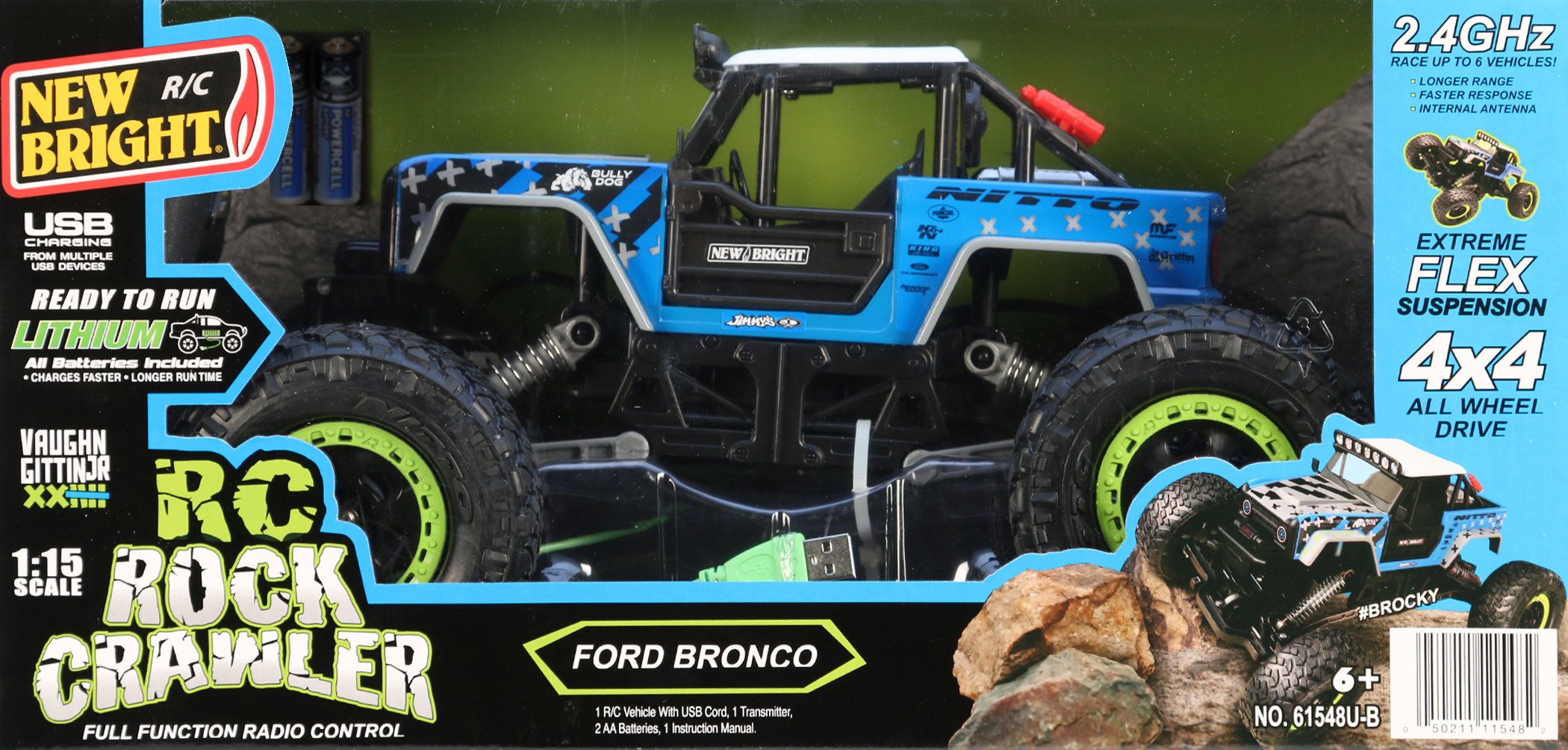
Image of the New Bright 61548U-B RC Vaughn Gittin Jr. Ford Bronco Rock Crawler, showcasing its design and scale.
Safety Information
Always operate the RC vehicle in a safe and responsible manner. Read all instructions before use. Adult supervision is recommended for young users. Keep hands, hair, and loose clothing away from moving parts. Do not operate near people, pets, or obstacles. Avoid operating in wet conditions or near water. Remove batteries when the vehicle is not in use for extended periods.
Package Contents
- New Bright 61548U-B RC Vaughn Gittin Jr. Ford Bronco Rock Crawler Vehicle
- Remote Control Transmitter
- Instruction Manual (this document)
Note: Batteries are not included and must be purchased separately.
Setup
1. Battery Installation
Vehicle: Locate the battery compartment on the underside of the RC vehicle. Open the compartment cover. Insert the required batteries (not included) according to the polarity indicators (+/-). Close the compartment cover securely.
Remote Control Transmitter: Locate the battery compartment on the back of the transmitter. Open the compartment cover. Insert the required batteries (not included) according to the polarity indicators (+/-). Close the compartment cover securely.
2. Pairing the Vehicle and Transmitter
Ensure both the vehicle and the transmitter have fresh batteries installed. Turn on the vehicle using its power switch. Immediately turn on the transmitter. The vehicle and transmitter should automatically pair. If pairing fails, turn both devices off and repeat the process.
Operating Instructions
Basic Controls
- Forward/Reverse: Push the throttle stick forward to move the vehicle forward, and pull it backward to move in reverse.
- Left/Right Steering: Turn the steering wheel/lever on the transmitter left or right to steer the vehicle.
Driving Tips for Rock Crawling
- Start slowly and learn the vehicle's response to controls.
- Approach obstacles at an angle to maximize traction and prevent tipping.
- Use gentle throttle inputs for precise control over rough terrain.
- Practice in open areas before attempting challenging courses.
Maintenance
Cleaning
After each use, especially after operating in dusty or dirty environments, gently wipe down the vehicle with a soft, dry cloth. Do not use water or chemical cleaners, as this can damage electronic components. Remove any debris from the wheels and suspension.
Storage
When not in use, store the RC vehicle and transmitter in a cool, dry place, away from direct sunlight and extreme temperatures. Always remove batteries from both the vehicle and the transmitter before storing for extended periods to prevent leakage and damage.
Troubleshooting
- Vehicle not responding:
- Ensure both the vehicle and transmitter are powered on.
- Check that fresh batteries are correctly installed in both the vehicle and transmitter.
- Re-attempt the pairing process.
- Poor performance or limited range:
- Replace batteries in both the vehicle and transmitter.
- Ensure there are no strong radio interference sources nearby.
- Check for any physical obstructions or damage to the vehicle's moving parts.
- Vehicle pulls to one side:
- Check the steering trim adjustment on the transmitter (if available) and adjust as needed.
- Inspect wheels and axles for damage or debris.
Specifications
| Assembly Required | No |
| Batteries Required | Yes (Not Included) |
| Batteries Included | No |
| Channels | 1 |
| Manufacturer Recommended Age | 24 months and up |
| Product Dimensions | 38.74 x 21.59 x 20.02 cm |
| Product Weight | 1.38 kg |
| ASIN | B079NHGK8Z |
| First Available | October 25, 2019 |
Warranty and Support
For warranty information and customer support, please refer to the documentation provided with your purchase or contact the retailer or manufacturer directly. Specific warranty terms may vary based on region and point of purchase.

