
1. Introduction
Thank you for choosing the Kalamera 24-inch Beverage Refrigerator, Model KRC-150BV. This appliance is designed to store and cool your beverages efficiently, offering both built-in and freestanding installation options. Please read this manual thoroughly before installation and operation to ensure proper use and maintenance.

Image 1.1: The Kalamera 24-inch Beverage Refrigerator with its door open, showcasing multiple shelves filled with beverage cans.
Key Features:
- Elegant Design: Features sleek stainless steel and transparent glass with blue LED lighting.
- Compact Size: Designed for under-counter or freestanding placement, measuring approximately 22.4"D x 23.4"W x 33"H.
- Removable Wire Racks: Six sturdy wire racks are included, designed for easy removal to accommodate various beverage sizes and for convenient loading.
- Advanced Compressor: Equipped with a quiet compressor that maintains temperatures between 38-50°F with minimal cycling.
- Touch Control Panel: Easy-to-use touch controls for temperature adjustment and light operation.
- Temperature Memory Function: Restores the set temperature after a power interruption.
- Cylindrical Lock: Provides security for stored beverages.
- Front Vent: Allows for versatile built-in or freestanding installation.
2. Safety Information
To reduce the risk of fire, electric shock, or injury when using your appliance, follow these basic precautions:
- Read all instructions before using the appliance.
- Do not allow children to play in, on, or around the appliance.
- Never clean appliance parts with flammable fluids. The fumes can create a fire hazard or explosion.
- Do not store or use gasoline or any other flammable vapors and liquids in the vicinity of this or any other appliance. The fumes can create a fire hazard or explosion.
- Ensure proper grounding. This appliance must be properly grounded for your safety.
- Unplug the appliance before cleaning or making any repairs.
- Do not damage the refrigerant circuit.
- Keep ventilation openings, in the appliance enclosure or in the built-in structure, clear of obstruction.
3. Setup and Installation
3.1 Unpacking
Carefully remove all packaging materials. Keep the packaging materials until you are satisfied with the product's condition. Remove any protective film from the stainless steel surfaces.
3.2 Placement
This appliance is designed for either built-in or freestanding installation. Ensure adequate ventilation around the unit, especially if built-in. The front vent design allows for proper airflow.

Image 3.1: Dimensional drawing of the refrigerator and recommended space for built-in installation, showing 22.4"D x 23.4"W x 33"H.
- Place the refrigerator on a flat, solid surface strong enough to support the unit when fully loaded.
- Avoid placing the appliance in direct sunlight or near heat sources (e.g., stoves, heaters, radiators).
- Maintain a minimum of 2 inches of space at the back and sides for proper air circulation if freestanding. For built-in installation, refer to the dimension diagram for precise cutout requirements.
3.3 Leveling
Adjust the leveling legs at the bottom of the unit to ensure the refrigerator is perfectly level. This is crucial for proper door operation and cooling efficiency.
3.4 Power Connection
Connect the appliance to a dedicated, grounded 110 Volt AC outlet. Do not use extension cords or adapter plugs.
3.5 Initial Operation
After installation, allow the refrigerator to stand upright for at least 2-4 hours before plugging it in. Once plugged in, let it run empty for several hours to reach its set temperature before loading beverages.
4. Operating Instructions
The Kalamera beverage refrigerator features a user-friendly touch control panel located at the top of the interior.

Image 4.1: The control panel with buttons for temperature adjustment, unit selection, and light control, featuring a digital temperature display.
4.1 Temperature Control
- Press the UP (▲) or DOWN (▼) buttons to adjust the desired temperature. The temperature range is 38-50°F (3-10°C).
- Press the °C/°F button to switch between Celsius and Fahrenheit display.
- The display will show the set temperature for a few seconds, then revert to showing the actual internal temperature.
4.2 Light Control
- Press the Light (☀) button to turn the interior blue LED light on or off.
4.3 Temperature Memory Function
The appliance is equipped with a temperature memory function. In the event of a power outage, the refrigerator will automatically restore to the last set temperature once power is re-established.
4.4 Cylindrical Lock
The refrigerator features a cylindrical lock at the bottom of the door to secure your beverages. Use the provided key to lock and unlock the door.
Video 4.1: An official product video demonstrating key features of the Kalamera KRC-150BV beverage refrigerator, including its double-layered glass, anti-UV layer, temperature control, blue LED lighting, internal fans for constant temperature, carbon filter, wire shelves with stoppers, cylindrical lock, and front vent for versatile installation.
5. Maintenance
5.1 Cleaning the Interior
- Always unplug the appliance before cleaning.
- Wash the interior with a mild detergent and warm water solution.
- Wipe dry with a soft cloth.
- The integrated carbon filter helps protect against odors and should be checked periodically.
5.2 Cleaning the Exterior
- Clean the exterior with a mild detergent and warm water.
- For stainless steel surfaces, use a stainless steel cleaner and polish in the direction of the grain.
- Do not use abrasive cleaners or sharp objects.
5.3 Shelf Removal
The six wire shelves are removable for cleaning or to adjust storage space. Gently slide them out when empty. The shelves include stoppers to prevent cans from falling off.
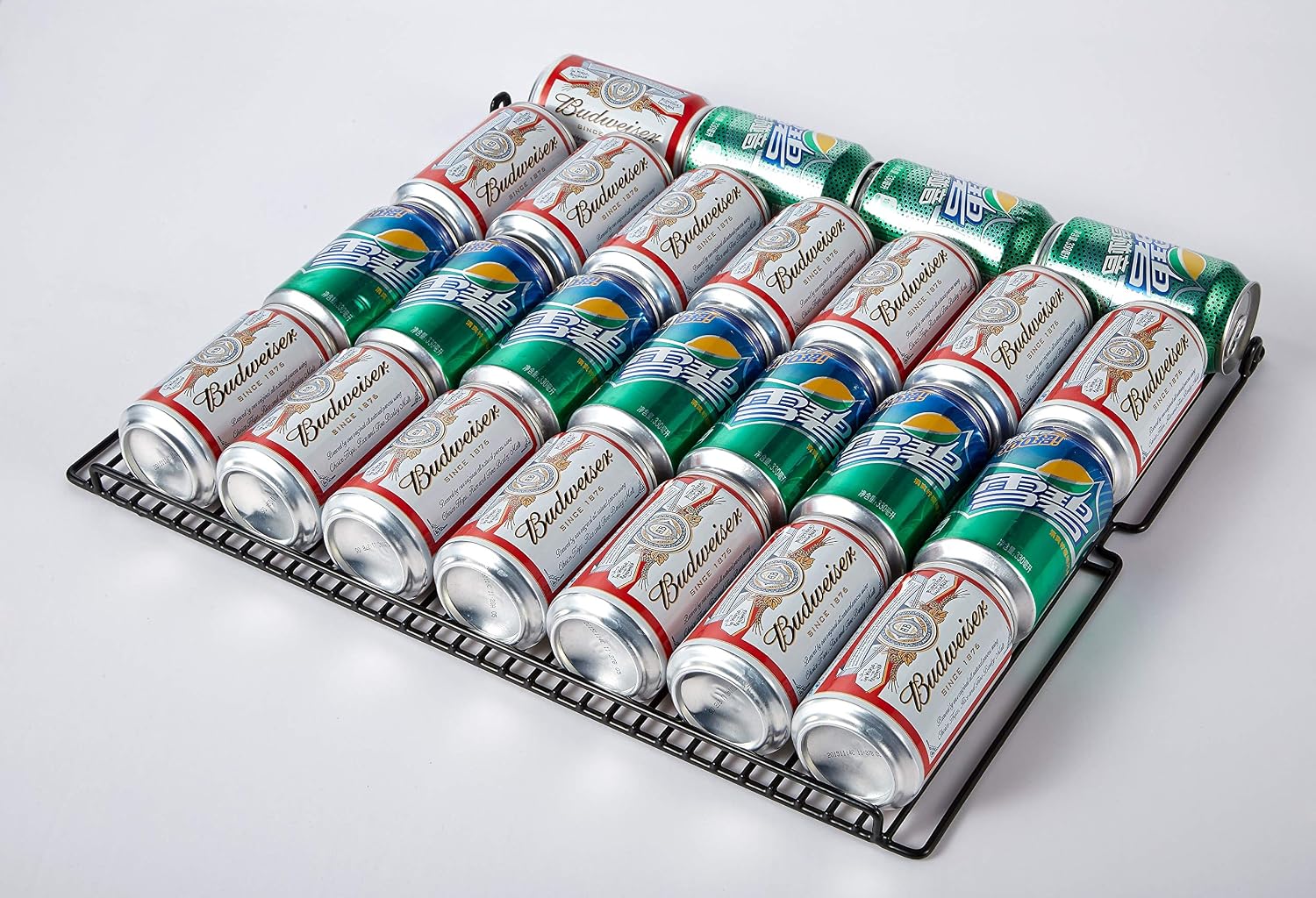
Image 5.1: A close-up view of beverage cans neatly arranged on a removable wire rack, demonstrating the shelf design.
5.4 Automatic Defrost
This appliance features an automatic defrost system, minimizing the need for manual defrosting. Any accumulated frost will melt and evaporate automatically.
6. Troubleshooting
Before contacting customer service, please check the following common issues:
| Problem | Possible Cause | Solution |
|---|---|---|
| Appliance does not operate. | Not plugged in; circuit breaker tripped; temperature set too high. | Ensure plug is secure; reset circuit breaker; lower temperature setting. |
| Temperature is not cold enough. | Door opened too frequently; warm items added; poor ventilation; door gasket not sealing. | Minimize door openings; allow warm items to cool before placing inside; ensure proper clearance; check door gasket for leaks. |
| Excessive noise. | Appliance not level; loose parts; compressor cycling. | Adjust leveling legs; check for loose components; compressor noise is normal during operation. |
| Interior light not working. | Light button off; LED failure. | Press the light button to turn it on; contact customer service if LED is faulty. |
7. Specifications

Image 7.1: The U.S. Government Energy Guide label for the Kalamera KRC-150BV, detailing its estimated yearly operating cost and electricity usage.
| Feature | Detail |
|---|---|
| Brand | Kalamera |
| Model Number | KRC-150BV |
| Item Weight | 103.8 pounds |
| Product Dimensions (D x W x H) | 22.4 x 23.4 x 33 inches |
| Installation Type | Freestanding / Built-in |
| Form Factor | Compact |
| Color | Stainless steel |
| Voltage | 110 Volts |
| Wattage | 70 watts |
| Defrost System | Automatic |
| Shelf Type | Wire |
| Number of Shelves | 6 |
| Number of Doors | 1 |
| Special Features | Compact, Touch Control |
8. Warranty and Support
For warranty information, technical support, or service inquiries, please refer to the warranty card included with your product or contact Kalamera customer service directly. Keep your purchase receipt as proof of purchase for warranty claims.


