1. Introduction
Thank you for choosing the TIANSE Binding Machine. This manual provides essential information for the safe and efficient operation, maintenance, and troubleshooting of your new binding machine. Please read it thoroughly before first use and keep it for future reference.
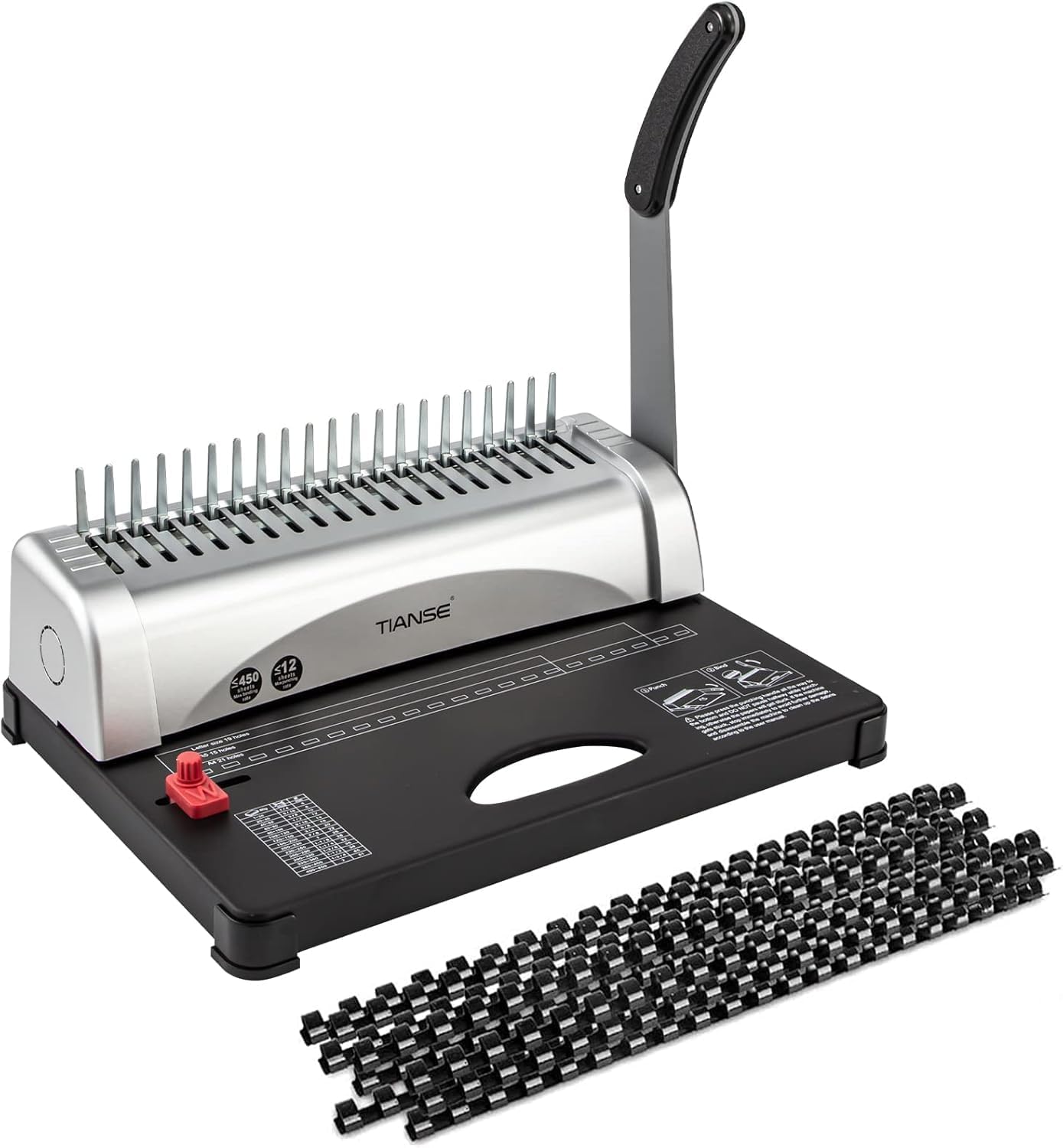
Figure 1: TIANSE Binding Machine with included comb spines.
2. Safety Instructions
- Keep hands and loose clothing away from moving parts during operation.
- Do not attempt to bind materials thicker than the specified maximum capacity (12 sheets of 80g paper).
- Ensure the machine is placed on a stable, flat surface before use.
- Keep out of reach of children.
- If the machine jams, immediately stop operation and refer to the troubleshooting section.
3. Package Contents
Verify that all items are present in the package:
- TIANSE Binding Machine (BM-1245)
- Punch Handle
- 100 pcs 3/8'' 21-ring black PVC comb spines
- Oil-absorbing paper (for initial cleaning)
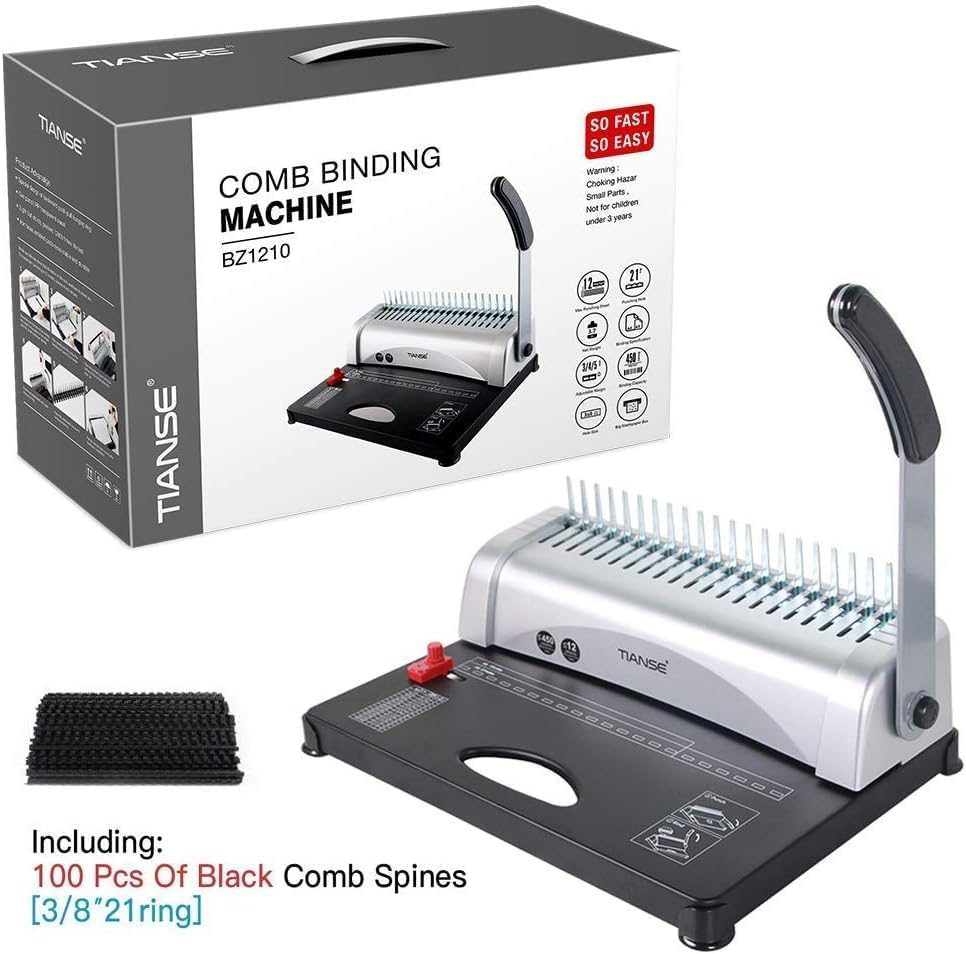
Figure 2: Packaging of the TIANSE Comb Binding Machine.
4. Setup
4.1. Handle Installation
To install the punch handle, ensure it is inserted vertically at a 90-degree angle into the designated slot on the machine. Press firmly until it clicks into place.
Video 1: Demonstrates the correct installation of the binding machine handle.
4.2. Initial Lubrication Cleaning
Before first use, the machine may have lubricant residue from manufacturing. Use the included oil-absorbing paper to punch several times to clean the punching mechanism and absorb any excess oil. This ensures clean punches on your documents.
5. Operating Instructions
5.1. Punching Documents
- Adjust Paper Sizing Guide: Use the red paper slider to set the appropriate paper size (Letter, A4, A5) for accurate hole alignment.
- Set Paper Margin: Adjust the edge guide to customize the paper margin (3mm, 4mm, or 5mm) for professional-looking results.
- Insert Paper: Insert up to 12 sheets of 80g paper into the paper entrance, ensuring they are aligned against the guides.
- Punch: Press the punch handle all the way down firmly and smoothly. Do not pause halfway, as this can cause paper jams.

Figure 3: Adjusting the paper sizing guide for different paper formats.

Figure 4: Detailed view of the punch margin adjustment.
5.2. Binding Documents
- Place Comb Spine: Place a comb spine onto the comb plate, ensuring the teeth are facing upwards.
- Open Comb Spine: Pull the punch handle towards you to open the comb spine.
- Insert Punched Pages: Carefully thread the punched pages onto the open comb spine.
- Close Comb Spine: Push the punch handle back to its original position to close the comb spine and secure your document.

Figure 5: Overview of the 21-hole comb binding machine components.
Video 2: Step-by-step guide on how to use the comb binding machine.
Video 3: Instructions on how to correctly use the comb binding spines.
6. Maintenance
6.1. Cleaning the Scrap Box
The machine features a drawer-type scrap box located at the bottom to collect paper debris from punching. Regularly empty this box to prevent accumulation and ensure smooth operation.
Figure 6: Location of the drawer-type scrap box for easy cleaning.
6.2. General Care
Wipe the exterior of the machine with a soft, dry cloth. Avoid using abrasive cleaners or solvents. Store the machine in a clean, dry environment when not in use.
7. Troubleshooting
7.1. Paper Gets Stuck During Punching
- Ensure you are not exceeding the maximum punching capacity of 12 sheets of 80g paper.
- Press the punching handle all the way to the bottom without pausing halfway. Inconsistent pressure can cause jams.
- If paper is stuck, stop immediately to prevent further damage. Disassemble the machine if necessary to carefully remove the debris, referring to the user manual for specific disassembly instructions if provided.
7.2. Holes Are Not Cleanly Punched
- Ensure the paper is properly aligned against the edge guide and paper sizing guide.
- Reduce the number of sheets being punched at one time.
- Perform the initial lubrication cleaning steps again using oil-absorbing paper.
8. Specifications
| Feature | Specification |
|---|---|
| Brand | TIANSE |
| Model Number | BM-1245 |
| Item Weight | 8.8 pounds |
| Product Dimensions | 14.6 x 10.2 x 9.3 inches |
| Material Type | Metal |
| Max Punch Capacity | 12 sheets of 80g paper |
| Max Binding Capacity | 450 sheets (2'' comb plastic bindings) |
| Hole Count | 21 holes |
| Supported Paper Sizes | Letter Size (19 holes), A4 Size (21 holes), A5 Size (15 holes) |
| Adjustable Margin | 3mm, 4mm, 5mm |

Figure 7: Visual representation of the machine's dimensions and capacities.
9. Support
For any questions, concerns, or assistance with your TIANSE Binding Machine, please do not hesitate to contact TIANSE customer service. Refer to the product packaging or the official TIANSE website for contact information.


