
1. Introduction
Thank you for choosing Infinity 622MLT Marine 6.5 Inch RGB LED Coaxial Speakers. These speakers are engineered for marine environments, offering robust audio performance and customizable RGB LED lighting. This manual provides essential information for the proper installation, operation, and maintenance of your speakers, ensuring optimal performance and longevity.

Image 1.1: Infinity 622MLT Marine 6.5 Inch RGB LED Coaxial Speakers. One speaker is shown with its green LED lighting illuminated, while the other is unlit, showcasing the titanium grille design.
2. Safety Information
Please read all safety instructions carefully before installing or operating your speakers. Failure to follow these guidelines may result in injury, damage to the product, or voiding of the warranty.
- Electrical Safety: Always disconnect the vehicle's or vessel's battery before performing any electrical work. Ensure all wiring is properly insulated and secured to prevent short circuits.
- Power Rating: Do not exceed the maximum power handling capacity of 150 Watts. Overpowering speakers can lead to permanent damage.
- Marine Environment: These speakers are IPx5 rated for water resistance. While designed to withstand splashes and wash-downs, they are not intended for submersion. Ensure all connections are sealed to prevent water intrusion.
- Mounting: Securely mount speakers to a stable surface capable of supporting their weight. Improper mounting can cause speakers to dislodge during operation, leading to damage or injury.
- Hearing Protection: Prolonged exposure to high volume levels can cause permanent hearing damage. Use caution when adjusting volume.
3. Package Contents
Verify that all items are present in the package before beginning installation. If any items are missing or damaged, contact your authorized Infinity dealer.
- Infinity 622MLT Marine 6.5 Inch Coaxial Speakers (Pair)
- Mounting Hardware (screws, clips)
- Speaker Grilles (pre-installed)
- RGB LED Wiring Harnesses
- Owner's Manual (this document)
4. Setup and Installation
Proper installation is crucial for optimal performance and durability. If you are unsure about any part of the installation process, consult a qualified professional.
4.1. Mounting Location Selection
Choose a mounting location that is structurally sound and provides adequate clearance for the speaker's depth. Ensure the location is not prone to excessive vibration or direct impact. The speakers are designed for marine environments and can be mounted in exposed areas.
4.2. Speaker Dimensions and Cutout
The Infinity 622MLT speakers feature a 6.5-inch woofer diameter. Refer to the diagram below for approximate mounting dimensions. Always measure the actual speaker before cutting any holes.

Image 4.1: Speaker with indicated dimensions for reference during installation. Note that the 6.5-inch specification refers to the woofer size.
- Marking: Use the provided template (if applicable) or carefully measure and mark the cutout area on the mounting surface.
- Cutting: Use an appropriate cutting tool to create the speaker cutout. Be careful not to damage any existing wiring or structural components.
- Pre-drilling: Drill pilot holes for the mounting screws.
- Mounting: Carefully place the speaker into the cutout. Secure it using the supplied mounting screws, ensuring a snug fit without overtightening.
4.3. Audio Wiring
The 622MLT speakers have an impedance of 4 Ohms and a maximum power handling of 150 Watts. Ensure your amplifier or head unit is compatible with these specifications.
- Connect the positive (+) speaker wire from your amplifier to the positive (+) terminal on the speaker.
- Connect the negative (-) speaker wire from your amplifier to the negative (-) terminal on the speaker.
- Ensure all connections are secure and properly insulated to prevent corrosion and short circuits, especially in a marine environment.
4.4. RGB LED Lighting Wiring
The RGB LED lighting feature requires a separate connection to an external RGB lighting controller (not included). The speakers are not plug-and-play for LED functionality and require a dedicated lighting system for control.

Image 4.2: Side view of the speaker, illustrating the robust construction and terminal locations for wiring.
- Locate the RGB LED wiring harness on the speaker. This harness typically consists of multiple wires (e.g., Red, Green, Blue, and a common positive or negative).
- Connect these wires to the corresponding outputs on your external RGB lighting controller. Refer to your lighting controller's manual for specific wiring instructions.
- Ensure all LED connections are waterproof and protected from the marine environment.
5. Operating Instructions
5.1. Audio Playback
Once properly installed and connected to an amplifier or head unit, your Infinity 622MLT speakers will reproduce audio from your source device (e.g., smartphone, tablet, MP3 player, laptop).
- Turn on your audio source and amplifier.
- Start audio playback from your connected device.
- Adjust the volume to a comfortable listening level. Avoid excessively high volumes to prevent speaker damage and hearing loss.
5.2. RGB LED Lighting Control
The RGB LED lighting is controlled via your external RGB lighting controller. The 'Touch' control method mentioned in some specifications refers to the type of controller you might use, not a direct touch control on the speaker itself.
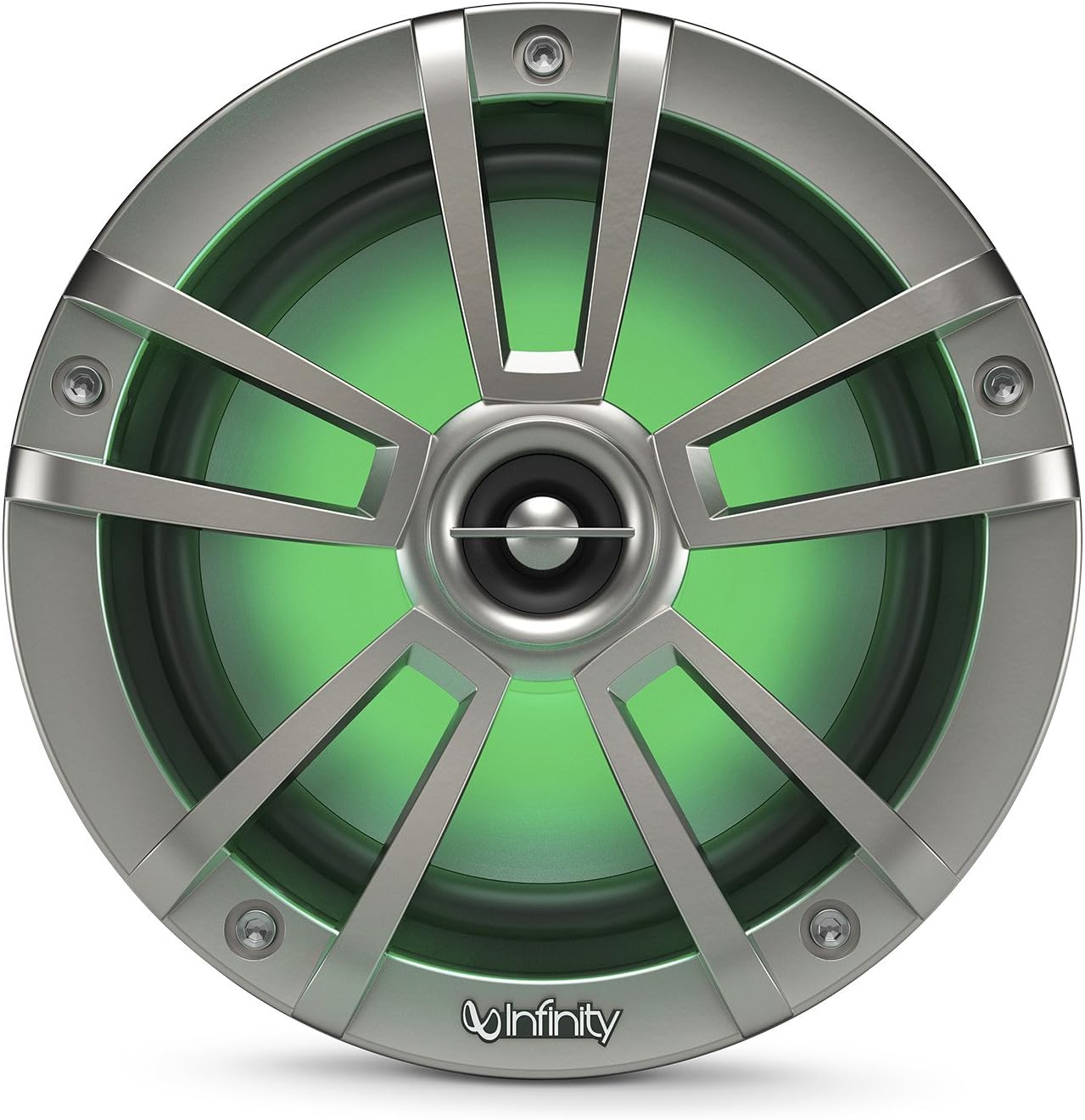


Image 5.1: Examples of RGB LED lighting in green, purple, and red. The lighting color can be customized via an external controller.
- Refer to the instruction manual for your specific RGB lighting controller to learn how to change colors, adjust brightness, or select lighting modes.
- Ensure the lighting controller is also rated for marine use if installed in an exposed area.
6. Maintenance
Regular maintenance will help preserve the appearance and performance of your marine speakers.
- Cleaning: Clean the speaker grilles and surrounds with a soft, damp cloth. Avoid using harsh chemicals, abrasive cleaners, or high-pressure water sprays, as these can damage the speaker components or finish.
- Inspection: Periodically inspect the speaker cones, surrounds, and grilles for any signs of wear, tear, or damage. Check all wiring connections for corrosion or looseness.
- Protection: When not in use for extended periods, especially in harsh conditions, consider using protective covers for your speakers.
7. Troubleshooting
If you encounter issues with your speakers, refer to the following troubleshooting guide. For problems not listed here, contact customer support.
| Problem | Possible Cause | Solution |
|---|---|---|
| No sound from speakers |
|
|
| Distorted sound |
|
|
| RGB LEDs not lighting up |
|
|
| Intermittent sound/lighting |
|
|
8. Specifications
The following specifications apply to the Infinity 622MLT Marine 6.5 Inch RGB LED Coaxial Speakers:
| Feature | Specification |
|---|---|
| Model Name | 622MLT |
| Speaker Type | Coaxial |
| Woofer Diameter | 6.5 Inches |
| Impedance | 4 Ohm |
| Speaker Maximum Output Power | 150 Watts |
| Water Resistance Level | IPx5 Rated (Water Resistant) |
| RGB LED Lighting | Yes (requires external controller) |
| Material | Plastic |
| Color | Titanium |
| Recommended Uses | Outdoor, Marine environments |
| Compatible Devices | Smartphone, Tablet, MP3 Player, Laptop (via connected audio system) |
| Connectivity Technology | Wired |
| Item Weight (per pair, packaged) | 3.9 Pounds |
| Package Dimensions (approx.) | 17"D x 15.25"W x 9.75"H |
9. Warranty and Support
Infinity 622MLT Marine 6.5 Inch RGB LED Coaxial Speakers come with a Limited Warranty. Please refer to the warranty card included with your product or visit the official Infinity website for detailed terms and conditions.
For technical assistance, troubleshooting beyond this manual, or warranty claims, please contact Infinity customer support. Contact information can typically be found on the manufacturer's website or on your purchase documentation.


