
1. Introduction
Welcome to the user manual for your Lenovo ThinkPad X280 laptop. This document provides essential information to help you get started, operate, maintain, and troubleshoot your device. The ThinkPad X280 is designed for productivity and portability, featuring a robust build and efficient performance.
Key features include an Intel Core i5-8350U processor, 8GB of RAM, a 256GB SSD, and a 12.5-inch Full HD multi-touch display. It comes pre-installed with Windows 10 Pro.
2. Setup
2.1 Unboxing and Initial Charge
Carefully remove your ThinkPad X280 and its accessories from the packaging. The box should contain the notebook and a USB-C power adapter.
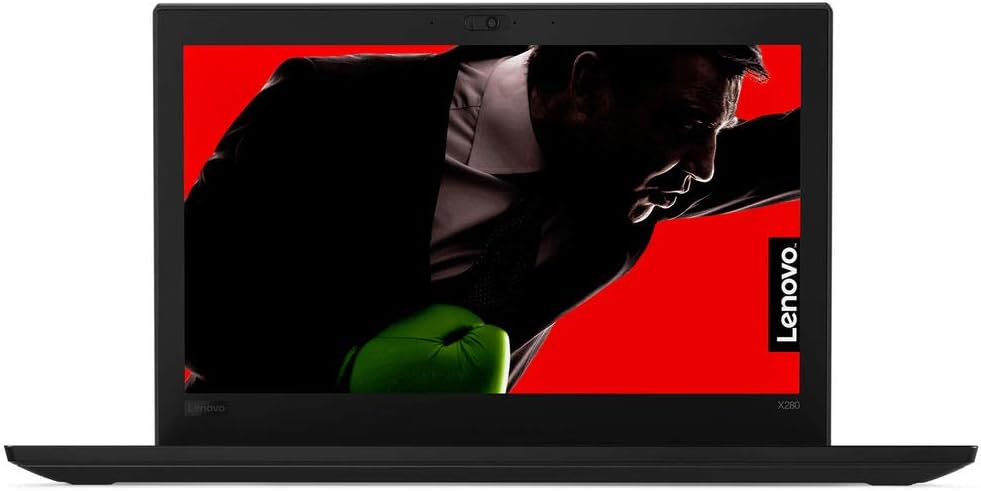
Figure 1: Front view of the Lenovo ThinkPad X280 Laptop.
Connect the USB-C power adapter to the laptop's USB-C port and plug it into a power outlet. Allow the battery to charge fully before initial use. The battery has a 45 Watt-Hour capacity and supports Rapid Charge.
2.2 Powering On and Operating System Setup
Press the power button to turn on your laptop. Follow the on-screen instructions to complete the Windows 10 Pro setup, including language selection, network connection, and user account creation.
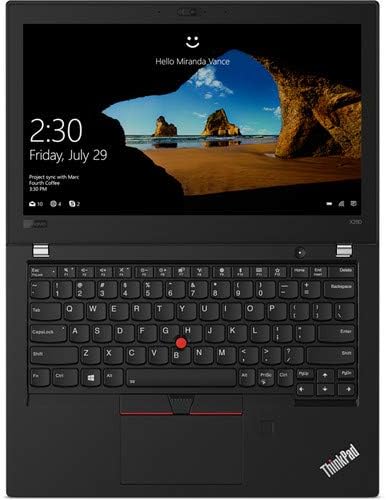
Figure 2: Windows 10 Pro login screen on the ThinkPad X280.
2.3 Connecting Peripherals
Your ThinkPad X280 supports various connectivity options:
- USB Devices: Connect external drives, mice, or keyboards to the available USB ports. The laptop has 2 total USB ports.
- HDMI: Use the HDMI port to connect to external displays.
- Bluetooth: Pair Bluetooth-enabled devices like headphones or speakers.
- Wi-Fi: Connect to wireless networks for internet access.

Figure 3: Side view of the ThinkPad X280, highlighting connectivity ports.
3. Operating Your ThinkPad X280
3.1 Keyboard, Touchpad, and Touchscreen
The ThinkPad X280 features a backlit keyboard for comfortable typing in various lighting conditions. The integrated touchpad and TrackPoint provide precise cursor control. The 12.5-inch Full HD (1920x1080) IPS display also supports 10-point multi-touch input for intuitive interaction.

Figure 4: Keyboard and touchpad layout of the ThinkPad X280.
3.2 Webcam and ThinkShutter
The laptop includes a 720p webcam for video conferencing. For enhanced privacy, utilize the integrated ThinkShutter, a physical cover for the webcam.
3.3 Fingerprint Reader
For secure and convenient login, the ThinkPad X280 is equipped with a fingerprint reader. Configure it through Windows Hello settings in your operating system.
4. Maintenance
4.1 Cleaning Your Laptop
- Screen: Use a soft, lint-free cloth slightly dampened with water or a screen cleaner. Avoid harsh chemicals.
- Keyboard and Chassis: Use a soft cloth. For stubborn dirt, a slightly damp cloth with mild soap can be used, ensuring no liquid enters openings.
- Ports: Keep ports free of dust and debris using compressed air.
4.2 Software Updates
Regularly update your Windows operating system and Lenovo drivers to ensure optimal performance and security. You can check for Windows updates via the Settings app and Lenovo updates through the Lenovo Vantage application or Lenovo's support website.
4.3 Battery Care
To prolong battery life, avoid extreme temperatures and fully discharging the battery frequently. For long-term storage, charge the battery to about 50-60%.
5. Troubleshooting
This section provides solutions to common issues you might encounter.
- Laptop does not power on: Ensure the power adapter is securely connected and the battery is charged. Try holding the power button for 10-15 seconds.
- Display issues: If the screen is blank, try connecting an external monitor to check if the issue is with the laptop's display. Adjust brightness settings.
- Wi-Fi or Bluetooth connectivity problems: Check if wireless features are enabled. Restart your router or Bluetooth device. Update network drivers.
- Slow performance: Close unnecessary applications, check for malware, ensure sufficient free storage space, and update your operating system.
6. Specifications
| Feature | Detail |
|---|---|
| Brand | Lenovo |
| Model Name | Lenovo ThinkPad X280 |
| Model Number | 20KF0022US |
| Processor | Intel Core i5-8350U (1.7 GHz, up to 3.6 GHz, 4 Cores) |
| Graphics | Integrated Intel UHD Graphics 620 |
| RAM | 8GB Soldered DDR4-2400 |
| Storage | 256GB SSD M.2 2280 PCIe NVMe Opal2 |
| Display | 12.5" FHD (1920x1080) IPS 300nits Anti-glare, 10-point Multi-touch |
| Operating System | Windows 10 Pro 64 |
| Webcam | 720p with ThinkShutter |
| Keyboard | Backlit |
| Security | Fingerprint Reader |
| Battery | 45 Watt Hours, Lithium Ion |
| Wireless Connectivity | Bluetooth, Wi-Fi (802.11abg) |
| Ports | 2x USB ports, 1x HDMI port |
| Weight | 2.8 Pounds |
7. Warranty Information
The Lenovo ThinkPad X280 comes with a 3-year limited warranty. The battery is covered by a 1-year limited warranty. For detailed terms and conditions, please refer to the warranty documentation included with your product or visit the official Lenovo support website.
8. Support
For further assistance, technical support, or to download the latest drivers and software, please visit the official Lenovo Support website. You can also find FAQs and community forums there.
Lenovo Support Website: support.lenovo.com