
1. Product Overview
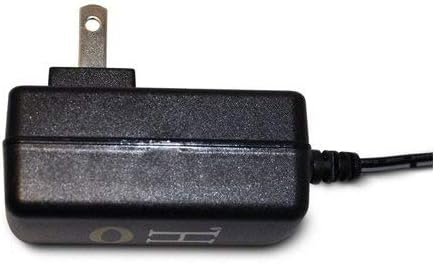
The HALO Bolt AC Wall Plug Charger Adapter is designed as a reliable replacement power cord for various HALO Bolt Portable Jump Starters. This adapter ensures your HALO Bolt device remains fully charged and ready for use, providing convenience and peace of mind.
It features a compact design and a four-foot-long cable for flexible charging options, allowing you to recharge your HALO Bolt from any standard AC power outlet.

2. What's Included
- AC Wall Charging Adapter (Model 126510)

3. Setup
- Unpack the Adapter: Carefully remove the HALO Bolt AC Wall Plug Charger Adapter from its packaging.
- Inspect for Damage: Before first use, inspect the adapter and cable for any signs of damage. Do not use if damaged.
- Prepare for Charging: Ensure your HALO Bolt device is in a stable, dry environment for charging.
4. Operating Instructions
- Connect to Power Outlet: Plug the two-prong end of the AC Wall Plug Charger Adapter into any standard 100-240V AC wall outlet.
- Connect to HALO Bolt: Insert the barrel connector end of the adapter cable into the designated input port on your HALO Bolt Portable Jump Starter.
- Monitor Charging: Your HALO Bolt device should begin charging. Refer to your specific HALO Bolt model's manual for indicators of charging status.
- Disconnect After Charging: Once your HALO Bolt is fully charged, disconnect the adapter from the device and then from the wall outlet.

Video: A product overview demonstrating the compact design, 4-foot cable, ease of use, and multi-device compatibility of the HALO Bolt AC Wall Plug Charger Adapter. This video highlights how to keep your HALO Bolt powered up and ready.
5. Compatibility
This HALO Bolt AC Wall Plug Charger Adapter is compatible with the following HALO Bolt models:
- HALO Bolt 58830
- HALO Bolt 57720
- HALO Bolt Wireless 44400
- Other small devices that utilize an AC plug with compatible specifications.
6. Maintenance
- Cleaning: Wipe the adapter with a dry, soft cloth. Do not use liquid cleaners or abrasive materials.
- Storage: Store the adapter in a cool, dry place when not in use. Avoid extreme temperatures and direct sunlight.
- Cable Care: Do not bend or crimp the cable excessively. Store the cable neatly to prevent damage.
- Safety: Always unplug the adapter from the wall outlet when not in use or before cleaning.
7. Troubleshooting
Adapter Not Charging:
- Check Power Outlet: Ensure the wall outlet is functional by plugging in another device.
- Verify Connections: Make sure both ends of the charger adapter are securely plugged into the wall outlet and the HALO Bolt device.
- Inspect for Damage: Check the adapter and cable for any visible damage. If damaged, discontinue use and replace.
8. Specifications
| Feature | Detail |
|---|---|
| Model Number | 126510 |
| Product Dimensions | 3.5 x 2 x 3.5 inches |
| Item Weight | 6.72 ounces (0.42 Pounds) |
| Input Voltage | 100-240V (Multiple Voltage Compatible) |
| Output Voltage | 18 Volts |
| Wattage | 18 watts |
| Amperage | 1 Amps |
| Power Source | Plug In |
| Main Power Connector Type | 2 Pin (Type A - North American) |
| Cable Length | 4 feet |
| Color | Black |
| Material | Plastic |
9. Warranty and Support
This HALO Bolt AC Wall Plug Charger Adapter is protected by a 90-day limited manufacturer's warranty.
For technical support, warranty claims, or further assistance, please contact HALO customer service through their official website or the contact information provided with your original HALO Bolt device.
