
1. Introduction
Thank you for choosing the Lichamp DLA06GD Dimmable LED Desk Lamp. This manual provides essential information for the safe and efficient use of your new lamp. This lamp features adjustable brightness and color temperature, a flexible gooseneck design, and a convenient USB charging port.

Image 1: Overview of the Lichamp DLA06GD LED Desk Lamp, highlighting its dimensions (14.2 inches arm, 16.5 inches height, 7.9 inches base width) and features such as touch control, eye protection, seven lighting modes, USB energy, and foldable design.
2. Safety Instructions
- Ensure the lamp is placed on a stable, flat surface to prevent tipping.
- Do not expose the lamp to excessive moisture or extreme temperatures.
- Use only the provided UL certified AC adapter.
- Do not attempt to disassemble or modify the lamp. Refer servicing to qualified personnel.
- Keep out of reach of children.
- Unplug the lamp from the power outlet before cleaning or when not in use for extended periods.
3. Package Contents
Verify that all items are present in the package:
- Lichamp DLA06GD LED Desk Lamp (1 unit)
- UL Certified AC Adapter (1 unit)
- User Manual (1 unit)
4. Setup
- Unpack: Carefully remove all components from the packaging.
- Position: Place the lamp base on a stable, flat surface.
- Connect Power: Insert the AC adapter cable into the power input port located on the back of the lamp base. Plug the AC adapter into a standard wall outlet.

Image 2: The Lichamp DLA06GD LED Desk Lamp connected to its UL certified AC adapter, ready for use.
5. Operating Instructions
5.1. Power On/Off and Brightness Adjustment
The lamp features touch-sensitive controls on its base.
- Power: Touch the power icon (⏻) to turn the lamp on or off.
- Brightness: Slide your finger along the brightness control bar to adjust the light intensity. The lamp offers multiple brightness levels.

Image 3: Detail of the lamp's base showing the touch-sensitive power and brightness controls.
5.2. Color Temperature Adjustment
The lamp offers 7 different lighting modes (color temperatures) to suit various activities and preferences.
- Mode Selection: Touch the mode icon (☼) to cycle through the available color temperature settings, from cool white to warm yellow light.
- The lamp includes a memory recall function, remembering your last selected light mode.
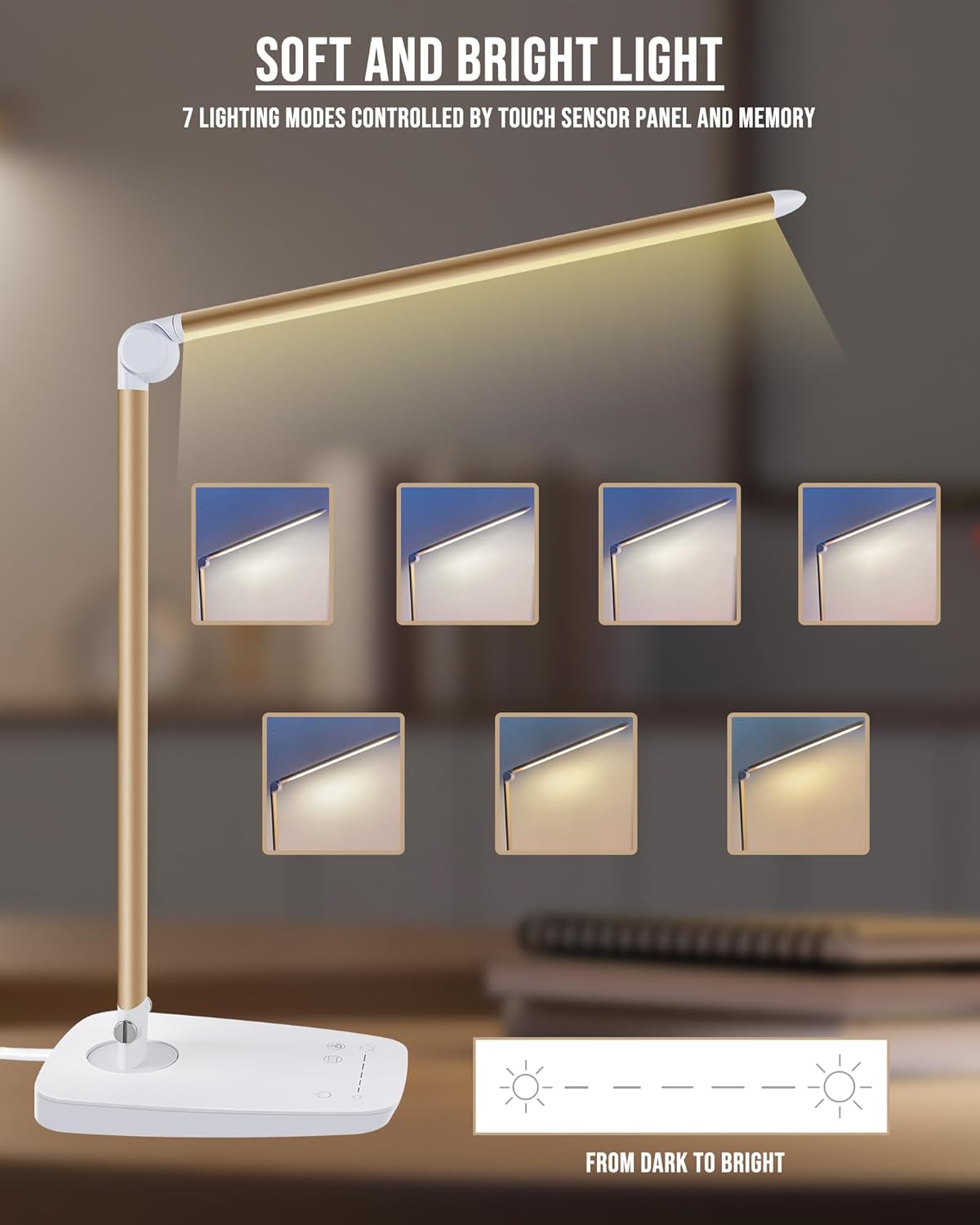
Image 4: Visual representation of the seven distinct lighting modes available on the Lichamp DLA06GD LED Desk Lamp, ranging from cool to warm light.
5.3. Lamp Head and Arm Adjustment
The lamp is designed for flexible positioning to direct light precisely where needed.
- The main arm can swivel 90 degrees left and right at the base.
- The lamp head can move up and down by 135 degrees.
- Adjust the lamp gently to avoid damage to the joints.

Image 5: Illustrations of the lamp's flexible joints, demonstrating 90-degree left/right rotation at the base and 135-degree up/down movement of the lamp head.
5.4. USB Charging Port
The lamp base includes a 5V/1A USB output port for charging compatible electronic devices.
- Locate the USB port on the back of the lamp base.
- Connect your device's USB charging cable to this port.
- Ensure the lamp is powered on for the USB port to function.

Image 6: A smartphone connected to the integrated USB charging port on the base of the Lichamp DLA06GD LED Desk Lamp.
6. Maintenance
- Cleaning: Disconnect the power before cleaning. Use a soft, dry cloth to wipe the lamp. Do not use abrasive cleaners or solvents.
- Storage: When not in use, fold the lamp down to its compact position for easy storage.
7. Troubleshooting
| Problem | Possible Cause | Solution |
|---|---|---|
| Lamp does not turn on. | Power cable not connected properly or no power from outlet. | Check if the AC adapter is securely plugged into the lamp and the wall outlet. Test the outlet with another device. |
| USB charging port not working. | Lamp is off or device cable is faulty. | Ensure the lamp is powered on. Try a different USB cable or device to confirm. |
| Light flickers or is inconsistent. | Unstable power supply or internal issue. | Ensure the power connection is stable. If the issue persists, contact customer support. |
8. Specifications
| Feature | Detail |
|---|---|
| Model Number | DLA06GD |
| Brand | Lichamp |
| Light Source Type | LED (108 pieces) |
| Wattage | Max. 12W |
| Luminous Flux | 1500 Lumen |
| Color Temperature | 6000 Kelvin (Adjustable, 7 modes) |
| Control Method | Touch Control |
| USB Output | 5V / 1A |
| Material | Aviation Aluminum Alloy, Metal, Plastic |
| Product Dimensions | 17.52"D x 5.98"W x 2.28"H |
| Item Weight | 2 Pounds |
| Power Source | AC (UL Certified Adapter) |
| Special Features | Dimmable, Eye Care, Foldable, Gooseneck, USB Charging Port |
9. Warranty and Support
Lichamp products are designed for durability and safety. This product comes with an AC adapter that is UL certified. For any questions, concerns, or warranty claims, please contact Lichamp customer support. Refer to your purchase documentation for specific warranty details and contact information.
Lichamp is committed to providing effective products and thorough services.