
Introduction
This manual provides detailed instructions for the installation, operation, and maintenance of your VAXCEL Dorado Outdoor Wall Light with Motion Sensor, Model T0387. This fixture is designed for outdoor use, offering enhanced security and convenience with its integrated motion sensor and dusk-to-dawn photocell.
Safety Information
- WARNING: Always turn off power at the circuit breaker before beginning installation or performing any maintenance.
- Consult a qualified electrician if you are unsure about the installation process.
- Ensure all wiring connections are secure and comply with local electrical codes.
- This product is designed for outdoor, hardwired installation.
- Do not exceed the maximum wattage specified for the bulb.
- Please check your local laws and building codes before installing this product.
What's in the Box
Carefully unpack the contents and ensure all items are present:
- Dorado Outdoor Wall Light Fixture
- Shade
- Mounting Hardware
- Instruction Manual
Specifications
| Feature | Detail |
|---|---|
| Brand | VAXCEL |
| Model Number | T0387 |
| Dimensions (L x W x H) | 13.5" x 12" x 12.25" |
| Material | Alloy Steel, Glass Shade |
| Color | Dark Bronze and Light Gold |
| Power Source | Hardwired |
| Voltage | 120 Volts |
| Bulb Base | E26 Medium |
| Max Wattage | 60 Watts (Bulb not included) |
| Special Features | Motion Sensor, Dusk-to-Dawn Sensor, Dark Sky Compliant |
| Motion Sensor Detection Angle | 180 degrees |
| Motion Sensor Detection Range | Up to 40 feet |
| Weather Resistance | Wet Rated, Water Resistant |
| Certifications | ETL Listed |
For detailed dimensions, refer to the diagram below:

Setup and Installation
Installation of the VAXCEL Dorado Wall Light requires hardwiring to an existing electrical circuit. It is recommended to have this installed by a qualified electrician.
- Prepare for Installation: Turn off power at the main circuit breaker to the location where the fixture will be installed.
- Mounting Location: This fixture is designed for wall mount installation. Ensure the mounting surface is structurally sound. Note that a standard electrical box may require a hole cut into the wall for flush mounting.
- Install Mounting Hardware: Secure the provided mounting hardware to the electrical box in the wall.
- Wire Connections: Connect the fixture's wires to your household wiring according to local electrical codes. Typically, this involves connecting the black wire (live) to the black wire, the white wire (neutral) to the white wire, and the ground wire to the ground wire. Use appropriate wire connectors.
- Attach Fixture: Carefully align the fixture with the mounting hardware and secure it to the wall.
- Install Bulb: Insert one E26 medium base bulb (not included) into the socket. Do not exceed 60 watts.
- Restore Power: Once installation is complete and secure, restore power at the circuit breaker.

Operating Instructions
The VAXCEL Dorado Wall Light features multiple operational modes for convenience and energy efficiency.
Key Features:
- Motion Sensor: Detects movement within a 180-degree angle and up to 40 feet, automatically turning the light on to full brightness.
- Dusk-to-Dawn Photocell: Automatically turns the light on at dusk and off at dawn, conserving energy during daylight hours.
- Timer Function: Allows selection of continuous bright light illumination for 0, 3, or 6 hours after dusk.
- Dual-Level Brightness: Features an adjustable low-level standby brightness (0-50%) that increases to 100% upon motion detection.
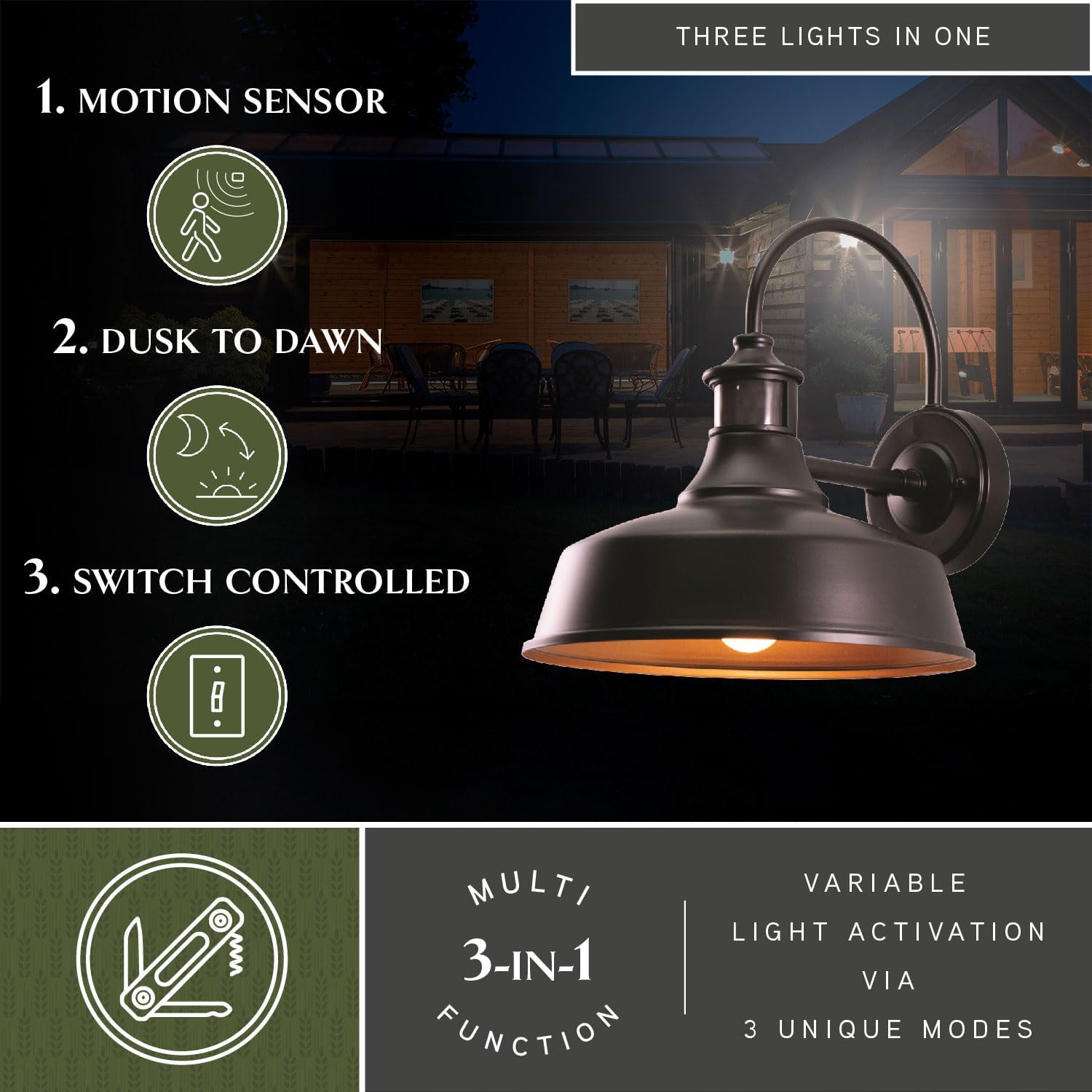
Customizable Settings:
The fixture offers customizable settings to tailor its operation to your needs. These settings are typically adjusted via internal controls on the fixture itself, or in some models, through a remote control (if included).
- Motion Shut-off Delay: Adjust the duration the light stays on after motion is no longer detected (e.g., 5 seconds to 3 minutes).
- Motion Sensitivity: Adjust the detection range of the motion sensor (up to 40 feet).
- Early Evening Timer: Set the duration for continuous bright light after dusk (0, 3, or 6 hours) before switching to motion-activated mode or low-level standby.
- Low-Level Standby Brightness: Adjust the percentage of brightness (0-50%) for the standby mode when no motion is detected and the light is on after dusk.


Maintenance
Bulb Replacement:
Ensure power is turned off at the circuit breaker before replacing the bulb. Allow the bulb to cool completely before handling. This fixture uses one E26 medium base bulb, up to 60 watts.
Cleaning:
To clean the fixture, turn off power at the circuit breaker. Use a soft, damp cloth. Avoid abrasive cleaners or solvents, as they may damage the finish or electrical components. Periodically check for debris accumulation on the motion sensor and photocell to ensure optimal performance.
Troubleshooting
- Light does not turn on:
- Check if the power is on at the circuit breaker.
- Ensure the bulb is correctly installed and not burnt out.
- Verify that the dusk-to-dawn sensor is not obstructed by light or debris.
- Check motion sensor sensitivity settings.
- Light stays on continuously:
- Ensure the motion sensor is not continuously detecting movement (e.g., from trees, traffic). Adjust sensitivity if necessary.
- Check the timer settings; if set to 3 or 6 hours, the light will remain on for that duration after dusk.
- Verify the dusk-to-dawn sensor is functioning correctly and not in a constantly dark environment.
- Motion sensor is not detecting movement:
- Check the motion sensor sensitivity settings and increase if needed.
- Ensure the sensor lens is clean and free from obstructions.
- Confirm the sensor's detection range covers the desired area.
- Features not responding as expected:
- Review the operating instructions carefully to ensure settings are correctly applied.
- If the fixture has internal adjustment dials or buttons, ensure they are accessible and correctly manipulated.
- Power cycling the fixture (turning off and on at the breaker) may reset its internal logic.
Warranty and Support
This VAXCEL product comes with a Limited Warranty. For specific details regarding the warranty period and coverage, please refer to the documentation included with your purchase or contact VAXCEL customer support.
For technical assistance, replacement parts, or further inquiries, please contact VAXCEL customer support through their official website or the contact information provided with your product.


