1. Introduction
This manual provides essential instructions for the proper setup, operation, and maintenance of your Oomi FT101 Cube/Touch/Infinity Dock. Please read this manual thoroughly before using the product to ensure optimal performance and safety. Keep this manual for future reference.
2. Product Overview
The Oomi FT101 system includes the Oomi Cube camera and the Oomi Touch/Infinity Dock. This system is designed for user-friendly interaction and provides notification and warning functionalities.

Figure 2.1: The Oomi Cube camera (left) and the Oomi Touch/Infinity Dock (right) displayed together. The Cube is a compact, square-shaped camera unit, while the Dock features a large display screen and control buttons.

Figure 2.2: An overhead view of the Oomi FT101 components. From top to bottom: the main dock unit, the detachable Touch/Infinity display, and the Oomi Cube camera. This view highlights the separate nature of the components.
2.1 Package Contents
- Oomi Cube Camera
- Oomi Touch/Infinity Dock
- Power Adapter (included components: all)
- User Manual (this document)
3. Setup
The Oomi FT101 is designed for easy installation. Follow these steps to set up your device.
3.1 Initial Placement
- Place the Oomi Touch/Infinity Dock on a stable, flat surface.
- Position the Oomi Cube camera in your desired monitoring area, ensuring it has a clear line of sight.
3.2 Power Connection
- Connect the power adapter to the Oomi Touch/Infinity Dock.
- Plug the power adapter into a standard electrical outlet.
- The Oomi Cube camera operates on internal batteries (included) and can be charged via the dock or a separate power source if available.
3.3 System Pairing (if required)
If your Cube camera and Dock are not pre-paired, follow the on-screen instructions on the Oomi Touch/Infinity display to pair them. This typically involves selecting a "Pair Device" option and following prompts.
4. Operating Instructions
The Oomi FT101 features a user-friendly interface for easy control and monitoring.
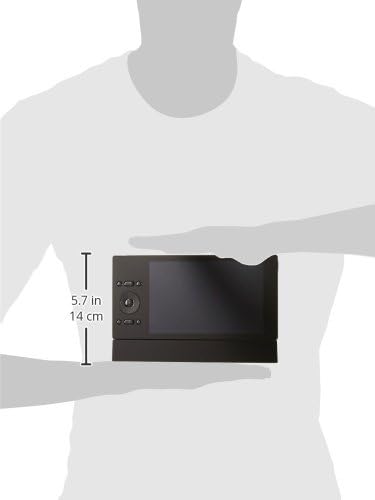
Figure 4.1: The Oomi Touch/Infinity Dock held in a person's hands, illustrating its compact size. The display screen and control buttons are visible, indicating its portable nature.
4.1 Navigating the Interface
- Use the touch screen on the Oomi Touch/Infinity Dock to access various functions.
- Physical buttons adjacent to the screen may provide quick access to common features or navigation.
4.2 Monitoring with the Oomi Cube
- Access the live feed from the Oomi Cube camera through the Dock's display.
- Adjust camera settings such as resolution or motion detection sensitivity via the interface.
4.3 Notifications and Warnings
The system is equipped to provide notifications and warnings. These alerts will appear on the Oomi Touch/Infinity display and may include audible signals. Configure alert preferences in the system settings.
5. Maintenance
Regular maintenance ensures the longevity and optimal performance of your Oomi FT101 system.
- Cleaning: Use a soft, dry cloth to clean the surfaces of the Oomi Cube and Dock. Avoid abrasive cleaners or solvents.
- Software Updates: Periodically check for software updates through the Oomi Touch/Infinity interface to ensure your system has the latest features and security enhancements.
- Battery Care: The Oomi Cube camera includes alkaline batteries. If replacement is necessary, ensure correct battery type and polarity.
6. Troubleshooting
This section addresses common issues you might encounter with your Oomi FT101 system.
6.1 Common Issues and Solutions
- Device Not Powering On:
- Ensure the power adapter is securely connected to the Dock and the electrical outlet.
- Verify the outlet is functional.
- Check the Oomi Cube's battery level if it's operating wirelessly.
- No Camera Feed:
- Confirm the Oomi Cube camera is powered on and within range of the Dock.
- Check pairing status between the Cube and the Dock in the system settings.
- Restart both the Cube and the Dock.
- Poor Image Quality:
- Ensure the camera lens is clean and free from obstructions.
- Check lighting conditions in the monitoring area.
7. Specifications
| Feature | Detail |
|---|---|
| Brand | Oomi |
| Model Number | FT101 |
| Manufacturer | Fantem |
| Product Dimensions | 23 x 20 x 8 cm |
| Item Weight | 1.23 Kilograms |
| Colour | Black |
| Batteries Included | Yes |
| Battery Cell Type | Alkaline |
| Included Components | All (as specified by manufacturer) |
8. Warranty and Support
For warranty information and technical support, please refer to the documentation provided with your purchase or visit the official Oomi website. Keep your proof of purchase for warranty claims.
Manufacturer: Fantem
Date First Available: 22 April 2018


