
Introduction
Thank you for purchasing the Boncoo Touch Control Dimmable Industrial Table Lamp Base. This manual provides essential information for the safe and efficient use of your new lamp. Please read these instructions carefully before installation and operation, and retain them for future reference.
Safety Information
- Always disconnect the power supply before installing, cleaning, or replacing the bulb.
- Ensure the lamp is placed on a stable, flat surface to prevent tipping.
- Do not use the lamp in wet or damp locations. This product is for indoor use only.
- Use only bulbs that comply with the specified wattage and base type (E26, incandescent under 60W or LED under 9W).
- This lamp features a dimming function and is not compatible with smart outlets or smart bulbs, as this may cause flickering or loss of dimming functionality.
- Keep out of reach of children and pets.
Package Contents
Verify that all components are present upon unpacking:
- 1 x Boncoo Touch Control Dimmable Industrial Table Lamp Base
- 1 x Power Cord (integrated)
- Instruction Manual
Note: Bulb is not included and must be purchased separately.

Specifications
| Feature | Detail |
|---|---|
| Brand | Boncoo |
| Model | Touch-Iron |
| Material | Iron |
| Finish Type | Iron |
| Product Dimensions | 4.13"D x 4.13"W x 2.83"H (105mm D x 105mm W x 72mm H) |
| Item Weight | 2.2 Pounds |
| Bulb Base | E26 |
| Max Wattage | 60W (Incandescent) / 9W (LED) |
| Voltage | 120 Volts (AC) |
| Switch Type | Touch Control (3-Way Dimmable) |
| Special Feature | Touch Control, 3 Way Dimmable, Bulb Not Included |
| Indoor/Outdoor Usage | Indoor |
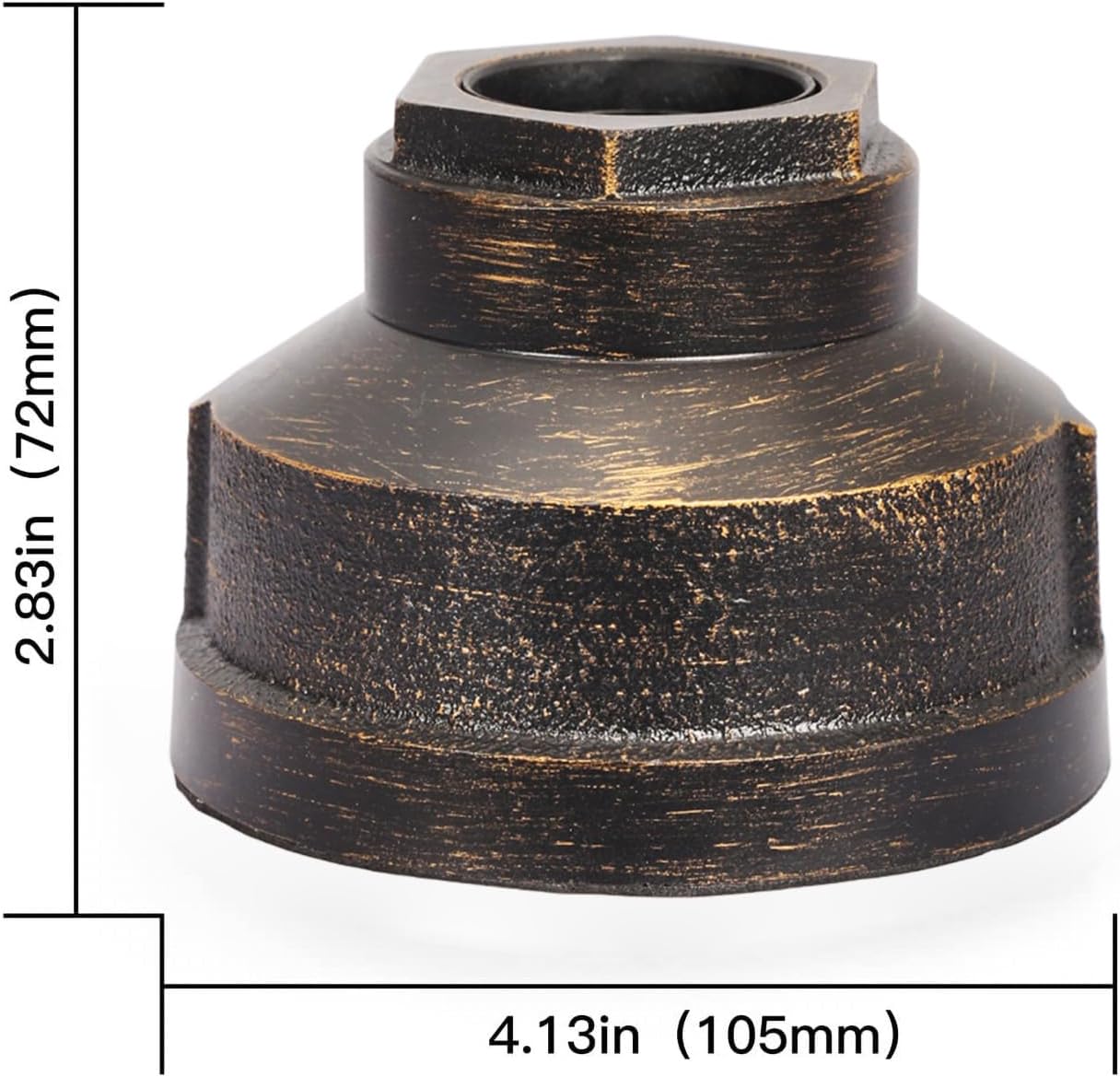
Setup
- Unpack: Carefully remove all components from the packaging. Inspect for any damage.
- Install Bulb: Screw an E26 base bulb (incandescent under 60W or LED under 9W) into the lamp socket. Ensure the bulb is securely tightened.
- Placement: Place the lamp base on a stable, dry, and flat surface. The padded bottom helps prevent scratching and slipping.
- Connect Power: Plug the power cord into a standard 120V AC electrical outlet.

Operating Instructions
The Boncoo Table Lamp Base features intuitive touch control for easy operation and dimming.
- Turn On/Adjust Brightness: Gently tap any metal part of the lamp base. The lamp will cycle through three brightness levels: Low, Medium, High.
- Turn Off: After the High brightness setting, tapping the base again will turn the lamp off.
Note: Due to its dimming function, this lamp base is not compatible with smart outlets or smart bulbs. Using such devices may cause the lamp to flicker or lose its touch dimming functionality.

Maintenance
- Cleaning: Ensure the lamp is unplugged before cleaning. Wipe the lamp base with a soft, dry cloth. Do not use abrasive cleaners or solvents.
- Bulb Replacement: Before replacing the bulb, unplug the lamp and allow the bulb to cool completely. Carefully unscrew the old bulb and screw in a new E26 base bulb (incandescent under 60W or LED under 9W).
Troubleshooting
| Problem | Possible Cause | Solution |
|---|---|---|
| Lamp does not turn on. | No power, loose bulb, faulty bulb. | Check power outlet, ensure bulb is tightened, replace bulb. |
| Lamp flickers or dimming does not work. | Incompatible bulb or smart device. | Ensure you are using a compatible incandescent (under 60W) or LED (under 9W) E26 bulb. Do not use with smart outlets or smart bulbs. |
| Touch control is unresponsive. | Power issue, internal fault. | Unplug the lamp for 30 seconds and plug it back in. If the issue persists, contact customer support. |
Warranty and Support
For warranty information and customer support, please refer to the documentation provided with your purchase or contact Boncoo directly through their official website or the retailer where the product was purchased. Keep your purchase receipt for warranty claims.