
Introduction
This manual provides essential information for the setup, operation, and maintenance of your Paladone Playstation Icons Light. Please read thoroughly before use.
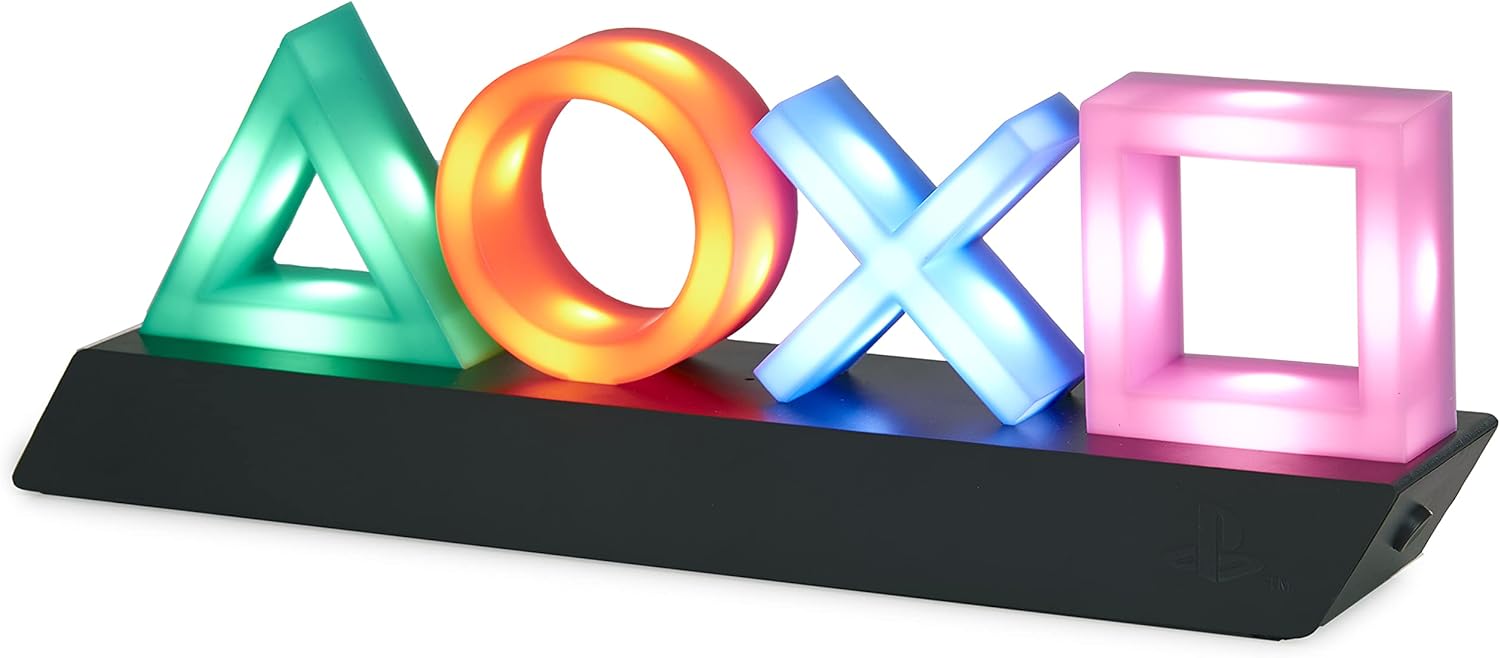
Image: The Paladone Playstation Icons Light, showcasing its illuminated symbols.
Setup
The Playstation Icons Light can be powered via USB or 3x AAA batteries (not included).
Battery Installation
- Locate the battery compartment on the underside of the light unit.
- Using a small screwdriver, open the battery compartment cover.
- Insert 3x 1.5V AAA batteries, ensuring correct polarity (+/-).
- Replace the battery compartment cover and secure it with the screw.

Image: Battery compartment for 3x AAA batteries and USB port for power, along with the power button location.
USB Power Connection
- Connect the provided USB cable to the Micro USB port on the side of the light unit.
- Plug the other end of the USB cable into a compatible USB power source (e.g., computer, USB wall adapter - not included).
Operating Instructions
The Playstation Icons Light features three distinct light modes. To cycle through the modes, press the power button located on the side of the unit.
Light Modes:
- Standard Lighting: All icons illuminate with a steady, soft glow.
- Dynamic Phasing: The icons light up in a sequential, wave-like pattern.
- Sound Reactive: The lights respond to audio, illuminating and changing intensity with sounds in the environment.

Image: The light in dynamic phasing mode, showing icons illuminating sequentially.

Image: The light in sound reactive mode, responding to ambient sound.
Maintenance
- To clean the light, gently wipe with a soft, dry cloth.
- Do not use abrasive cleaners or solvents.
- Keep the device dry. It is not waterproof.
- When not in use for extended periods, remove batteries to prevent leakage.
Troubleshooting
| Issue | Possible Cause | Solution |
|---|---|---|
| Light does not turn on. | No power or depleted batteries. | Ensure USB cable is securely connected to a working power source, or replace AAA batteries. |
| Sound reactive mode is not working. | Insufficient ambient sound or microphone obstruction. | Increase volume of audio source or ensure the light is placed in an area with clear sound reception. |
Specifications
- Brand: Paladone
- Model Name: Paladone Playstation Icons Light
- Model Number: PP4140PS
- Product Dimensions: 2.75"D x 12"W x 4"H (approx. 30cm wide x 10cm tall)
- Item Weight: 3.5 Ounces
- Material: Plastic
- Power Source: USB (cable included) or 3x AAA Batteries (not included)
- Light Source Type: Neon
- Special Features: Phasing Mode, Sound Reactive
- Control Method: Push Button
- Indoor/Outdoor Usage: Indoor
- Water Resistance Level: Not Water Resistant
- UPC: 555964715151

Image: Product dimensions of the Playstation Icons Light.
Warranty
This product is covered by a manufacturer's warranty. For specific details regarding warranty coverage and claims, please refer to the information provided with your purchase or contact Paladone customer support.
Support
For further assistance or inquiries, please visit the official Paladone website or contact their customer service department. Keep your product model number (PP4140PS) handy for faster service.
Official Paladone Store: Visit Store