
Happy Cow FS-i6X
Happy Cow Flysky FS-i6X 2.4GHz 10CH AFHDS 2A RC Transmitter TX with iA6B Receiver User Manual
Model: FS-i6X | Brand: Happy Cow
1. Introduction
This manual provides detailed instructions for the setup, operation, and maintenance of your Happy Cow Flysky FS-i6X 2.4GHz 10CH AFHDS 2A RC Transmitter and iA6B Receiver. This system is designed for use with various RC models, including fixed-wing aircraft, gliders, and helicopters, offering reliable and efficient control.
2. Safety Information
Please read and understand all safety precautions before operating the FS-i6X system. Failure to follow these instructions may result in injury or damage to the product or property.
- Always operate your RC model in open areas, away from people, vehicles, and obstacles.
- Ensure all batteries are fully charged and properly installed before each use.
- Verify that the transmitter and receiver are correctly bound and functioning before flight.
- Avoid operating in adverse weather conditions, such as strong winds or rain.
- Keep the product away from water and moisture to prevent damage to electronic components.
- Do not attempt to modify or disassemble the transmitter or receiver. Refer to qualified personnel for repairs.
3. Package Contents
Verify that all items listed below are included in your package:
- 1 x Flysky FS-i6X RC Transmitter
- 1 x Flysky FS-iA6B Receiver

Image: The Flysky FS-i6X transmitter shown with the iA6B receiver and a connecting cable. The transmitter is black with silver accents and a central LCD screen.
4. Product Overview
4.1. FS-i6X RC Transmitter
The FS-i6X is a 6-10 channel (default 6) 2.4GHz transmitter utilizing AFHDS 2A / AFDHS system technology. It features a STN transflective display with a 128x64 lattice LCD and white backlight for clear visibility.

Image: Front view of the FS-i6X transmitter, highlighting the dual joysticks, various switches, and the central LCD screen.

Image: An angled view of the FS-i6X transmitter, showing the ergonomic design and the placement of the control sticks and switches.

Image: A close-up of one of the transmitter's joysticks (gimbals), showing its red metallic cap and the surrounding control area.

Image: A detailed view of the 'BIND KEY' button and the 'UP' and 'DOWN' navigation buttons located near the bottom right of the transmitter's LCD screen.
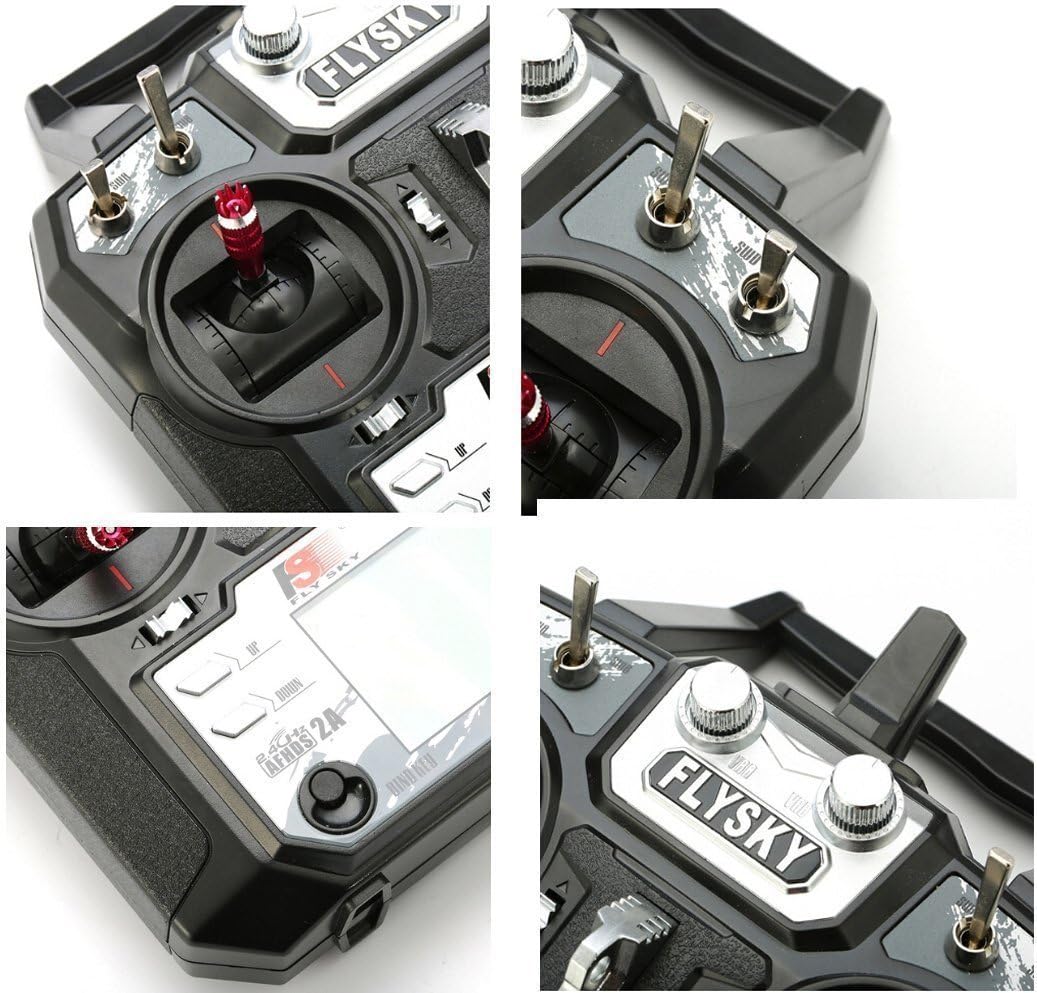
Image: Rear view of the FS-i6X transmitter, showing the battery compartment cover and the DSC port.
4.2. FS-iA6B Receiver
The FS-iA6B is a 6-channel receiver designed to work seamlessly with the FS-i6X transmitter. It features dual antennas for enhanced signal reception and supports i-Bus interface.
5. Setup
5.1. Transmitter Battery Installation
- Open the battery compartment cover on the back of the FS-i6X transmitter.
- Insert four (4) 1.5V AA batteries, ensuring correct polarity.
- Close the battery compartment cover securely.
5.2. Receiver Connection
Connect the FS-iA6B receiver to your RC model's flight controller or servos according to your model's specific wiring diagram. Ensure the dual antennas are positioned for optimal signal reception, typically at 90-degree angles to each other and away from metal parts.
5.3. Binding Process
The binding process establishes a unique communication link between your transmitter and receiver, preventing interference from other systems.
- Ensure the transmitter is powered off.
- Connect the bind plug (not included, typically comes with the model or receiver) to the B/VCC port on the FS-iA6B receiver.
- Power on your RC model, which will power the receiver. The receiver's LED should flash rapidly, indicating it's in binding mode.
- While holding down the 'BIND KEY' button on the FS-i6X transmitter, power on the transmitter.
- Release the 'BIND KEY' button once the transmitter's screen lights up and the receiver's LED turns solid, indicating successful binding.
- Power off both the transmitter and the receiver.
- Remove the bind plug from the receiver.
- Power on the transmitter first, then the receiver. The receiver's LED should be solid, confirming the bind.
6. Operating
6.1. Basic Operation
The FS-i6X transmitter provides precise control over your RC model. Use the joysticks to control primary functions like throttle, aileron, elevator, and rudder. The various switches and knobs can be assigned to auxiliary channels for functions such as landing gear, flaps, or flight modes. Refer to your model's specific instructions for channel assignments.
6.2. Bidirectional Communication
The system supports bidirectional communication, allowing the transmitter to receive data from various sensors (e.g., temperature, altitude) connected to the receiver. This feature enhances situational awareness during flight.
6.3. Interference Protection
The AFHDS 2A system offers superior protection against interference. Each transmitter and receiver pair has a unique ID, ensuring that once paired, they communicate exclusively with each other, preventing accidental connections or interference from other radio systems.
7. Maintenance
- Keep the transmitter and receiver clean and free from dust and debris. Use a soft, dry cloth for cleaning.
- Store the product in a cool, dry place away from direct sunlight and extreme temperatures.
- Remove batteries from the transmitter if it will not be used for an extended period to prevent leakage.
- Regularly inspect all cables and connectors for signs of wear or damage.
8. Troubleshooting
| Problem | Possible Cause | Solution |
|---|---|---|
| Transmitter does not power on. | Low or dead batteries; incorrect battery polarity. | Replace batteries with fresh ones; ensure correct polarity. |
| Receiver LED flashing rapidly. | Receiver is in binding mode or not bound. | Perform the binding process as described in Section 5.3. |
| Loss of control during operation. | Out of range; interference; low receiver voltage. | Operate within specified range; check for sources of interference; ensure adequate power supply to receiver. |
| Servos not responding. | Incorrect wiring; receiver not powered; binding issue. | Verify all connections; ensure receiver is powered; re-bind if necessary. |
9. Specifications
9.1. FS-i6X RC Transmitter Specifications
- Channel: 6-10 (Default 6)
- Model Type: Fixed-Wing/Glider/Helicopter
- RF Range: 2.408-2.475GHz
- RF Power: < 20dBm
- RF Channel: 135
- Bandwidth: 500KHz
- 2.4GHz System: AFHDS 2A / AFDHS
- Modulation Type: GFSK
- Stick Resolution: 4096
- Low Voltage Warning: <4.2V
- DSC port: PS/2 Port PPM
- Chargeable: No
- Antenna Length: 26mm (Dual Antenna)
- Weight: 392g
- Power: 6V DC 1.5AA*4
- Display: STN Transflective Display, LCD 128x64 Lattice, VA 73x39mm, LCD with white backlight
- Size: 174x89x190mm
- On-line Update: Yes
- Color: Black
- Certificate: CE0678, FCC ID: N4ZFLYSKYI6X
9.2. FS-iA6B Receiver Specifications
- Channel: 6
- Frequency Range: 2.4055--2.475GHZ
- Band Width Number: 140
- Transmitting Power: ≤ 20dBm
- RF Receiver Sensitivity: -105dbm
- 2.4G Mode: The second generation of an enhanced version of the automatic FM digital system
- Encoding: GFSK
- Antenna Length: 26mm * 2 (dual antenna)
- Input Power: 4.0-6.5V DC
- Dimension: 47 x 26.2 x 15mm
- Weight: 14.9g
- Color: Black
- i-Bus Interface: Yes
10. Support
For further assistance, technical support, or inquiries regarding your Happy Cow Flysky FS-i6X system, please refer to the official Happy Cow website or contact their customer service. Keep your purchase receipt for any warranty claims.
Ask a question about this manual
Ask about setup, troubleshooting, compatibility, parts, safety, or missing instructions. Manuals+ will review the question and use this page’s manual context to help answer it.