
Riwbox XBT-80
Riwbox XBT-80 Bluetooth Wireless Headphones User Manual
Model: XBT-80 | Brand: Riwbox
Introduction
The Riwbox XBT-80 Bluetooth Wireless Headphones are designed to provide a superior audio experience with versatile connectivity options. Featuring impressive sound quality, comfortable design, and dual-mode operation (wireless and wired), these headphones are perfect for music, travel, fitness, and calls.
Key Features
- Impressive Sound Quality: Equipped with 50mm large diameter aperture drivers for precise deep bass and high clarity sound. Built-in high-detail microphone for clear communication.
- Comfortable Design: Memory-protein ear cushions simulate human skin texture for lasting comfort. Stainless steel slider and softly padded headband ensure a perfect fit and excellent durability.
- Dual Operation Modes: Enjoy up to 13 hours of music time or 15 hours of talk time in wireless mode with the built-in 420mAh battery. For continuous use, switch to wired mode using the provided audio cable.
- Portable and Foldable: Space-saving foldable design makes these headphones easy to carry for study, work, or travel.
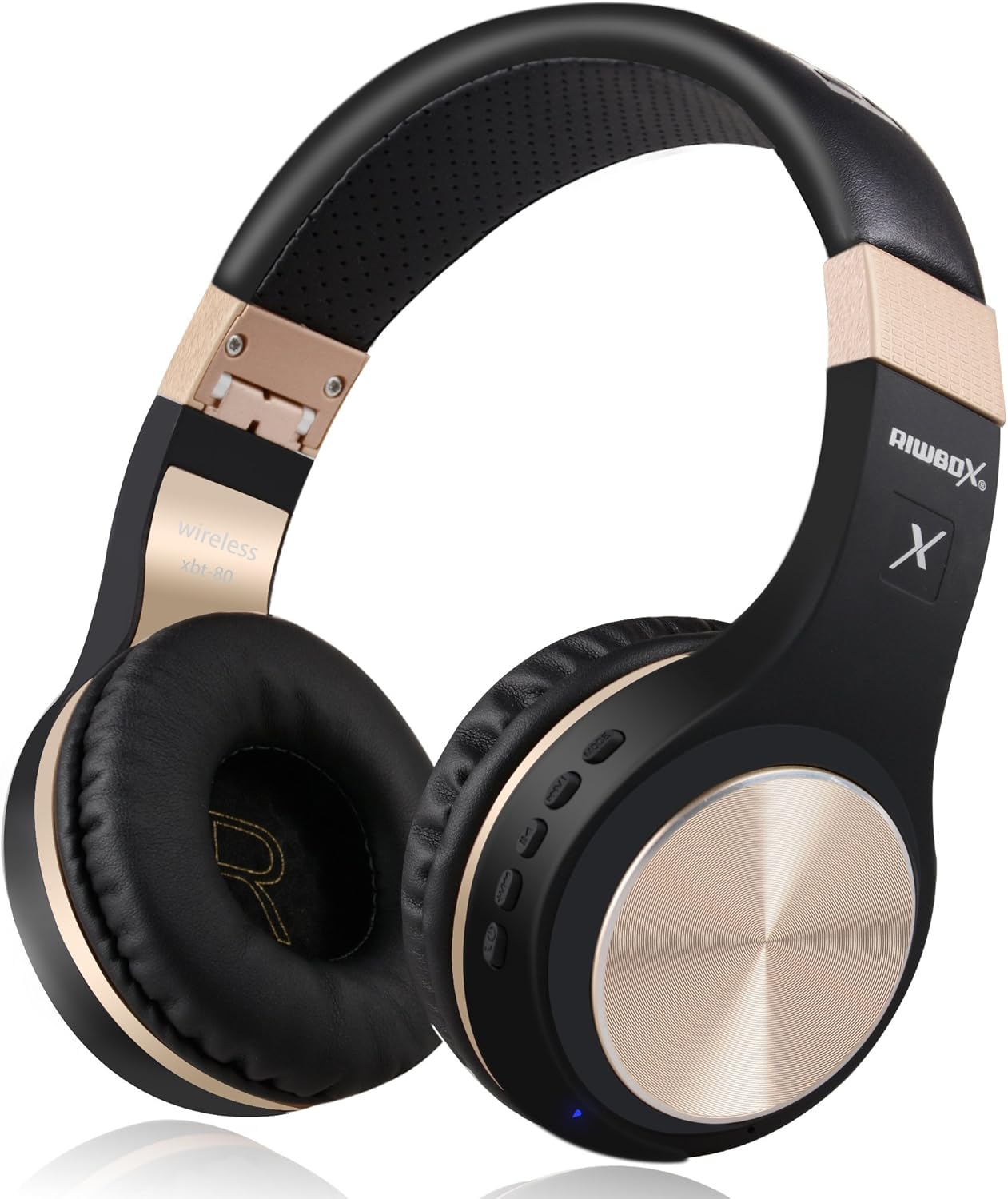
Figure 1: Riwbox XBT-80 Bluetooth Wireless Headphones (Black Gold).
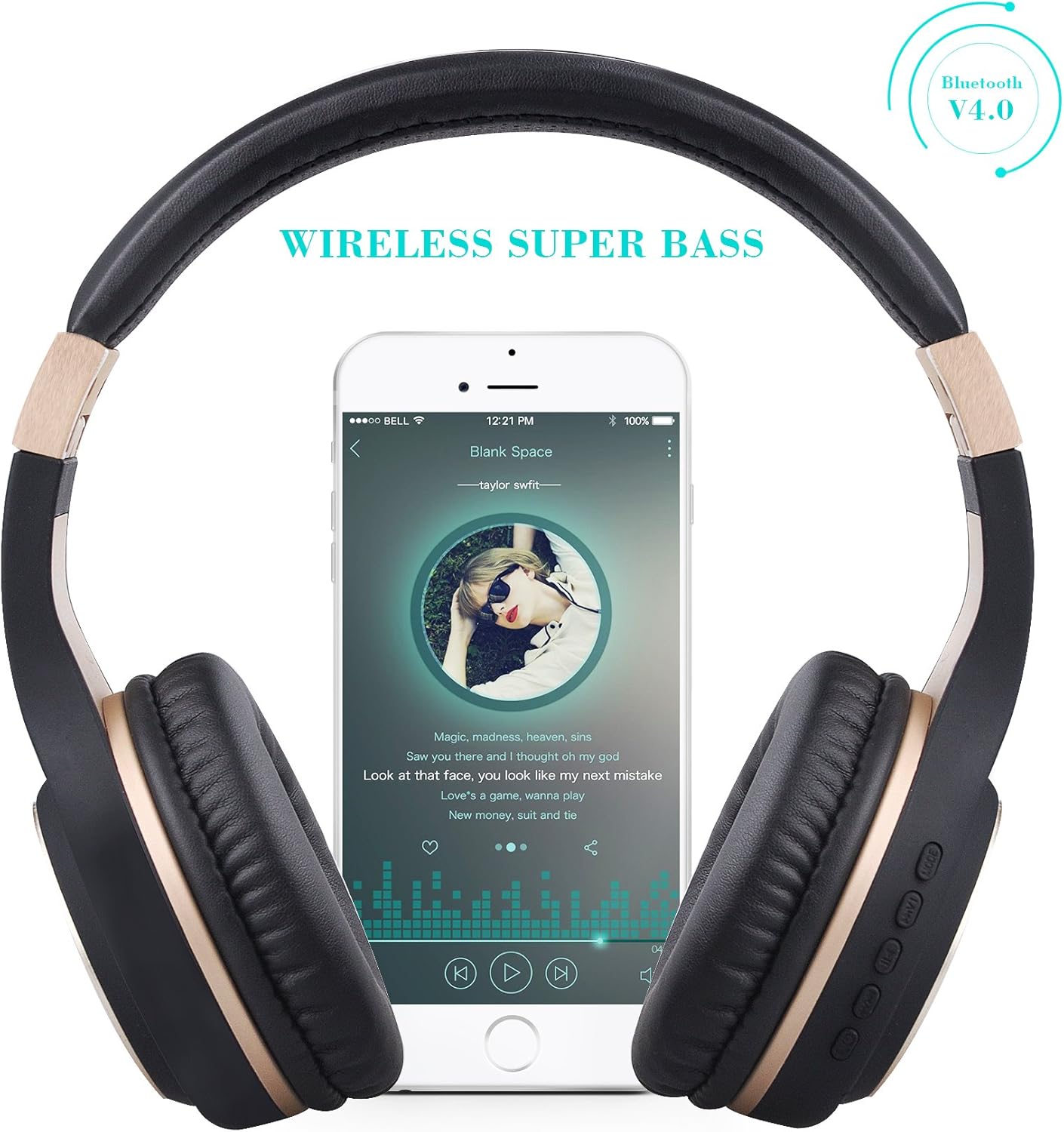
Figure 2: Wireless Super Bass feature with a smartphone connected.
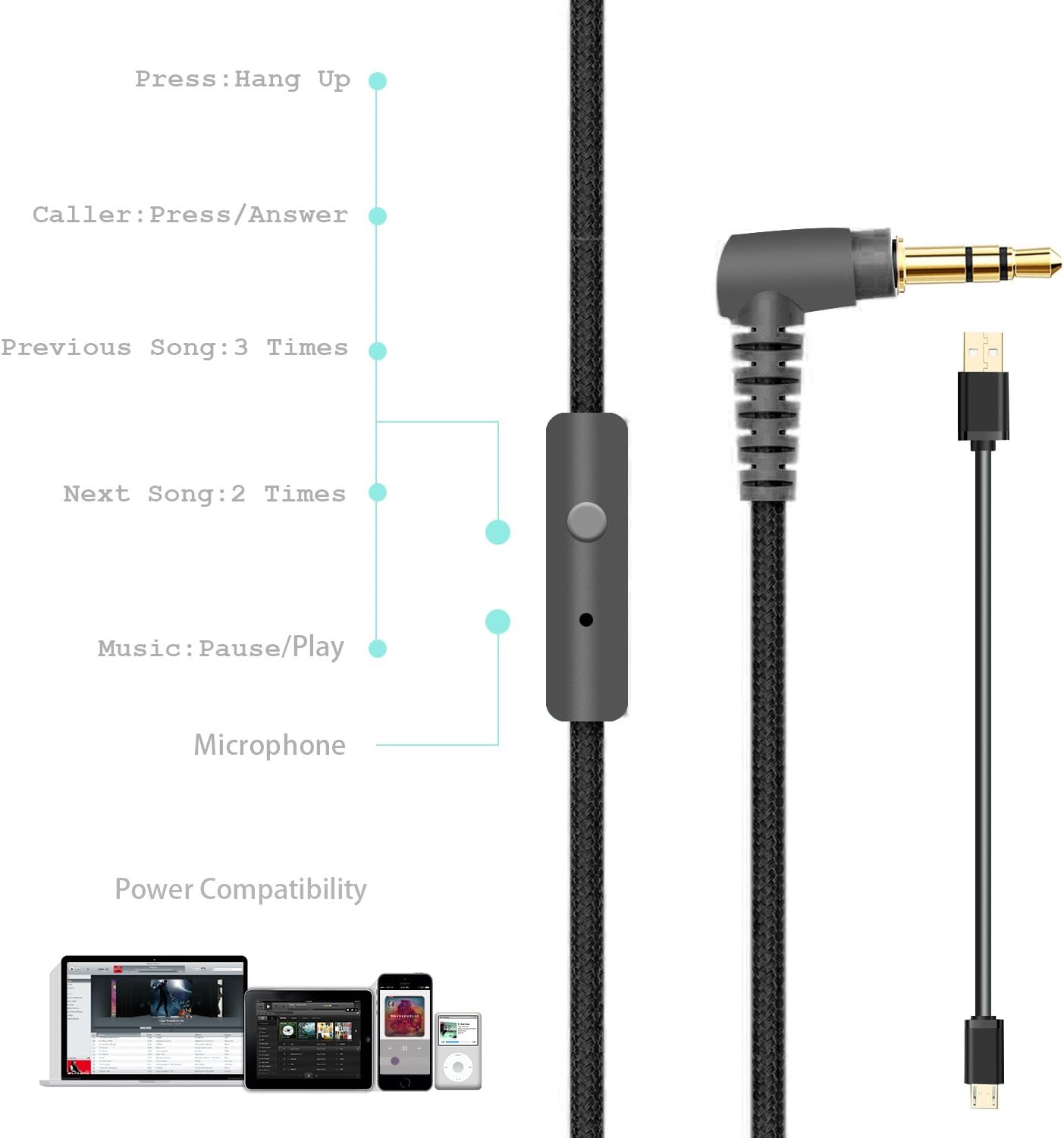
Figure 3: Foldable design for portability, showing charge, play, and standby times.
Package Contents
Your Riwbox XBT-80 headphones package includes:
- Riwbox XBT-80 Bluetooth Wireless Headphones
- Charging Cable
- Audio Cable (3.5mm)
Setup
1. Charging the Headphones
Before first use, fully charge your headphones. Connect the provided charging cable to the micro-USB port on the headphone (refer to Figure 4 for port location) and the other end to a USB power source (e.g., computer USB port, USB wall adapter).
- The LED indicator (Figure 4) will illuminate during charging.
- Charging time is approximately 3 hours.
- The LED indicator will change or turn off once charging is complete.
2. Bluetooth Pairing
- Ensure the headphones are turned off.
- Press and hold the Power button (Figure 4) until the LED indicator flashes blue and red alternately, indicating pairing mode.
- On your device (smartphone, tablet, PC), enable Bluetooth and search for available devices.
- Select "XBT-80" from the list of found devices.
- Once successfully paired, the LED indicator will flash blue slowly.
3. Wired Connection
To use the headphones in wired mode, simply plug one end of the provided 3.5mm audio cable into the AUX port on the headphone (Figure 4) and the other end into your audio device's 3.5mm jack. The headphones will automatically switch to wired mode.
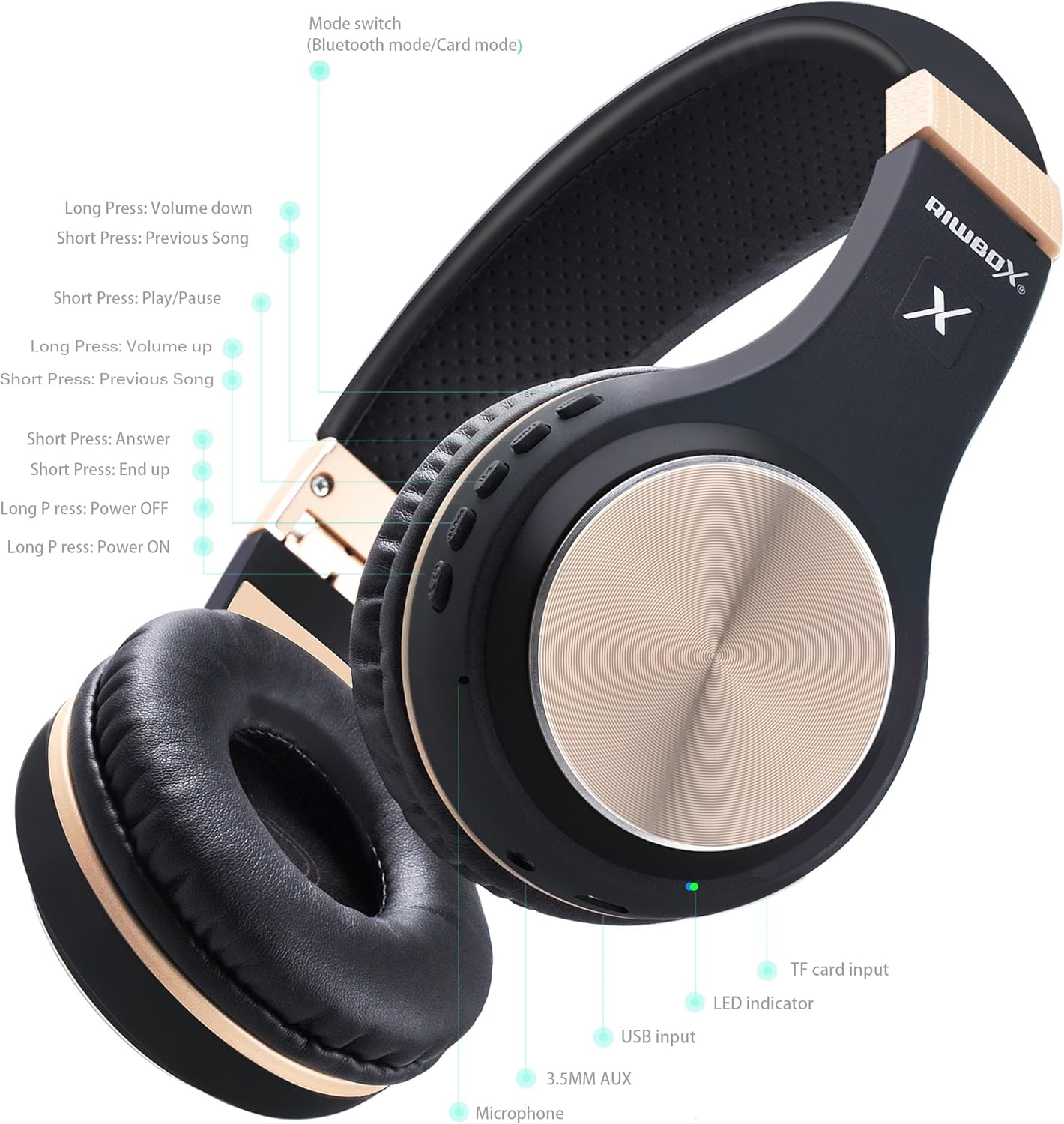
Figure 4: Detailed view of headphone controls, ports (USB input, 3.5mm AUX), and LED indicator.

Figure 5: The wired audio cable with inline microphone and controls for music and calls.
Operating Instructions
Power On/Off
- Power On: Long press the Power button (Figure 4) until the LED indicator lights up.
- Power Off: Long press the Power button (Figure 4) until the LED indicator turns off.
Music Playback Control (Wireless Mode)
- Play/Pause: Short press the Play/Pause button (Figure 4).
- Volume Up: Short press the Volume Up button (Figure 4).
- Volume Down: Short press the Volume Down button (Figure 4).
- Next Song: Long press the Volume Up button (Figure 4).
- Previous Song: Long press the Volume Down button (Figure 4).
Call Management (Wireless Mode)
- Answer Call: Short press the Answer button (Figure 4).
- End Call: Short press the End Call button (Figure 4).
Mode Switching
The headphones support Bluetooth mode and Card mode (for TF card playback). Use the Mode switch button (Figure 4) to toggle between these modes.
Maintenance
- Cleaning: Use a soft, dry cloth to clean the headphones. Avoid using harsh chemicals or abrasive materials.
- Storage: When not in use, fold the headphones (Figure 3) and store them in a cool, dry place away from direct sunlight and extreme temperatures.
- Battery Care: To prolong battery life, avoid fully discharging the headphones frequently. Charge regularly, even if not in constant use.
Troubleshooting
| Problem | Solution |
|---|---|
| Headphones do not power on. | Ensure the headphones are charged. Connect to a power source and try again. |
| Cannot pair via Bluetooth. | Ensure headphones are in pairing mode (flashing blue/red). Make sure Bluetooth is enabled on your device and it's within range (10 meters). Forget previous pairings on your device and try again. |
| No sound in wireless mode. | Check headphone and device volume levels. Ensure headphones are properly paired. Try restarting both devices. |
| No sound in wired mode. | Ensure the 3.5mm audio cable is fully inserted into both the headphone and the audio device. Test with a different audio cable if available. |
Specifications
| Feature | Detail |
|---|---|
| Model Name | XBT-80 |
| Connectivity Technology | Wireless (Bluetooth), Wired (3.5mm Jack) |
| Bluetooth Version | 5.0 |
| Bluetooth Range | 10 Meters |
| Audio Driver Size | 50 Millimeters |
| Battery Life | 13 Hours (Music Playback), 15 Hours (Talking Time) |
| Charging Time | 3 Hours |
| Material | Faux Leather |
| Item Weight | 330 Grams (11.6 ounces) |
| Product Dimensions | 7.09 x 5.91 x 3.54 inches |
| Noise Control | None |
Official Product Video
Video 1: Overview of Riwbox XBT-80 Bluetooth Wireless Headphones, highlighting key features and design.
Warranty and Support
For warranty information and customer support, please refer to the product's official Amazon listing or contact Riwbox customer service directly. Details can typically be found on the product packaging or the brand's official website.
For further assistance, visit the Riwbox Store on Amazon.
Related documentsXBT-80

Ask a question about this manual
Ask about setup, troubleshooting, compatibility, parts, safety, or missing instructions. Manuals+ will review the question and use this page’s manual context to help answer it.