
1. Product Overview
The Riwbox XBT-80 are folding stereo wireless Bluetooth headphones designed for versatile use with various devices. They feature 50mm large diameter aperture drivers for clear audio and a built-in microphone for communication. The design prioritizes comfort with memory-protein ear cushions and an adjustable headband.

Figure 1: Front view of the Riwbox XBT-80 Bluetooth Headphones.
These headphones support both wireless Bluetooth connectivity and a wired connection via the included audio cable, ensuring continuous use even when the battery is depleted. The foldable design enhances portability, making them suitable for travel and daily activities.
2. What's in the Box
- Riwbox XBT-80 Bluetooth Headphones
- Audio Cable (3.5mm jack)
- USB Charging Cable
- User Manual
3. Controls and Functions
Familiarize yourself with the control buttons located on the ear cup for easy operation.

Figure 2: Labeled diagram of headphone controls and ports.
- Power Button: Long press to power on/off.
- Play/Pause Button: Press to play or pause audio.
- Volume Up (+): Long press to increase volume. Short press for next song.
- Volume Down (-): Long press to decrease volume. Short press for previous song.
- Mode Button: Switches between Bluetooth Mode and Card Mode (if applicable).
- Call Button: Press to answer/end calls. Long press to reject calls.
- Microphone: For voice input during calls.
- 3.5mm AUX Jack: For wired audio connection.
- Charge USB Port: For charging the headphones.
- LED Indicator: Displays power, pairing, and charging status.
4. Setup
4.1. Charging the Headphones
Before first use, fully charge the headphones. Connect the USB charging cable to the headphone's charge port and the other end to a USB power source (e.g., computer, wall adapter). The LED indicator will show charging status.
- Charging Time: Approximately 3 hours for a full charge.
- Battery Life: Up to 13 hours of music playback or 15 hours of talk time on a single charge.
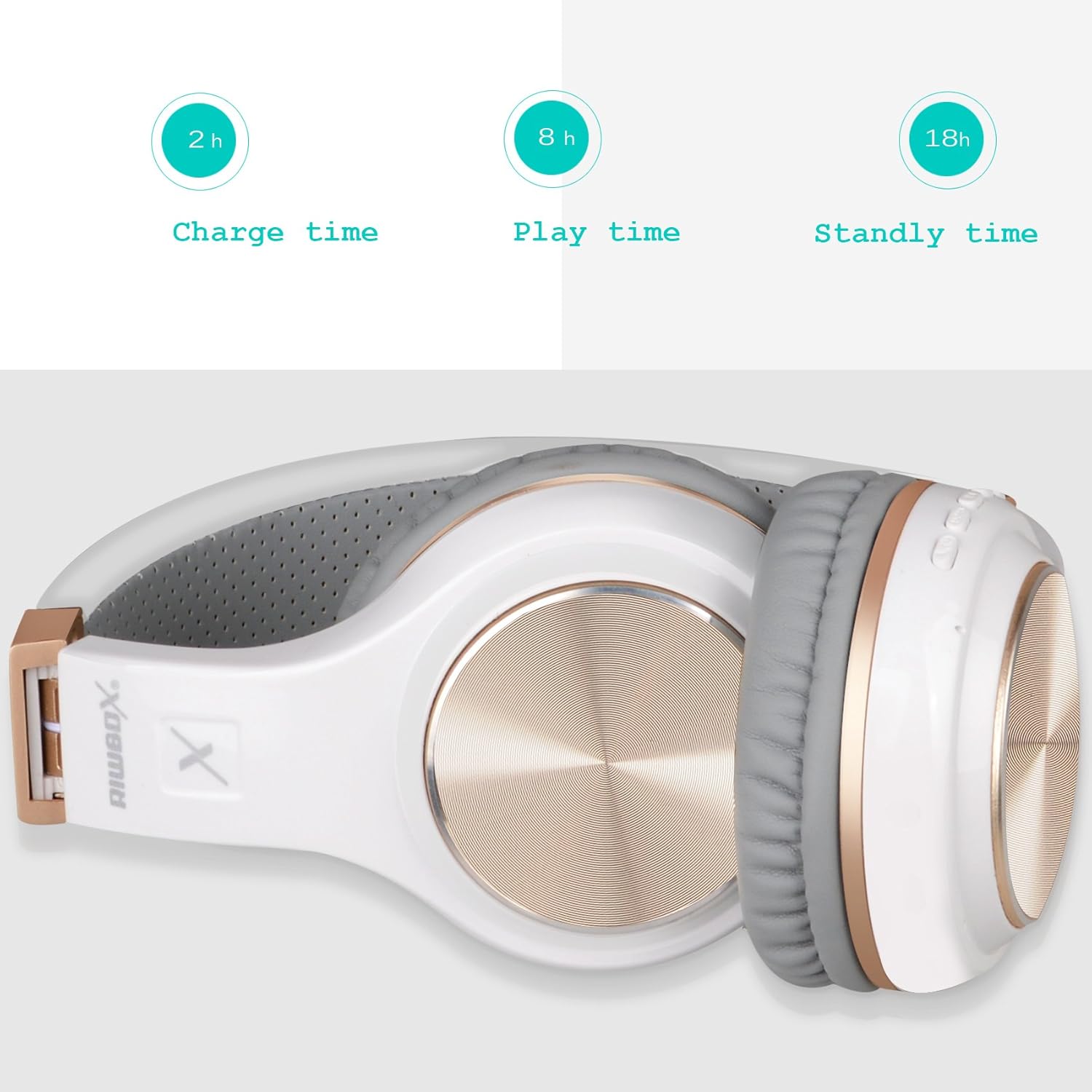
Figure 3: Headphones folded, illustrating battery performance metrics.
4.2. Bluetooth Pairing
- Ensure the headphones are charged and powered off.
- Long press the Power button until the LED indicator flashes blue and red alternately, indicating pairing mode.
- On your device (smartphone, tablet, PC), enable Bluetooth and search for available devices.
- Select "Riwbox XBT-80" from the list of found devices.
- Once connected, the LED indicator will show a solid blue light or flash blue slowly.
4.3. Wired Connection
To use the headphones in wired mode, connect one end of the provided 3.5mm audio cable to the AUX jack on the headphones and the other end to your audio device's 3.5mm audio output. The headphones will function as a wired headset and do not require battery power in this mode.
5. Operating Instructions
- Power On/Off: Long press the Power button.
- Play/Pause Music: Press the Play/Pause button.
- Adjust Volume: Long press the '+' button to increase volume, long press the '-' button to decrease volume.
- Next/Previous Track: Short press the '+' button for the next track, short press the '-' button for the previous track.
- Answer/End Call: Press the Call button.
- Reject Call: Long press the Call button.
- Switch Mode: Press the Mode button to cycle through available modes (e.g., Bluetooth, SD Card).
6. Maintenance
- Keep the headphones dry. Do not expose them to water or moisture. The headphones are not water resistant.
- Clean the ear cushions and headband with a soft, dry cloth. Avoid using harsh chemicals or abrasive materials.
- Store the headphones in a cool, dry place, away from direct sunlight and extreme temperatures. The foldable design allows for compact storage.
- Avoid dropping or subjecting the headphones to strong impacts.
7. Troubleshooting
| Problem | Possible Solution |
|---|---|
| Headphones do not power on. | Ensure the headphones are fully charged. Connect to a power source using the USB charging cable. |
| Cannot pair with device. | Ensure headphones are in pairing mode (LED flashing blue/red). Turn off and on Bluetooth on your device. Move headphones closer to the device. Clear previous Bluetooth connections on your device if necessary. |
| No sound or low volume. | Check volume levels on both headphones and the connected device. Ensure the headphones are properly paired or the audio cable is securely connected. Test with another audio source. |
| Microphone not working. | Ensure the headphones are connected via Bluetooth (microphone functionality is typically not available in wired mode unless the cable supports it). Check microphone settings on your device. |
| Intermittent connection. | Ensure the headphones are within the 10-meter Bluetooth range. Avoid obstacles between the headphones and the device. Reduce interference from other wireless devices. |
8. Specifications
| Feature | Detail |
|---|---|
| Brand | Riwbox |
| Model Number | XBT-80 |
| Ear Placement | Over Ear |
| Connectivity Technology | Bluetooth, Wired (3.5mm Jack) |
| Bluetooth Version | 5.3 |
| Bluetooth Range | 10 meters |
| Audio Driver Size | 50 millimeters |
| Impedance | 32 ohm |
| Frequency Response | 2 KHz |
| Battery Charge Time | 3 hours |
| Battery Average Life | 13 hours (music), 15 hours (talk) |
| Control Type | Volume Control, Remote |
| Additional Features | Foldable, Lightweight, Microphone Included |
| Water Resistance Level | Not Water Resistant |
| Enclosure Material | Plastic |
9. Warranty and Support
The Riwbox XBT-80 Bluetooth Headphones come with a 1-Year Manufacturer Warranty.
For any issues or support inquiries, please refer to the contact information provided with your purchase documentation or visit the official Riwbox website. The manufacturer is committed to assisting customers with product-related concerns.