
Introduction
The SABRENT 10-Port 60W Powered USB 3.0 Hub (HB-BU10) expands a single USB 3.0 port on your computer into ten high-speed USB 3.0 ports. This hub is designed for efficient connectivity and device management, featuring individual power switches and LED indicators for each port. It offers data transfer speeds up to 5Gbps and is compatible with various operating systems.

Image: The SABRENT 10-Port 60W USB 3.0 Hub, showcasing its design and multiple ports.
Setup Instructions
- Connect Power Adapter: Plug the included 60W 12V/5A power adapter into the hub's power input port and then into a wall outlet.
- Connect to Computer: Use the provided USB 3.0 cable to connect the hub's upstream port to an available USB 3.0 port on your computer.
- Plug and Play: The hub is plug-and-play, requiring no driver installation for Windows, Mac OS, or Linux operating systems. Your computer should automatically recognize the hub.
- Connect Devices: You can now connect your USB devices (e.g., card readers, phones, hard drives) to the available USB 3.0 ports on the hub.

Image: A top-down view of the hub, illustrating its compact design and port layout for easy setup.
Setup Video Guide
Video: An official demonstration by Store4PC showing the SABRENT 10-Port USB 3.0 Hub with power switches, including unboxing and basic setup.
Operating Instructions
- Individual Power Switches: Each USB 3.0 port on the hub features an individual power switch. Press the switch above a port to turn it on or off.
- LED Indicators: A blue LED indicator next to each port illuminates when the port is active, providing visual confirmation of its power status.
- High-Speed Data Transfer: The hub supports USB 3.0 technology, allowing data transfer speeds of up to 5Gbps. This is suitable for transferring large files quickly.
- Universal Compatibility: The hub is backward compatible with USB 2.0 and 1.1 devices, ensuring connectivity with a wide range of peripherals.

Image: Close-up of a finger activating an individual power switch on the hub, highlighting the blue LED indicator.
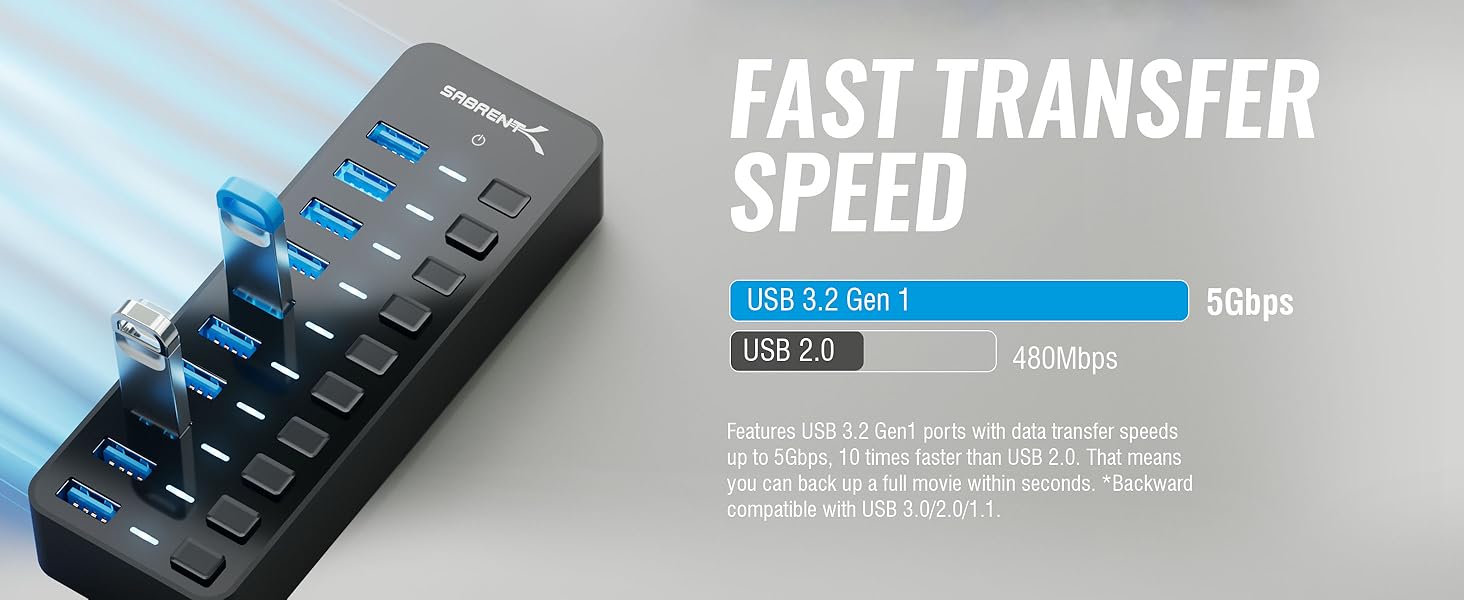
Image: Visual representation of the high-speed data transfer capabilities of the USB 3.0 ports.
Operation Video Guide
Video: An official video by Store4PC demonstrating the features of the 10-Port USB 3.0 Hub, including the individual power switches.
Maintenance
- Cleaning: Use a soft, dry cloth to clean the exterior of the hub. Avoid using liquid cleaners or solvents.
- Storage: When not in use, store the hub in a cool, dry place away from direct sunlight and extreme temperatures.
- Cable Management: Ensure cables are not excessively bent or strained to prevent damage to the connectors and the hub.
Troubleshooting
- Device Not Recognized:
- Ensure the hub's power adapter is securely connected and the hub is receiving power.
- Verify that the individual power switch for the connected port is turned on (blue LED should be lit).
- Try connecting the device directly to your computer's USB port to confirm the device is functional.
- Test with a different USB cable.
- Restart your computer.
- Slow Data Transfer Speeds:
- Ensure both the hub and your connected device are using USB 3.0 ports and cables for optimal speed.
- Avoid connecting too many high-bandwidth devices simultaneously if you experience performance degradation.
- Ensure your computer's USB 3.0 drivers are up to date.
- Hub Disconnects Randomly:
- Confirm the power adapter is providing stable power to the hub.
- Check the connection cable between the hub and your computer for any damage or loose connections.
- Ensure the hub is placed in a well-ventilated area to prevent overheating, especially during prolonged use with multiple devices.
Product Specifications
| Brand | SABRENT |
| Model Number | HB-BU10 |
| Hardware Interface | USB 3.0 |
| Total USB Ports | 10 |
| Data Transfer Rate | 5 Gbps |
| Power Adapter | 60W (12V/5A) |
| Special Features | Fast Charging, Fast Data Transfer, Plug and Play, Portable, Powered, Individual Power Switches, LED Indicators |
| Compatible Devices | Most USB Compatible Devices |
| Operating System Compatibility | Windows OS, Mac OS, Linux OS |
| Enclosure Material | Acrylonitrile Butadiene Styrene (ABS) |
| Item Dimensions (L x W x H) | 5.7" x 1.9" x 0.94" |
| Item Weight | 43 g |
| UPC | 819921013811 |
Warranty Information
The SABRENT 10-Port 60W Powered USB 3.0 Hub (HB-BU10) comes with a 1 Year limited warranty. Please retain your proof of purchase for warranty claims. For specific terms and conditions, refer to the warranty card included in your product packaging or visit the official SABRENT website.
Support
For technical assistance, product inquiries, or further support, please visit the official SABRENT website or contact their customer service department. Detailed contact information can typically be found on the product packaging or the manufacturer's website.


