
Introduction
This manual provides essential information for the installation, operation, maintenance, and troubleshooting of your Stens OEM Carburetor 615-745. This carburetor is designed as a direct replacement for Walbro WYJ-286 and WYJ-286-1 models.
Compatibility: This carburetor is compatible with specific Maruyama models, including some AE98 and AE320 brushcutters, and BC329H trimmers. Always verify the part number stamped on your original carburetor (Walbro or Zama) to ensure proper fitment before installation.
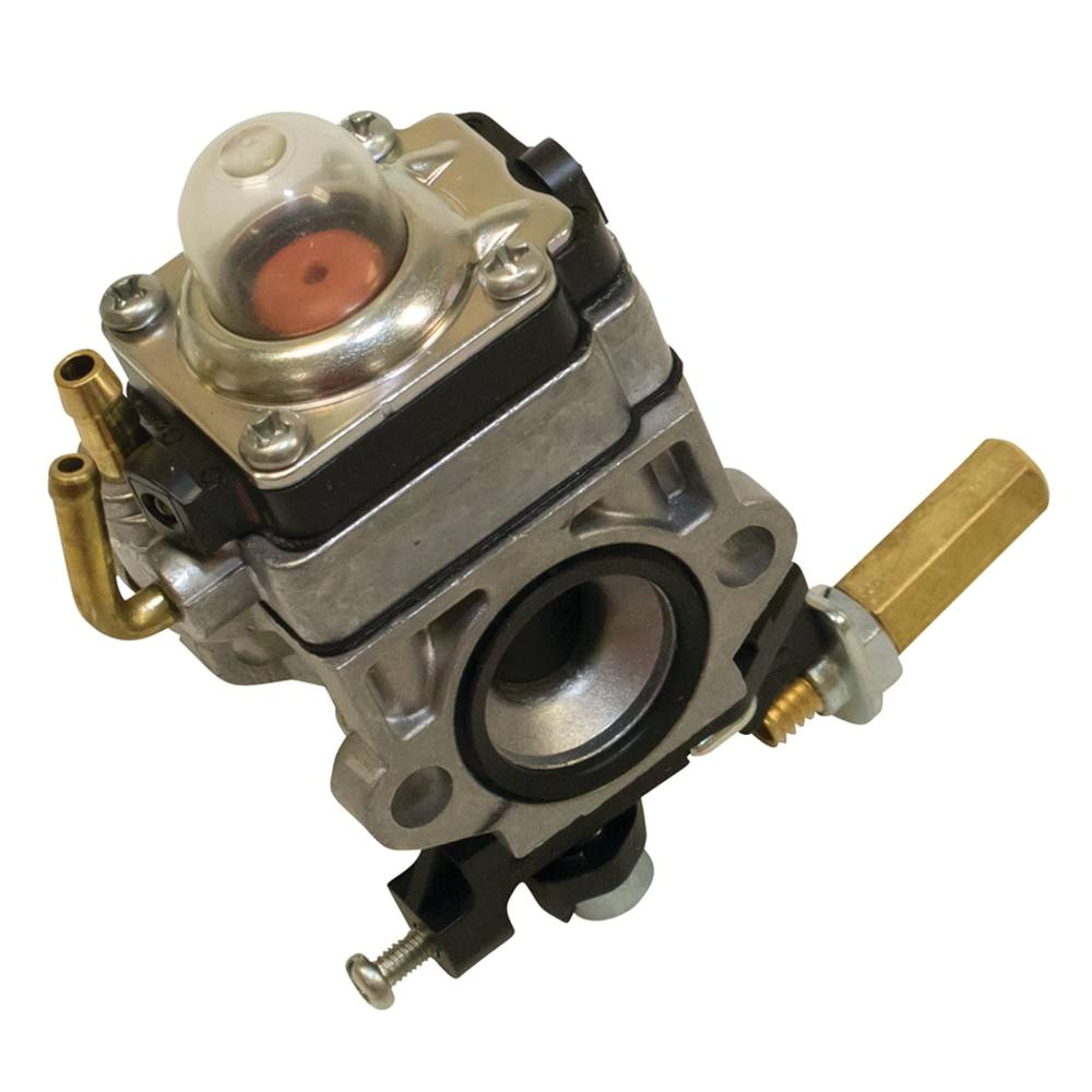
Figure 1: Front view of the Stens OEM Carburetor 615-745, showing its main body and fuel inlet.
Setup and Installation
Proper installation is crucial for the optimal performance of your equipment. If you are unsure about any step, consult a qualified service technician.
- Safety First: Before beginning any work, ensure the engine is turned off and cool. Disconnect the spark plug wire to prevent accidental starting.
- Drain Fuel: Drain all fuel from the fuel tank into an approved container.
- Remove Air Filter: Carefully remove the air filter assembly to access the carburetor.
- Disconnect Linkages and Hoses: Disconnect the throttle linkage, choke linkage, and fuel lines from the old carburetor. Note their positions for reinstallation.
- Remove Old Carburetor: Unbolt and remove the old carburetor from the engine.
- Install New Carburetor: Install the new Stens 615-745 carburetor, ensuring all gaskets are correctly seated. Tighten mounting bolts securely but do not overtighten.
- Reconnect: Reconnect the fuel lines, throttle linkage, and choke linkage to their correct positions.
- Reinstall Air Filter: Reinstall the air filter assembly.
- Refill Fuel: Refill the fuel tank with fresh, appropriate fuel (see Maintenance section for fuel compatibility).
- Initial Start-up: Follow your equipment's manufacturer instructions for initial start-up after carburetor replacement.
Operating Guidelines
Once the carburetor is installed, the engine's operation will largely depend on the equipment it is installed in. Refer to your equipment's specific user manual for detailed operating instructions.
- Fuel Mixture: Ensure you are using the correct fuel-to-oil mixture if your equipment is a 2-stroke engine. Incorrect mixtures can damage the engine and carburetor.
- Choke Usage: Use the choke as directed by your equipment's manual for cold starts.
- Idle Adjustment: If the engine idles too high or too low after installation, a minor idle speed adjustment may be necessary. Consult your equipment's manual for the correct procedure.
Maintenance
Regular maintenance ensures the longevity and reliable performance of your carburetor.
- Fuel Compatibility: This carburetor is not compatible with greater than 10% ethanol fuel. Using fuel with higher ethanol content can cause damage to carburetor components, leading to poor performance or failure. Always use fresh, clean fuel with the appropriate ethanol content.
- Fuel Filter: Regularly inspect and replace the fuel filter to prevent contaminants from reaching the carburetor.
- Air Filter: Keep the air filter clean to ensure proper air-fuel mixture. A dirty air filter can restrict airflow and cause the engine to run rich.
- Storage: Before storing equipment for extended periods, drain the fuel system or use a fuel stabilizer to prevent fuel degradation and gumming in the carburetor.
- Cleaning: Periodically clean the exterior of the carburetor to remove dirt and debris. Avoid using harsh chemicals that could damage seals or plastic components.
Troubleshooting
If you experience issues after installing the carburetor, consider the following common problems and solutions:
| Problem | Possible Cause | Solution |
|---|---|---|
| Engine will not start | No fuel, clogged fuel filter, incorrect choke setting, spark plug issue, incorrect installation. | Check fuel level and quality. Replace fuel filter. Verify choke position. Check spark plug. Re-check all installation steps. |
| Engine runs rough or stalls | Dirty air filter, old/bad fuel, fuel with high ethanol content, carburetor adjustments needed, vacuum leak. | Clean/replace air filter. Drain and refill with fresh, compatible fuel. Adjust idle/mixture screws if applicable (refer to equipment manual). Check for loose connections. |
| Fuel leaks from carburetor | Loose fuel line, damaged gasket, float needle issue. | Tighten fuel line connections. Inspect and replace gaskets. If issue persists, internal carburetor inspection by a professional may be required. |
For complex issues or if troubleshooting steps do not resolve the problem, it is recommended to consult a qualified service technician.
Specifications
| Brand | Stens |
| Model Number | 615-745 |
| Replaces Walbro Part Number | WYJ-286, WYJ-286-1 |
| Replaces Maruyama OEM Number | 268537 |
| Product Dimensions | 12.83 x 7.37 x 6.35 cm |
| Item Weight | 150 g |
| Fuel Type Compatibility | Not compatible with greater than 10% ethanol fuel |
| UPC | 023899488834 |
Warranty Information
Specific warranty details for the Stens OEM Carburetor 615-745 are typically provided by the retailer or manufacturer at the time of purchase. Please retain your proof of purchase for any warranty claims.
For detailed warranty terms and conditions, please refer to the documentation included with your purchase or contact Stens directly through their official website.
Support and Contact
If you require further assistance or have questions regarding your Stens OEM Carburetor 615-745, please contact the seller from whom you purchased the product or visit the official Stens website for customer support resources.
When contacting support, please have your product model number (615-745) and purchase information readily available.

