1. Introduction
This manual provides essential instructions for the safe and effective use of your YUSTDA AC Adapter, model TNS30W-xy. This adapter is designed to provide power or charge compatible devices, including the Stanley Fatmax SL500HL LED Spotlight and SEL HT72006. Please read this manual thoroughly before use and retain it for future reference.
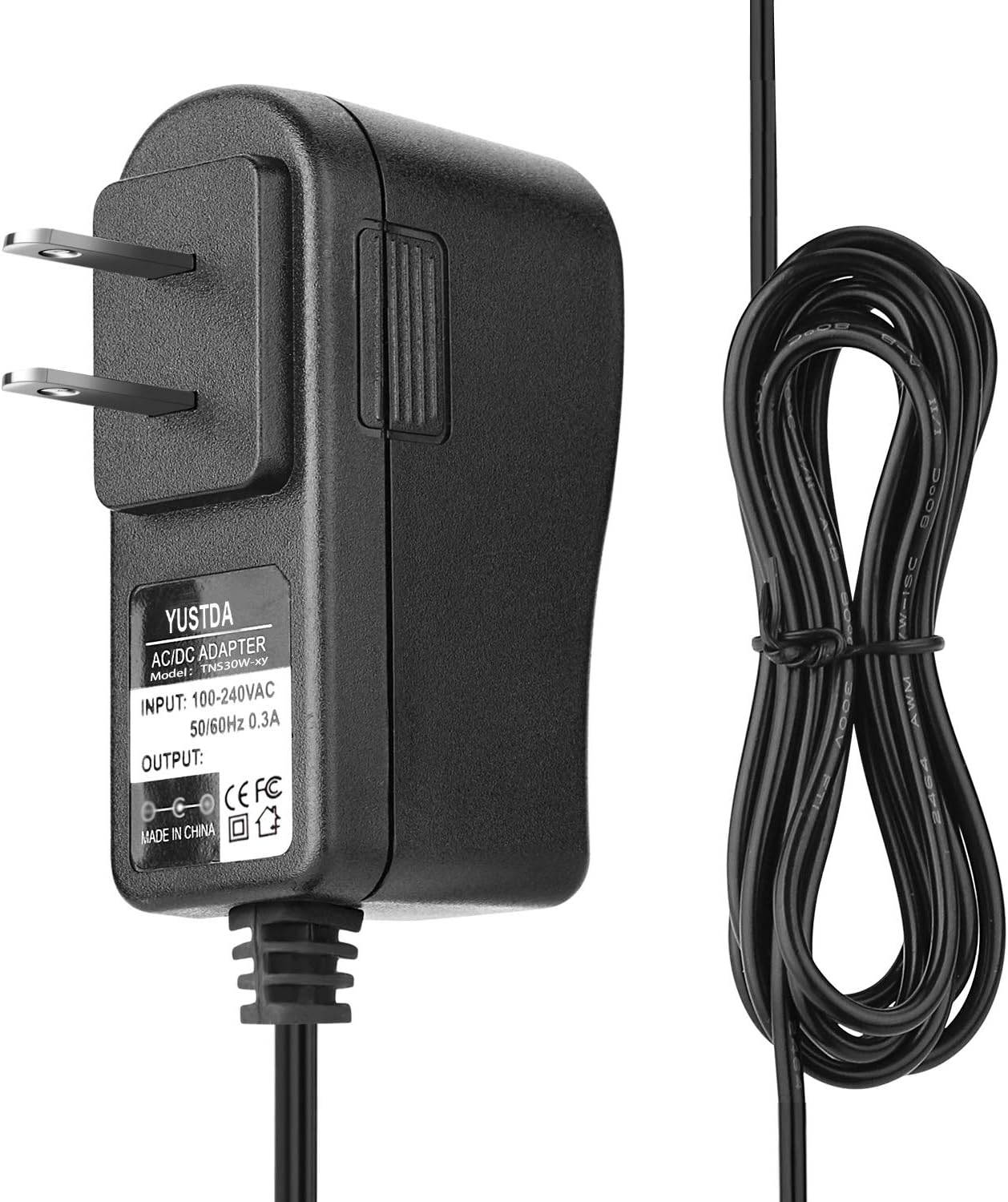
Image 1.1: Front view of the YUSTDA AC Adapter, model TNS30W-xy, showing the plug and the adapter body with its label. The label indicates input voltage of 100-240VAC, 50/60Hz, 0.3A.
2. Safety Information
To ensure safe operation and prevent damage, observe the following safety precautions:
- Input Voltage: This adapter supports a wide input voltage range of 100-240VAC, 50/60Hz. Ensure your power outlet matches these specifications.
- Protection Features: The adapter is equipped with multiple safety protections, including:
- OVP (Over Voltage Output Protection): Safeguards against excessive output voltage.
- OCP (Over Current Output Protection): Prevents damage from excessive output current.
- SCP (Short Circuit Output Protection): Protects against short circuits.
- Over-Temperature Protection: Monitors and regulates internal temperature.
- Do not expose the adapter to moisture, rain, or extreme temperatures.
- Do not disassemble or attempt to repair the adapter. Refer servicing to qualified personnel.
- Ensure proper ventilation around the adapter during use.
- Keep out of reach of children.

Image 2.1: Diagram illustrating the safety features of the YUSTDA AC Adapter, including Over-Temperature, Over Voltage, Over Current, and Short Circuit Protections.
3. Package Contents
Verify that all items are present in the package:
- 2 x YUSTDA AC Adapter (Model: TNS30W-xy)
4. Setup
Follow these steps to set up your YUSTDA AC Adapter:
- Unpack: Carefully remove the AC adapter from its packaging.
- Inspect: Check the adapter and its cable for any visible damage. Do not use if damaged.
- Connect to Power Source: Plug the AC adapter into a standard wall outlet (100-240VAC, 50/60Hz).
- Connect to Device: Insert the adapter's output connector firmly into the power input port of your Stanley Fatmax SL500HL LED Spotlight or SEL HT72006.

Image 4.1: The YUSTDA AC Adapter plugged into a power strip, demonstrating a typical setup for use.
5. Operating Instructions
Once connected, the adapter will begin to supply power or charge your device. Observe your device's charging indicator (if available) to confirm it is receiving power.
- Ensure all connections are secure before operating.
- Unplug the adapter from the wall outlet when not in use or when the device is fully charged.
6. Maintenance
Proper care will extend the life of your AC adapter:
- Cleaning: Disconnect the adapter from all power sources before cleaning. Use a soft, dry cloth to wipe the surface. Do not use liquid cleaners or solvents.
- Storage: Store the adapter in a cool, dry place away from direct sunlight and extreme temperatures. Avoid tightly coiling the cable to prevent damage.
- Cable Care: Do not bend, twist, or pull the cable excessively. Avoid placing heavy objects on the cable.

Image 6.1: Illustration of the high-quality power cable design, featuring copper wire and PVC insulation jacket for durability.
7. Troubleshooting
If you encounter issues with your YUSTDA AC Adapter, refer to the following common problems and solutions:
| Problem | Possible Cause | Solution |
|---|---|---|
| Adapter not supplying power/charging device |
|
|
| Adapter overheating |
|
|
8. Specifications
- Model: TNS30W-xy
- Input: 100-240VAC, 50/60Hz, 0.3A
- Compatible Devices: Stanley Fatmax SL500HL LED Spotlight, SEL HT72006
- Protection Features: OVP, OCP, SCP, Over-Temperature Protection
- Dimensions: Approximately 4.02 x 3.39 x 1.18 inches (Package Dimensions)
- Weight: Approximately 9.6 ounces

Image 8.1: The YUSTDA AC Adapter features a durable design with high-quality control procedures and a compact form factor for portability.
9. Support and Contact Information
For any questions, problems, or support inquiries regarding your YUSTDA AC Adapter, please contact our customer service team:
Email: epcustomerservice@yahoo.com
We are committed to providing assistance and ensuring your satisfaction.


