
SLLEA HPR350 / HYP-350-1000
SLLEA 24V AC/DC Adapter User Manual
Model: HPR350 / HYP-350-1000
Introduction
This manual provides essential information for the safe and effective use of your SLLEA 24V AC/DC Adapter. This power supply is designed to provide reliable and stable power to compatible devices, ensuring optimal performance and safety. Please read this manual thoroughly before using the product and retain it for future reference.

Image: The SLLEA 24V AC/DC Adapter, showing the main power brick, the AC input cable with a standard US plug, and the DC output cable with a barrel tip connector.
Key features of your SLLEA AC/DC Adapter include:
- Worldwide Voltage Use: Input range of 100 - 240 VAC 50/60Hz, suitable for international travel.
- Extended Cable Length: Total 4FT cable length for flexible placement.
- Industry Quality: CE certified and tested by the manufacturer for reliability.
- Comprehensive Protection: Features Over Voltage Protection, Over Heat Protection, Static-Reducing Protection, Over-Current Protection, Drop Protection, Over-Charging Protection, Short-Circuit Protection, and Over-Temperature Protection.
- Portability: Lightweight and easy-to-carry design.
Safety Information
Please observe the following safety precautions to prevent injury or damage to the product and connected devices:
- Do not expose the adapter to water, moisture, or extreme temperatures.
- Do not disassemble, modify, or attempt to repair the adapter. Refer all servicing to qualified personnel.
- Ensure the adapter's voltage and current output match the requirements of your device before connecting.
- Avoid placing the adapter in direct sunlight or near heat sources.
- Keep the adapter away from children and pets.
- Unplug the adapter from the power outlet when not in use for extended periods.
- Do not use the adapter if the cable or connector is damaged.

Image: Visual representation of the multi-protection safety system, including icons for Static-Reducing Protection, Over-Current Protection, Drop Protection, Over-Charging Protection, Short-Circuit Protection, and Over-Temperature Protection.
Setup
Follow these steps to set up your SLLEA 24V AC/DC Adapter:
- Verify Compatibility: Before connecting, ensure that your device requires a 24V DC power supply and has a compatible barrel tip input. Refer to your device's specifications.
- Connect to Device: Insert the barrel tip connector of the adapter firmly into the power input port of your device.
- Connect to Power Outlet: Plug the 2-pin AC plug of the adapter into a standard 100-240V AC wall outlet. Ensure the outlet is easily accessible.
- Power On Device: Once connected, you can power on your device. The adapter will automatically begin supplying power.
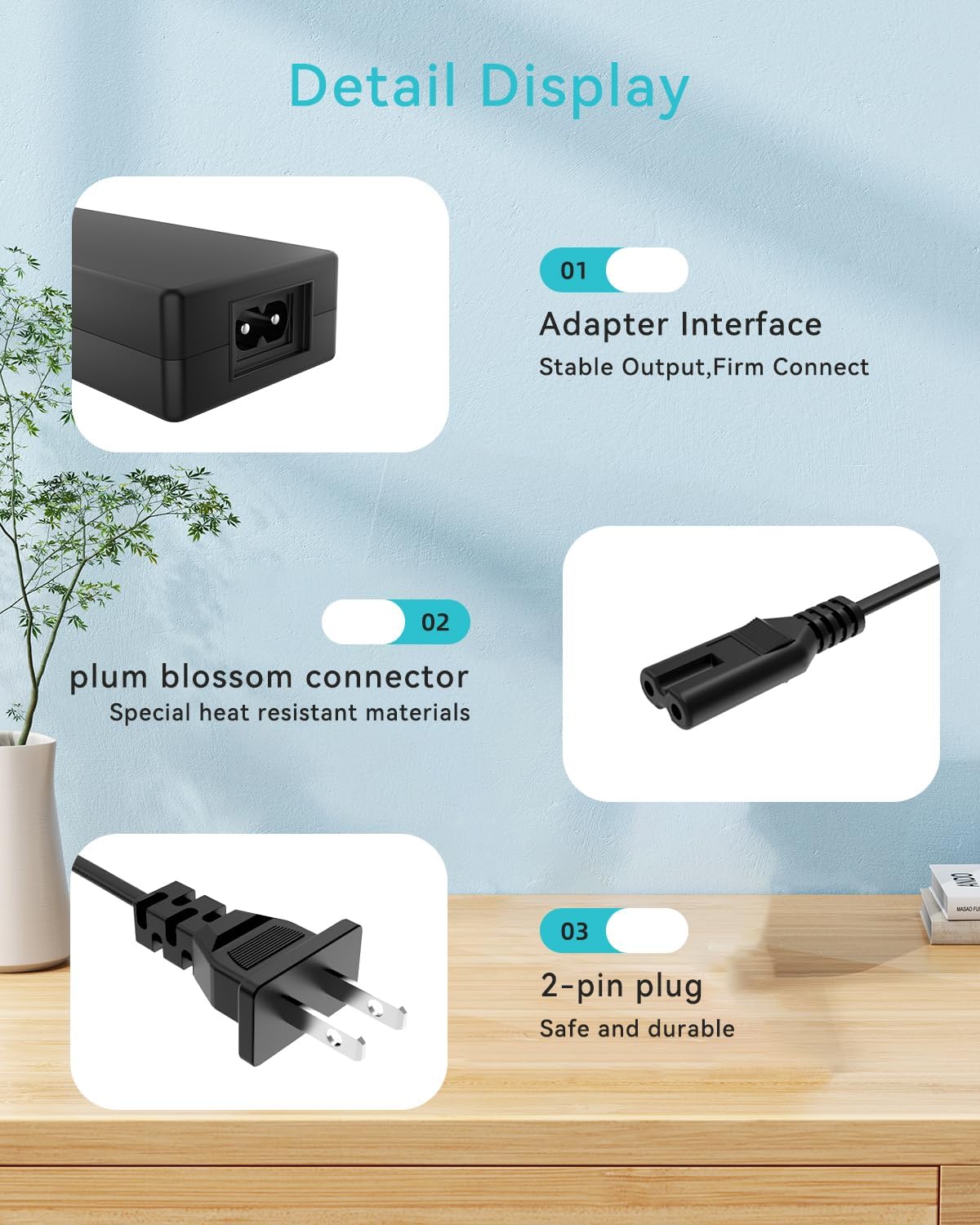
Image: Close-up view of the adapter's components, highlighting the stable output adapter interface, the heat-resistant plum blossom connector, and the safe and durable 2-pin plug.
Operating
The SLLEA 24V AC/DC Adapter operates automatically once connected to a power source and a compatible device. It provides a stable 24V DC output for continuous operation or charging, depending on your device's function.
- The adapter is designed for continuous use within its specified operating parameters.
- Its intelligent design ensures lower charging temperatures, contributing to a longer battery lifespan for your connected device.
- The adapter is engineered to fully charge compatible devices efficiently.

Image: The SLLEA AC/DC Adapter plugged into a wall socket, with its cable extending to power a device, illustrating its use in a typical home environment.
Maintenance
Proper maintenance ensures the longevity and safe operation of your adapter:
- Cleaning: Disconnect the adapter from both the power outlet and your device before cleaning. Use a soft, dry cloth to wipe the surface. Do not use liquid cleaners or aerosols.
- Storage: When not in use, store the adapter in a cool, dry place, away from direct sunlight and extreme temperatures. Avoid tightly coiling the cable to prevent damage.
- Inspection: Periodically inspect the adapter, cable, and connectors for any signs of wear, cuts, or damage. If any damage is observed, discontinue use immediately.
Troubleshooting
If you encounter issues with your SLLEA 24V AC/DC Adapter, refer to the following common problems and solutions:
| Problem | Possible Cause | Solution |
|---|---|---|
| Device not powering on/charging. |
|
|
| Adapter feels hot during use. |
|
|
| Flickering power to device. |
|
|
Specifications
| Feature | Detail |
|---|---|
| Input Voltage | 100 - 240 VAC, 50/60Hz |
| Output Voltage | 24V DC (Specific current not provided, but implied by compatibility) |
| Cable Length | Total 4FT (approx. 1.2 meters) |
| Connector Type | Barrel Tip (Round) |
| Color | Black |
| Certifications | CE Certified |
| Item Weight | 9 ounces (approx. 255 grams) |
| Package Dimensions | 6 x 4 x 3 inches |
| Compatible Devices | Hyper HPR350, HPR 350, HYP-350-1000, and other 24VDC devices with barrel tip. |
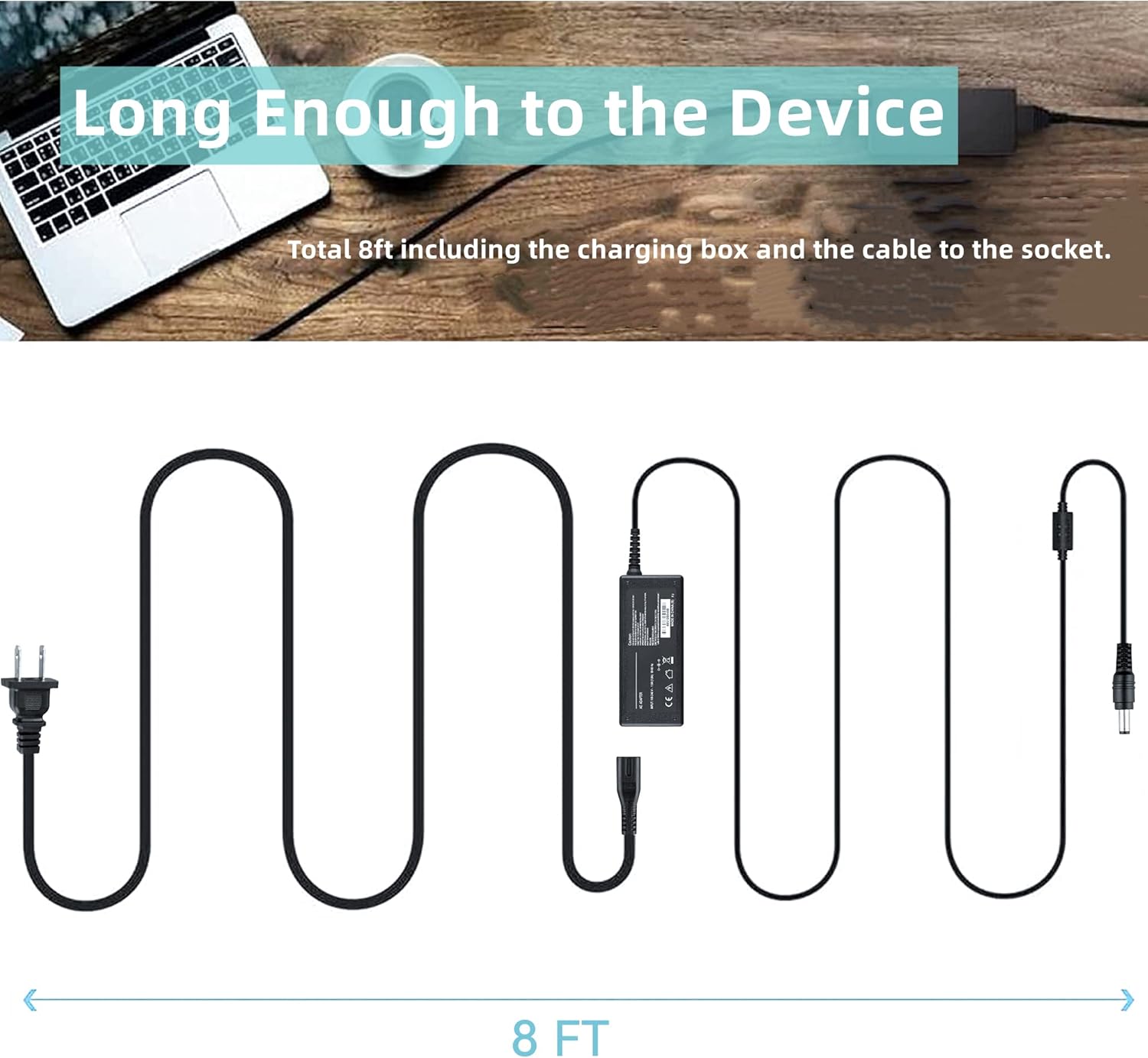
Image: Diagram illustrating the total length of the adapter cable, including the charging box and the cable to the socket, stated as 8 feet.
Note: While the image indicates an 8ft total length, the product features specify a total cable length of 4FT. Please refer to the product packaging or official product page for the most accurate cable length.
Warranty and Support
Specific warranty details for this SLLEA product are typically provided with your purchase documentation or on the official SLLEA website. Please refer to those resources for comprehensive warranty information.
For technical support, troubleshooting assistance beyond this manual, or inquiries regarding warranty claims, please contact SLLEA customer service through their official channels. You can often find contact information on the product packaging, the SLLEA store page on Amazon (SLLEA Store), or their official website.
Ask a question about this manual
Ask about setup, troubleshooting, compatibility, parts, safety, or missing instructions. Manuals+ will review the question and use this page’s manual context to help answer it.