
1. Introduction
This manual provides instructions for the installation, operation, and maintenance of the LGIDTECH Mi.Light RGB+CCT LED Strip Light Controller Receiver Box, Model FUT039. Please read this manual thoroughly before use to ensure proper functionality and safety.
2. Product Overview
The Mi.Light FUT039 is a 2.4GHz RF wireless 4-zone controller receiver box designed for RGB+CCT LED strip lights. It enables control over color, color temperature, and brightness when paired with compatible Mi.Light control devices.
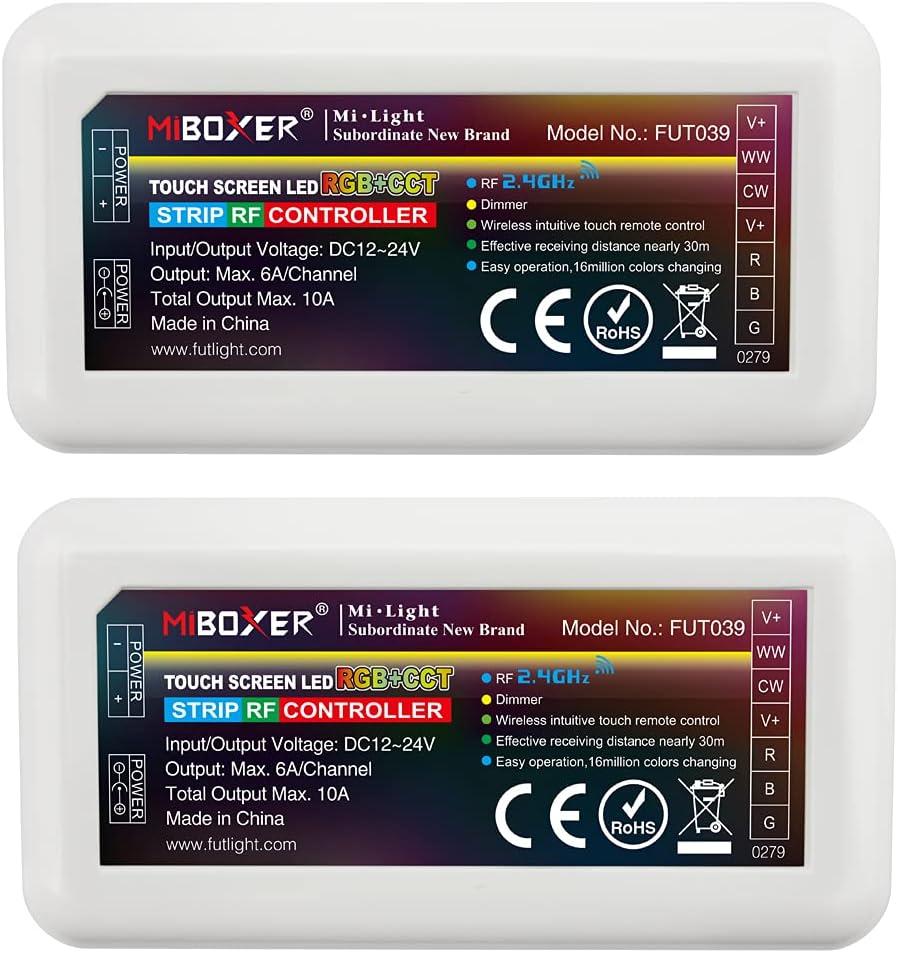
Image 1: Mi.Light FUT039 RGB+CCT LED Strip Controller Receiver Box. This image shows the front view of the white rectangular receiver box with connection labels and product information.
Package Contents:
- 1 x Mi.Light FUT039 RGB+CCT LED Strip Controller Receiver Box
Note: Remote controls, WiFi iBox hubs, and wall panel controllers are sold separately and are required for operation.
3. Specifications
| Parameter | Value |
|---|---|
| Model No. | FUT039 |
| Voltage Input | DC 12V-24V |
| Output Current | Max. 6A per channel |
| Total Output Current | Max. 10A |
| Control Distance | 30 meters (98 feet) |
| Dimensions | 85 x 45 x 22.5 mm |
| Control Method | 2.4GHz RF Wireless (requires compatible remote/panel/iBox) |
| Light Color Support | RGB+CCT (Red, Green, Blue + Cool White, Warm White) |
| Material | Plastic |
| Indoor/Outdoor Usage | Indoor |

Image 2: Mi.Light FUT039 Product Parameters and Dimensions. This image displays a detailed list of product specifications and a diagram showing the physical dimensions of the receiver box.
4. Setup and Installation
4.1 Power Supply Connection
The FUT039 receiver box operates on a DC 12V-24V input. Ensure your power supply matches the working voltage of your LED strip lights (either 12V or 24V). Incorrect voltage can damage the device or LED strips.
- Connect the positive (+) and negative (-) terminals of your DC power supply to the corresponding "POWER" input terminals on the receiver box.
- Alternatively, use a DC power adapter with a 5.5*2.1mm barrel jack and connect it to the DC input port.

Image 3: Mi.Light FUT039 Power Supply and LED Strip Terminal Connections. This image illustrates two methods for connecting the power supply and details the LED strip terminal connections.
4.2 LED Strip Connection
Connect your RGB+CCT LED strip lights to the output terminals of the receiver box. The FUT039 features 7 connectors for bare wires:
- V+: Common Positive
- WW: Warm White
- CW: Cool White
- G: Green
- B: Blue
- R: Red
- V+: Common Positive (second terminal for convenience)
Ensure correct polarity and match the wires from your LED strip to the corresponding terminals on the receiver. The output connection is a common anode type.

Image 4: Mi.Light FUT039 Wiring Diagram. This diagram shows the complete connection scheme from an AC to DC power supply, through the FUT039 receiver, to an RGB+CCT LED strip.
5. Operating Instructions
The FUT039 receiver box requires a compatible Mi.Light control device for operation. This receiver supports 2.4GHz RF wireless control and can be integrated with a WiFi iBox for smartphone app control.

Image 5: Mi.Light FUT039 Compatible Control Devices. This image displays various compatible control devices including a 4-zone remote, B4/T4 wall panel, iBox1 Hub, and iBox2 Hub, all sold separately.
5.1 Pairing with a Remote Control or Wall Panel
To control the LED strip lights, the FUT039 receiver must be paired with a compatible 2.4GHz RF 4-zone remote (e.g., ASIN B01N5A84XH) or a wall panel controller (e.g., B4 ASIN B06XRMSMXH, T4 ASIN B06XRNNP7D). This receiver is not compatible with 8-zone remotes.
- Ensure the receiver is powered off.
- Power on the receiver.
- Within 3 seconds of powering on, press the "ON" button of the desired zone on your remote or wall panel controller three times.
- The LED strip lights should flash three times, indicating successful pairing.
If pairing fails, power off the receiver and repeat the process.
5.2 Smartphone App Control (via WiFi iBox Hub)
For smartphone control, a Mi.Light WiFi iBox1 (ASIN B01MRPMW2X) or iBox2/WL-Box1 hub (ASIN B01N7C3HXQ) is required. The iBox acts as a bridge between your smartphone and the FUT039 receiver.
- Connect your WiFi iBox hub to your home WiFi network according to its specific instructions.
- Download the "Mi.Light 3.0" app on your smartphone.
- Follow the app's instructions to add and configure the iBox hub.
- Once the iBox is configured, you can use the app to control the paired FUT039 receiver and connected LED strip lights from anywhere with an internet connection.
6. Maintenance
The FUT039 receiver box requires minimal maintenance. Follow these guidelines to ensure longevity:
- Keep the device clean and free from dust. Use a soft, dry cloth for cleaning.
- Avoid exposing the device to moisture, extreme temperatures, or direct sunlight.
- Ensure proper ventilation around the receiver box to prevent overheating.
- Do not attempt to open or repair the device yourself, as this will void the warranty.
7. Troubleshooting
| Problem | Possible Cause | Solution |
|---|---|---|
| LED strip lights do not turn on. |
|
|
| Lights do not respond to controller. |
|
|
| Colors are incorrect or inconsistent. |
|
|
8. Warranty and Support
For warranty information and technical support, please refer to the LGIDTECH official website or contact your retailer. Keep your purchase receipt as proof of purchase.
For additional resources and compatible products, visit the LGIDTECH Store on Amazon.