
1. Introduction
Thank you for choosing the Tecnolite LED Panel Light. This manual provides essential information for the safe and efficient installation, operation, and maintenance of your new lighting fixture. Please read these instructions carefully before use and retain them for future reference.
This LED panel light is designed for interior use, specifically in office environments, offering versatile installation as either a suspended or recessed ceiling fixture. It provides bright, energy-efficient daylight illumination (6500K).
2. Product Features
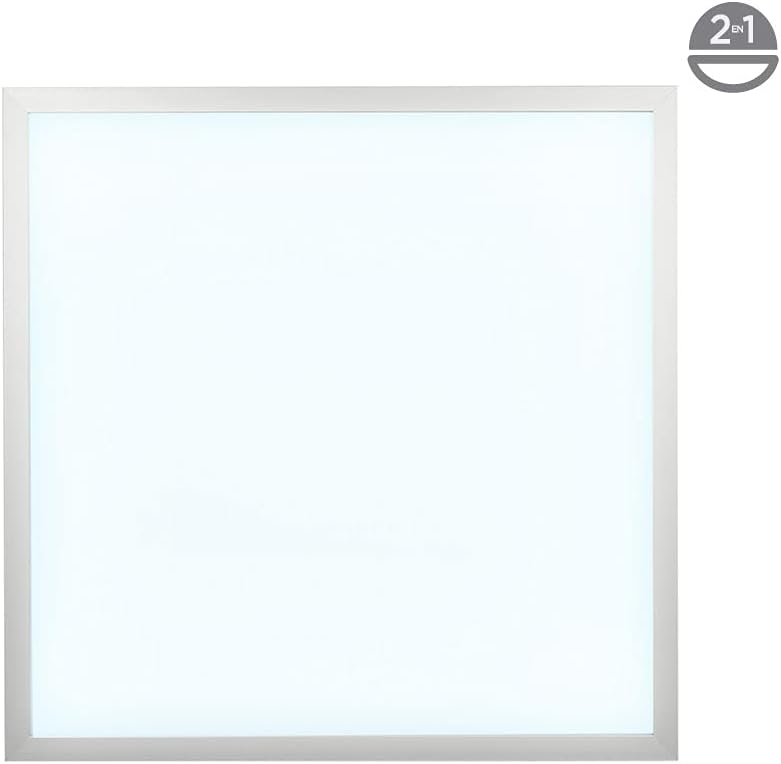
- 2-in-1 Installation: Can be installed as a suspended or recessed ceiling fixture.
- Energy Efficient: 40W LED provides 3500 lumens, equivalent to a 270W incandescent lamp.
- Daylight Illumination: 6500K color temperature for clear and bright environments.
- Integrated LED Driver: Includes necessary LED driver for operation.
- Durable Design: IP55 rated, offering protection against limited dust ingress and low-pressure water jets.
- Material: Constructed from aluminum for durability and efficient heat dissipation.

A square Tecnolite LED panel light, white with a silver-colored frame, designed for ceiling installation.
3. Specifications
| Attribute | Value |
|---|---|
| Model Number | PAN-LED/40/65/S |
| Brand | Tecnolite |
| Power Consumption | 40 Watts |
| Luminous Flux | 3500 Lumens |
| Color Temperature | 6500K (Daylight White) |
| Voltage | 100 - 240 V (Operating Range) / 127 Volts (Nominal) |
| Material | Aluminum |
| Dimensions (L x W x H) | 59.5 cm x 59.5 cm x 1 cm |
| Weight | 3.25 Kilograms |
| IP Rating | IP55 (Dust and low-pressure water resistant) |
| Light Source | Integrated LED |
| Mounting Type | Ceiling Mount (Suspended/Recessed) |
| Control Method | Tactile (Implies standard switch control) |
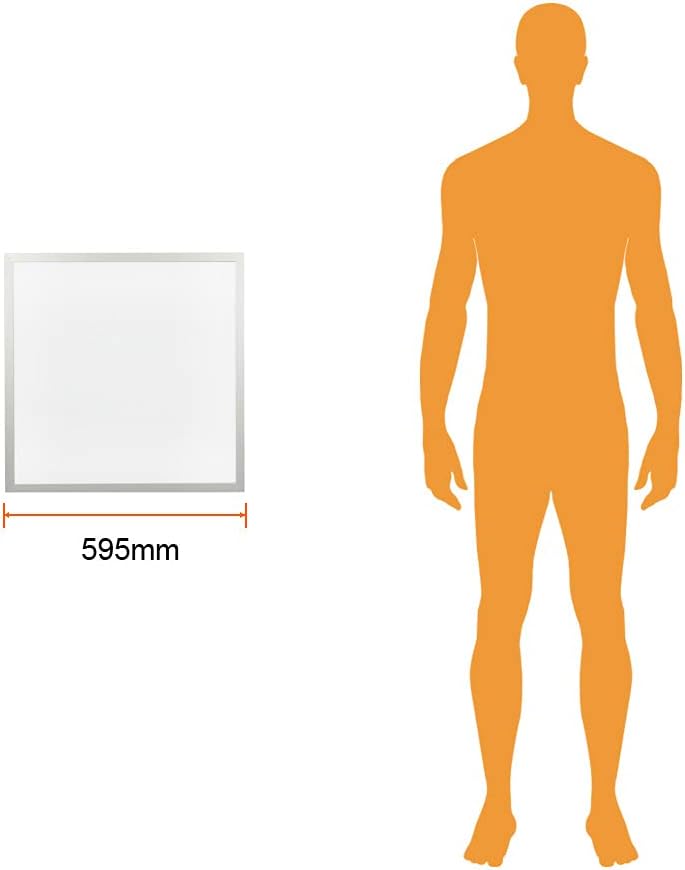
An illustration showing the 595mm dimension of the Tecnolite LED panel light in comparison to an average human figure for scale.
4. Safety Information
Always follow basic safety precautions when installing, operating, and maintaining electrical equipment. Failure to do so may result in personal injury or property damage.
- Disconnect power before installation or servicing.
- Ensure the power supply voltage matches the product's requirements (100-240V).
- Do not attempt to modify the fixture.
- Installation should be performed by a qualified electrician if you are unsure.
- This product is for indoor use only.
5. Package Contents
Verify that all components are present and undamaged before proceeding with installation.
- 1 x Tecnolite LED Panel Light (Model PAN-LED/40/65/S)
- 1 x Integrated LED Driver
- 1 x Instruction Manual (this document)
- Suspension equipment (cables, clips, mounting hardware) for suspended installation.
The Tecnolite LED panel light shown inside its retail packaging, highlighting the product's branding and key features.

A collection of accessories included for suspending the Tecnolite LED panel light, such as cables, clips, and mounting hardware.
6. Installation
The Tecnolite LED Panel Light offers two primary installation methods: recessed and suspended. Always ensure power is disconnected at the circuit breaker before beginning installation.
6.1 Recessed Installation
- Prepare the ceiling opening according to the fixture's dimensions (59.5 cm x 59.5 cm).
- Connect the LED driver to the main power supply (100-240V AC). Ensure proper wiring (Live, Neutral, Ground).
- Connect the LED panel to the LED driver.
- Carefully insert the LED panel into the ceiling opening. The spring clips on the sides will secure the panel in place.
- Ensure the panel is flush with the ceiling surface.
6.2 Suspended Installation
- Install the suspension cables and mounting hardware to the ceiling, ensuring they are securely fastened and can support the weight of the fixture.
- Attach the suspension cables to the designated points on the LED panel.
- Connect the LED driver to the main power supply (100-240V AC) and then to the LED panel.
- Adjust the cable length to achieve the desired hanging height.
Refer to the detailed diagrams and instructions provided in the physical manual for precise steps and safety warnings.

A detailed diagram showing the components and steps for installing the Tecnolite LED panel light, including suspension points and electrical connections.
This video demonstrates the unboxing process of the Tecnolite LED Panel Light, showing the contents of the package and the initial appearance of the product.
7. Operation
Once properly installed and connected to the power supply, the Tecnolite LED Panel Light operates via a standard wall switch or compatible control system. There are no complex controls on the fixture itself.
- Turning On/Off: Use the connected wall switch to turn the light fixture on or off.
- Light Output: The fixture provides a consistent 6500K daylight white light at 3500 lumens.
8. Maintenance
The Tecnolite LED Panel Light requires minimal maintenance due to its integrated LED design and durable construction.
- Cleaning: Disconnect power before cleaning. Use a soft, dry, or slightly damp cloth to wipe the surface of the panel. Do not use abrasive cleaners or solvents.
- Inspection: Periodically check for any loose connections or visible damage. If any issues are found, disconnect power and consult a qualified technician.
- LED Replacement: The LEDs are integrated and not user-replaceable. The fixture is designed for a long operational life.

A close-up view of the integrated LED chips within the Tecnolite panel, highlighting the light source.
9. Troubleshooting
If you encounter issues with your LED panel light, refer to the following common problems and solutions:
| Problem | Possible Cause | Solution |
|---|---|---|
| Light does not turn on | No power supply; Loose wiring; Faulty switch; Faulty LED driver. | Check circuit breaker; Verify all connections; Test switch; Contact support if driver is suspected. |
| Light flickers | Unstable power supply; Loose connection; Incompatible dimmer (if applicable, though this model is not specified as dimmable). | Check power stability; Secure connections; Ensure no dimmer is used unless specified. |
| Reduced brightness | Dust accumulation on panel; Aging LED components. | Clean the panel surface; LED degradation over time is normal, but if significant, contact support. |
For issues not listed here or if problems persist, please contact Tecnolite customer support.
10. Warranty and Support
The Tecnolite LED Panel Light (Model PAN-LED/40/65/S) comes with a 3-year warranty against manufacturing defects.
To claim warranty service or for technical support, please contact Tecnolite customer service with your proof of purchase and product model number.
For more information, visit the official Tecnolite website or contact your local distributor.