
1. Important Safety Instructions
Before operating the Bowflex BXT226 Treadmill, please read and understand all safety instructions. Failure to follow these instructions could result in injury or damage to the product.
- Always consult with a physician before starting any new exercise program.
- Keep children and pets away from the treadmill during operation.
- Place the treadmill on a solid, level surface with adequate clearance around it.
- Ensure the safety key is properly attached to your clothing before beginning a workout.
- Do not operate the treadmill if it has a damaged cord or plug, or if it is not working properly.
- Wear appropriate exercise clothing and athletic shoes.
2. Product Overview
The Bowflex BXT226 is a high-performance treadmill designed for intensive cardio training, including High-Intensity Interval Training (HIIT). It features a robust motor, a user-friendly console, and a comfortable running surface.

Image 2.1: Front view of the Bowflex BXT226 Treadmill, showcasing its design and console.

Image 2.2: Side view of the Bowflex BXT226 Treadmill, highlighting its profile and running deck.

Image 2.3: A user engaging in a workout on the Bowflex BXT226 Treadmill, demonstrating its use in a home environment.
3. Setup
The Bowflex BXT226 Treadmill requires assembly. Refer to the included assembly guide for detailed step-by-step instructions. Ensure all components are securely fastened before initial use.
3.1 Unpacking and Placement
- Carefully remove all packaging materials.
- Place the treadmill on a flat, stable surface. Ensure there is at least 0.6 meters (2 feet) of clear space on each side and 1.8 meters (6 feet) behind the treadmill for safe operation and emergency dismount.
3.2 Assembly
Follow the instructions in the separate assembly manual provided with your treadmill. Typically, this involves attaching the console, uprights, and handrails to the main deck.
3.3 Power Connection
- Connect the power cord to the treadmill and then to a grounded electrical outlet.
- Ensure the power switch, usually located near the front of the treadmill, is in the 'ON' position.

Image 3.1: The Bowflex BXT226 Treadmill in a folded position, demonstrating its space-saving design for storage.
4. Operating Instructions
The BXT226 treadmill features an intuitive console with a 7.5-inch display, offering various workout programs and real-time performance data.

Image 4.1: Close-up view of the Bowflex BXT226 Treadmill console, showing the display and control buttons.
4.1 Starting a Workout
- Step onto the treadmill, ensuring your feet are on the side rails.
- Attach the safety key clip to your clothing.
- Press the Start button on the console. The belt will begin to move at a low speed.
- Adjust speed and incline using the dedicated buttons on the console or handrails.
4.2 Workout Programs
The BXT226 comes with 9 pre-installed programs, including:
- Interval Training: Alternates between high intensity and recovery phases.
- Fat Burning: Designed to optimize calorie expenditure from fat.
- Calories Burn: Focuses on maximizing total calorie burn.
- Target: Allows setting specific goals for time, distance, or calories.
Select a program using the program selection buttons on the console. Follow the on-screen prompts to customize settings.
4.3 Monitoring Performance
The 7.5-inch LCD display shows real-time training data, including speed, distance, time, calories burned, and heart rate. A curved, colorful "Burn-Rate" LED strip provides a visual indication of performance based on calorie consumption.
4.4 Connectivity
The treadmill supports connectivity for tracking workout data and integrating with fitness applications. Refer to the console's interface for specific app compatibility and pairing instructions.
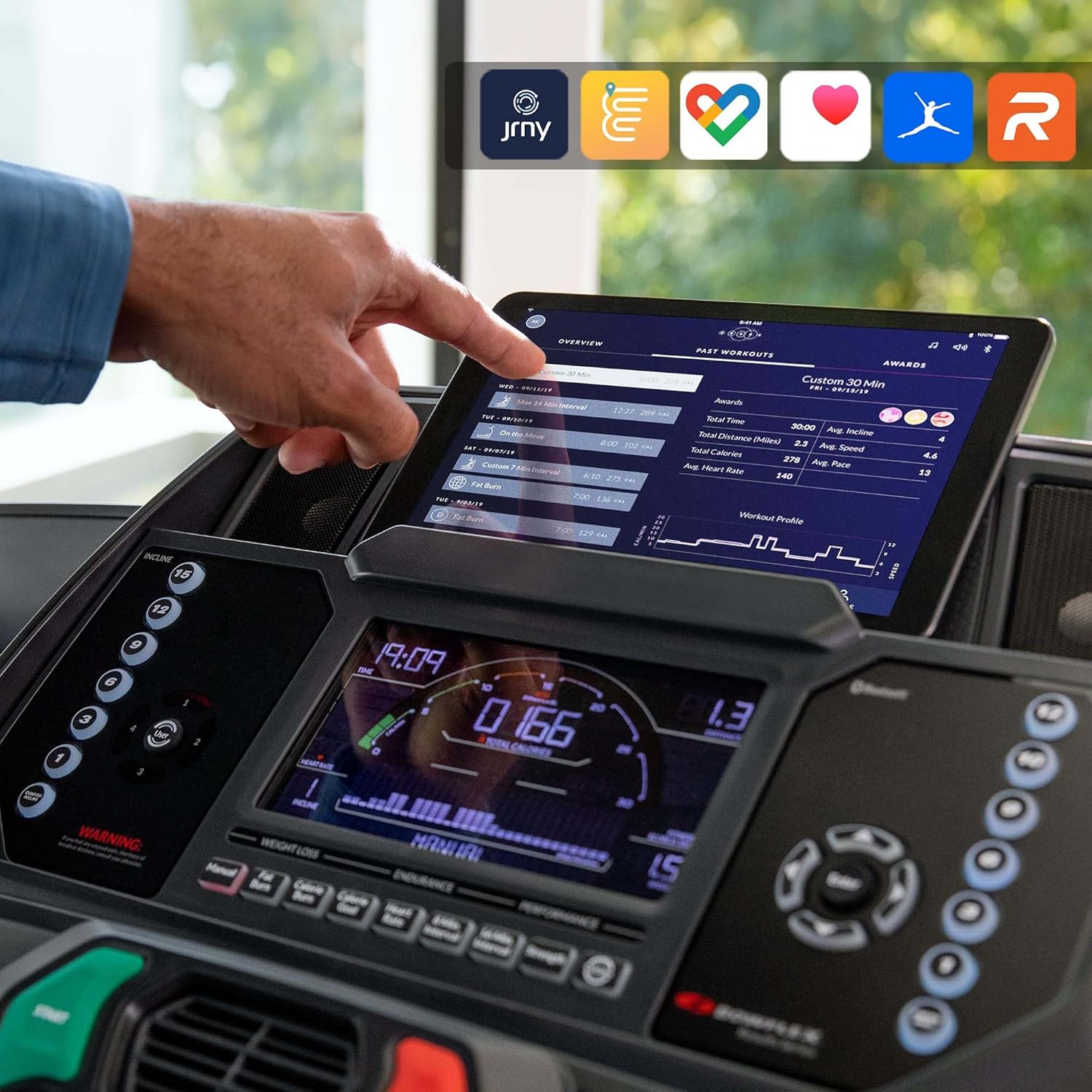
Image 4.2: The Bowflex BXT226 console displaying integration with various fitness applications via a tablet, enhancing workout tracking.
4.5 Stopping a Workout
- Press the Stop button to gradually slow down and stop the treadmill belt.
- In an emergency, pull the safety key to immediately stop the treadmill.
5. Maintenance
Regular maintenance ensures the longevity and optimal performance of your Bowflex BXT226 Treadmill.
5.1 Cleaning
- Wipe down the console and other surfaces with a damp cloth after each use. Avoid abrasive cleaners.
- Periodically vacuum underneath the treadmill to prevent dust and debris buildup.
5.2 Belt Lubrication
The running belt may require periodic lubrication. Refer to your specific product documentation for recommended lubrication schedules and procedures. Use only approved silicone lubricants.
5.3 Power Cord Inspection
Regularly inspect the power cord for any signs of damage. If the cord is damaged, discontinue use and contact customer support for assistance.
6. Troubleshooting
This section addresses common issues you might encounter with your Bowflex BXT226 Treadmill.
6.1 Treadmill Does Not Start
- Ensure the power cord is securely plugged into a grounded outlet and the treadmill.
- Check that the power switch is in the 'ON' position.
- Verify the safety key is correctly placed on the console.
- Check the circuit breaker in your home's electrical panel.
6.2 Console Buttons Are Unresponsive or Sticking
- Power cycle the treadmill by turning it off, unplugging it for 30 seconds, then plugging it back in and turning it on.
- Ensure the console surface is clean and free of debris that might obstruct button movement.
- If the issue persists, contact Bowflex customer support for further assistance, as this may indicate a hardware issue.
6.3 Unusual Noises During Operation
- Inspect the running belt for proper alignment and tension. Adjust if necessary according to the maintenance section of the full manual.
- Ensure all assembly bolts are tightened.
- If the noise continues, discontinue use and contact customer support.
7. Specifications
Key technical specifications for the Bowflex BXT226 Treadmill:
| Feature | Specification |
|---|---|
| Model Number | NH100544 |
| Color | Black |
| Display Size | 7.5 Inch |
| Display Type | LCD |
| Material Type | Rubber |
| Horsepower | 3.75 HP |
| Programs | 9 |
| Power Source | Corded Electric |
| Special Features | Portable |
| Product Dimensions | 228.6 x 81.28 x 43.18 cm (90 x 32 x 17 inches) |
| Item Weight | 63.56 kg (140 lbs) |
| Maximum Speed | 20 km/h (12.4 mph) |
| Assembly Required | Yes |
8. Warranty Information
Bowflex products are covered by a limited warranty. Specific warranty terms and conditions, including coverage duration and what is covered, are provided with your product documentation. Please retain your proof of purchase for warranty claims.
For detailed warranty information, refer to the warranty card included in your product packaging or visit the official Bowflex website.
9. Support and Contact Information
If you have any questions, require technical assistance, or need to order replacement parts, please contact Bowflex customer support.
- Online Support: Visit the official Bowflex website for FAQs, support articles, and contact forms.
- Telephone Support: Refer to your product documentation for regional customer service phone numbers.
When contacting support, please have your product model number (BXT226) and serial number ready.


