
Hantek 6022BE
Contents
Hantek 6022BE Digital PC-Based USB Oscilloscope User Manual
Model: 6022BE
1. Introduction
The Hantek 6022BE is a 2-channel, 20MHz digital PC-based USB oscilloscope designed for various electronic measurement and analysis tasks. This portable device connects to your computer via a standard USBXITM interface, transforming your PC into a powerful oscilloscope. It is ideal for notebook computer users, product line maintenance, and technical applications requiring precise waveform analysis.
Key features include a real-time sampling rate of 250MS/s, 23 measurement functions, and PASS/FAIL check capabilities. This manual provides essential information for setting up, operating, maintaining, and troubleshooting your Hantek 6022BE oscilloscope.
2. Package Contents
Please verify that all items listed below are included in your package. If any items are missing or damaged, please contact your vendor.

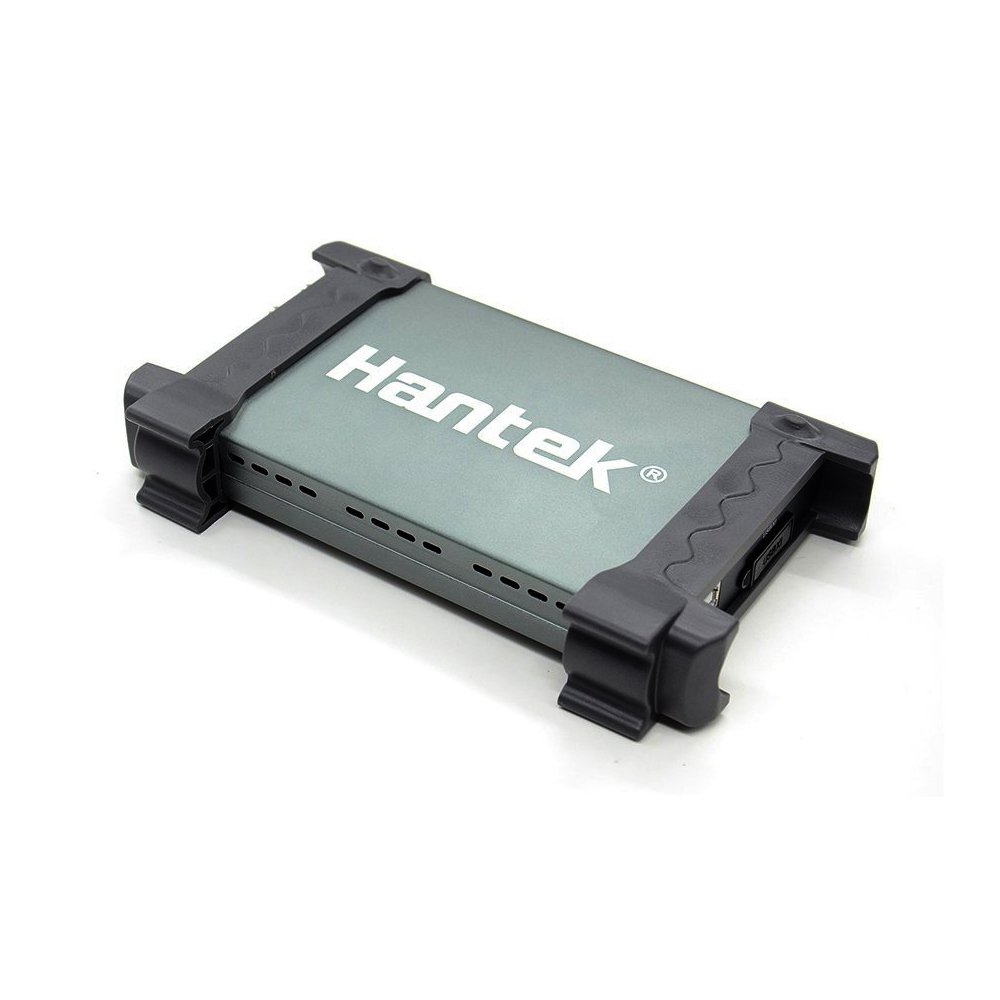
The Hantek 6022BE digital oscilloscope unit.

Retail packaging for the Hantek 6022BE oscilloscope.
An overview of the items included in the package, such as the oscilloscope, probes, USB cable, and software CD.
- Hantek 6022BE Digital PC-Based USB Oscilloscope Unit
- USB Cable for PC connection
- Oscilloscope Probes (typically two, one for each channel)
- Software CD (containing drivers and application software)
- User Manual (this document or a printed version)
3. Setup
- System Requirements: Ensure your computer meets the minimum system requirements for the Hantek software. Typically, this includes a compatible Windows operating system (Windows XP/Vista/7/8/10), a free USB 2.0 port, and sufficient hard disk space for software installation.
- Software Installation:
- Insert the provided software CD into your computer's CD/DVD drive.
- Follow the on-screen instructions to install the Hantek oscilloscope software and drivers. It is recommended to install the software before connecting the device.
- If you do not have a CD drive or need updated drivers, visit the official Hantek website to download the latest software package.
- Connect the Oscilloscope:
- Connect one end of the USB cable to the Hantek 6022BE device.
- Connect the other end of the USB cable to an available USB port on your computer.
- The operating system should detect the new hardware and complete the driver installation.
- Connect Probes: Attach the oscilloscope probes to the input channels (CH1, CH2) on the Hantek 6022BE. Ensure a secure connection.
- Launch Software: Start the Hantek oscilloscope application from your computer's desktop or Start Menu. The software should automatically detect the connected device.
4. Operating Instructions
The Hantek 6022BE software provides a user-friendly interface for controlling the oscilloscope and analyzing waveforms. Familiarize yourself with the software layout, which typically includes controls for vertical and horizontal scaling, trigger settings, measurement functions, and display options.
4.1 Basic Operation
- Vertical Controls: Adjust the voltage per division (Volts/Div) for each channel to scale the waveform vertically. Use the position controls to move the waveform up or down.
- Horizontal Controls: Adjust the time per division (Sec/Div) to scale the waveform horizontally. Use the position controls to shift the waveform left or right.
- Trigger Settings: Set the trigger level, source (CH1, CH2, External), and type (Edge, Pulse, Video) to stabilize repetitive waveforms. The trigger ensures the waveform starts at the same point on the screen each time it is captured.
- Run/Stop: Use the Run/Stop button to continuously acquire data or freeze the current waveform on the screen for detailed analysis.
4.2 Advanced Functions
- Measurement Functions: The device supports 23 automatic measurement functions, including peak-to-peak voltage, RMS voltage, frequency, period, rise time, fall time, and more. Access these through the software's measurement menu.
- PASS/FAIL Check: Configure specific waveform masks to automatically check if a signal falls within defined limits, useful for production testing and quality control.
- Waveform Math: Perform operations like waveform average, persistence, intensity, reverse, addition, subtraction, multiplication, division, and X-Y plot for in-depth signal analysis.
- Data Storage: Save waveform data, screenshots, and setup configurations for later review or documentation.
5. Maintenance
Proper maintenance ensures the longevity and accuracy of your Hantek 6022BE oscilloscope.
- Cleaning: Use a soft, dry cloth to clean the exterior of the device. For stubborn dirt, a slightly damp cloth with mild detergent can be used, but ensure no liquid enters the device. Do not use abrasive cleaners or solvents.
- Storage: Store the oscilloscope in a cool, dry place away from direct sunlight, extreme temperatures, and high humidity. Protect it from dust and vibrations.
- Probe Care: Handle probes carefully. Avoid bending or stressing the probe tips. Keep them clean and free from contaminants.
- Software Updates: Periodically check the Hantek official website for software and driver updates to ensure optimal performance and compatibility.
6. Troubleshooting
If you encounter issues with your Hantek 6022BE, refer to the following common troubleshooting steps:
- Device Not Detected:
- Ensure the USB cable is securely connected to both the oscilloscope and the computer.
- Try connecting to a different USB port on your computer.
- Verify that the drivers are correctly installed. Reinstall them if necessary.
- Restart your computer and try again.
- No Waveform Display:
- Check if the probes are correctly connected to the input channels and the circuit under test.
- Adjust the vertical (Volts/Div) and horizontal (Sec/Div) scales to appropriate ranges for your signal.
- Ensure the trigger settings are correctly configured. Try setting the trigger mode to Auto.
- Verify that the input signal is present and within the oscilloscope's measurement range.
- Software Crashing/Freezing:
- Ensure your operating system is up to date.
- Reinstall the Hantek software and drivers.
- Close other demanding applications running on your computer.
If the problem persists after trying these steps, please contact Hantek customer support or your vendor for further assistance.
7. Specifications

Physical dimensions of the Hantek 6022BE unit, showing length, width, and height.
| Feature | Specification |
|---|---|
| Manufacturer | Hantek |
| Model Number | 6022BE |
| Bandwidth | 20MHz |
| Channels | 2 Channels |
| Real-time Sampling Rate | 250MS/s |
| Interface | USBXITM (USB 2.0) |
| Measurement Functions | 23 types (e.g., Vpp, Vmax, Vmin, Vavg, RMS, Freq, Period, Rise Time, Fall Time) |
| Waveform Math | Addition, Subtraction, Multiplication, Division, X-Y Plot, Average, Persistence, Intensity, Reverse |
| Item Weight | 1 Kilogram (approx. 1 kg) |
| Batteries Included | No |
| Batteries Required | No |
| Date First Available | 2022/05/19 |
8. Warranty and Support
For warranty information, technical support, or service inquiries, please refer to the documentation provided with your purchase or visit the official Hantek website. You may also contact your original vendor for assistance.
When contacting support, please have your product model (6022BE) and purchase details readily available.
Ask a question about this manual
Ask about setup, troubleshooting, compatibility, parts, safety, or missing instructions. Manuals+ will review the question and use this page’s manual context to help answer it.