
Reebok RVJF-10721BKBT
Reebok Jet 300 Series Bluetooth Treadmill User Manual
Model: RVJF-10721BKBT
1. Important Safety Information
Please read all instructions carefully before using the Reebok Jet 300 Series Bluetooth Treadmill. Retain this manual for future reference.
- Ensure the treadmill is placed on a flat, stable surface.
- Keep children and pets away from the treadmill during operation.
- Always attach the auto-stop safety key to your clothing before starting a workout.
- Do not operate the treadmill if it is damaged or malfunctioning.
- Consult a physician before starting any new exercise program.
- Maximum user weight capacity is 140 kg.
2. Product Overview
The Reebok Jet 300 Series Bluetooth Treadmill is designed for home fitness, offering a robust and feature-rich running experience.

Figure 2.1: Main view of the Reebok Jet 300 Series Bluetooth Treadmill.

Figure 2.2: Front view, highlighting the console and handlebars.

Figure 2.3: Side view, showing the running deck and frame.

Figure 2.4: Treadmill in its folded position for storage, demonstrating the soft drop hydraulic folding mechanism.
3. Setup and Assembly
The Reebok Jet 300 Treadmill requires assembly. Please follow the detailed instructions provided in the included assembly hardware and user manual documentation. Ensure all components are securely fastened before use.
- Unpack all components: treadmill base, motor housing, console, Air Motion technology parts, power cord, safety key, and assembly hardware.
- Assemble the frame and uprights according to the diagrams.
- Attach the console to the uprights, ensuring all cables are connected.
- Verify the soft drop hydraulic folding mechanism operates smoothly.
- Utilize the built-in transport wheels for easy relocation once assembled.
4. Operating Instructions
Familiarize yourself with the control panel and features before beginning your workout.
4.1 Control Panel and Display

Figure 4.1: The 6-window LED console with profile chart, displaying speed, time, distance, incline, and heart rate.
The console features a 6-window LED display with a profile chart, showing key metrics such as Speed, Time, Distance, Incline, and Heart Rate. Quick Speed & Incline Keys are available for easy adjustments.
4.2 Starting a Workout
- Connect the power cord to a suitable electrical outlet.
- Attach the auto-stop safety key to your clothing and insert it into the console.
- Step onto the treadmill belt.
- Press the START button to begin.
- Adjust speed (up to 20 KPH) and incline (up to 15 levels) using the console controls or quick keys.
4.3 Workout Programs
The treadmill includes 24 pre-set workouts, a body fat test, 3 user-defined programs, and 3 target programs to diversify your training.
4.4 Advanced Features
- Bluetooth Connectivity: Connect your device via Bluetooth to the Reebok Fitness App for enhanced workout tracking and control.
- Air Motion Cushioning: The running deck features Air Motion Cushioning technology, which reacts to each foot strike, transferring air between cushioning pods to offer support and reduce impact strain.

Figure 4.2: Detail of the Air Motion Cushioning system.
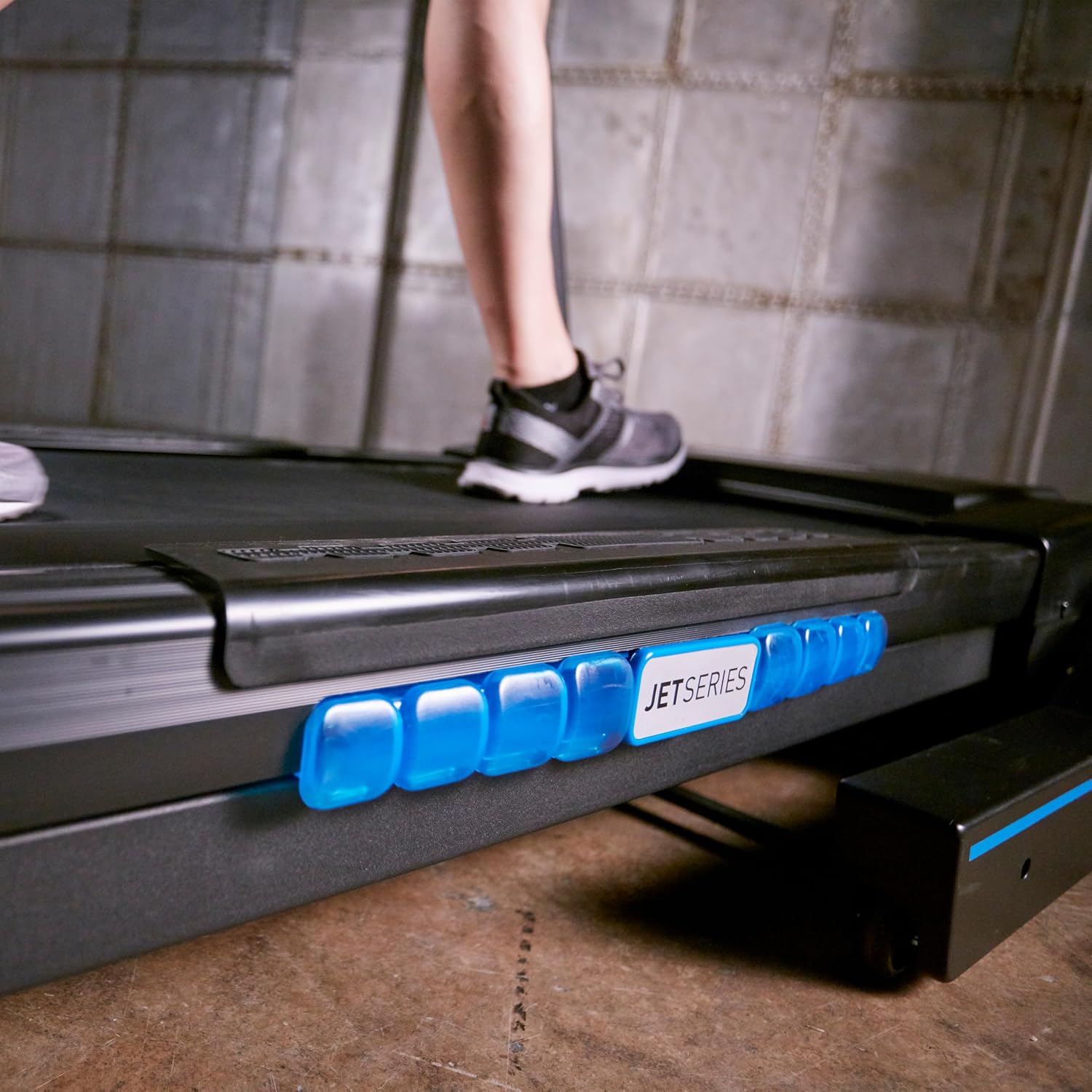
Figure 4.3: Air Motion Cushioning in action, providing support during a run.
- Integrated Hand Pulse Sensors: Grip the sensors on the handlebars to monitor your heart rate during your workout.
- Media Features: Includes MP3 input with 5W speakers and a mobile holder for entertainment during exercise. A USB charging port is also available.
- Integrated Cooling Fan: Provides airflow for comfort during intense workouts.

Figure 4.4: User demonstrating the treadmill in operation.

Figure 4.5: High performance 2.5 HP motor, capable of speeds up to 20 KPH.
5. Maintenance
Regular maintenance ensures the longevity and optimal performance of your treadmill.
- Cleaning: Wipe down the console and exterior surfaces with a damp cloth after each use. Avoid abrasive cleaners.
- Belt Lubrication: Refer to the specific lubrication instructions in the full user manual. Lubricate the running belt periodically to reduce friction and wear.
- Belt Tension and Alignment: Check the running belt tension and alignment regularly. Adjust as needed to prevent slipping or rubbing.
- Motor Cover Cleaning: Periodically remove the motor cover and vacuum any dust or debris that may have accumulated. Ensure the treadmill is unplugged before performing this task.
6. Troubleshooting
This section addresses common issues you might encounter. For more complex problems, contact customer support.
| Problem | Possible Cause | Solution |
|---|---|---|
| Treadmill does not power on. | Power cord not fully plugged in; safety key not inserted; circuit breaker tripped. | Ensure power cord is secure. Insert safety key fully. Check household circuit breaker. |
| Running belt slips or hesitates. | Belt too loose; belt requires lubrication. | Adjust belt tension according to manual. Lubricate the belt as per maintenance instructions. |
| Unusual noise during operation. | Loose components; motor issues; belt rubbing. | Check all bolts and screws for tightness. Ensure belt is centered. If noise persists, contact support. |
| Heart rate monitor not reading. | Hands not properly placed on sensors; dry hands. | Ensure full contact with both hand pulse sensors. Lightly moisten hands if too dry. |
7. Specifications
Detailed technical specifications for the Reebok Jet 300 Series Bluetooth Treadmill.

Figure 7.1: Product dimensions: 192 cm (Length) x 86 cm (Width) x 143.5 cm (Height).
| Feature | Detail |
|---|---|
| Brand | Reebok |
| Model Number | RVJF-10721BKBT |
| Motor Horsepower | 2.5 HP |
| Max Speed | 20 KPH |
| Incline Levels | 15 Power Incline Levels |
| Running Area | 150 cm (L) x 51 cm (W) |
| Max User Weight | 140 kg |
| Display Type | 6 Window LED + Profile Chart (5.5 Inches) |
| Programs | 24 Pre-Set, 3 User-Defined, 3 Target, Body Fat Test |
| Cushioning | Air Motion Cushioning |
| Connectivity | Bluetooth Enabled, Compatible with Reebok Fitness App |
| Features | Integrated Cooling Fan, Hand Pulse Sensors, Mobile Holder, MP3 Input with 5W Speakers, Quick Speed & Incline Keys, USB Charging Port, Soft Drop Hydraulic Folding, Built-in Transport Wheels |
| Material Type | Carbon Steel |
| Product Dimensions (L x W x H) | 192 x 86 x 143.5 cm |
| Item Weight | 87 kg |
| Power Source | Corded Electric |
8. Warranty and Support
Your Reebok Jet 300 Series Bluetooth Treadmill comes with warranty documentation included in the packaging. Please refer to this document for specific warranty terms and conditions.
For technical support, spare parts, or warranty claims, please contact Reebok customer service. Contact information can typically be found on the warranty documentation or the official Reebok website.
Manufacturer: Reebok
Related documentsRVJF-10721BKBT


Ask a question about this manual
Ask about setup, troubleshooting, compatibility, parts, safety, or missing instructions. Manuals+ will review the question and use this page’s manual context to help answer it.