
Sunhans SH-58Gi4000
Sunhans SH58Gi4000 WiFi Signal Booster User Manual
Brand: Sunhans | Model: SH-58Gi4000
1. Introduction
The Sunhans SH58Gi4000 WiFi Signal Booster is a high-power, bi-directional amplifier designed to extend the range and improve the performance of your existing 5.8GHz wireless networks. Ideal for use with IEEE 802.11a/n/ac compatible routers and access points, this booster is suitable for enhancing Wi-Fi coverage in homes, offices, and for specialized applications like UAV and RC equipment.

Figure 1: Sunhans SH58Gi4000 WiFi Signal Booster
2. Key Features
- 5.0-5.8Ghz frequency band, Max. 4000mW (36dBm) output power.
- Low noise, High Gain, High Performance.
- With Power and Signal Activity LED Indicators.
- Aluminum-alloy case by CNC, anti-interference.
- Small size, Safe and Power saving.
- Full kit, easy to install.
- Suitable for house, office, UAV, IP cameras, RC equipment, etc.
- Bi-directional, half-duplex, time division duplex operation.
- Supports IEEE 802.11a/n/ac standards.
- Up to 300Mbps wireless transfer speeds.
- SMA female (hole inside) connector for radio, RP-SMA male (pin inside) for antenna.

Figure 2: Key features of the booster
3. Package Contents
Verify that all items are present in your package:
- 1 x SH58Gi4000 WiFi booster
- 1 x RG316 cable with SMA connectors (20cm)
- 1 x 6dBi omni antenna
- 1 x Power supply (12V/2A DC)
- 1 x English user manual
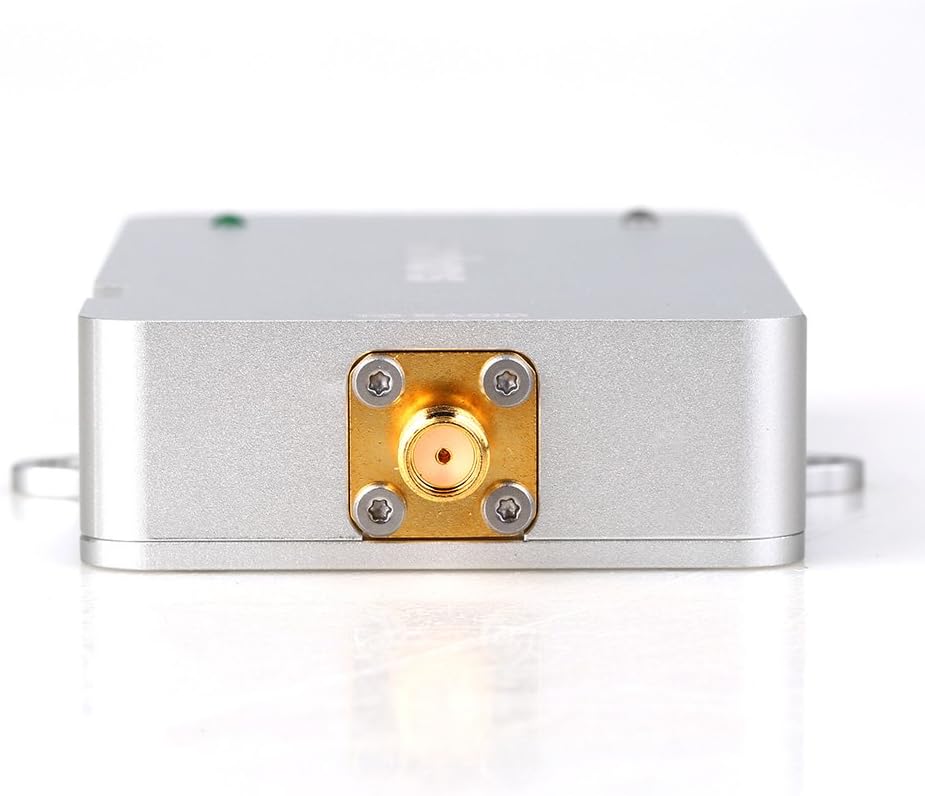
Figure 3: Complete package contents
4. Product Overview
The SH58Gi4000 booster features a robust aluminum-alloy casing for durability and anti-interference. It includes LED indicators for power status and signal activity. The device has two main connector ports: one for connecting to your radio/router and another for connecting to the external antenna.
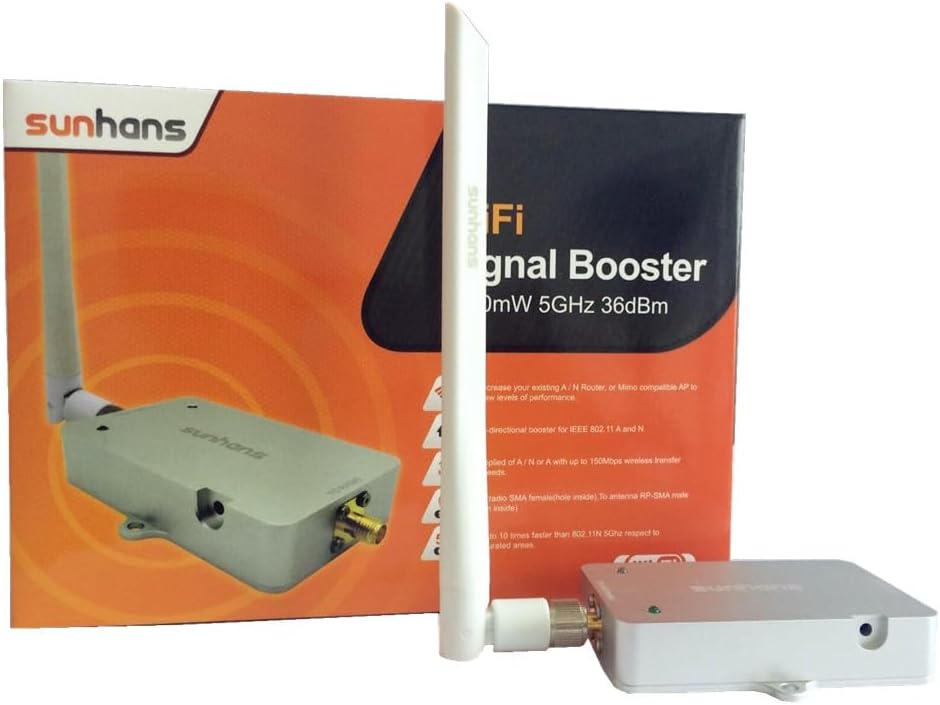
Figure 4: Front and back view of the booster
5. Specifications
| Specification | Value |
|---|---|
| Model | SH-58Gi4000 |
| Operating Range | 5.15-5.85 GHz |
| Channel Width | 20MHz, 40MHz, 80MHz |
| Supported Standards | IEEE 802.11a/n/ac |
| Operation Mode | Bi-directional, half-duplex, time division duplex |
| Connector Type (To Radio) | SMA female (hole inside) |
| Connector Type (To Antenna) | RP-SMA male (pin inside) |
| Input Power | 0 ~ 20dBm |
| Transmit Gain | 17 ~ 20dB |
| Receiver Gain | ≤12dB |
| Output Power | 4000mW (36dBm) |
| Noise Figure | ≤3.5dB typical |
| Frequency Response | ±2dB over operating range |
| Power Adapter | 12V/2A DC, 100~240V |
| Operating Temperature | -20°C to +70°C |
| Operating Humidity | Up to 75% relative humidity |
| Material | Cast Aluminum |
| Booster Weight | 133g (4.69oz) |
| Booster Size | 97 x 64 x 17mm (3.82 x 2.52 x 0.7in) |
6. Setup and Installation
Follow these steps to properly set up your Sunhans SH58Gi4000 WiFi Signal Booster:
- Power Off Devices: Ensure your existing 5.8GHz router or access point and any connected devices are powered off before beginning installation.
- Connect Booster to Router/AP: Use the provided 20cm RG316 SMA cable to connect the "TO RADIO" port of the SH58Gi4000 booster to the antenna port of your 5.8GHz router or access point.
- Connect Antenna to Booster: Attach the included 6dBi omni antenna to the "TO ANTENNA" port of the SH58Gi4000 booster.
- Connect Power: Plug the 12V/2A DC power adapter into the booster's power input jack, then connect the adapter to a standard electrical outlet.
- Power On Devices: First, power on your router or access point. Once it has fully started, power on the SH58Gi4000 booster. The power and signal activity LEDs on the booster will illuminate, indicating it is operational.
Video 1: Unboxing and setup demonstration of the Sunhans SH58Gi4000 WiFi Signal Booster. This video provides a visual guide to connecting the booster, antenna, and power supply.
7. Operating Instructions
Once properly installed and powered on, the SH58Gi4000 WiFi Signal Booster operates automatically. It is designed for bi-directional, half-duplex, time division duplex operation, meaning it intelligently senses the RF carrier from your router/AP and automatically switches between receiving and transmitting modes to amplify the signal in both directions.
For optimal performance, ensure the booster is placed in a strategic location, ideally between your existing router/AP and the areas where you need improved wireless coverage. This helps to extend the effective range and coverage area for your 5.8GHz Wi-Fi communication.

Figure 5: Illustration of booster operation in a home and for UAV applications
8. Maintenance
To ensure the longevity and optimal performance of your Sunhans SH58Gi4000 WiFi Signal Booster, follow these maintenance guidelines:
- Cleaning: Keep the device clean and free from dust. Use a soft, dry cloth for cleaning. Do not use liquid cleaners or aerosols.
- Environment: Avoid exposing the booster to extreme temperatures, direct sunlight, or high humidity.
- Ventilation: Ensure proper ventilation around the device to prevent overheating. Do not block any ventilation openings.
- Handling: Handle the device with care. Do not drop it or subject it to strong impacts.
- Servicing: Do not attempt to open or repair the device yourself. Unauthorized servicing will void the warranty.
9. Troubleshooting
If you encounter issues with your SH58Gi4000 WiFi Signal Booster, refer to the following common problems and solutions:
- No Power:
- Check if the power adapter is securely connected to both the booster and a functional power outlet.
- Ensure the power outlet is active.
- No Signal Boost or Poor Performance:
- Verify that all cables (SMA cable, antenna) are securely connected to their respective ports.
- Ensure the input power from your router/AP is within the recommended range of 0-20dBm. Input power outside this range can negatively affect performance.
- Check for physical obstructions (e.g., thick walls, metal objects) that might interfere with the wireless signal.
- Confirm that your router/AP is operating on the 5.8GHz frequency band, as this booster is specifically designed for that range.
- Relocate the booster to a different position to find a more stable signal path, minimizing interference.
- Intermittent Connection:
- Check for external interference from other 5.8GHz devices in the vicinity.
- Ensure the booster is not placed too close to other electronic devices that might cause electromagnetic interference.
- Consider adjusting the orientation of the antenna for better signal reception.
10. Warranty and Support
For detailed warranty information, technical support, or service inquiries regarding your Sunhans SH58Gi4000 WiFi Signal Booster, please refer to the contact details provided in the original product packaging or visit the official Sunhans website. Keep your purchase receipt for warranty claims.
Ask a question about this manual
Ask about setup, troubleshooting, compatibility, parts, safety, or missing instructions. Manuals+ will review the question and use this page’s manual context to help answer it.